Order terminalPause orders
Pause delivery or pickup
Pause delivery or pickup for a while, for example when it gets too busy.
What it is for
If it gets too busy or a driver is missing, you pause delivery or pickup for a while.
What changes
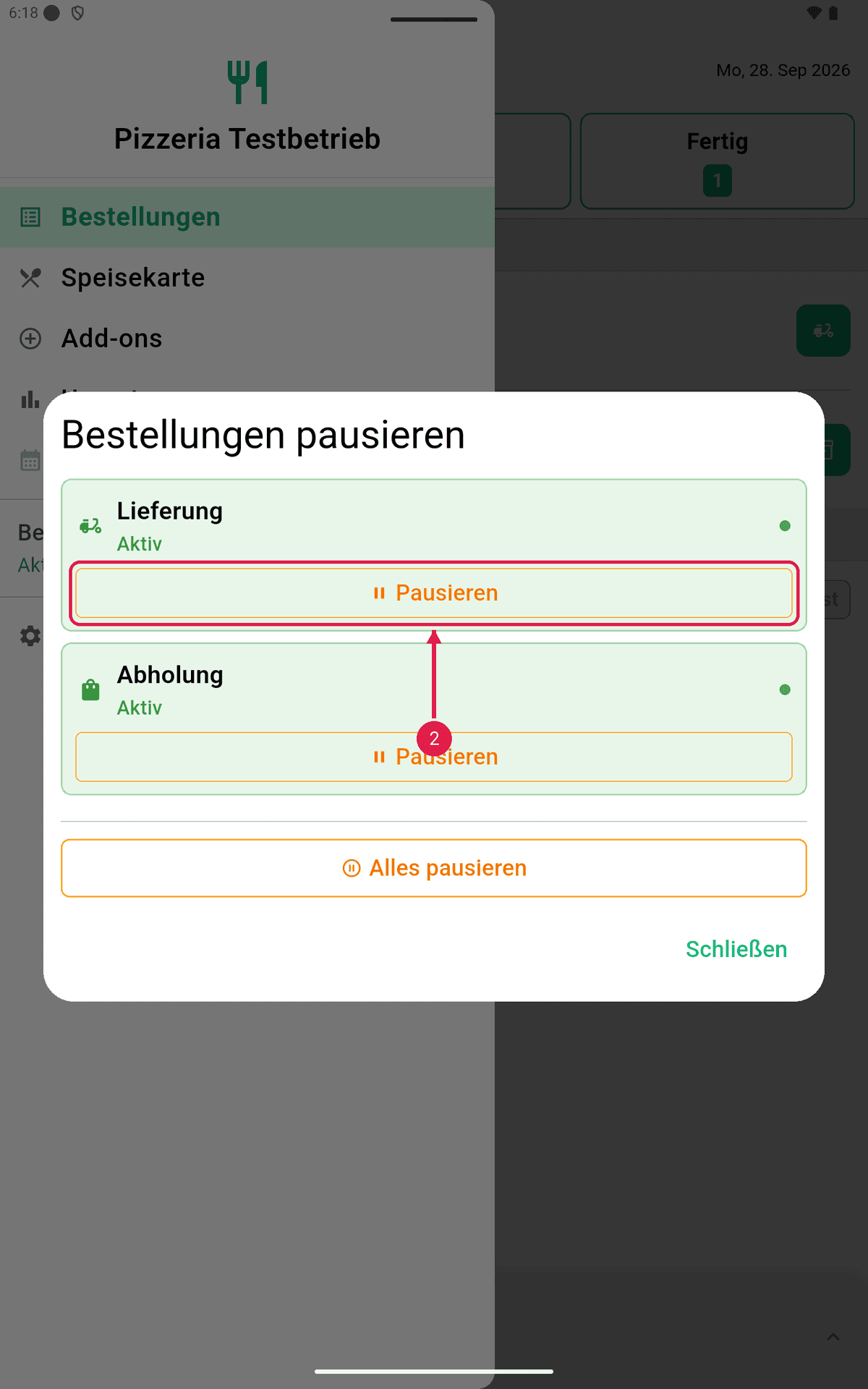
- The Bestellungen pausieren (pause orders) window shows Lieferung (delivery) and Abholung (pickup) with their status.
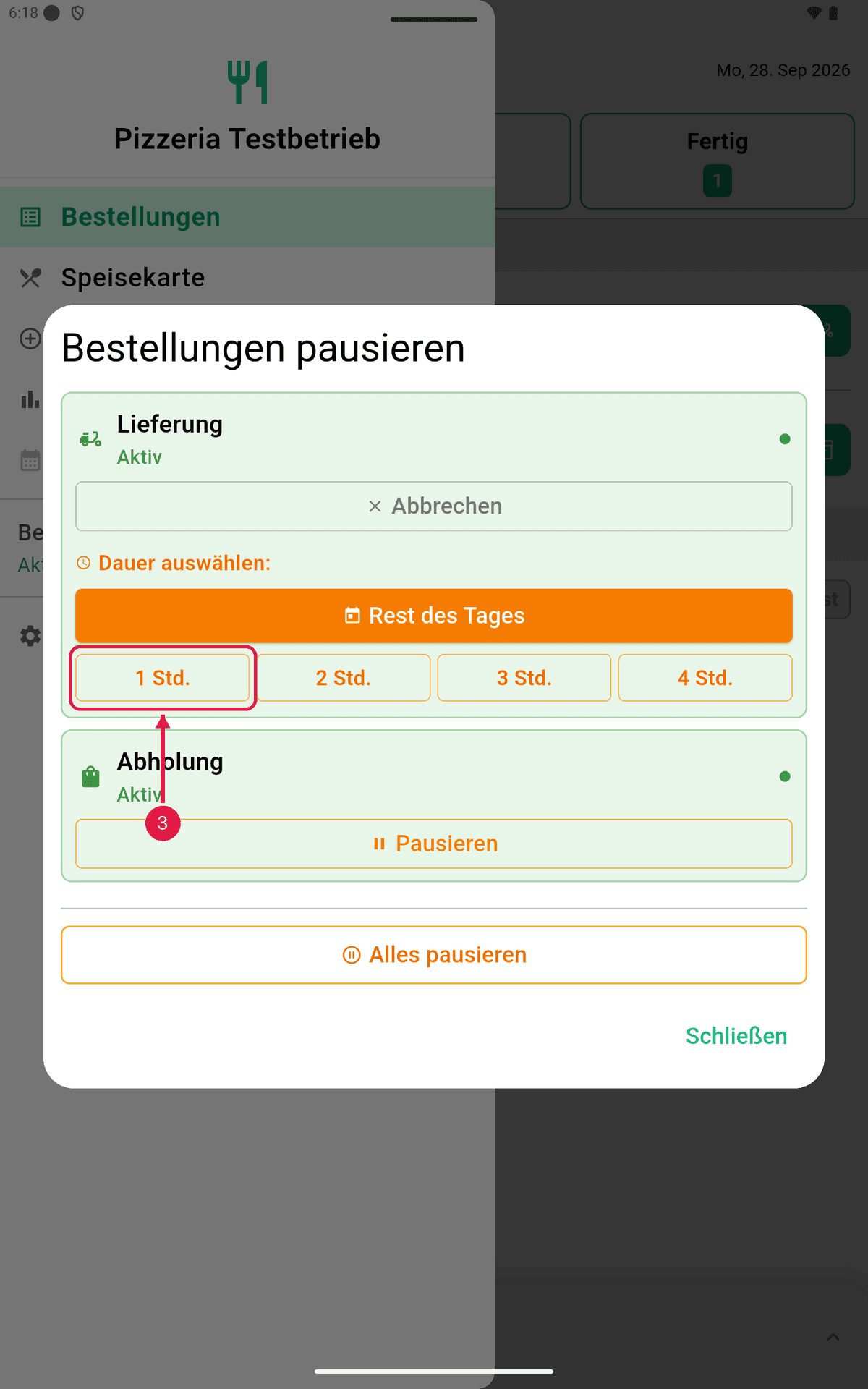
- Duration: Rest des Tages (rest of the day, until 23:59) or 1 Std. to 4 Std. (1 to 4 hours).
- During the pause guests cannot order this service. The web shop and the app show this immediately.
- In the menu, below Bestellungen, the status appears, for example Lieferung pausiert (delivery paused) or Noch 1 Std. 59 Min. (1 h 59 min left).
- This also works in the admin area, see Pause orders.
Requirements
The order terminal is connected with your restaurant.
Step by step
Open the pause
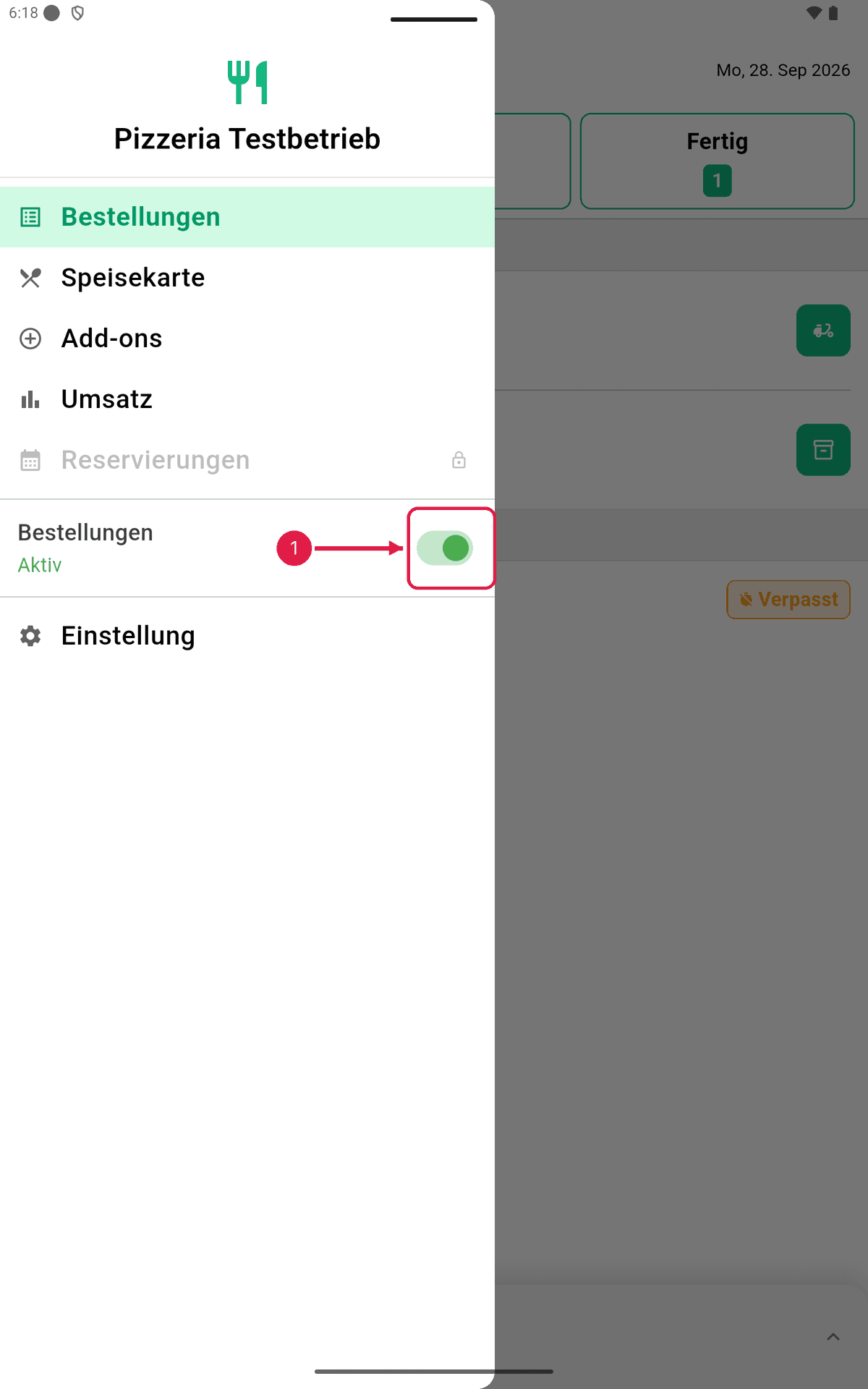
Tap the menu (three lines) at the top left. Tap the Bestellungen (orders) switch at the bottom.
Result
The service is paused and reopens by itself when the time is up.