Pause orders
Stop delivery, pickup or both for a few hours or the rest of the day, for example when you are very busy.
What it is for
If the kitchen is full, a driver is missing or you close earlier, you stop new orders for a while. You can pause delivery and pickup individually or both together, for one to four hours or until the end of the day. After that your shop takes orders again by itself.
What changes
- The pause applies immediately. You do not need to publish.
- Guests cannot choose the paused order type in the web shop and the app. The web shop shows a note such as "Lieferung pausiert" (delivery paused).
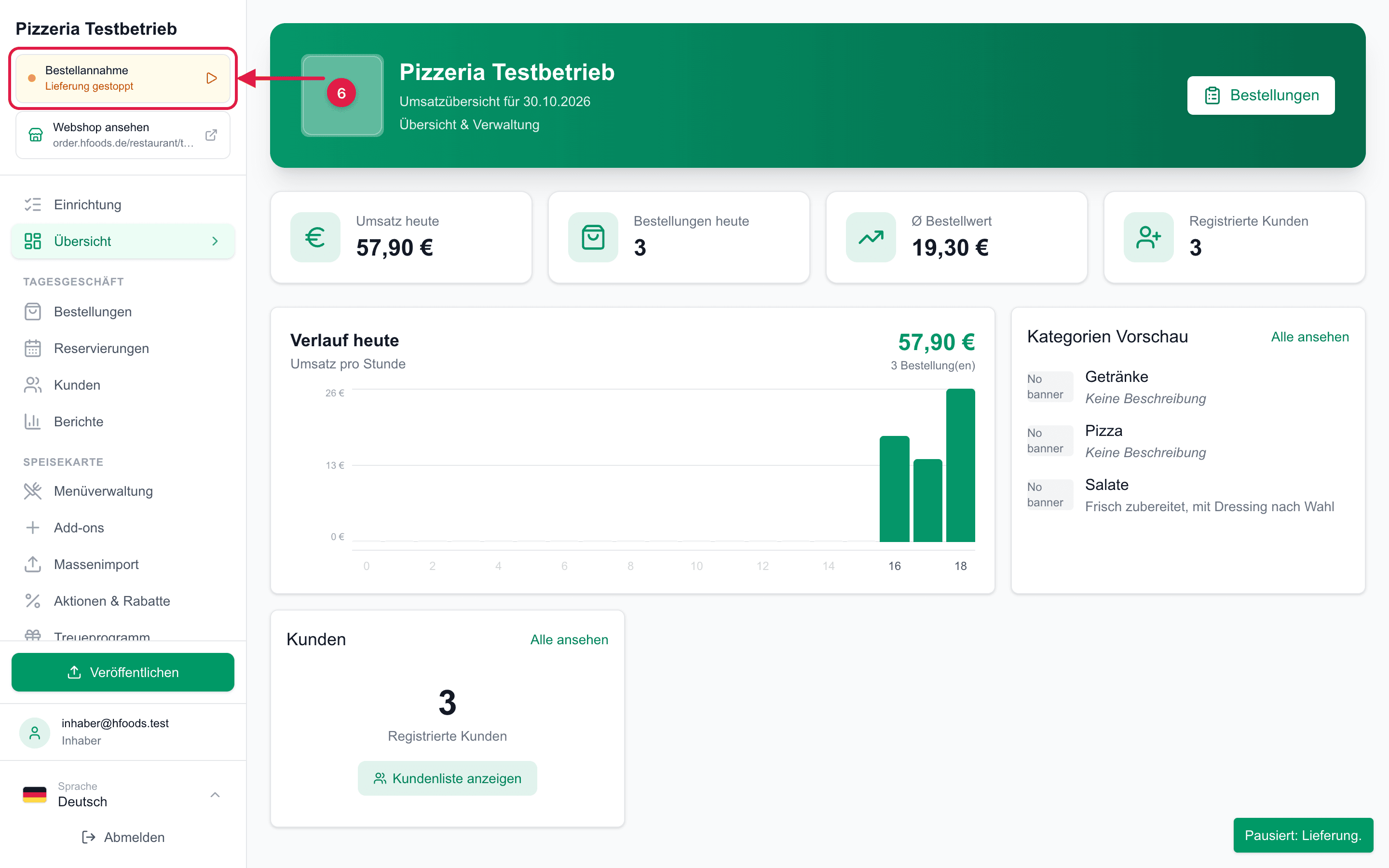
- At the top left of the sidebar, Bestellannahme (order intake) shows the status, for example Lieferung gestoppt (delivery stopped), Abholung gestoppt (pickup stopped) or Gestoppt (stopped) if both are paused.
- When the chosen time has passed, order intake runs again automatically.
Requirements
- You are signed in to the admin area, see Sign in.
- At least one order type (delivery or pickup) is switched on. Otherwise the dialog says "Aktuell ist keine Bestellart aktiv" (no order type is active) and there is nothing to pause.
Step by step
Open order intake
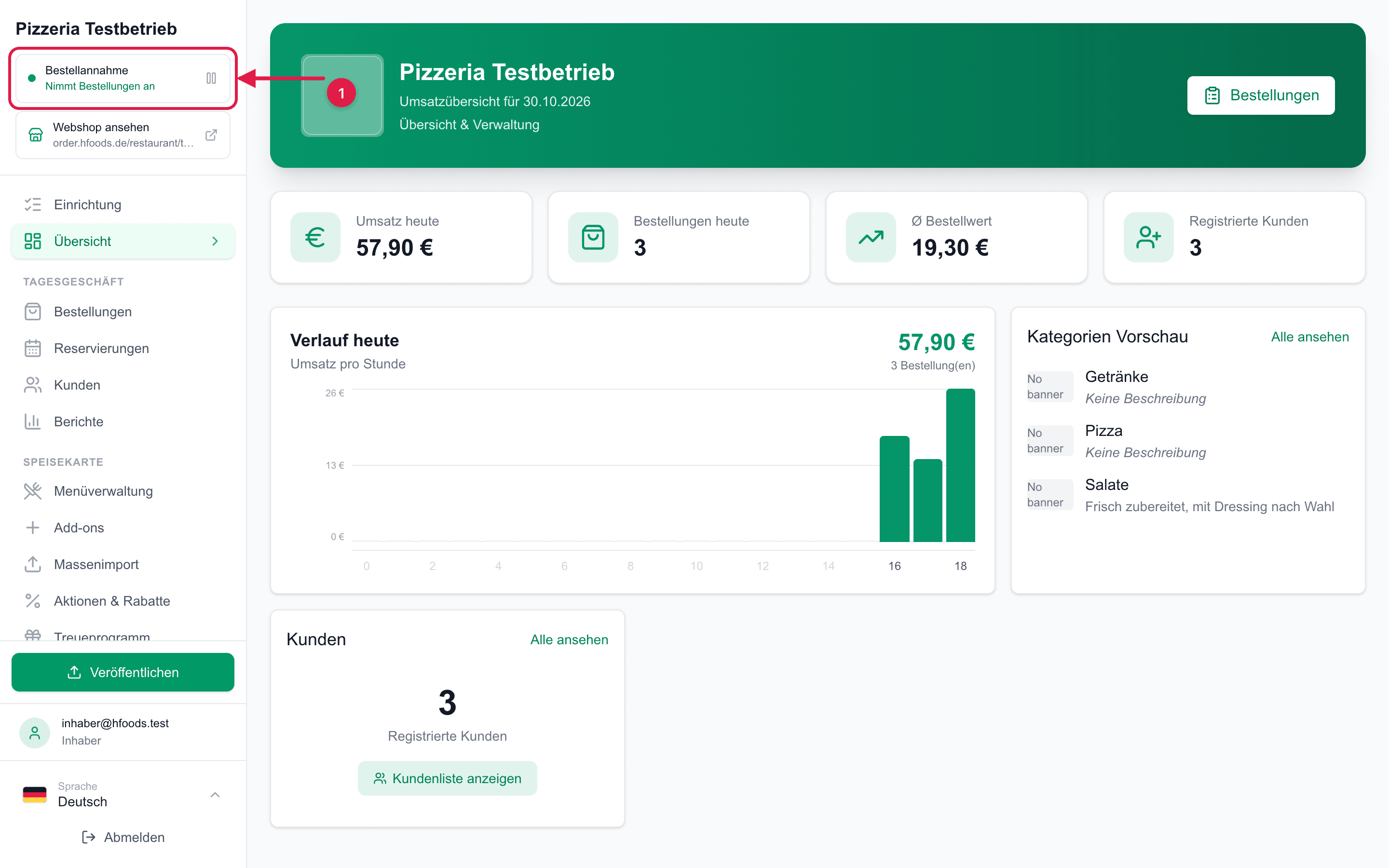
At the top left of the sidebar, click the Bestellannahme (order intake) card. While everything is running, it says Nimmt Bestellungen an (taking orders) with a green dot.
Choose the order type
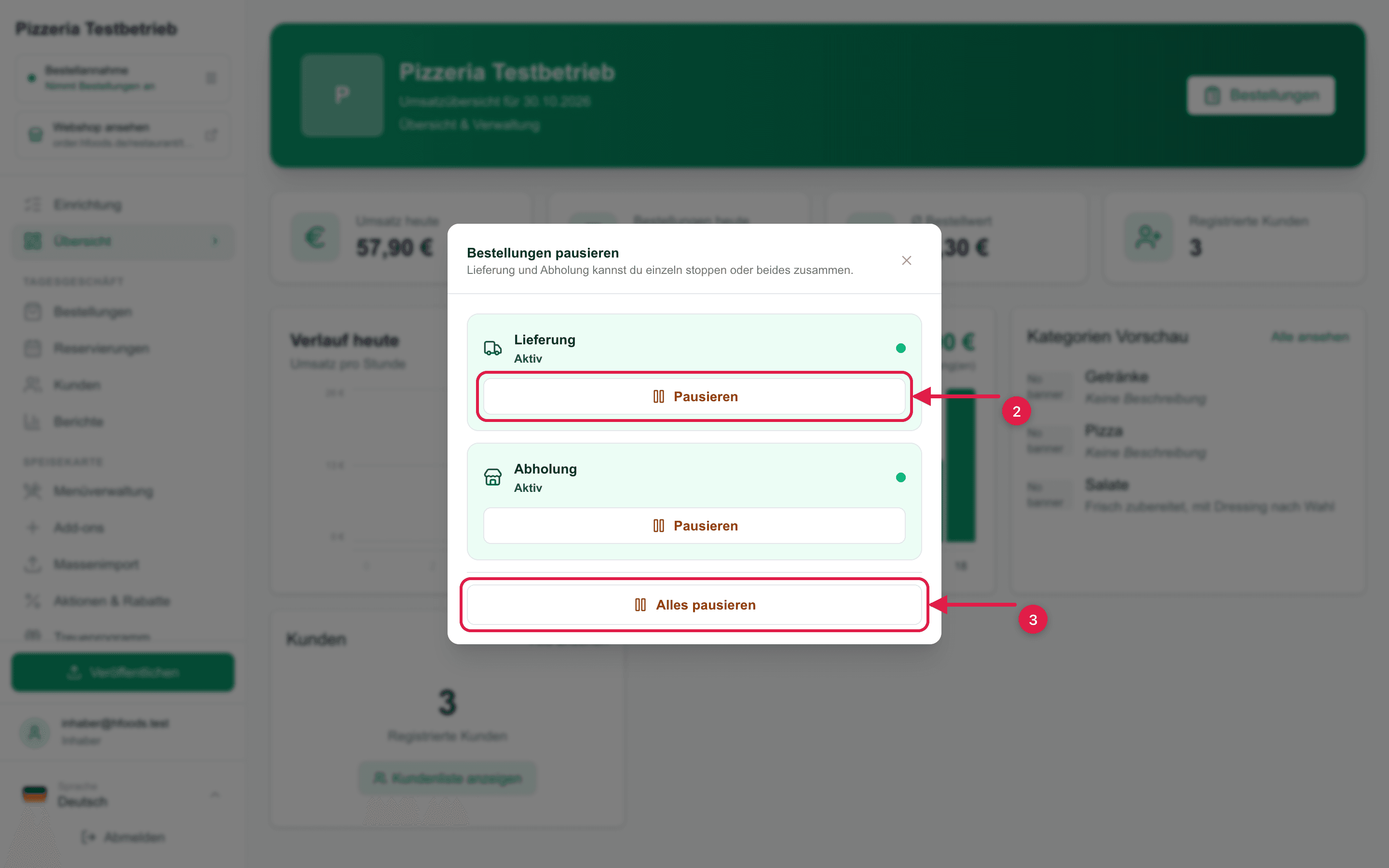
The Bestellungen pausieren (pause orders) dialog shows one card each for Lieferung (delivery) and Abholung (pickup) with their status Aktiv (active).
- To stop only one order type, click Pausieren (pause) in its card.
- To stop both, click Alles pausieren (pause everything) at the bottom.
Choose the duration
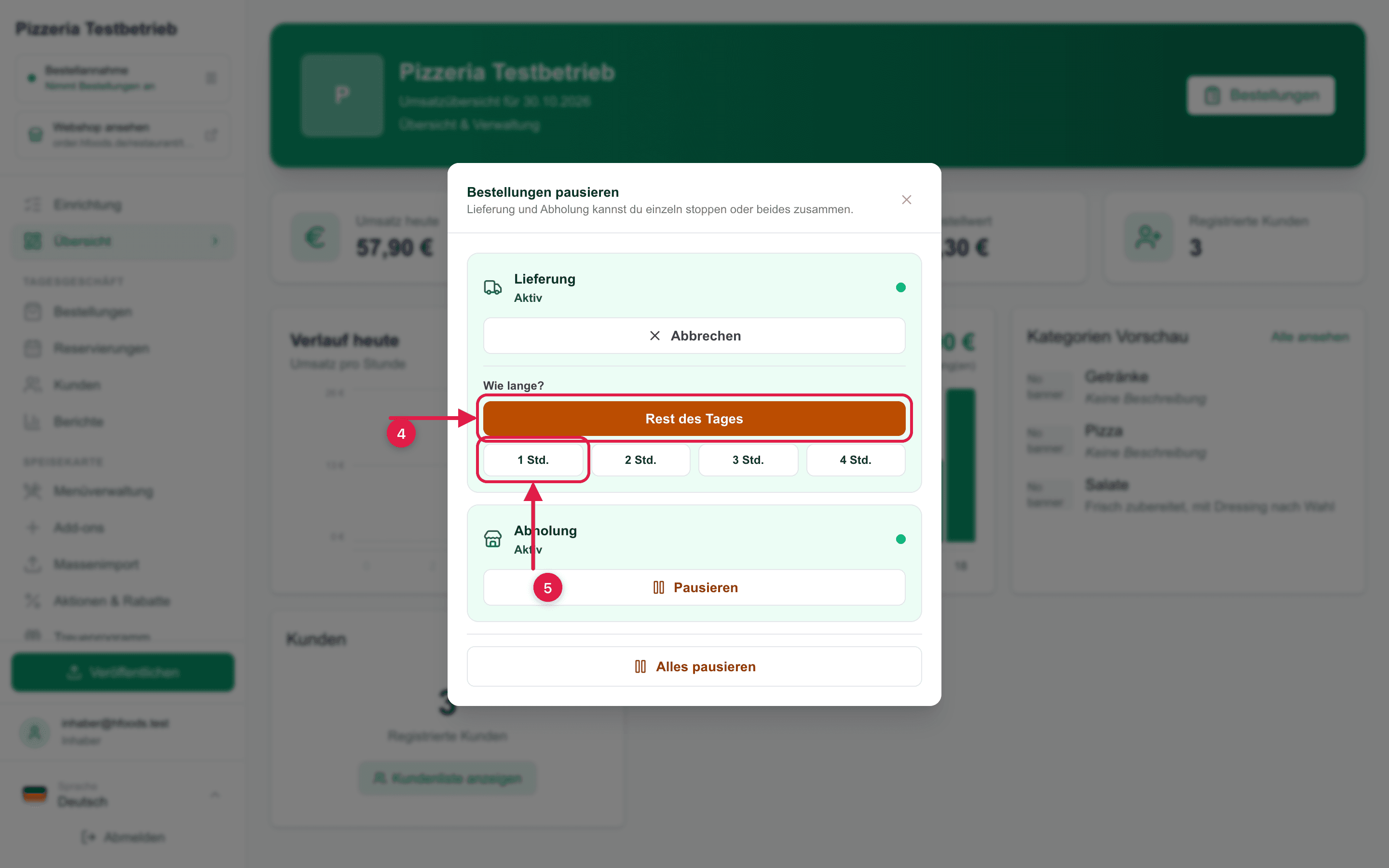
Under Wie lange? (how long?) you choose the duration with one click:
- Rest des Tages (rest of the day): pause until midnight.
- 1 Std., 2 Std., 3 Std. or 4 Std. (hours): pause from now for that time.
The pause starts immediately. The message Pausiert: Lieferung. (paused: delivery) confirms this. Abbrechen (cancel) closes the choice again without pausing.
Check the status
The order type's card now shows the remaining time, for example "Noch 59 Min." (59 min left). Close the dialog. The sidebar shows the new status at Bestellannahme, in the picture Lieferung gestoppt (delivery stopped), with an orange dot.
Result
The chosen order type takes no new orders for the chosen time. Orders already received are not affected.
Tips
- Rather pause for an hour and extend if needed than close for the whole day. After the time is up the shop continues by itself, so you cannot forget.
- If you only need fewer deliveries, pause only delivery. Pickups keep the kitchen busy but not the drivers.
- You can reopen earlier at any time, see Reopen order intake.
Frequently asked questions
Do I need to publish after pausing?
No. The pause takes effect in the web shop and the app immediately.
What happens to orders already received?
Nothing. The pause only prevents new orders. You handle running orders as usual.
How do I pause for a whole holiday?
The pause lasts until midnight at most. For holidays and rest days the settings have their own closing times.