Order terminalRevenue
Analyse payment methods
See how much revenue came in cash, by card, via Stripe and PayPal, also split by delivery and pickup.
What it is for
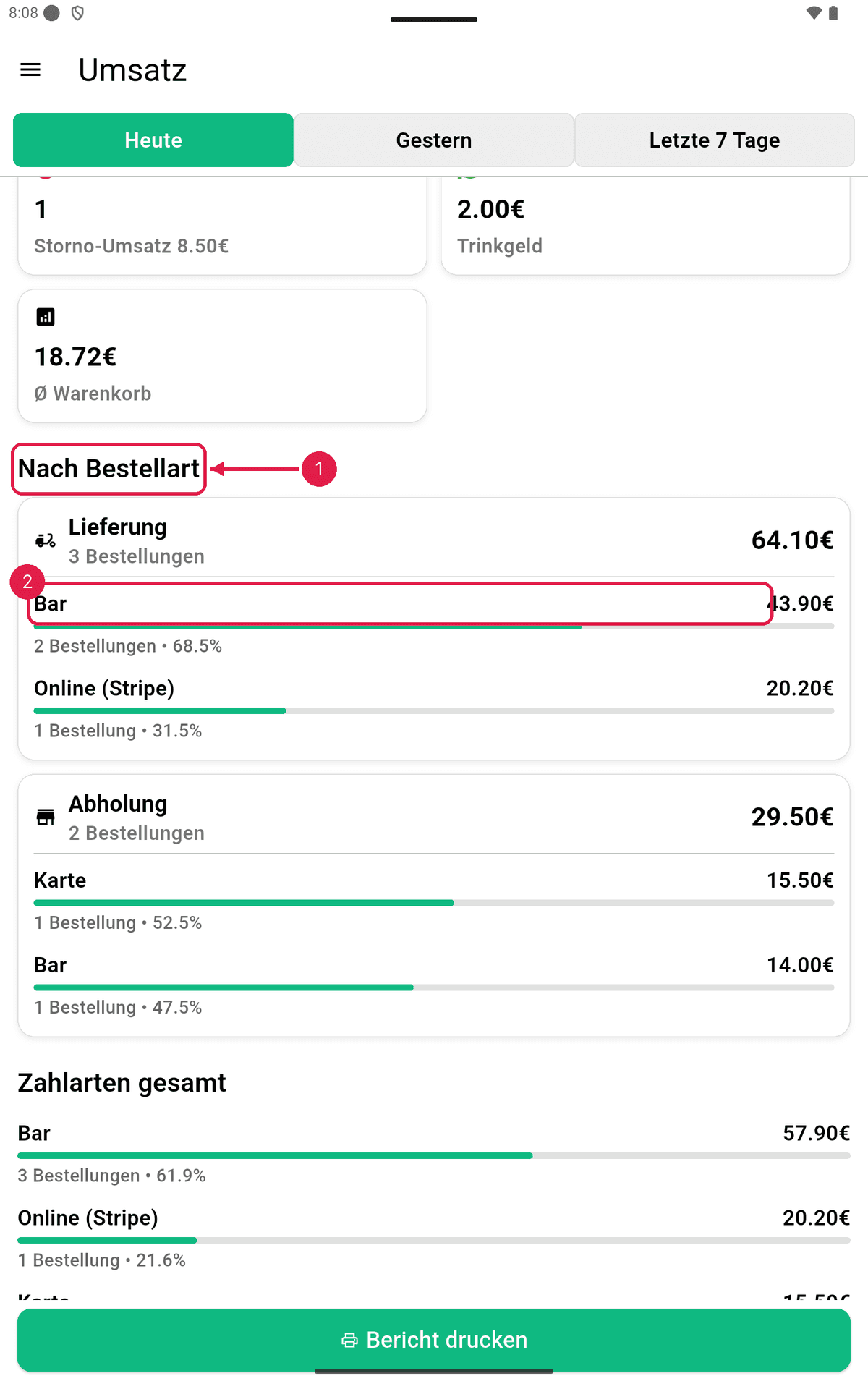
Below the tiles, Umsatz (revenue) shows how your guests paid. Nach Bestellart (by order type) splits delivery and pickup. At closing time, for example, you see how much cash came in through deliveries, that is how much cash the drivers hand over.
What changes
- Nach Bestellart (by order type): one card each for Lieferung (delivery) and Abholung (pickup) with revenue and number of orders. Below them are the payment methods of that order type, each with amount, number of orders and share. The share refers to the order type, not to the whole revenue.
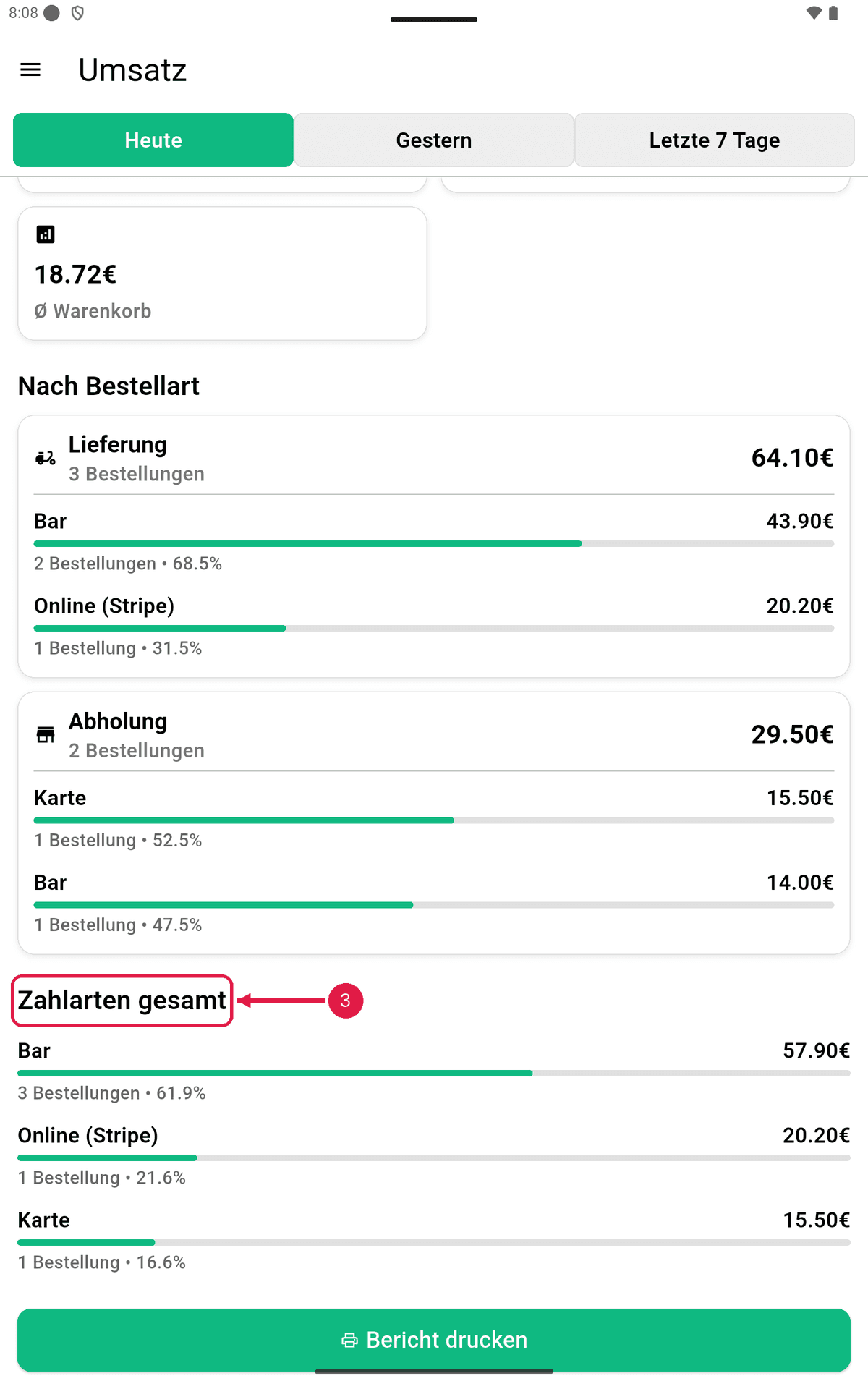
- Zahlarten gesamt (all payment methods): all orders together, each payment method with amount, number of orders and share of revenue.
- Payment methods are Bar (cash), Karte (card), Online (Stripe) and PayPal.
- Cancelled orders do not count.
- VAT by tax rate is in the printed report, see Print the revenue report.
Requirements
The order terminal is connected to your restaurant.
Step by step
View by order type
Open Umsatz (revenue) in the menu. If a PIN lock is set up, enter the PIN first. Choose the period and scroll to Nach Bestellart. Under Lieferung, for example, Bar shows how many deliveries were paid in cash and what amount that was.
Result
You know how your guests paid, split by delivery and pickup.