Search and sort the customer list
Search the registered customers of your shop by name, email or phone and sort the list.
What it is for
Under Kunden (customers) you see all guests who have a customer account in your shop. Figures are shown at the top, below them the list with name, email and phone number. With search and sorting you find a particular guest quickly, for example when they have a question.
What changes
Nothing. Search and sorting only change what is shown.
Requirements
You are signed in to the admin area as the owner. The customer list is not visible to staff.
Step by step
Search and sort
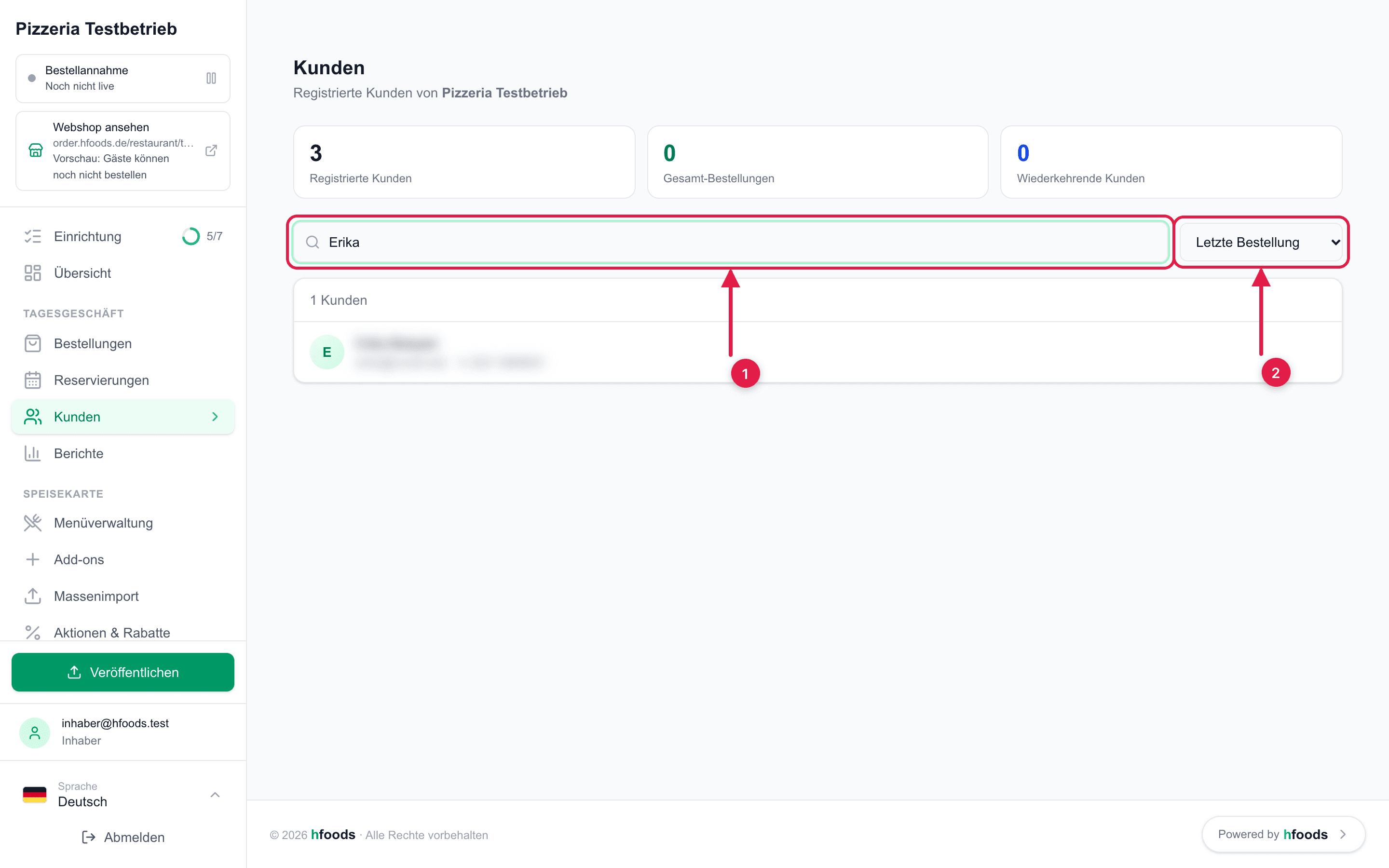
In the sidebar on the left, click Kunden. At the top you see Registrierte Kunden (registered customers), Gesamtbestellungen (total orders) and Wiederkehrende Kunden (returning customers).
- Type part of the name, email or phone number into the Suchen (Name, E-Mail, Telefon)... (search name, email, phone) field. The list immediately shows only matching customers.
- Choose the sorting to the right of it: Letzte Bestellung (last order), Name A-Z or Meiste Bestellungen (most orders).
Result
The list shows the customers you searched for in the chosen order.
Tips
- Sort by Meiste Bestellungen to see your regulars, for example to thank them.
Frequently asked questions
Why is a guest missing from the list?
The list only shows guests with a customer account. Anyone who orders without an account is not in it.