Set up a welcome bonus
Automatically give new customers bonus points when they create their customer account.
What it is for
With the Willkommensbonus (welcome bonus) every guest who creates a customer account receives bonus points once. This makes the first order with an account more attractive.
What changes
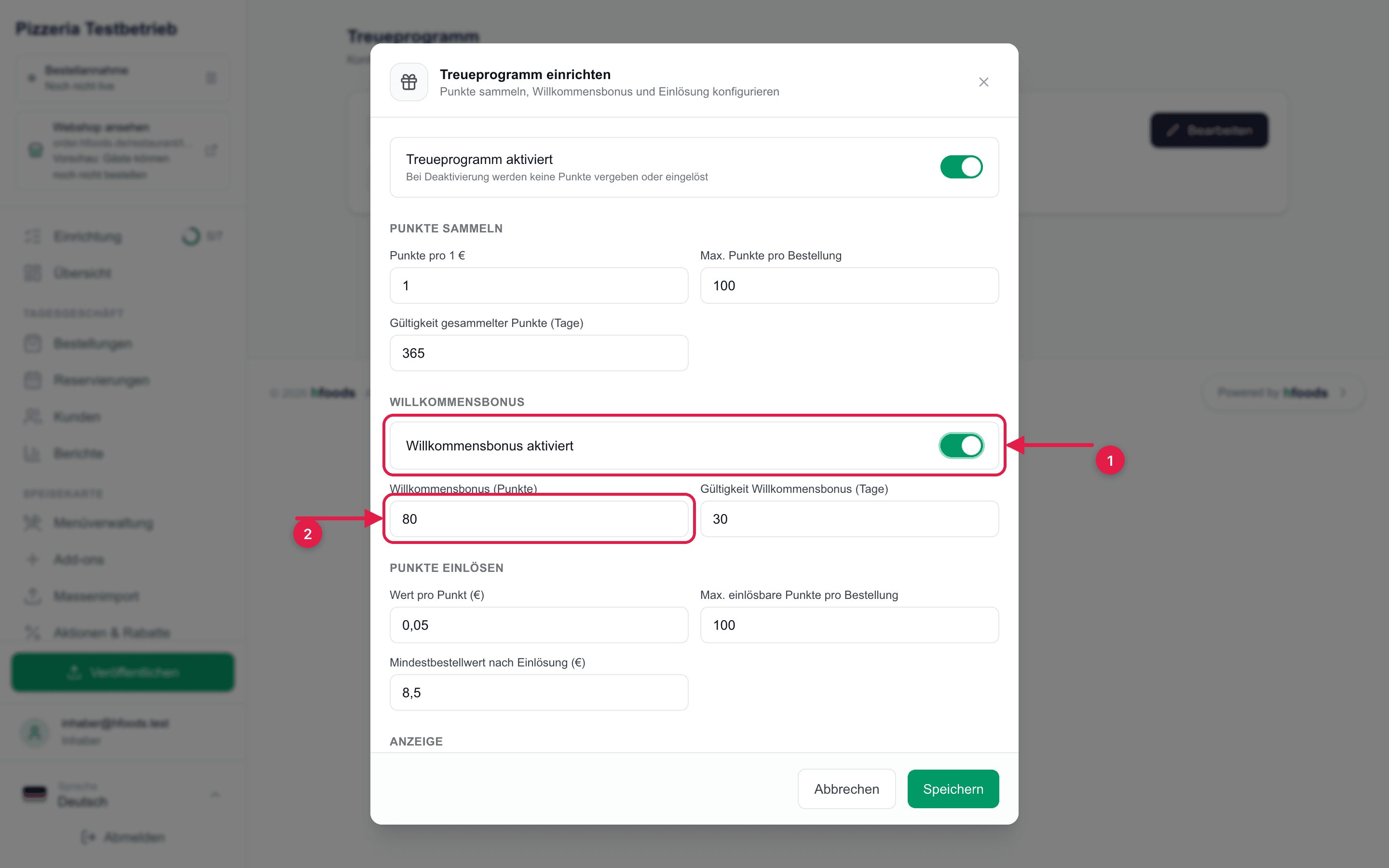
- New customers receive Willkommensbonus (Punkte) (welcome bonus points) when they create their account, 80 by default.
- These points expire after Gültigkeit Willkommensbonus (Tage) (validity of the welcome bonus in days), after 30 days by default. So it pays to order soon.
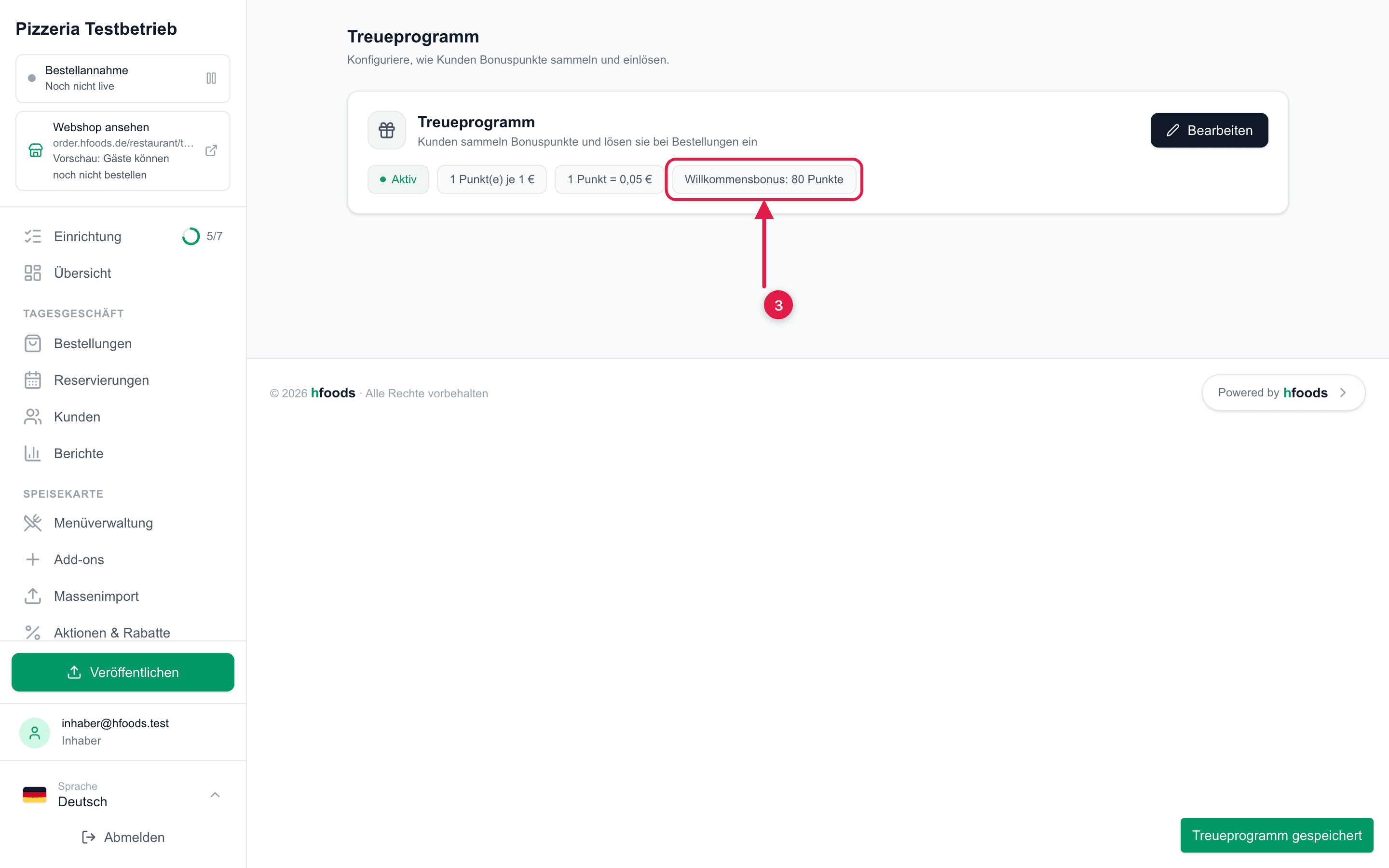
- The Treueprogramm card also shows "Willkommensbonus: 80 Punkte".
Requirements
You are signed in to the admin area as the owner. The loyalty program is switched on, see Set up and switch on the loyalty program.
Step by step
Switch on the bonus and set the points
In the sidebar on the left, click Treueprogramm and then Bearbeiten (edit). Under Willkommensbonus flip the Willkommensbonus aktiviert (welcome bonus active) switch. Enter Willkommensbonus (Punkte) and Gültigkeit Willkommensbonus (Tage) and click Speichern (save) at the bottom.
Check the state
The message Treueprogramm gespeichert (loyalty program saved) appears, and the card shows the welcome bonus.
Result
New customer accounts receive the welcome bonus. Then click Veröffentlichen (publish) on the left so the web shop and the app take over the new state.