Set up and switch on the loyalty program
Decide how your guests collect and redeem bonus points, and switch the loyalty program on.
What it is for
With the Treueprogramm (loyalty program) your guests collect bonus points with every order and redeem them as a discount on a later order. You decide how many points there are per euro, how long they are valid and how much a point is worth.
What changes
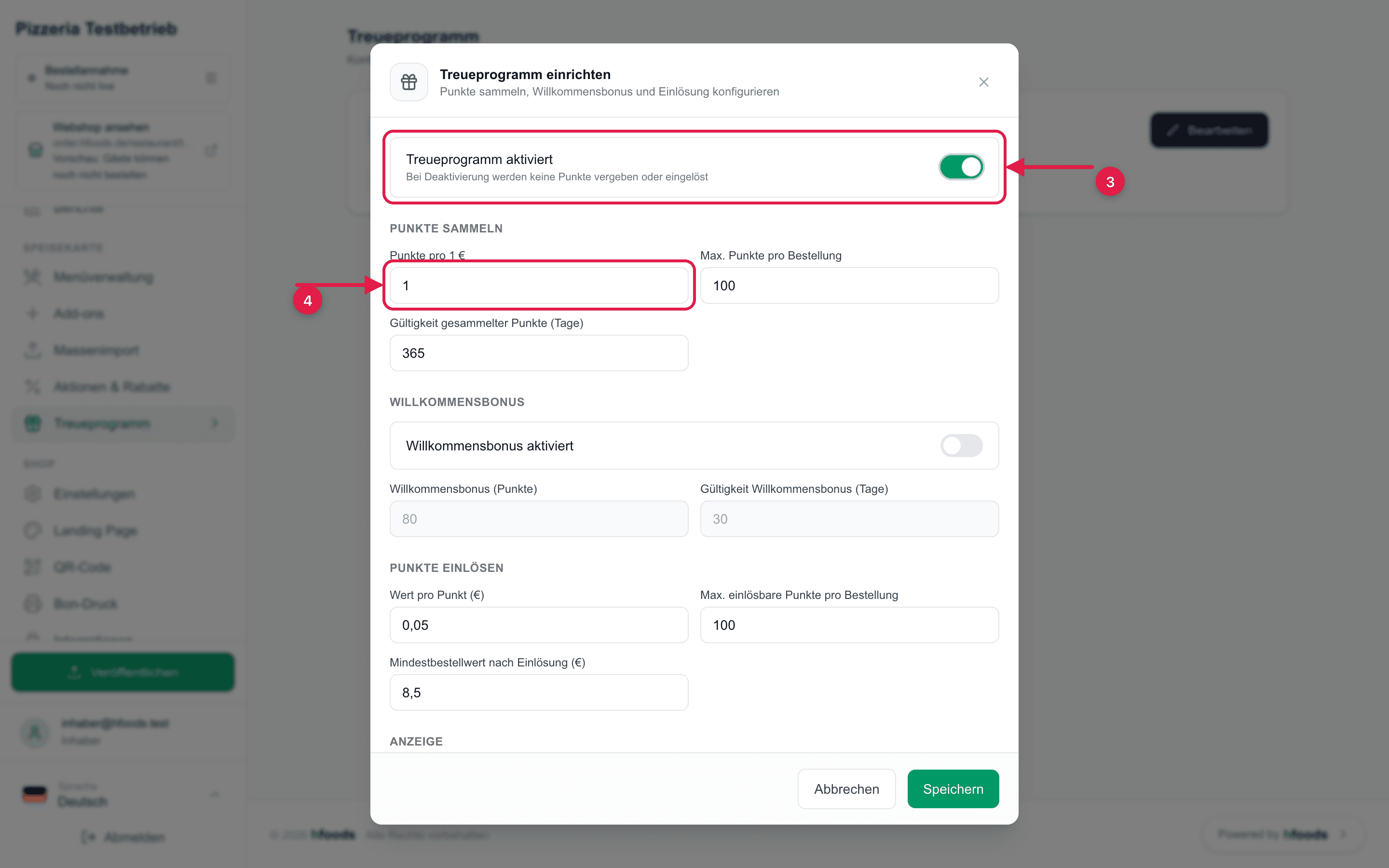
- Punkte sammeln (collect points): points are awarded as soon as you accept an order. The basis is the value of the goods after discounts, times Punkte pro 1 € (points per 1 €), rounded down and at most Max. Punkte pro Bestellung (max. points per order). They expire after Gültigkeit gesammelter Punkte (Tage) (validity of collected points in days).
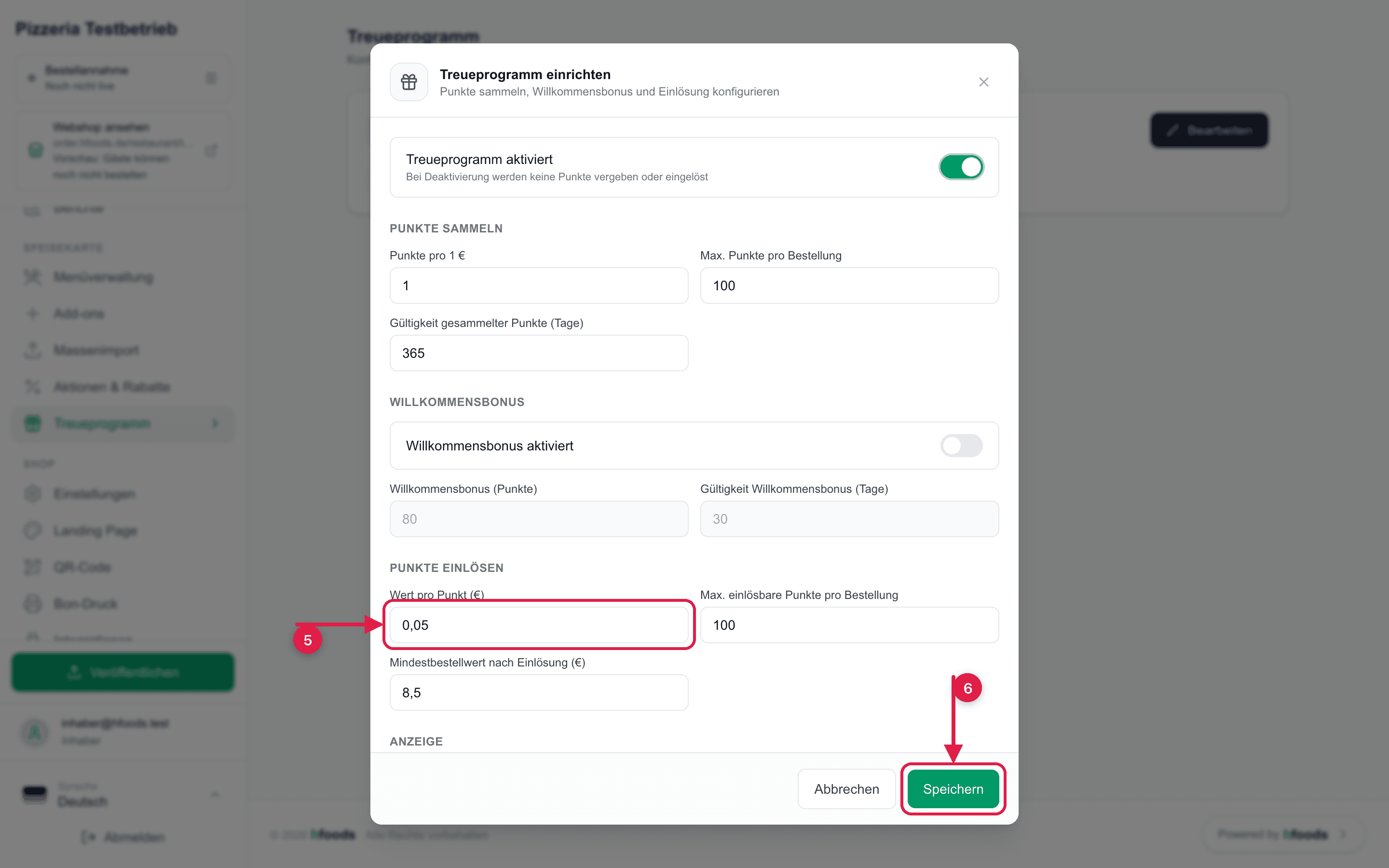
- Punkte einlösen (redeem points): a point is worth Wert pro Punkt (€) (value per point). At most Max. einlösbare Punkte pro Bestellung (max. redeemable points per order) can be redeemed per order, and after redeeming the order must still reach the Mindestbestellwert nach Einlösung (€) (minimum order value after redemption).
- Under Anzeige (display) you can optionally enter an Anzeigetitel (display title) and an Infotext (info text) for your guests.
- Switched off, no points are awarded or redeemed.
Without your own values these apply: 1 point per 1 €, at most 100 points per order, valid for 365 days, 1 point = 0.05 €, at most 100 points redeemable per order, minimum order value after redemption 8.50 €.
Requirements
You are signed in to the admin area as the owner.
Step by step
Open the loyalty program
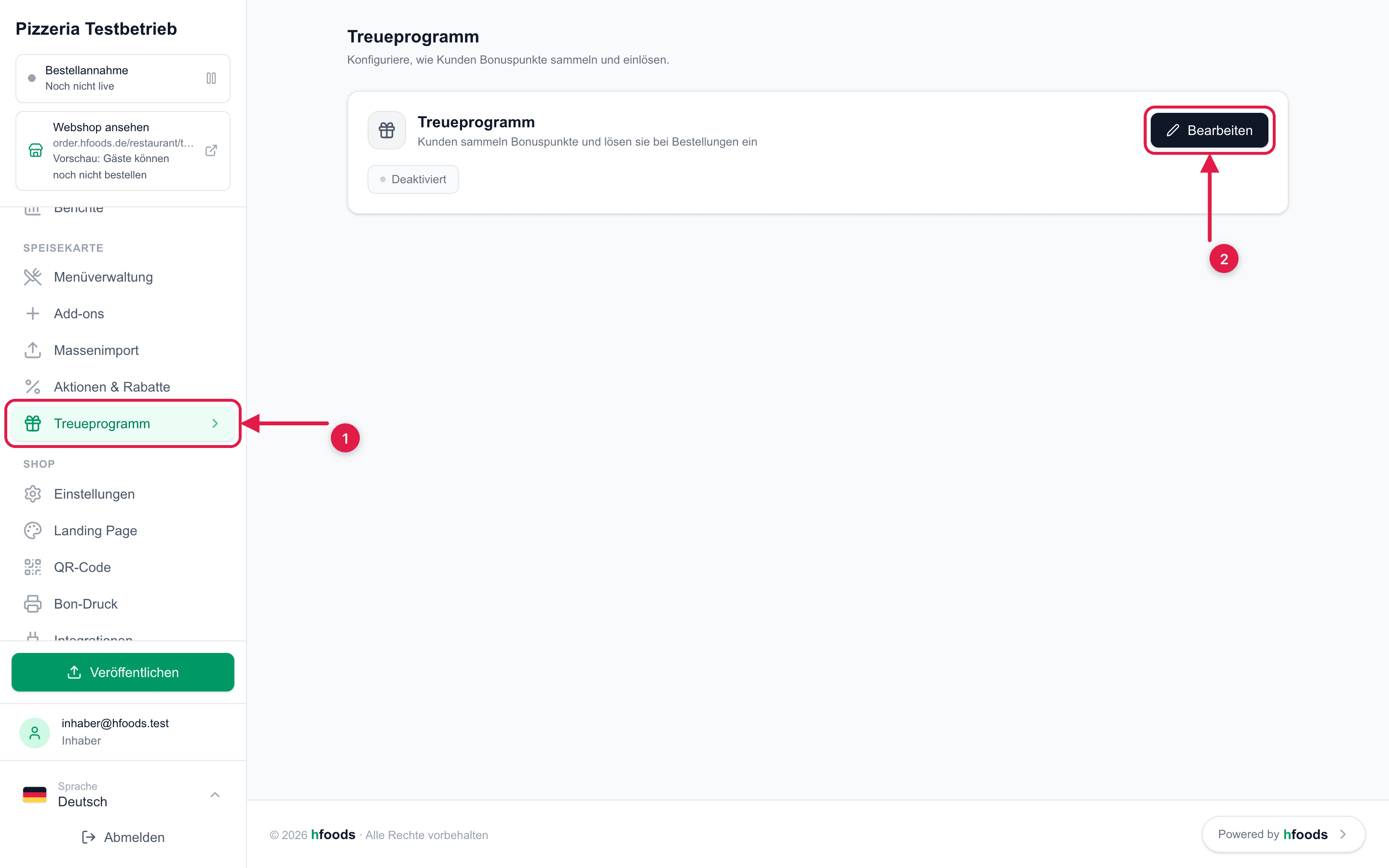
In the sidebar on the left, click Treueprogramm. The card shows the state, at first Deaktiviert (deactivated). Click Bearbeiten (edit).
Switch on and set how points are collected
In the Treueprogramm einrichten (set up loyalty program) window, flip the Treueprogramm aktiviert (loyalty program active) switch. Under Punkte sammeln enter Punkte pro 1 €, Max. Punkte pro Bestellung and Gültigkeit gesammelter Punkte (Tage).
Set redemption and save
Under Punkte einlösen enter Wert pro Punkt (€), Max. einlösbare Punkte pro Bestellung and Mindestbestellwert nach Einlösung (€). Click Speichern (save).
Check the state
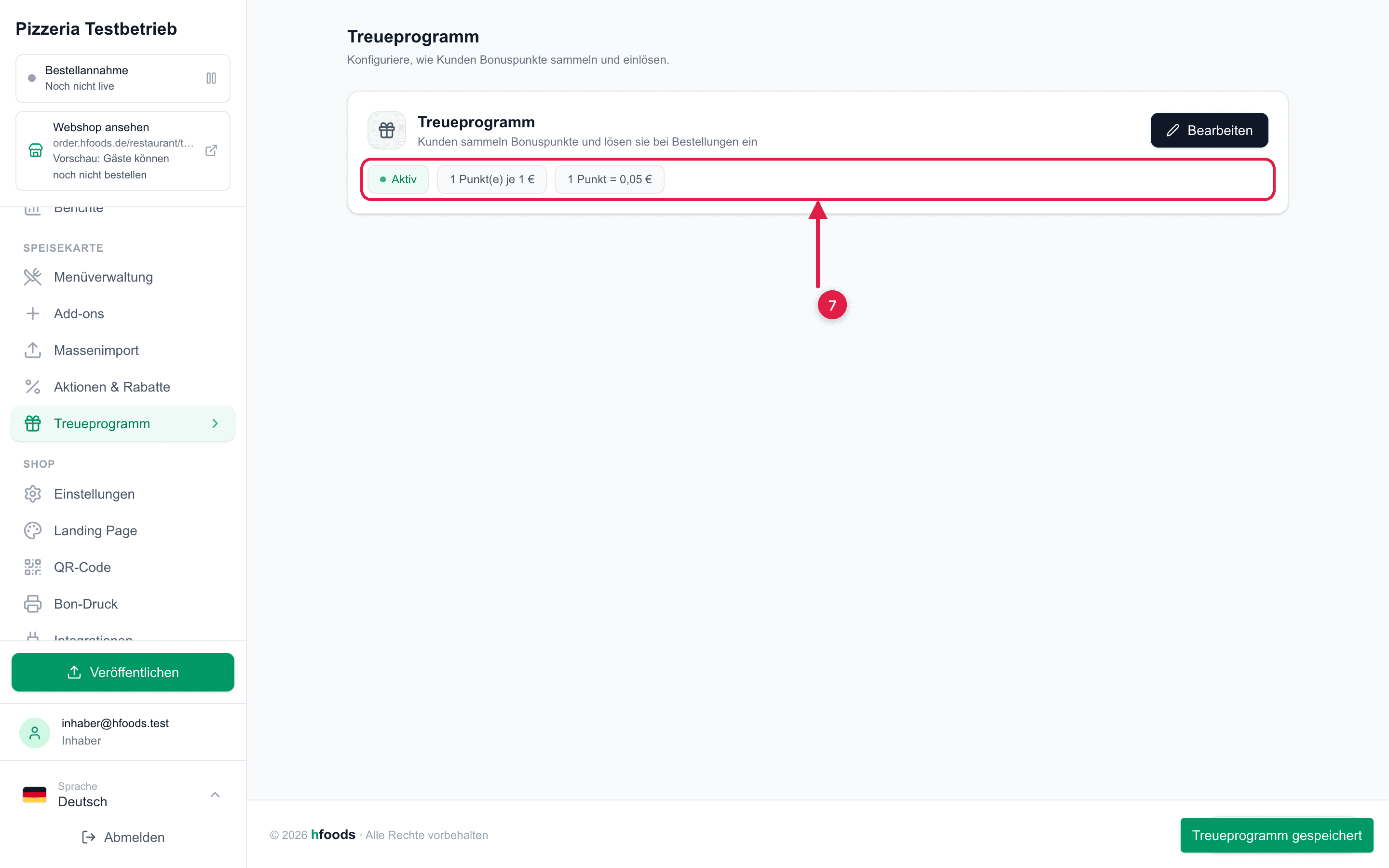
The message Treueprogramm gespeichert (loyalty program saved) appears. The card now shows Aktiv (active) and your values, for example "1 Punkt(e) je 1 €" and "1 Punkt = 0,05 €".
Result
The loyalty program is running. Then click Veröffentlichen (publish) on the left so the web shop and the app take over the new state.
Canceled orders
If an order that earned points is canceled, those points are deducted again.