Admin areaAccess
Accept an invitation and activate your account
Set your own password via the link in the invitation e-mail and activate your access to the admin area.
What it is for
When your restaurant or your account manager creates an account for you, you receive an e-mail with a link. Through it you set your password yourself and activate your access.
What changes
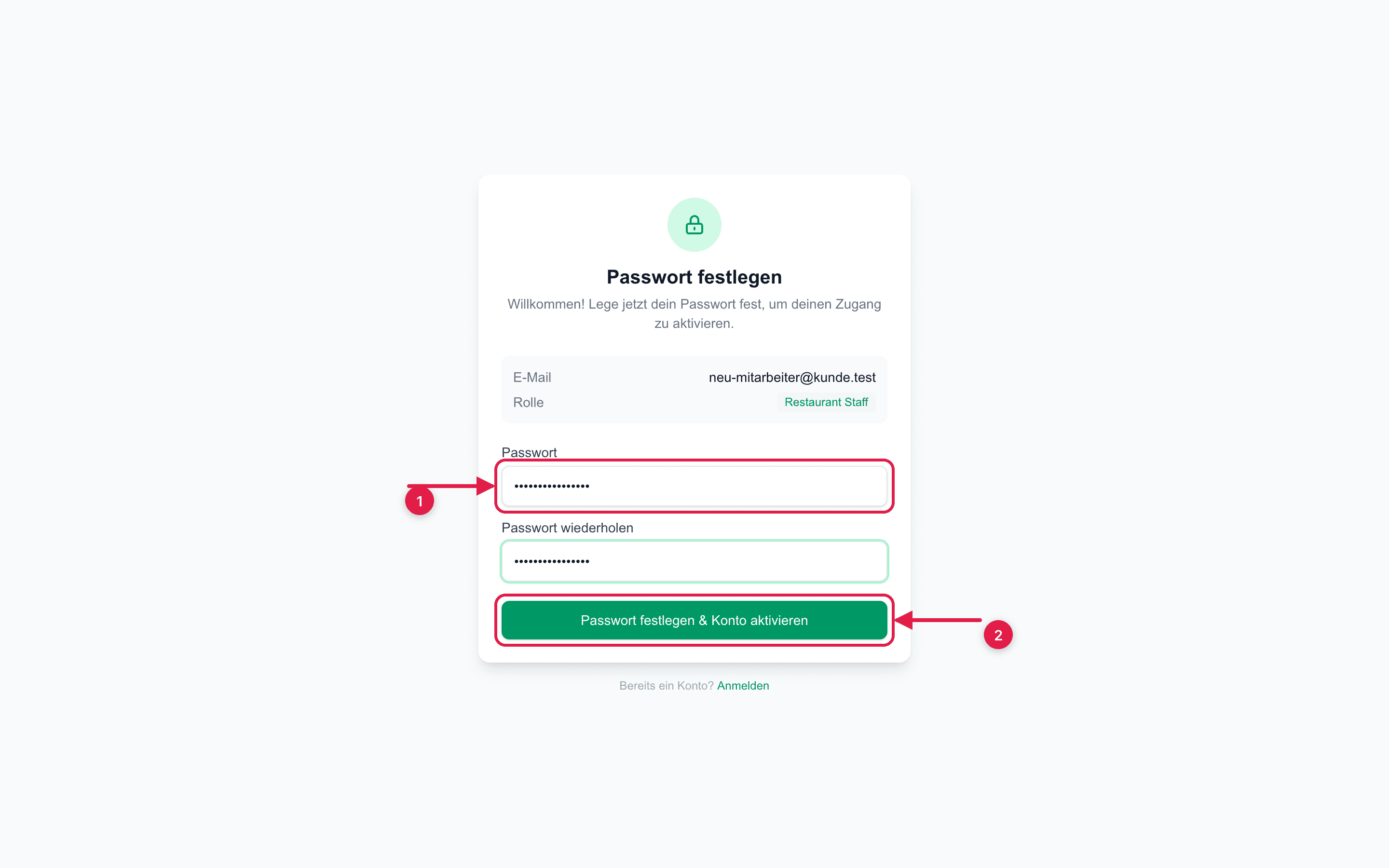
- The Passwort festlegen (set password) page shows your E-Mail and your Rolle (role), such as Restaurant Owner or Restaurant Staff.
- The password needs at least 6 characters. If the two entries do not match, the page says Die Passwörter stimmen nicht überein. (the passwords do not match).
- Then Konto erstellt! (account created) appears with the Jetzt anmelden (sign in now) button.
- The link is valid for 7 days and can only be used once. If it has expired, it says Einladung abgelaufen (invitation expired); if it was already used, Einladung nicht gefunden (invitation not found). Then ask for a new invitation.
- If an account already exists for your e-mail address, the page says so. Then sign in directly.
Requirements
You have received an invitation e-mail, and it is at most 7 days old.
Step by step
Set your password
Open the link in the e-mail. Check the e-mail and role, enter your Passwort (password) twice and click Passwort festlegen & Konto aktivieren (set password and activate account).
Result
Your access is active. Click Jetzt anmelden and sign in with your e-mail and the new password.