Reset your password
Set a new password if you forgot yours.
What it is for
If you forgot your password, the admin area emails you a link. Use it to set a new password and then sign in again. You don't need your old password for this.
Requirements
You have access to the mailbox of the email address your account was created with. A username is not enough here, the link is always sent to an email address.
Step by step
Open password reset
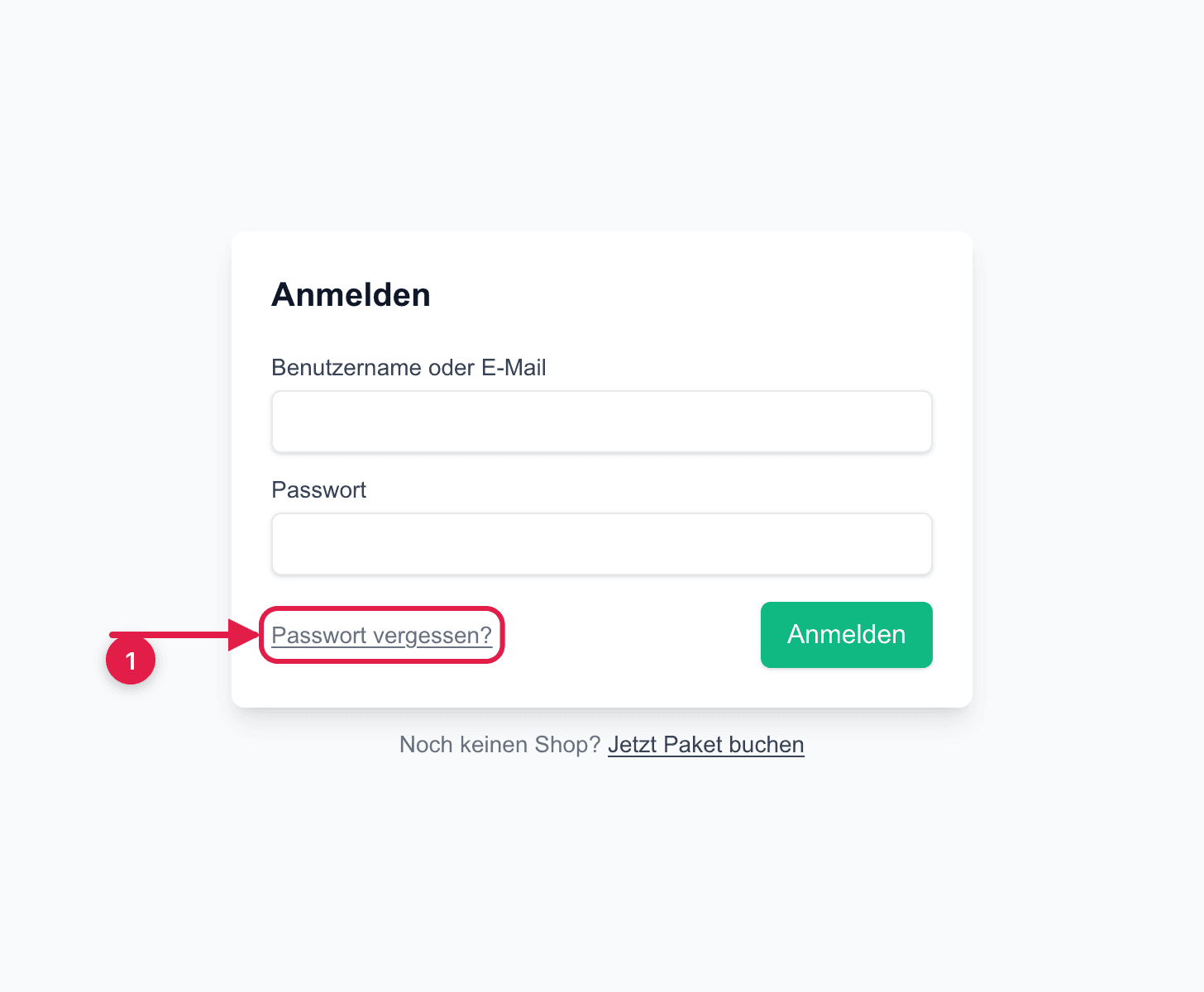
On the sign-in page, click Passwort vergessen? (forgot your password?). The Passwort zurücksetzen (reset password) section opens below.
Request the link
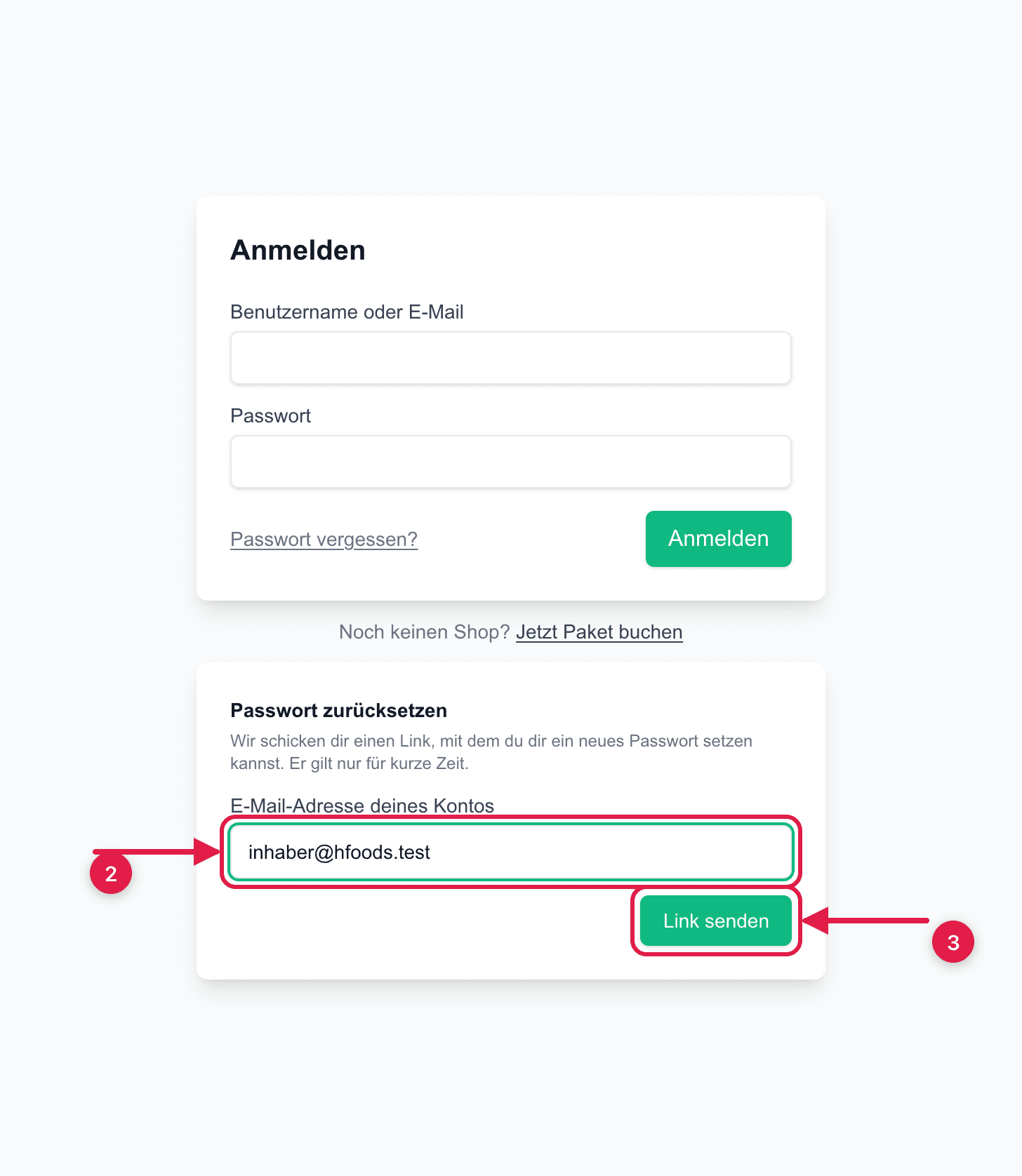
Under E-Mail-Adresse deines Kontos (email address of your account) enter the address your account was created with. If you already entered an email address above, it is filled in here. Click Link senden (send link).
Open the email and set a new password
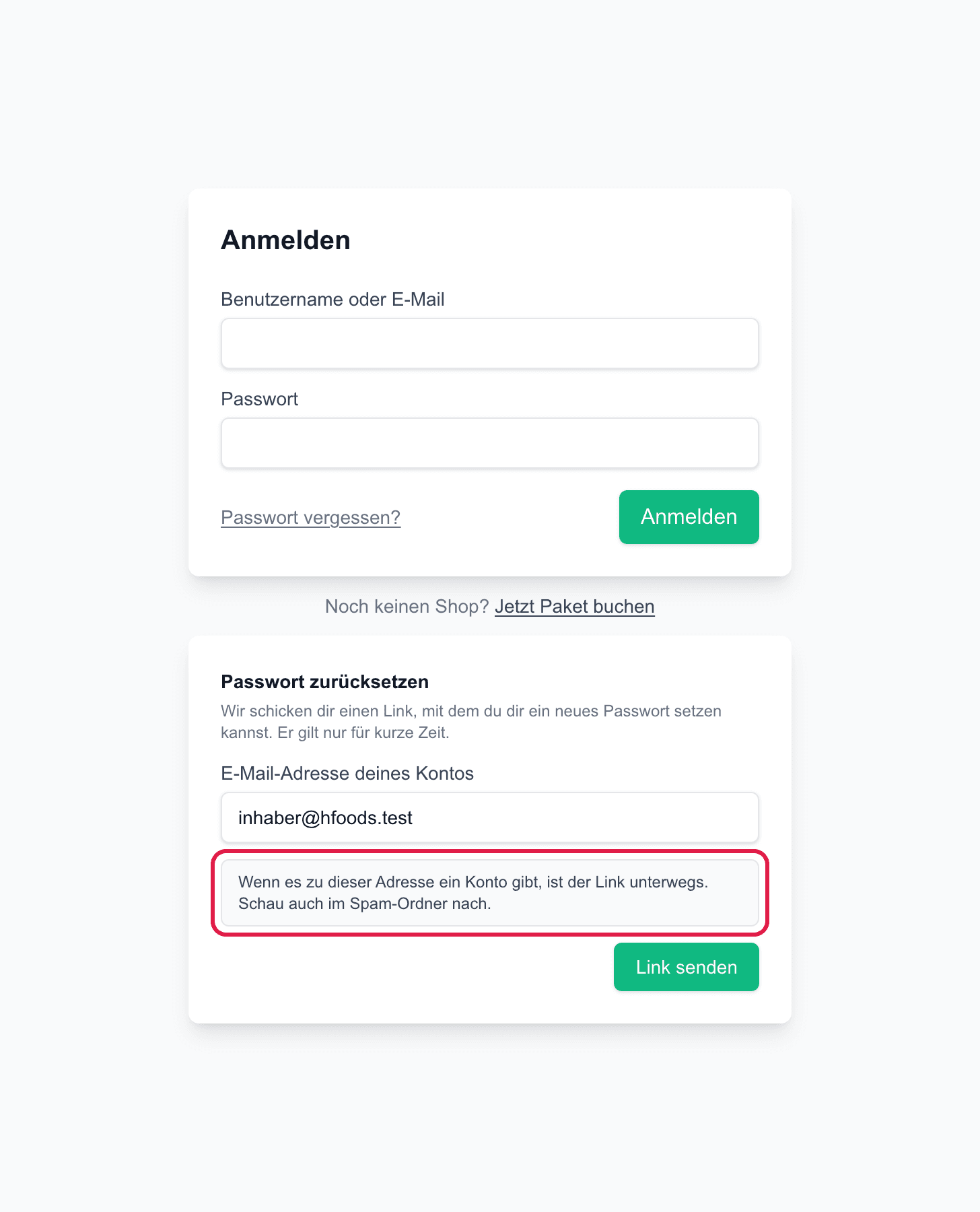
The confirmation reads Wenn es zu dieser Adresse ein Konto gibt, ist der Link unterwegs. (if an account exists for this address, the link is on its way). Open the email, click the link and set a new password. Then sign in with the new password.
Tips
- The link is only valid for a short while. Open the email right away if you can.
- Choose a password you don't use anywhere else.
Frequently asked questions
I didn't get an email. What now?
Check your spam folder and make sure you entered the right address. For security reasons the page does not show whether an account exists for an address. If the link has expired, request a new one.
What does "Zu viele Versuche" (too many attempts) mean?
After several requests in a short time, password reset is blocked for a moment. Wait a little and try again.