Reopen order intake
Open a paused delivery or pickup for orders again before the pause ends.
What it is for
If you paused orders and the kitchen is free again earlier, you reopen order intake yourself instead of waiting for the pause to end.
What changes
- The order type takes orders again immediately. You do not need to publish.
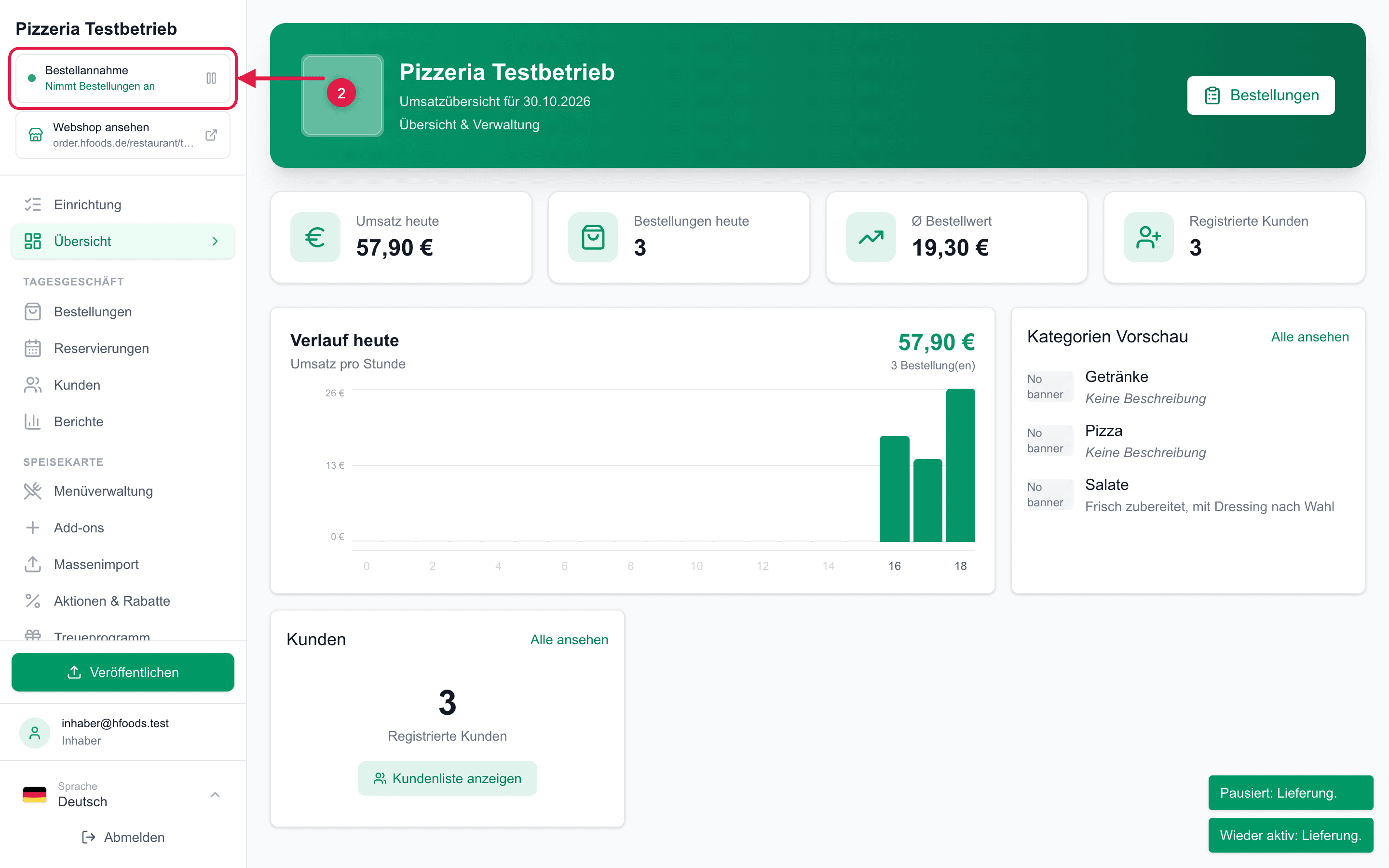
- The message Wieder aktiv: Lieferung. (active again: delivery, or pickup) confirms this.
- The sidebar shows Nimmt Bestellungen an (taking orders) at Bestellannahme again as soon as nothing is paused any more.
Requirements
You are signed in to the admin area, and at least one order type is paused, see Pause orders. You can tell by the orange dot at Bestellannahme.
Step by step
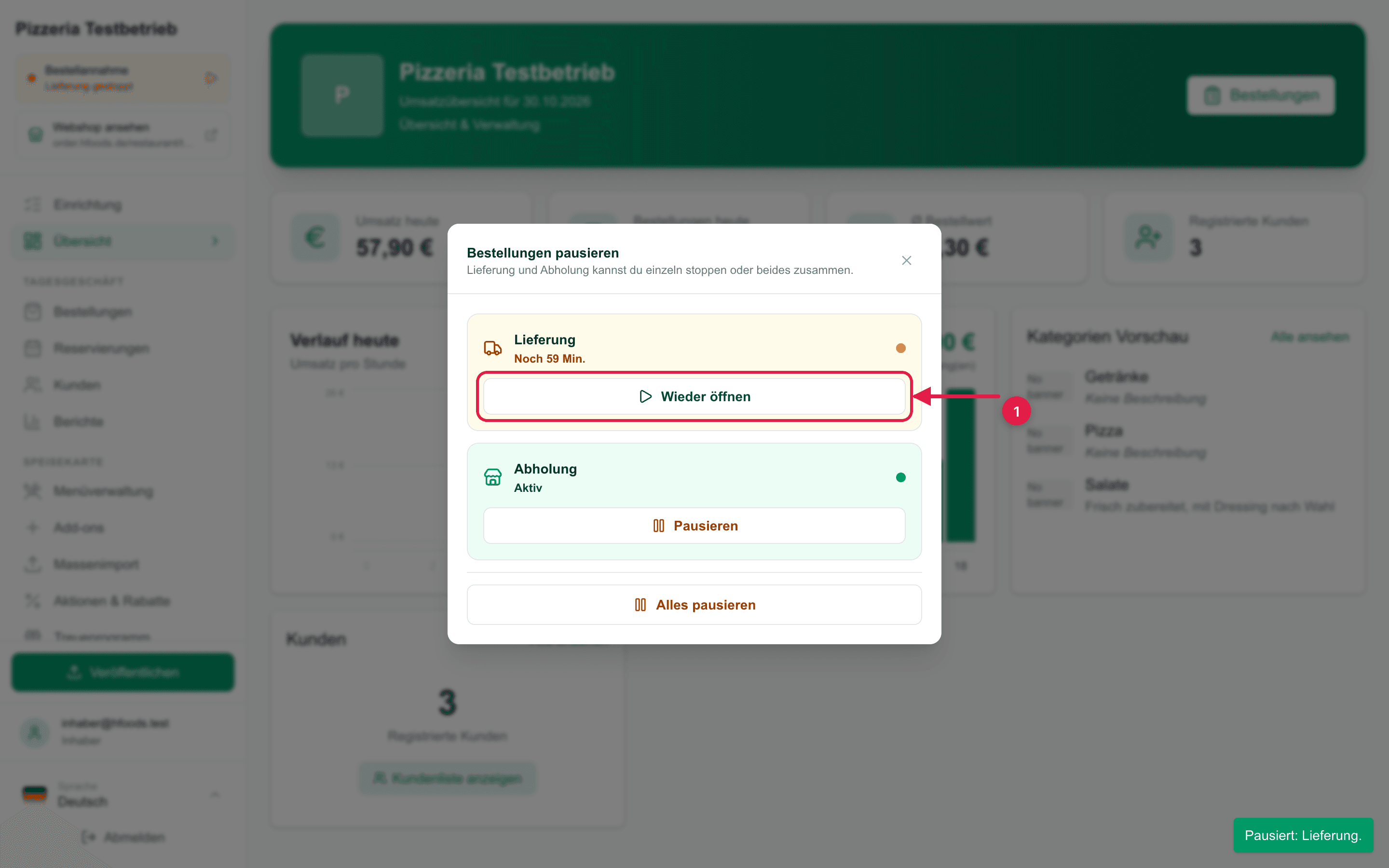
Choose Wieder öffnen
At the top left, click the Bestellannahme (order intake) card. In the Bestellungen pausieren dialog, the paused order type shows the remaining time, for example "Noch 59 Min." (59 min left). Click Wieder öffnen (reopen) in its card. If delivery and pickup are both paused, Alles wieder öffnen (reopen everything) opens both at once.
Check the status
Close the dialog. Bestellannahme shows Nimmt Bestellungen an with a green dot again.
Result
Guests can choose the order type again in the web shop and the app immediately.
Frequently asked questions
Do I have to reopen when the pause ends?
No. When the chosen time is up, order intake opens by itself. You only need Wieder öffnen if you want to continue earlier.