Publish changes
Hand over changes to the menu to the web shop, the app and the order terminal with one click.
What it is for
The admin area saves changes to your menu, that is categories, items, prices and add-ons, right away. Guests only see them once you click Veröffentlichen (publish). This lets you prepare several changes calmly and then release them all at once.
What changes
- The web shop takes over the current menu, on all addresses of your shop, including your own domain.
- The app and the order terminal reload the menu on their next start.
- The button briefly shows Veröffentlicht! (published). If it fails, the message Veröffentlichung fehlgeschlagen. (publishing failed) appears.
Requirements
You are signed in to the admin area, see Sign in.
Step by step
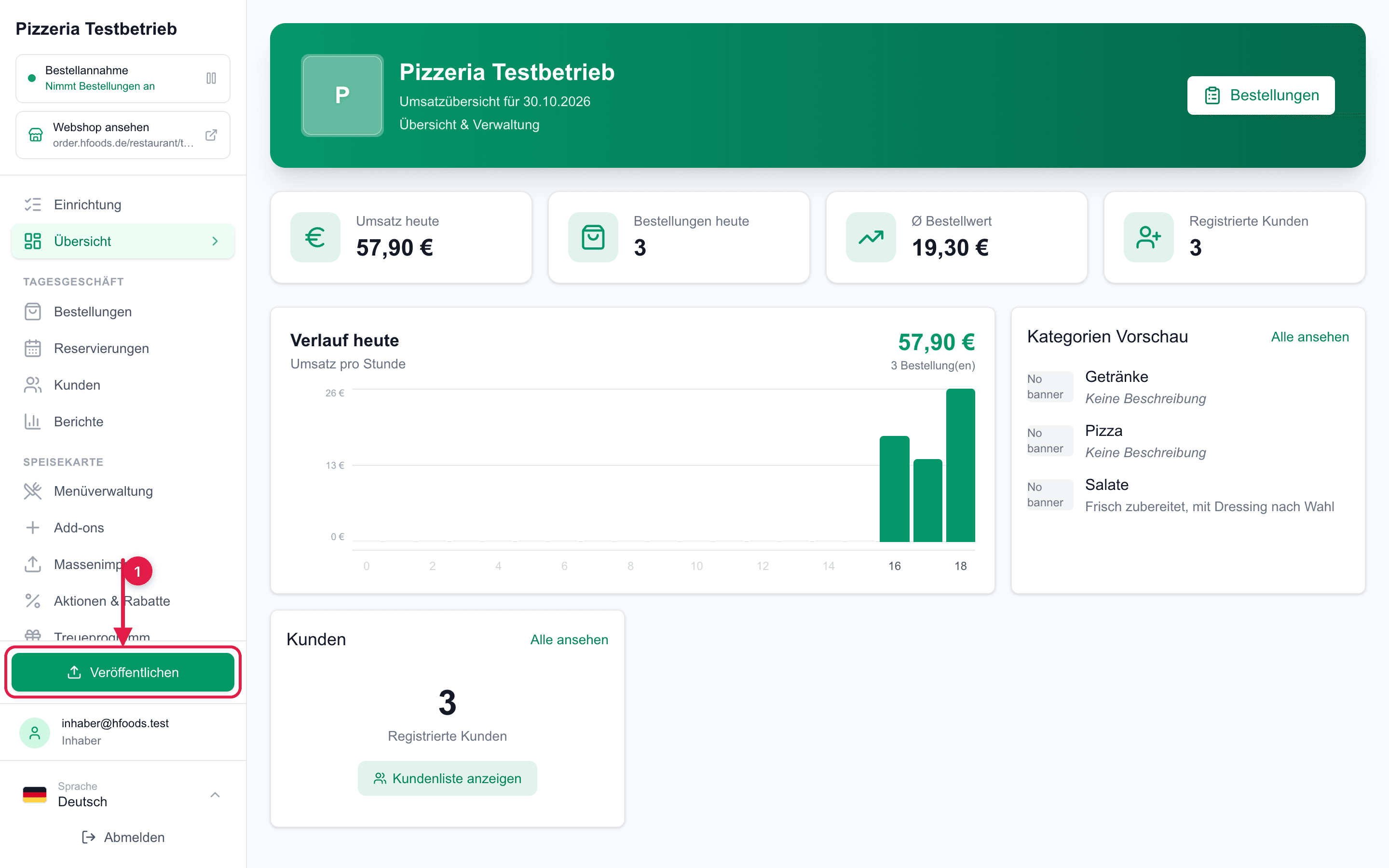
Click Veröffentlichen
At the bottom left of the sidebar, click the green Veröffentlichen (publish) button. It is visible on every page of the admin area. Wait until Veröffentlicht! appears.
Result
Guests see the current menu in the web shop. The app and the order terminal show it after their next start.
Tips
- Collect changes and publish once at the end. Every publish makes the app and the terminal reload the whole menu.
- Exception for urgent things: if an item is sold out, publish right away so nobody orders it any more, see Deactivate an item (sold out).
Frequently asked questions
What happens if I forget to publish?
The web shop refreshes the menu by itself within one hour at the latest. Do not rely on it, though; publish after every finished change.
Do I also need to publish after other settings?
Partly. Settings such as delivery areas, closing times, special days, order types, banners and the landing page are taken over by the admin area when you save. A pause of order intake also takes effect immediately, see Pause orders.
The expandable cards in Einstellungen (settings), on the other hand, such as Betrieb und Kontakt (business and contact), Zahlungsarten der Gäste (guest payment methods) or Impressum und Rechtstexte (imprint and legal texts), are only taken over by the web shop with Veröffentlichen (publish). Without publishing this can take up to six hours.