Use the setup guide
Go through setting up your business step by step, all the way to going live, with the guide at the bottom right.
What it is for
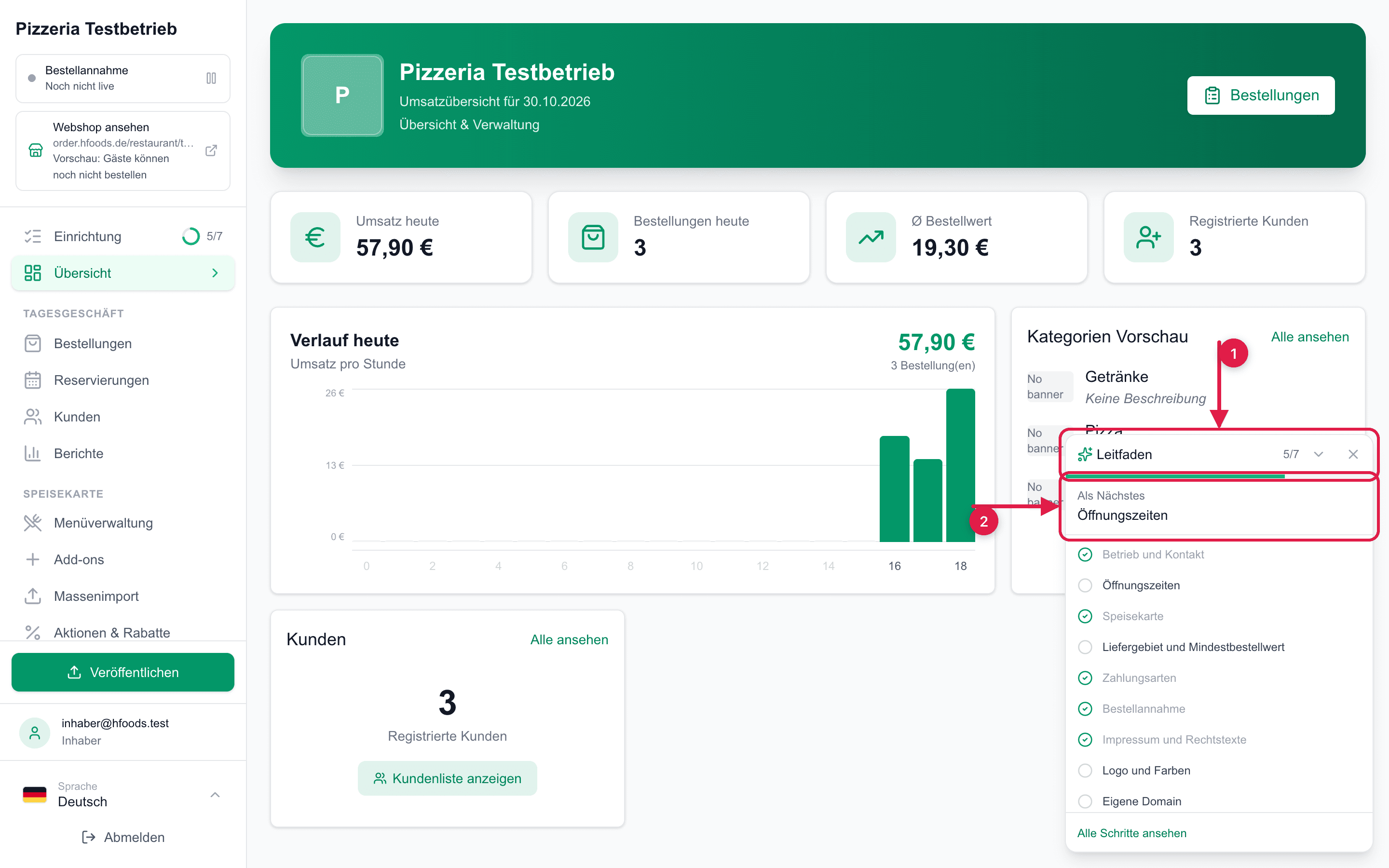
As long as your shop is not ready to start and live, a small card accompanies you at the bottom right of every page: the Leitfaden (guide). It shows how far you are with the steps needed to go live and names the next open step. That way you always know what to do next without searching.
What changes
Nothing in your shop. The guide only shows information and takes you to the right place.
Requirements
You are signed in to the admin area as the owner, and a step needed to go live is still open or your shop is not live yet.
Step by step
Expand the guide, read it and jump ahead
At first you only see a narrow bar with Leitfaden, the progress of the steps needed to go live, for example "5/7", and a green bar. Click the arrow (Aufklappen, expand). Below it you then see Als Nächstes (next) with the next open step, in the picture Öffnungszeiten (opening hours), and below that the list of all steps: first the ones needed to go live, then logo and colours and your own domain.
- Click the step under Als Nächstes. You go straight to the Einrichtung (setup) page at exactly that step.
- Alle Schritte ansehen (view all steps) opens the Einrichtung page.
- The arrow (Zuklappen, collapse) makes the card narrow again. The guide remembers this.
- The cross (Ausblenden, hide) hides the guide. You can always reach setup via Einrichtung on the left.
If all steps needed to go live are done but your shop is not live yet, the guide names Shop live schalten (take shop live) under Als Nächstes.
Result
You work through setup in the recommended order. As soon as all steps needed to go live are done and your shop is live, the guide disappears by itself. You can add your logo and domain afterwards at your own pace on the Einrichtung page.
Tips
- Work through the steps in the suggested order. The guide first suggests the steps without which your shop cannot take orders.
- If the card is in your way, collapse it instead of hiding it. The progress then stays visible.
Frequently asked questions
I hid the guide. How do I get it back?
Click Einrichtung (setup) on the left. There you see all steps and your progress.
Why is the guide gone although logo and domain are still open?
Logo and colours and your own domain are not needed to go live. Once everything needed to go live is done and your shop is live, the guide hides itself. You still find both steps under Einrichtung in the Kannst du später machen (can wait until later) block.