Admin areaPromotions & discounts
Delete an offer
Remove an offer for good.
What it is for
You delete an offer you no longer provide. If you only want to pause it, switch it off.
What changes
The offer is removed. The message reads Angebot gelöscht (offer deleted). This cannot be undone.
Requirements
You are signed in to the admin area as the owner, and there is an offer.
Only pause it?
Switch the offer off instead, see Edit an offer or switch it on and off.
Step by step
Choose the bin
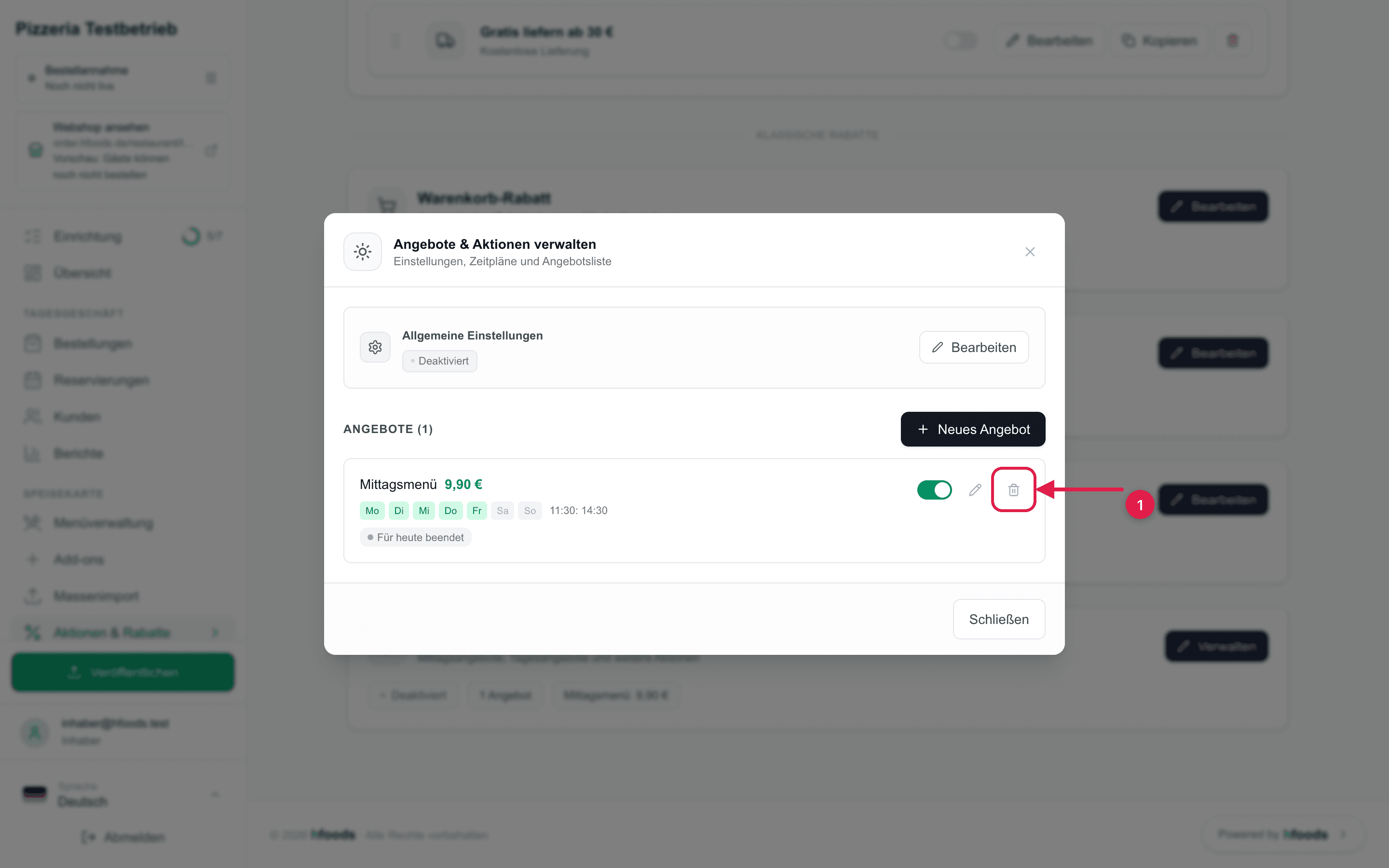
In the sidebar on the left, click Aktionen & Rabatte, then Verwalten (manage) on Angebote & Aktionen and then the bin (Löschen, delete) on the offer.
Confirm
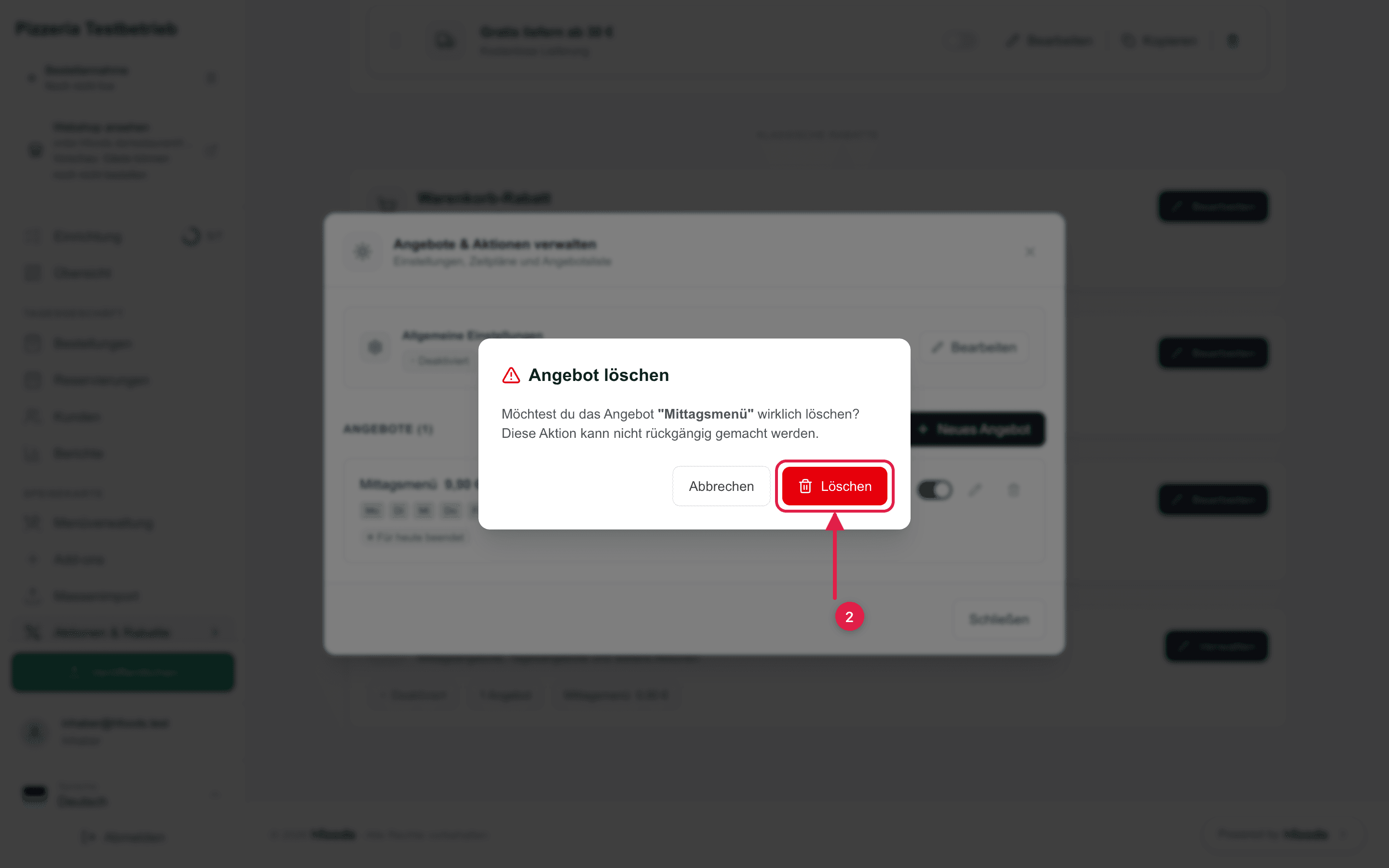
The Angebot löschen (delete offer) window asks whether you really want to delete the offer. Click Löschen (delete), or Abbrechen (cancel). Then click Veröffentlichen (publish) on the left.
Result
The offer is deleted.