Accept an order
Accept a new order in the admin area and tell the guest when it will be ready.
What it is for
You usually accept new orders on the order terminal. You can also accept them in the admin area, for example if the terminal is not at hand. When accepting, you tell the guest in how many minutes their order will be with them or can be collected.
What changes
- The order changes from Neu (new) to Bestätigt (confirmed).
- The guest immediately receives a confirmation with the chosen time.
Requirements
- You are signed in to the admin area.
- The order has the status Neu.
Step by step
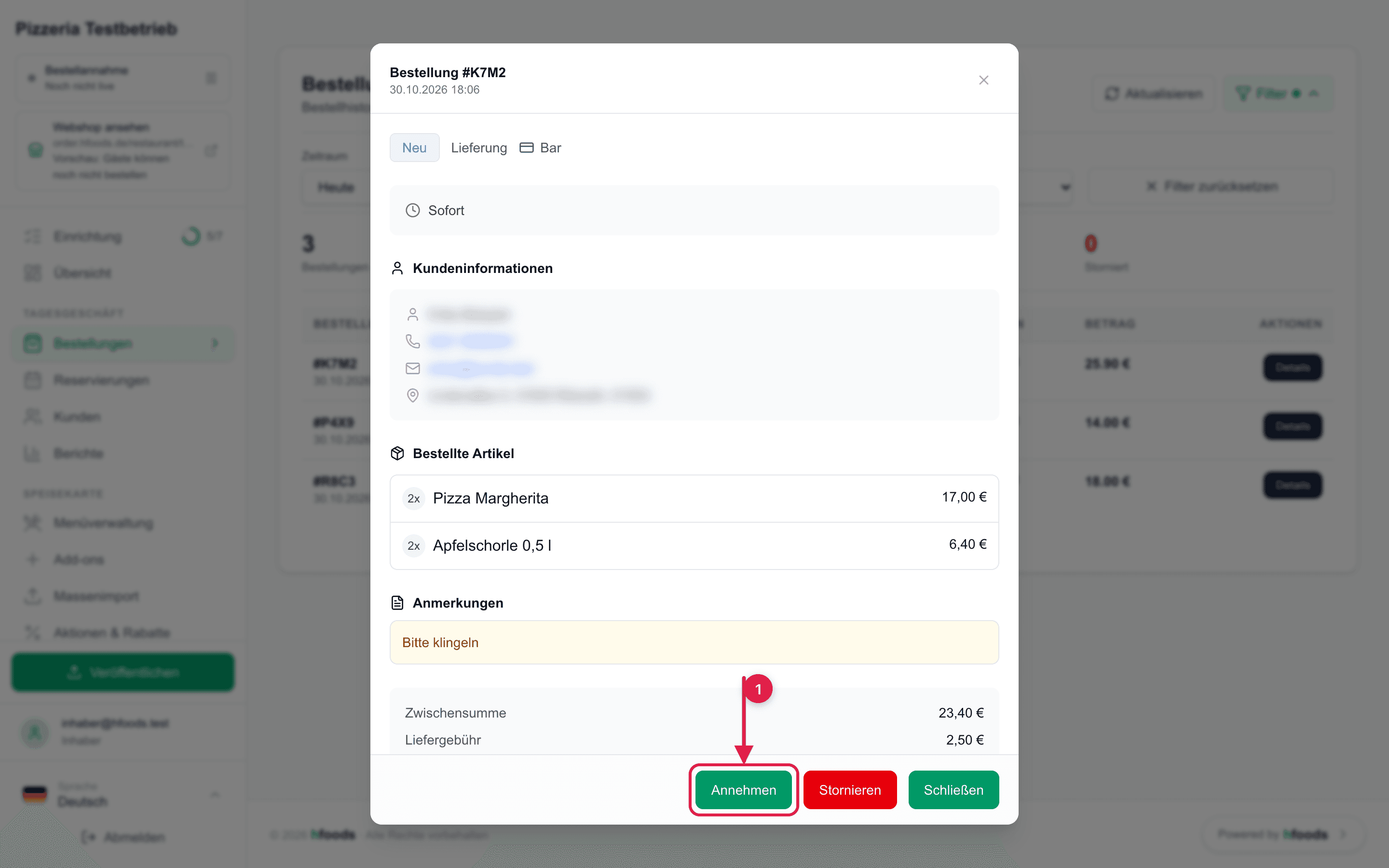
Choose Annehmen
Open the order with Details, see View order details. Check the items and notes and click Annehmen (accept) at the bottom.
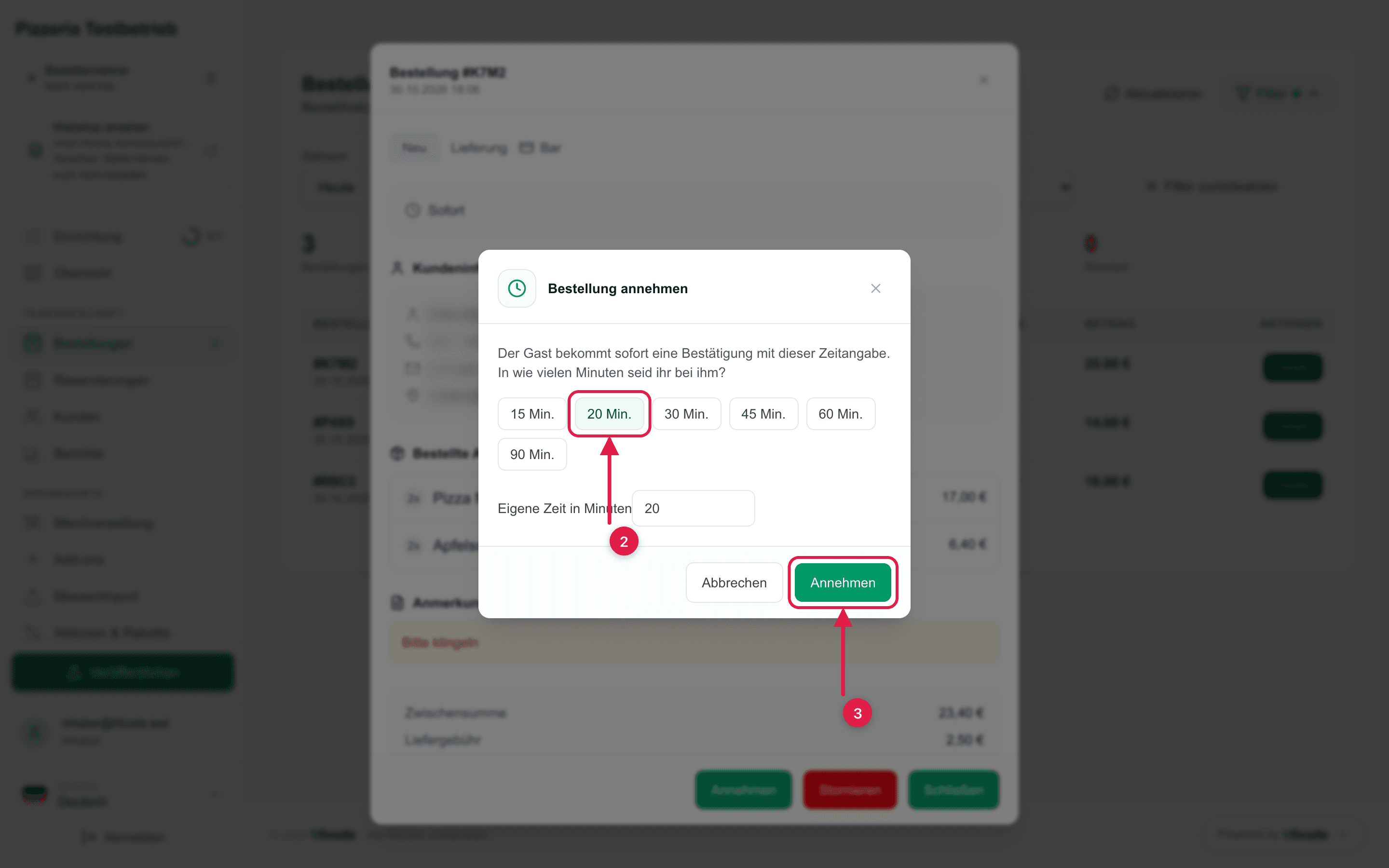
Choose the time and confirm
The Bestellung annehmen (accept order) window asks for delivery "In wie vielen Minuten seid ihr bei ihm?" (in how many minutes will you be with them?), for pickup "In wie vielen Minuten kann er abholen?" (in how many minutes can they collect?). Choose 15 Min., 20 Min., 30 Min., 45 Min., 60 Min. or 90 Min., or enter a value between 1 and 600 under Eigene Zeit in Minuten (own time in minutes). Then confirm with the button at the bottom.
Result
The order is accepted and shows Bestätigt. The guest knows when to expect their food.
Tips
- Rather choose the time a little generously. Arriving early pleases guests, arriving late does not.