Cancel an order
Cancel an order with a reason; for online payments the amount is refunded automatically.
What it is for
If you cannot fulfil an order, for example because an item is sold out or no driver is free, you cancel it. You choose a reason. If the guest paid online, the system refunds the amount automatically.
What changes
- The order shows Storniert (cancelled), with the chosen reason.
- Paid online: the amount is refunded to the guest automatically.
- Reserved online but not yet collected: the reservation is released free of charge.
- For cash or card at the door there is nothing to refund.
Requirements
You are signed in to the admin area and have opened the order, see View order details.
Cancelling cannot be reversed
In the admin area a cancelled order cannot be reactivated, and a refund starts immediately. When in doubt, talk to the guest first.
Step by step
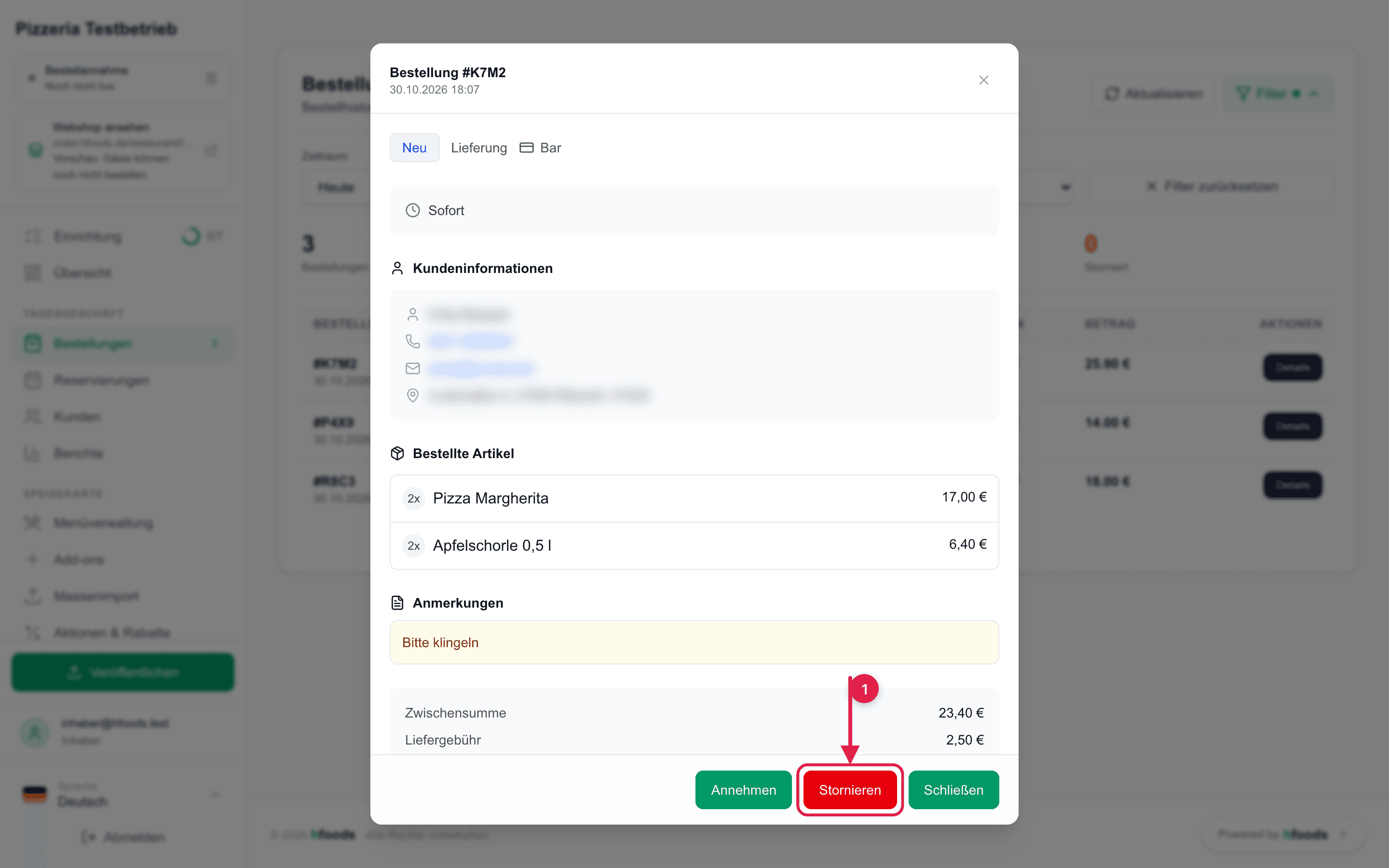
Choose a reason and confirm
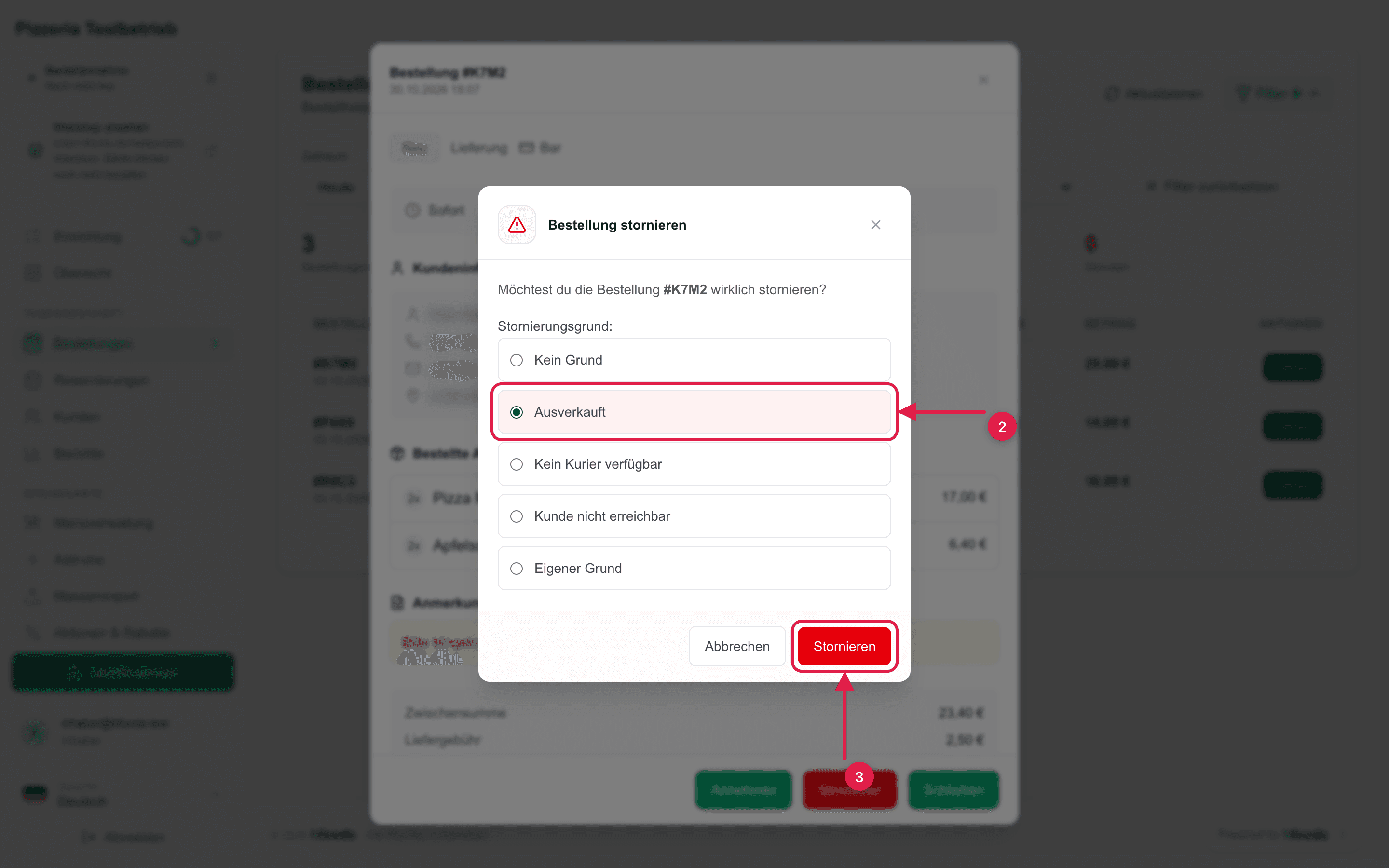
The Bestellung stornieren (cancel order) window asks whether you really want to cancel the order. Under Stornierungsgrund: (cancellation reason) choose a reason: Kein Grund (no reason), Ausverkauft (sold out), Kein Kurier verfügbar (no courier available), Kunde nicht erreichbar (customer not reachable) or your own reason, which you enter under "Grund eingeben..." (enter reason). Then confirm with Stornieren. Abbrechen (cancel) closes the window without changes.
Result
The order is cancelled. For online payments the refund runs automatically.
Frequently asked questions
What does "Rückzahlung nicht ausgelöst" mean?
(Refund not triggered.) The order is cancelled, but the refund to the guest could not be triggered. Refund the amount by hand at the payment provider.