Filter and load more orders
Filter orders by period, status and order type and load more of the list.
What it is for
Under Bestellungen (orders) you find all your business's orders. With the filters you narrow down the list, for example to yesterday's deliveries or all cancelled orders this week. At the top you see the matching totals for each selection.
What changes
Nothing about the orders. The filters only change what is shown.
Requirements
You are signed in to the admin area, see Sign in.
Step by step
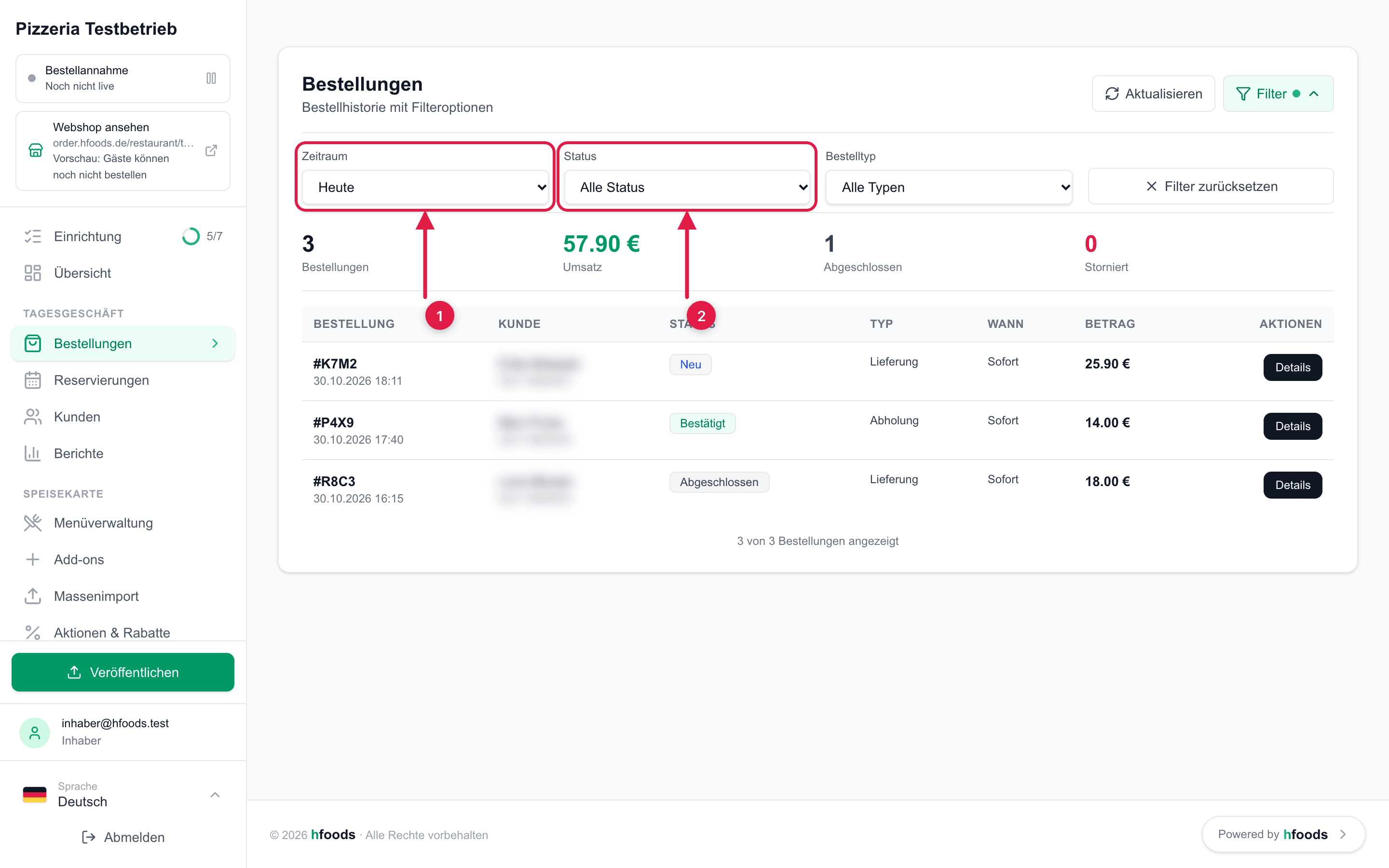
Choose period and status
In the sidebar on the left, click Bestellungen. Filter at the top right shows or hides the filters.
- Zeitraum (period): Heute (today), Gestern (yesterday), Diese Woche (this week), Letzte Woche (last week), Dieser Monat (this month), Letzter Monat (last month), Dieses Jahr (this year), Alle Zeit (all time) or Benutzerdefiniert (custom) with your own from and to date.
- Status: Alle Status (all statuses) or a single status: Neu (new), Bestätigt (confirmed), In Zubereitung (in preparation), Bereit (ready), Unterwegs (on the way), Abgeschlossen (completed) or Storniert (cancelled).
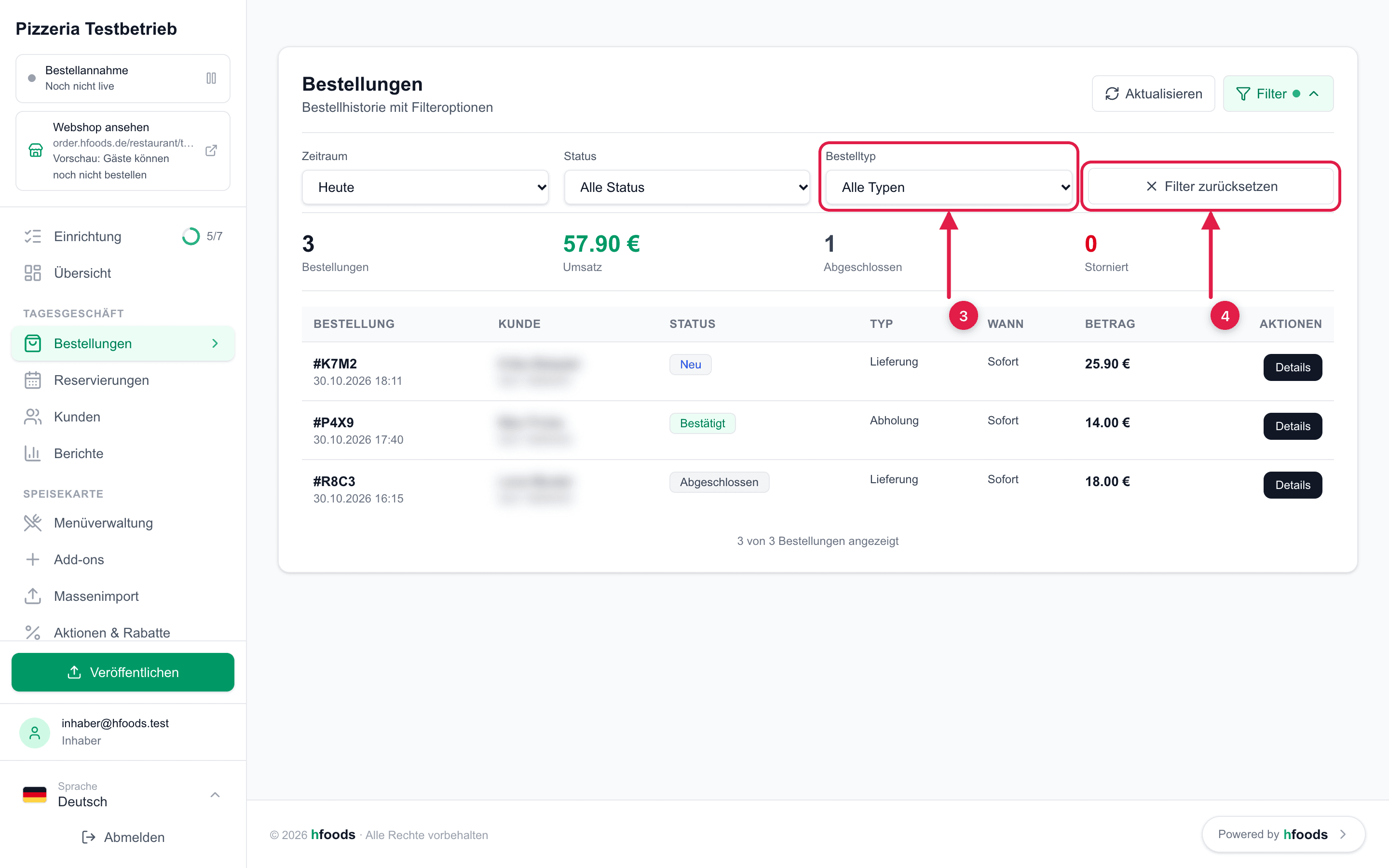
Choose the order type and read the result
- Bestelltyp (order type): Alle Typen (all types), Lieferung (delivery) or Abholung (pickup).
- Filter zurücksetzen (reset filters) sets all filters back to the start.
Above the list are the totals for the selection: number of orders, Umsatz (sales), Abgeschlossen (completed), Storniert (cancelled) and, if there is any, Trinkgeld (nicht im Umsatz) (tips, not included in sales). The list shows for each order its number and time, customer, status, type, Wann (when, for example "Sofort" meaning as soon as possible, or a pre-order) and amount.
With many orders, the bottom shows how many are displayed. Weitere laden (load more) fetches the next ones. Aktualisieren (refresh) at the top right reloads the list.
Result
The list shows exactly the orders you are looking for. Details opens an order, see View order details.
Tips
- To settle a month, choose Letzter Monat and Abgeschlossen. For VAT rates and exports, use Berichte (reports).
- Tips are listed separately and do not count towards sales.
Frequently asked questions
Why can't I see any orders?
Check the period. Heute (today) is preset. If the selection finds nothing, it says "Keine Bestellungen gefunden." (no orders found).