Admin areaQR code
Copy the QR link
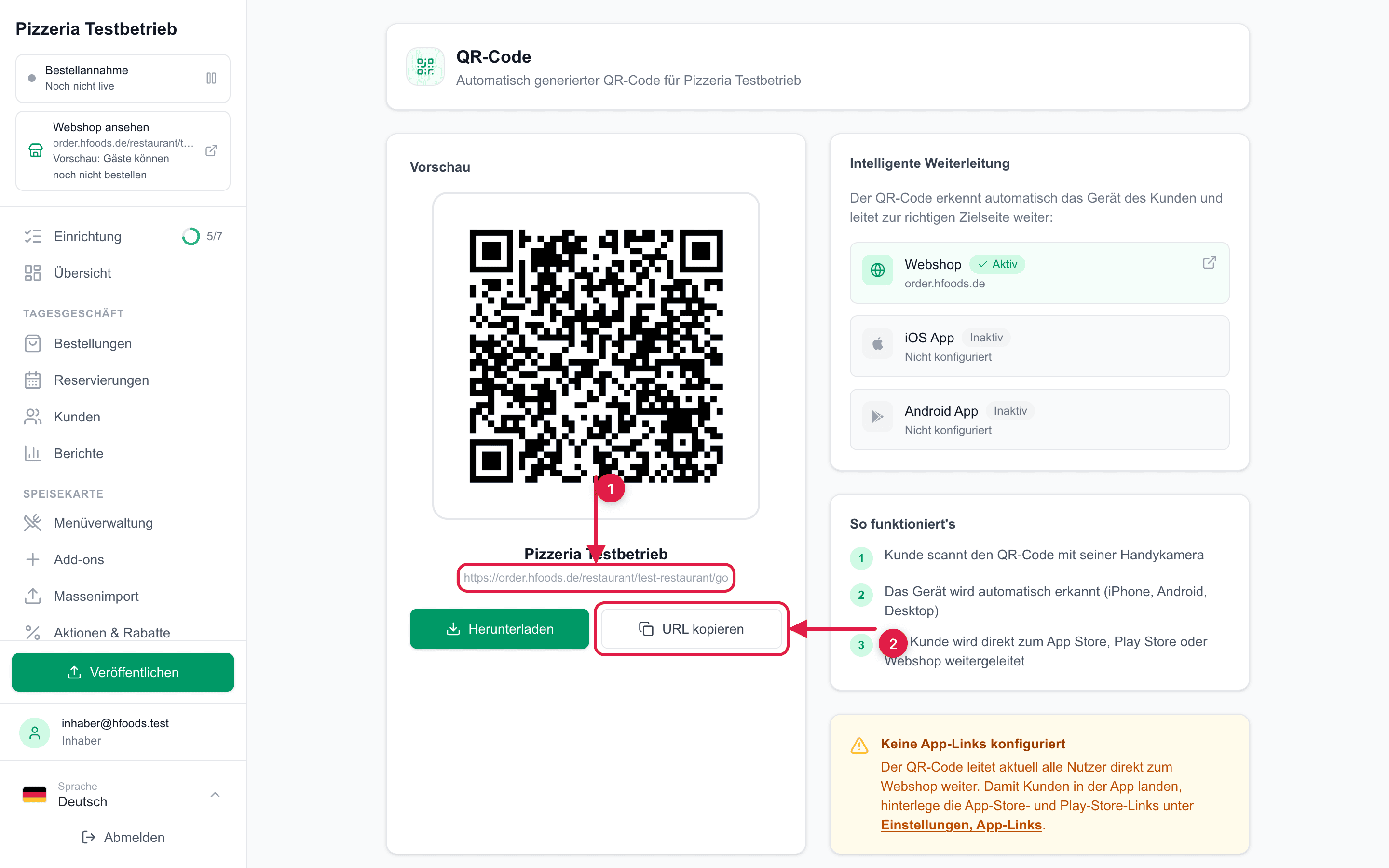
Copy the address behind your QR code to share it in messages, on social networks or on your website.
What it is for
Behind the QR code is a web address. You can share the same address as a link, for example on WhatsApp, on Instagram or on your website. It redirects just like the code.
What changes
- The address is in your clipboard. The message URL kopiert (URL copied) confirms this, and the button briefly shows Kopiert! (copied).
- The address ends in "/go". Without your own domain it is "https://order.hfoods.de/restaurant/…/go", with your own domain "https://your-domain.com/go".
Requirements
You are signed in to the admin area as the owner.
Step by step
Copy the address
In the sidebar on the left, click QR-Code. The address is below the code. Click URL kopieren (copy URL) and paste it where you want to share it.
Result
You have copied the link and can paste it anywhere.