Print a QR template
Print a ready-made table tent, table cards, stickers, a poster or insert cards with your QR code.
What it is for
Under Druckvorlagen (print templates) you print your QR code straight away in a finished design, without your own graphics program. You choose a template, adjust text and colour and print on A4.
The templates:
- Tischaufsteller (table tent): to fold, readable from both sides.
- Tischkarten (table cards): 4 cards in A6 for card holders.
- Runde Aufkleber (round stickers): 6 stickers with an 80 mm diameter.
- Schaufenster-Poster (window poster): a large poster for door, window and wall.
- Beilegerkarten (insert cards): 10 cards in business card format for bags.
What changes
Nothing in your shop. The Vorschau (preview) shows exactly what will be printed, scaled down to A4.
Requirements
You are signed in to the admin area as the owner and have a printer.
Step by step
Choose a template
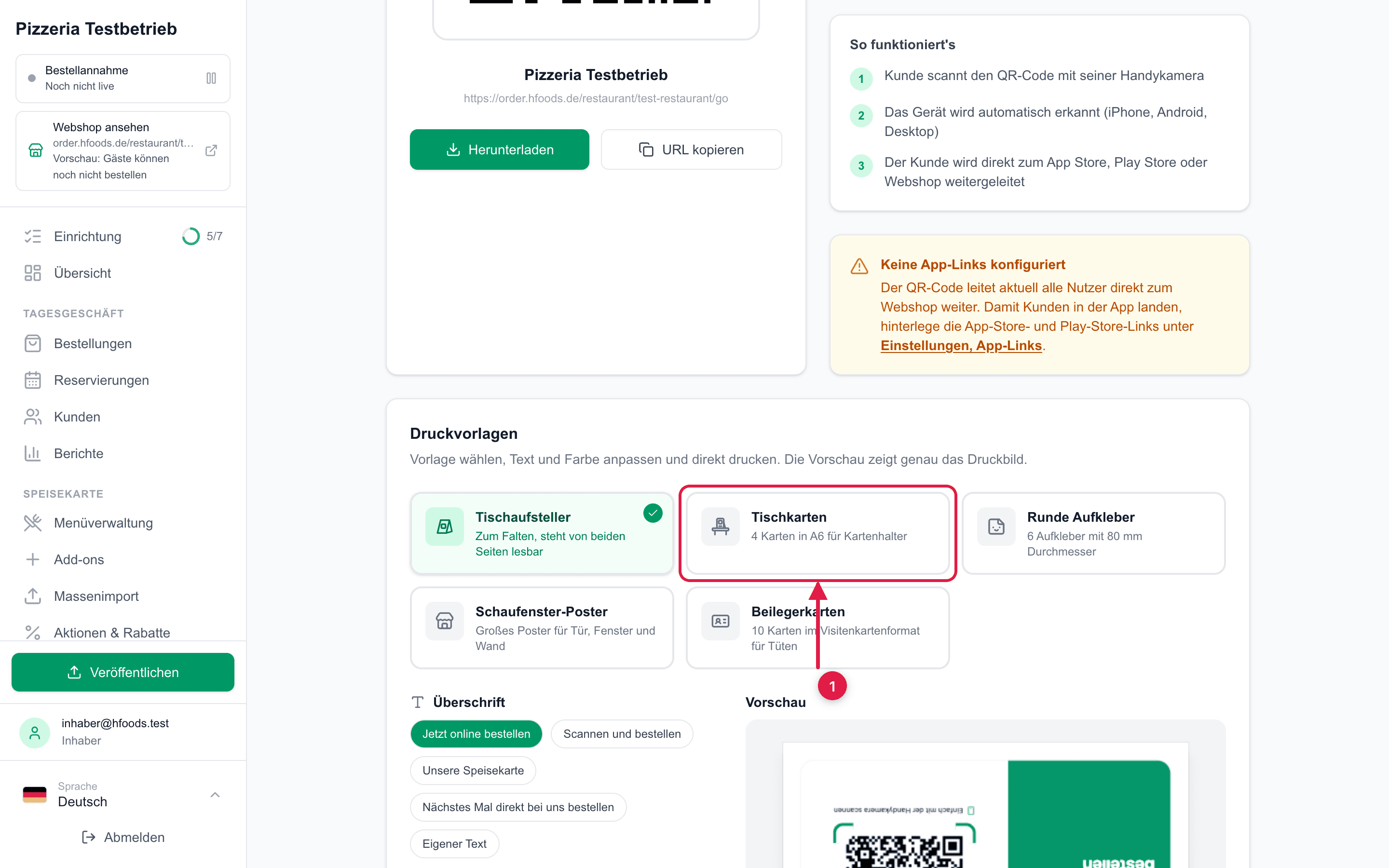
In the sidebar on the left, click QR-Code and scroll to Druckvorlagen. Click a template, in the picture Tischkarten. The chosen template has a tick.
Adjust text and colour
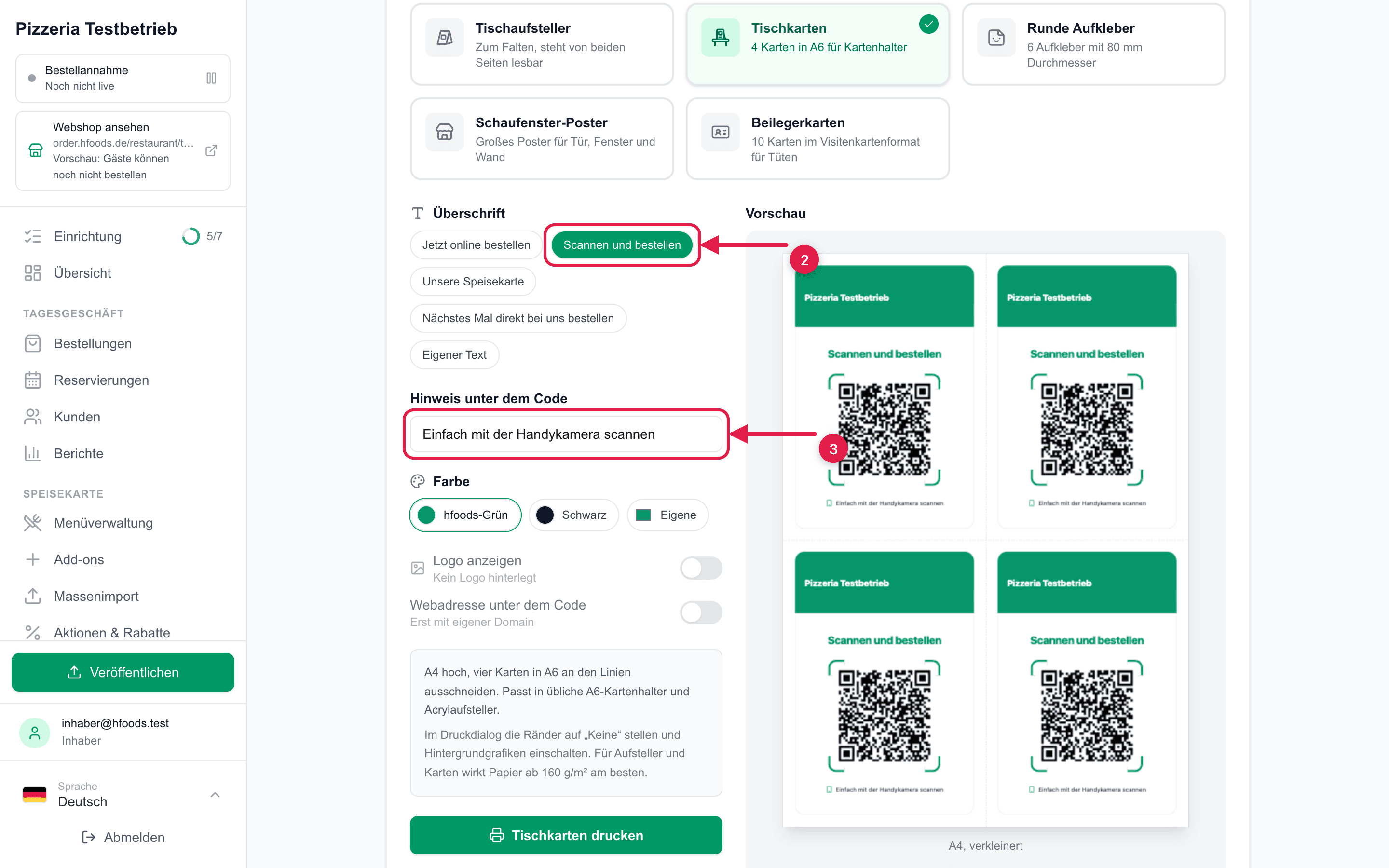
- Überschrift (heading): choose a suggestion such as Scannen und bestellen (scan and order) or Eigener Text (own text) for your own line.
- Hinweis unter dem Code (note below the code): the small line below the code.
- Farbe (colour): Webshop-Farbe (web shop colour), Schwarz (black) or Eigene (own).
- Logo anzeigen (show logo) and Webadresse unter dem Code (web address below the code): only possible when a logo is set or your own domain is connected.
The preview on the right changes immediately.
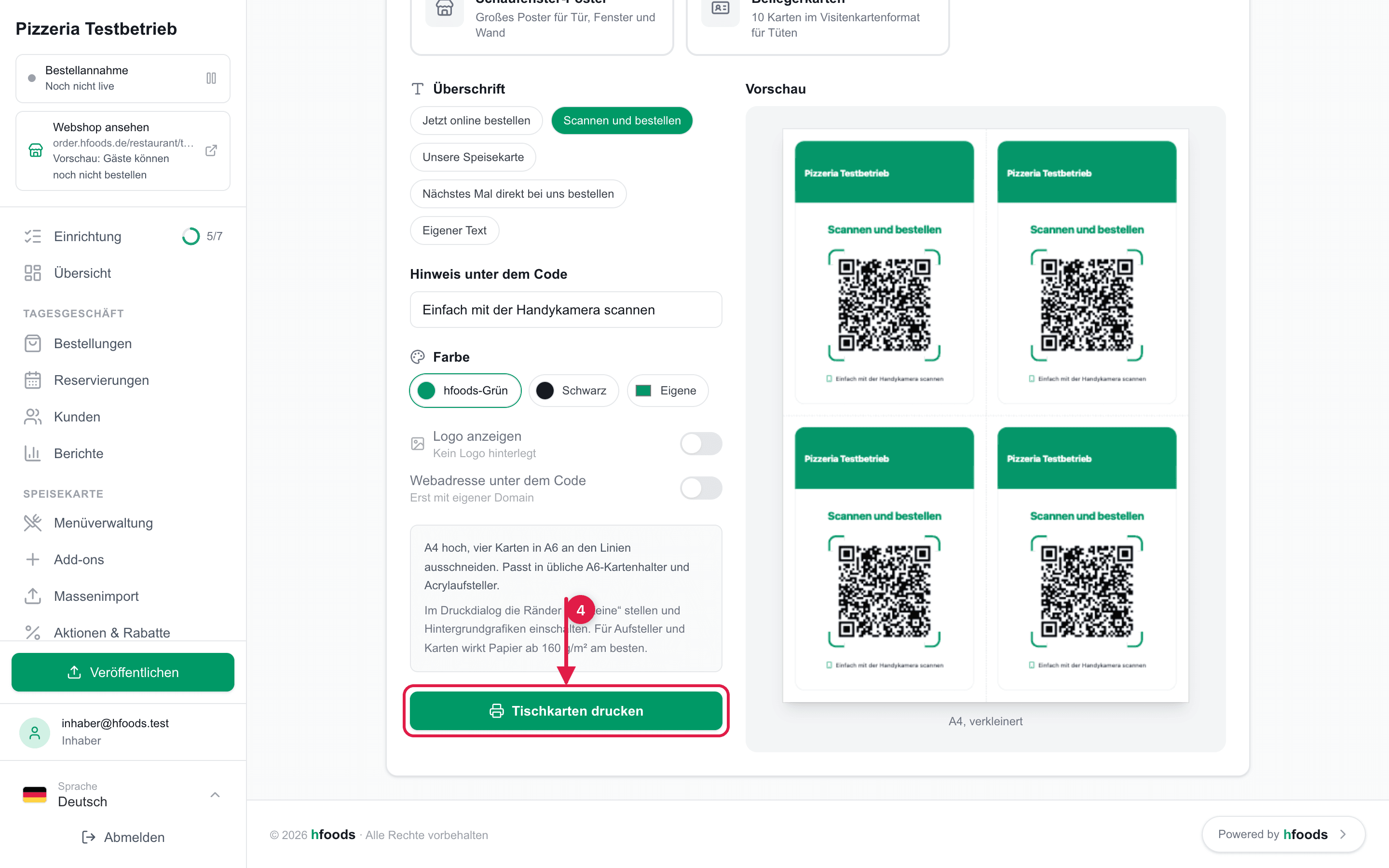
Read the grey note above the button, it matches the template. Click the button, in the picture Tischkarten drucken (print table cards). Your browser's print dialog opens.
Result
Your template is printed. For cards and stickers, cut along the lines.
Best print result
In the print dialog, set the margins to None and switch on background graphics. For table tents and cards, paper from 160 g/m² works best.