Export the report as CSV
Save all orders of a period with the tax breakdown as a spreadsheet for Excel or your tax adviser.
What it is for
CSV Export saves the report as a spreadsheet. You open it in Excel, Numbers or accounting software, or give it to your tax adviser.
What changes
You get a file such as "Order_export_Pizzeria_Testbetrieb_2026-09-01-2026-09-30.csv" (in German "Bestellexport_Pizzeria_Testbetrieb_01.09.2026-30.09.2026.csv"). It contains:
- Header: business, period, time of creation and the note that it is an export of the ordering system, not a cash register system.
- One row per order: order number, date, time, type, status, customer, payment method, gross, plus the goods per tax rate and the delivery costs, each as gross, net and VAT, as well as tip and tip recipient. Date and time are in your restaurant's local time.
- Summary: count, of which paid and canceled, gross and net revenue, the VAT per tax rate and on delivery costs, tips split into business and staff, and the payment methods.
Values are separated by semicolons. Column headings and the decimal separator follow the language you have set in the admin area: in English with a point, in German and Lithuanian with a comma, so your spreadsheet reads the numbers correctly. If canceled orders are hidden, they are also missing from the file.
Requirements
You are signed in to the admin area as the owner and have chosen the period, see Choose the report period.
Contains customer names
The file contains your guests' names. Only pass it on to people who need it for accounting.
Step by step
Export
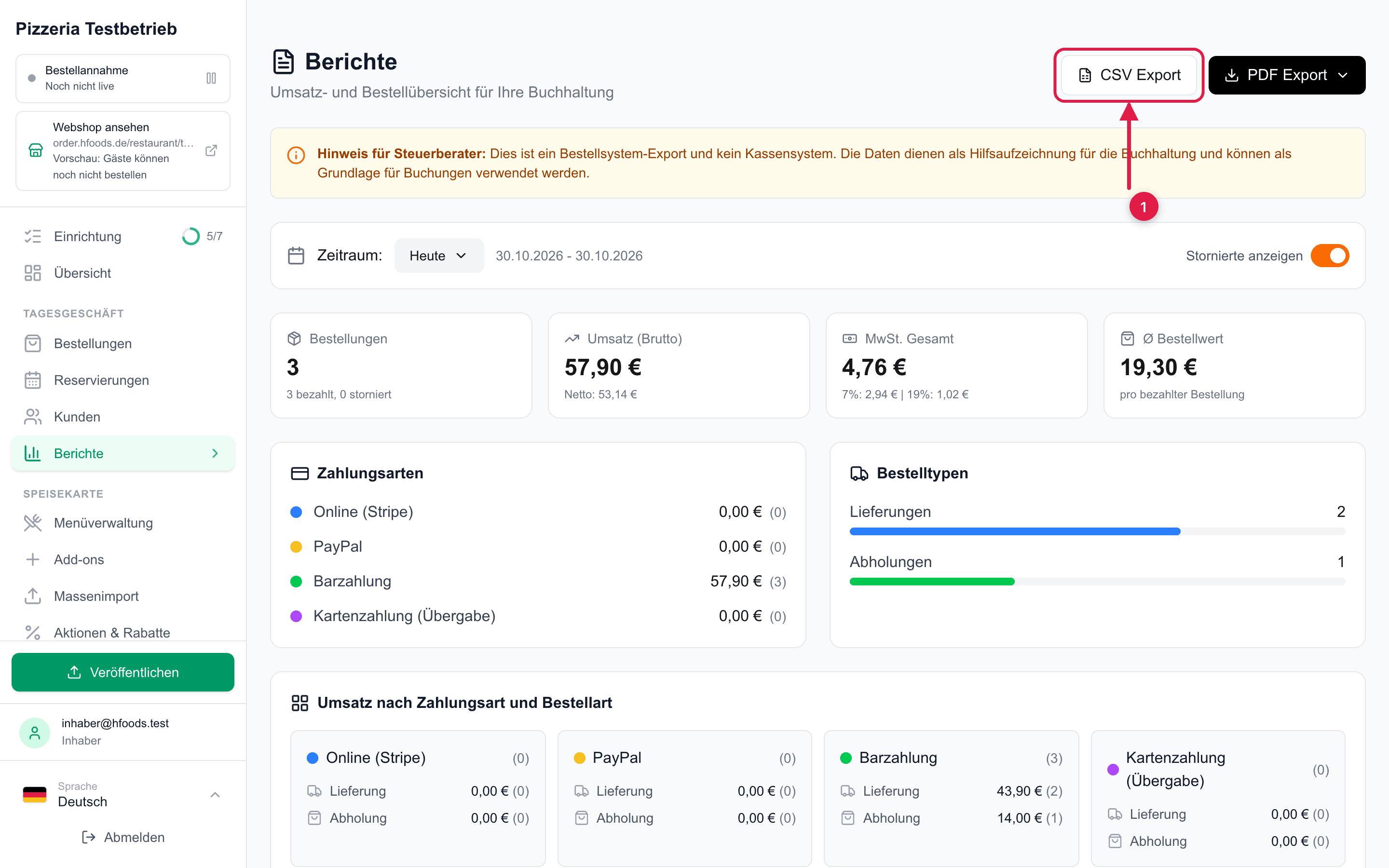
In the sidebar on the left, click Berichte and then CSV Export at the top right. The download starts immediately.
Result
The CSV file is in your downloads folder.