Admin areaReports
Choose the report period
Set the period for revenue, tax and orders in the report, from today to a period of your own.
What it is for
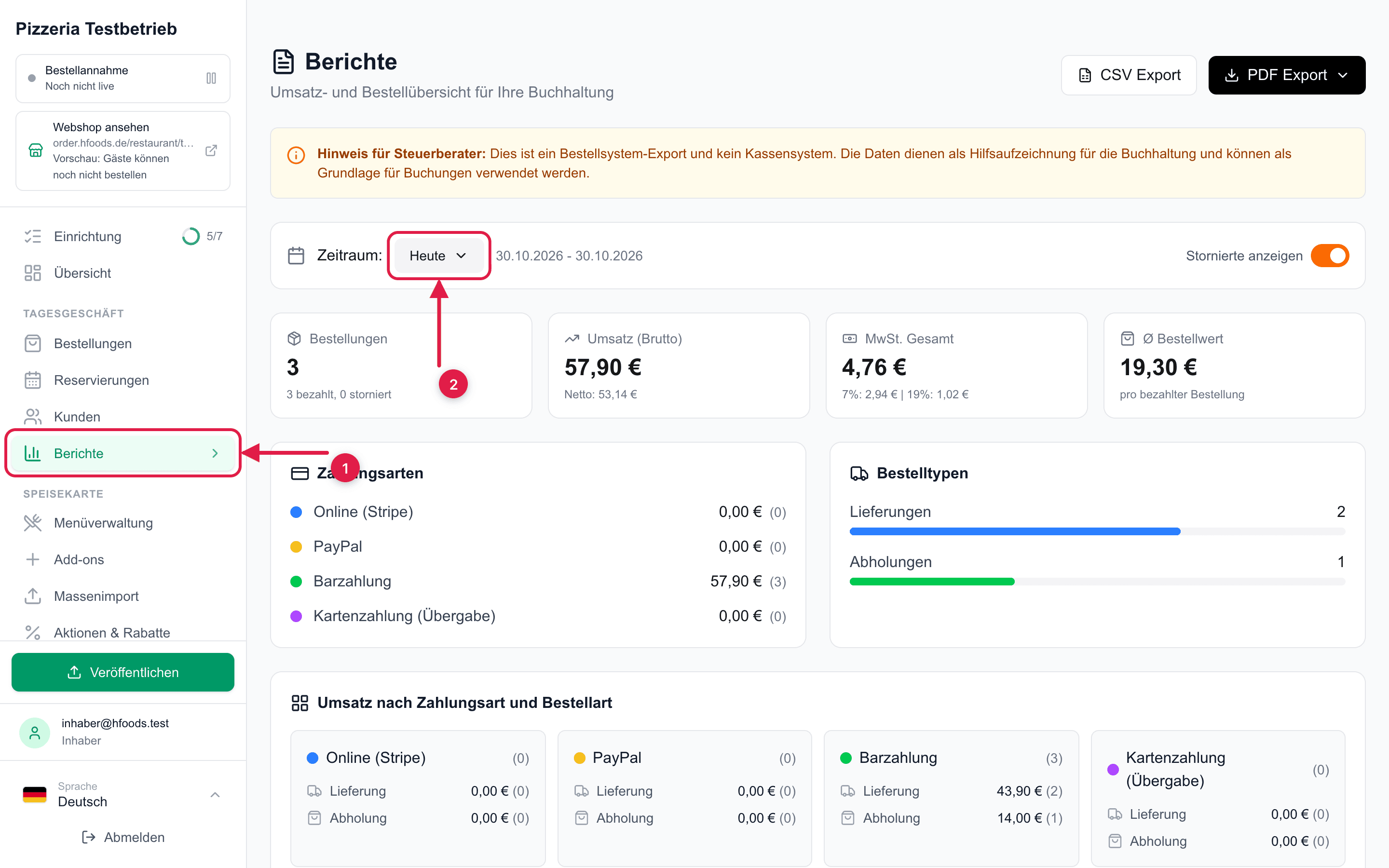
Under Berichte (reports) you see revenue and orders for your accounting. The Zeitraum (period) decides which orders count. When you open the page it is set to Heute (today).
What changes
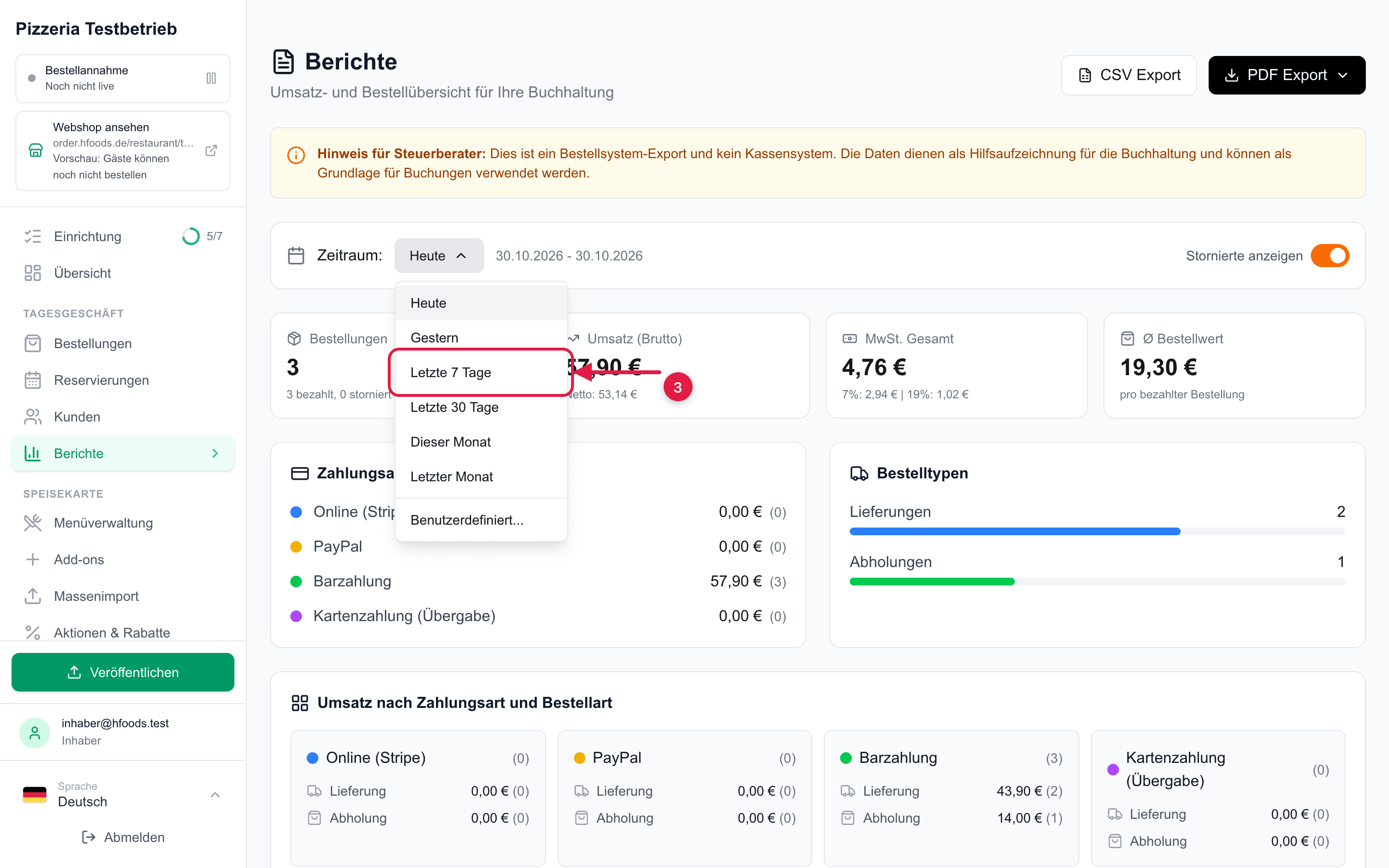
- You can choose Heute (today), Gestern (yesterday), Letzte 7 Tage (last 7 days), Letzte 30 Tage (last 30 days), Dieser Monat (this month), Letzter Monat (last month) and Benutzerdefiniert... (custom).
- Next to the selection are the start and end dates, for example "28.09.2026 - 28.09.2026".
- All figures on the page and both exports apply to this period.
- The days follow your restaurant's calendar. Heute (today) is the current day where the restaurant is, even if you open the report from another time zone.
Requirements
You are signed in to the admin area as the owner. Staff do not see the reports.
Step by step
Open the reports
In the sidebar on the left, click Berichte. Next to Zeitraum: click the selection, at first Heute.
Set your own period
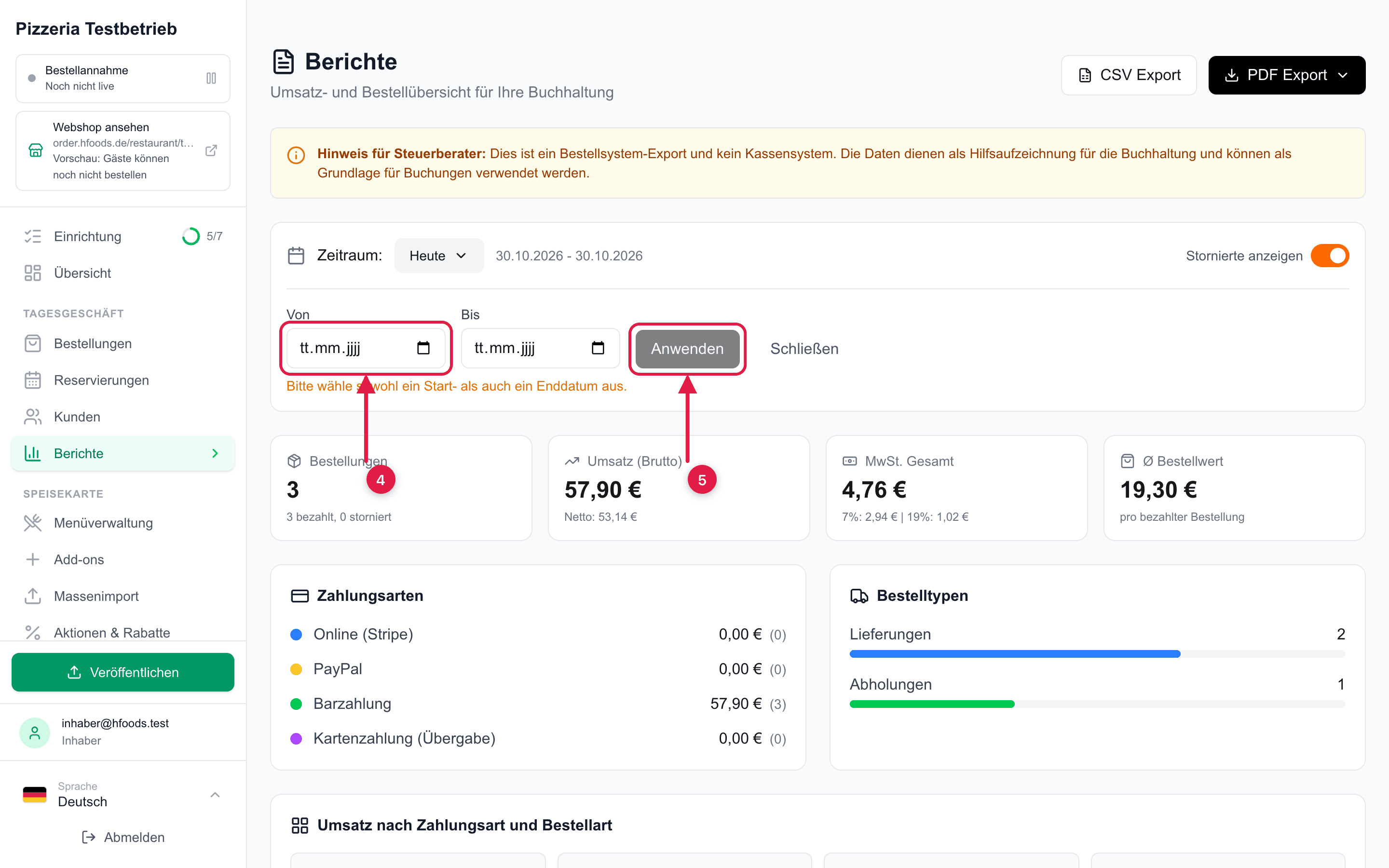
For another period choose Benutzerdefiniert.... Enter Von (from) and Bis (to) and click Anwenden (apply). As long as a date is missing, Anwenden stays locked and the page asks for both dates. Schließen (close) folds the fields away again.
Result
The report shows the chosen period.