Export the report as PDF
Save the report for a period as a PDF, either as a one-page summary or in full detail with every order.
What it is for
PDF Export creates a PDF file from the report for your records or your tax adviser. You choose between two versions:
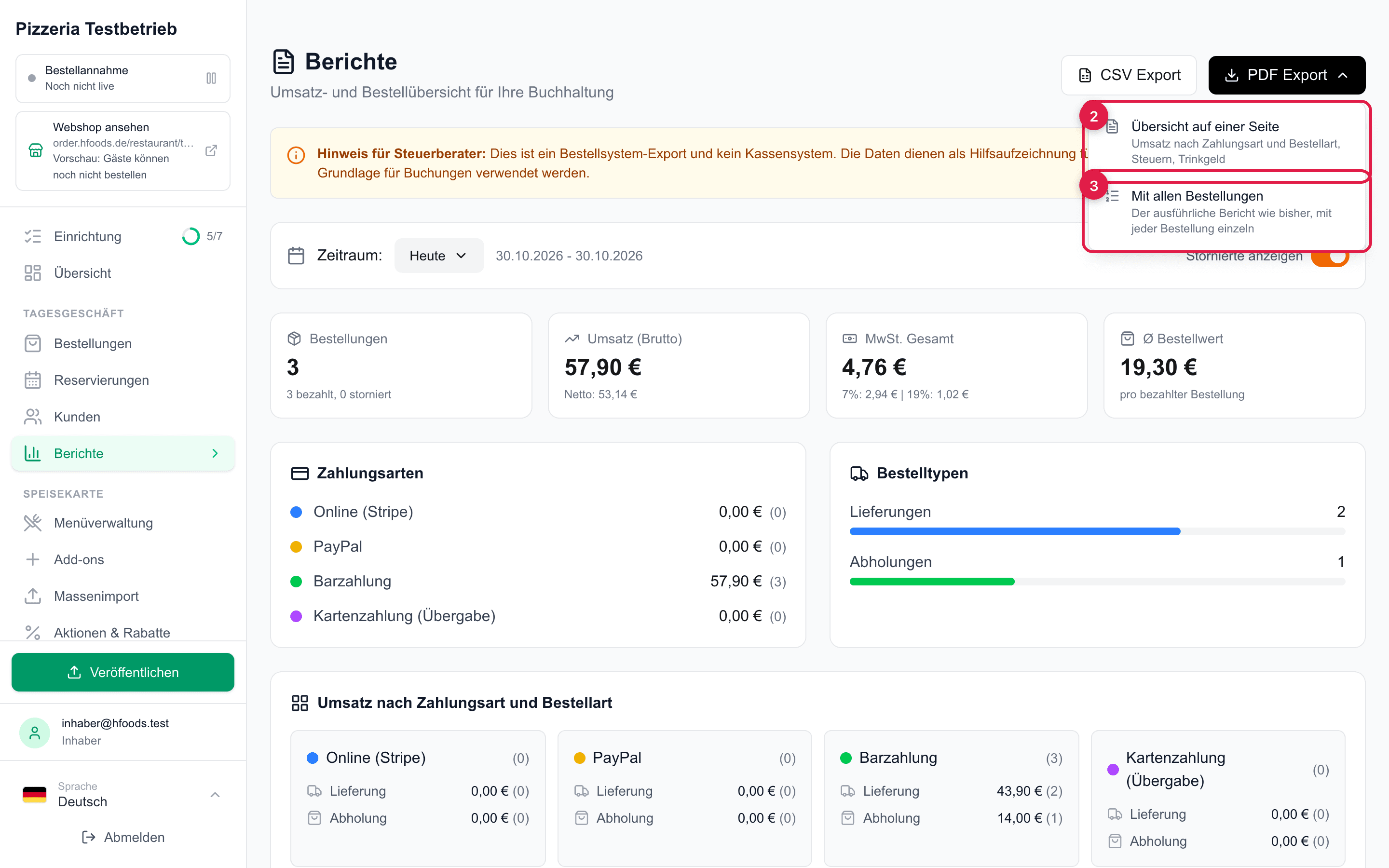
- Übersicht auf einer Seite (one-page summary): everything important on one sheet. For each payment method it shows how many orders were delivered and how many were collected, and the revenue behind each. It also lists net, tax and gross per tax rate, the tax per payment method, tips and cancellations.
- Mit allen Bestellungen (with all orders): the detailed report in landscape format. After the overview, every paid order is listed individually, followed by a breakdown by payment method and finally the cancelled orders.
What changes
- While the file is being created, the button shows Wird generiert... (being generated).
- Then the download of a PDF file for the chosen period starts.
- The PDF is in the language you have set in the admin area.
Requirements
You are signed in to the admin area as the owner and have chosen the period, see Choose the report period.
Step by step
Open the export
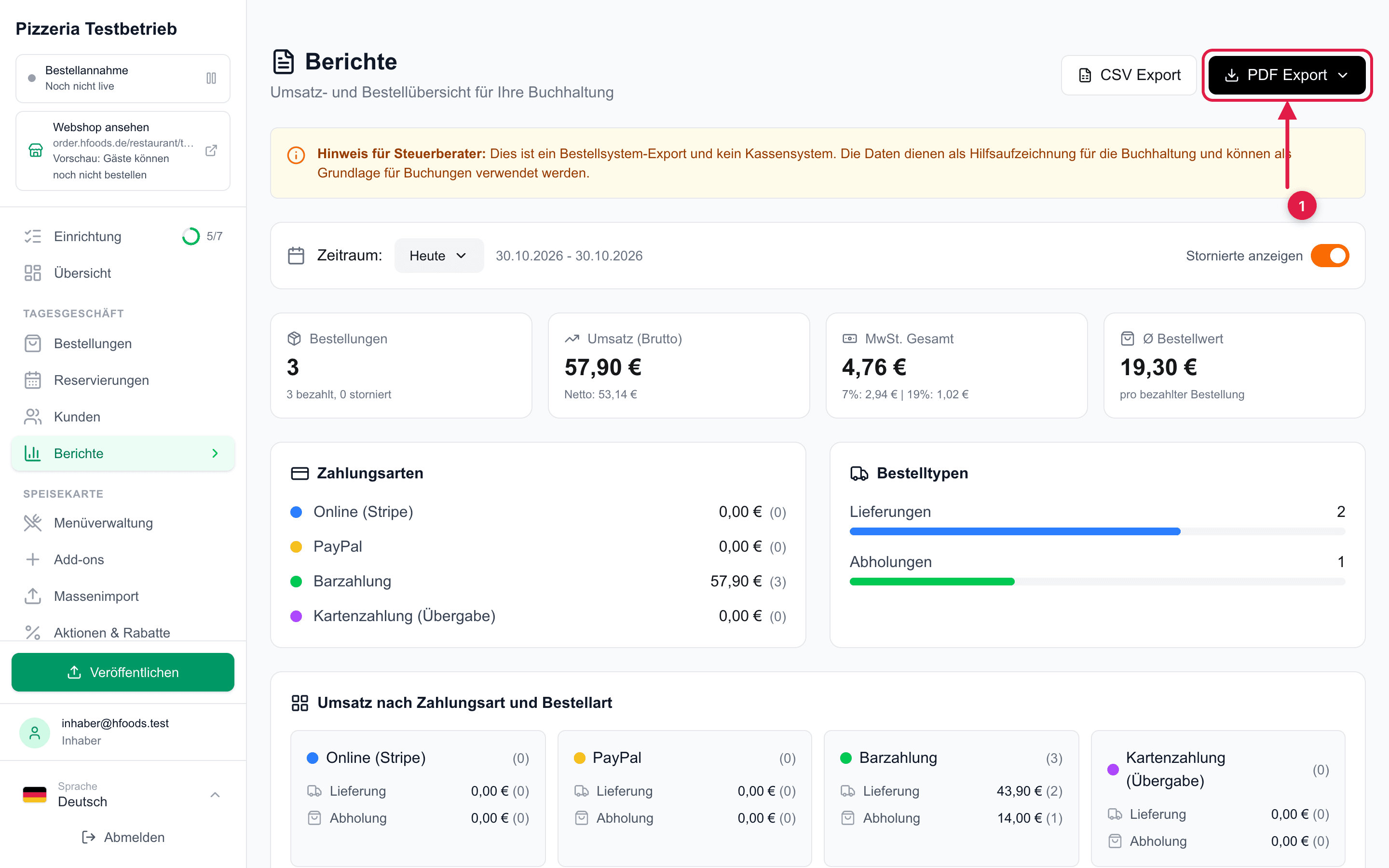
In the sidebar on the left, click Berichte (reports) and then PDF Export at the top right. A selection with the two versions opens.
Choose the version
Click Übersicht auf einer Seite (one-page summary) for the single sheet or Mit allen Bestellungen (with all orders) for the detailed report. Wait until the button shows PDF Export again and the download starts. Clicking anywhere else closes the selection without downloading anything.
Result
The PDF file is in your downloads folder. You can recognise the detailed version by the addition "with_orders" in the file name, or "mit_Bestellungen" if your admin area is set to German.
Tips
- The summary is usually enough for your tax adviser. You need the detailed version when a single order has to be proven.
- You can also get the individual orders as a spreadsheet, see Export the report as CSV.
Frequently asked questions
Why does it say my session has expired?
The report is only created for signed-in people. Sign in again and download the report once more. In German the message reads "Deine Anmeldung ist abgelaufen".
Why does it say only the owner and the managing partner can download the report?
The PDF contains the business's revenue and taxes. Only the owner and the partner who looks after the restaurant receive it. In German the message reads "Den Umsatzbericht dieses Restaurants können nur der Inhaber und der betreuende Partner herunterladen."