View the report
Read revenue, VAT, payment methods, order types and individual orders for a period.
What it is for
The Berichte (reports) page sums up all orders of the chosen period for your accounting.
Note for tax advisers
The report is an export of the ordering system, not a cash register system. The data serves as an auxiliary record for accounting and can be used as a basis for bookings.
What changes
Nothing, you only read. The page shows:
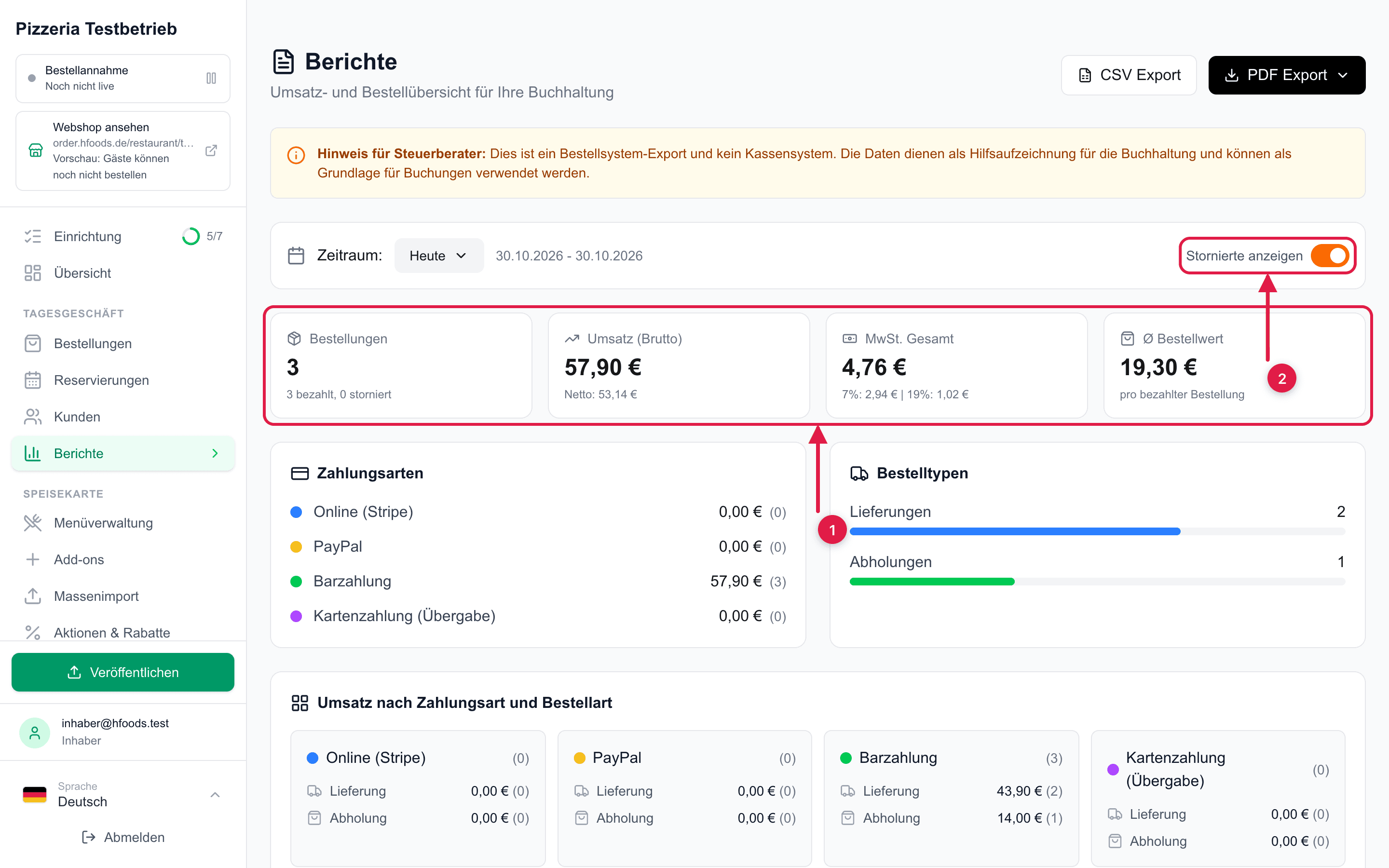
- Bestellungen (orders): the number, below it how many are paid and how many canceled.
- Umsatz (Brutto) (gross revenue): below it the net revenue. Tips are not included and are shown separately.
- MwSt Gesamt (total VAT): split by tax rate, for example 7 % and 19 %.
- Ø Bestellwert (average order value): per paid order.
- Trinkgeld (tips), once there were any: split into Betriebseinnahme (Restaurant) (business income) and Durchlaufend (Personal) (passed on to staff).
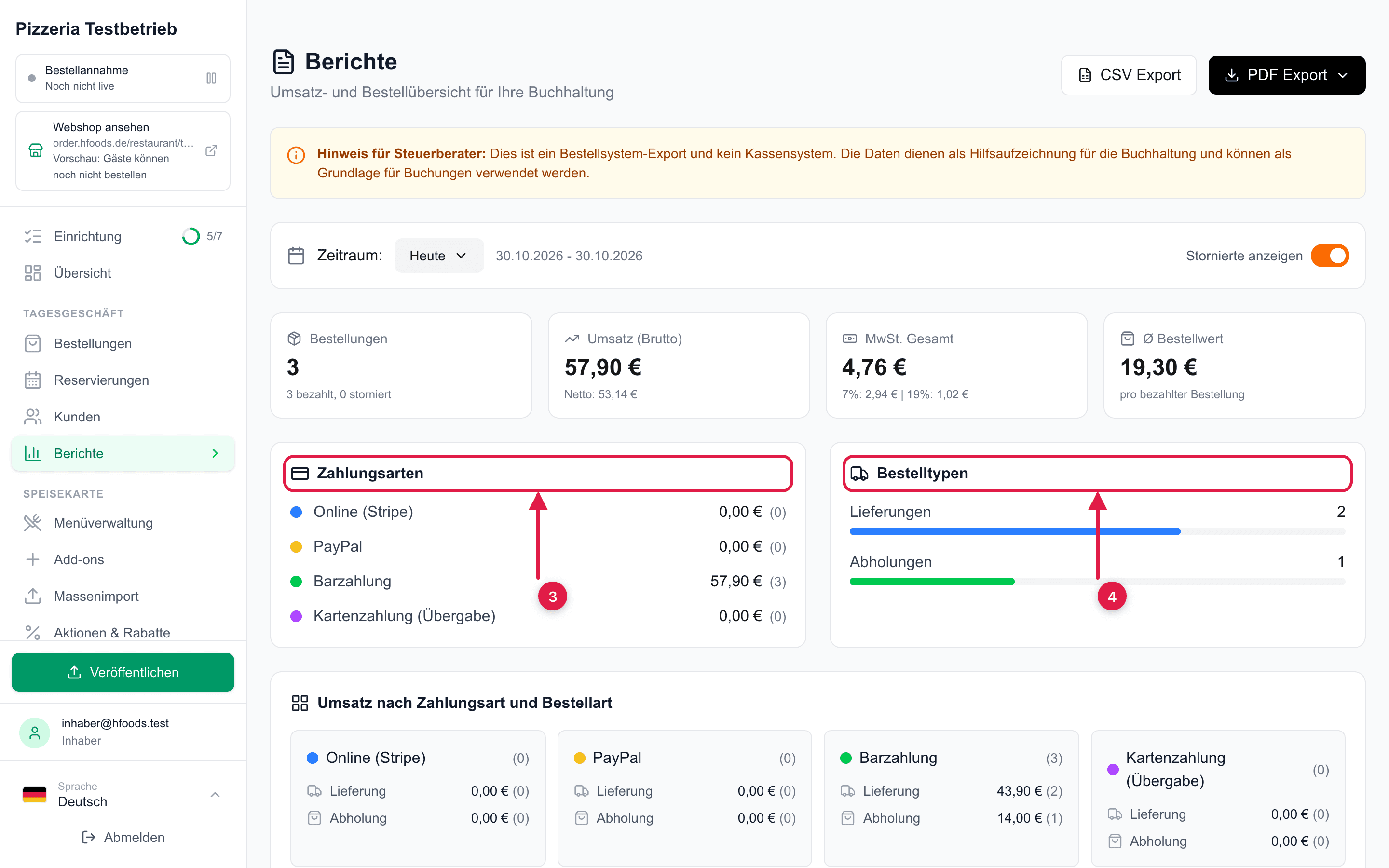
- Zahlungsarten (payment methods): Online (Stripe), PayPal, Barzahlung (cash) and Kartenzahlung (Übergabe) (card on handover), each with amount and count.
- Bestelltypen (order types): Lieferungen (deliveries) and Abholungen (pickups).
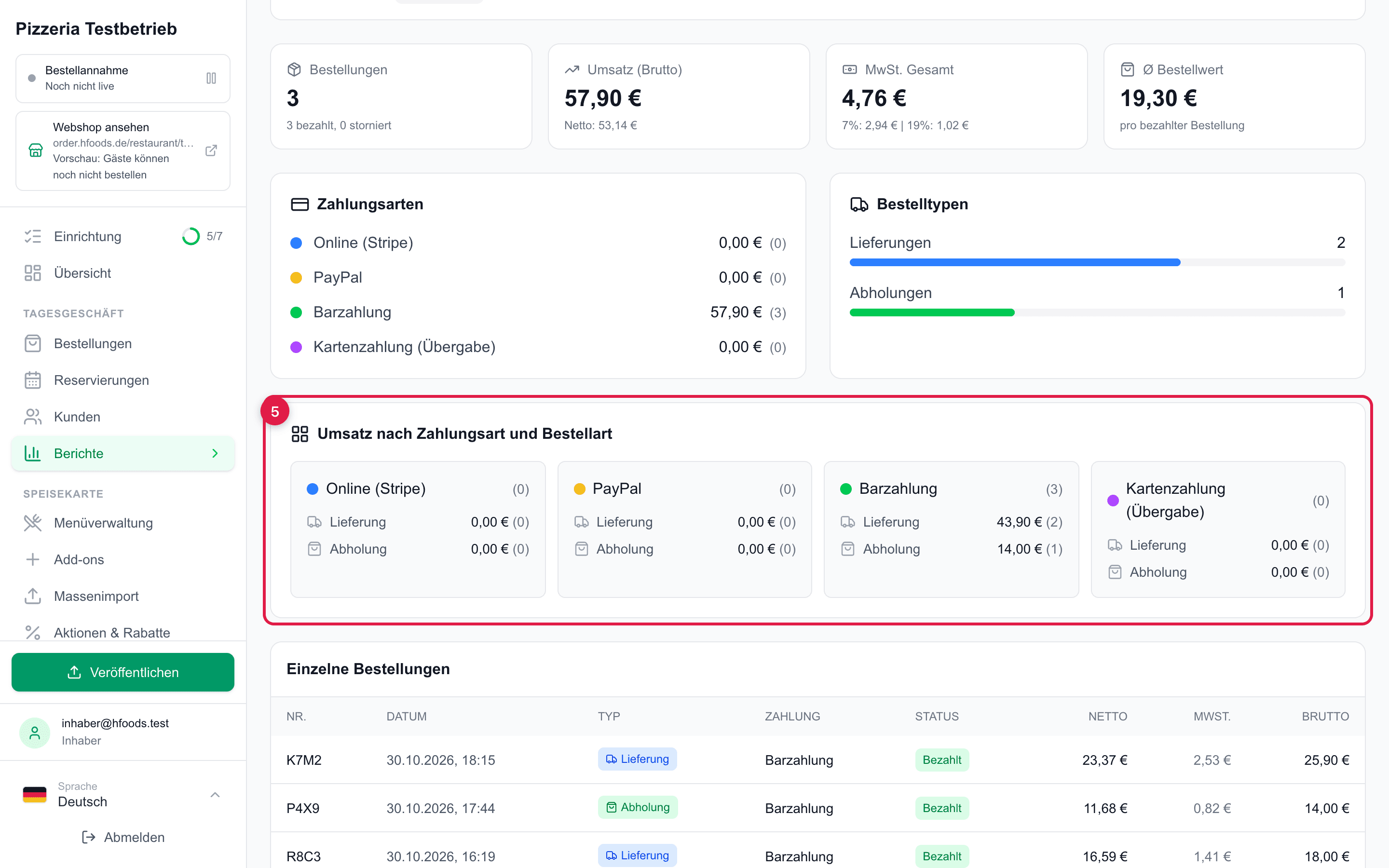
- Umsatz nach Zahlungsart und Bestellart (revenue by payment method and order type): for each payment method, how many orders were delivered and how many picked up, each with amount and count. If there were dine-in orders in the period, Vor Ort (dine-in) is shown as well.
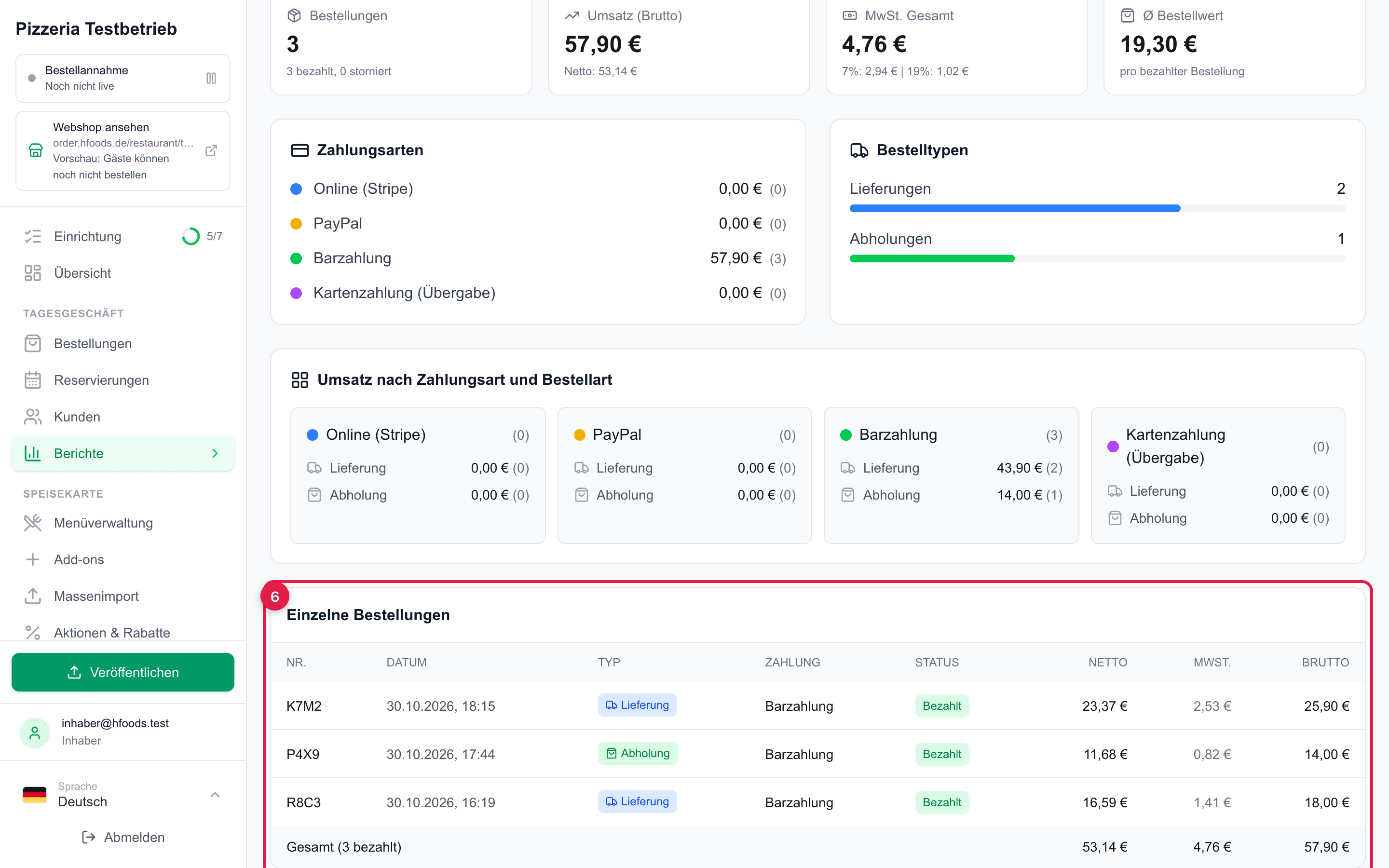
- Einzelne Bestellungen (individual orders): each order with number, date, type, payment, status, net, VAT, gross and tip. Date and time are in your restaurant's local time.
Requirements
You are signed in to the admin area as the owner, and there are orders in the period.
Step by step
Read the key figures
In the sidebar on the left, click Berichte and choose the period, see Choose the report period. The four key figures are at the top. Stornierte anzeigen (show canceled) shows or hides canceled orders. When they are hidden, Bestellungen shows the note Stornierte ausgeblendet (canceled hidden).
Compare payment methods and order types
Below you see how your guests paid and how many orders were delivered or picked up.
Read payment methods by order type
The Umsatz nach Zahlungsart und Bestellart card combines both. For each payment method you see Lieferung (delivery) and Abholung (pickup) with amount and count, for example how many cash orders were delivered and how many were picked up. Together the tiles add up to the revenue on the page.
Check individual orders
At the very bottom every order is listed. The Gesamt (total) row adds up the paid orders.
Result
You know the revenue, tax and payment methods of the period. For your tax adviser you export the report as CSV or PDF.