Order terminalAdd-ons
Mark an add-on as sold out
Switch off an add-on such as a sauce or an extra topping at the terminal.
What it is for
When an ingredient runs out, you switch the add-on off. Guests can then no longer choose it.
What changes
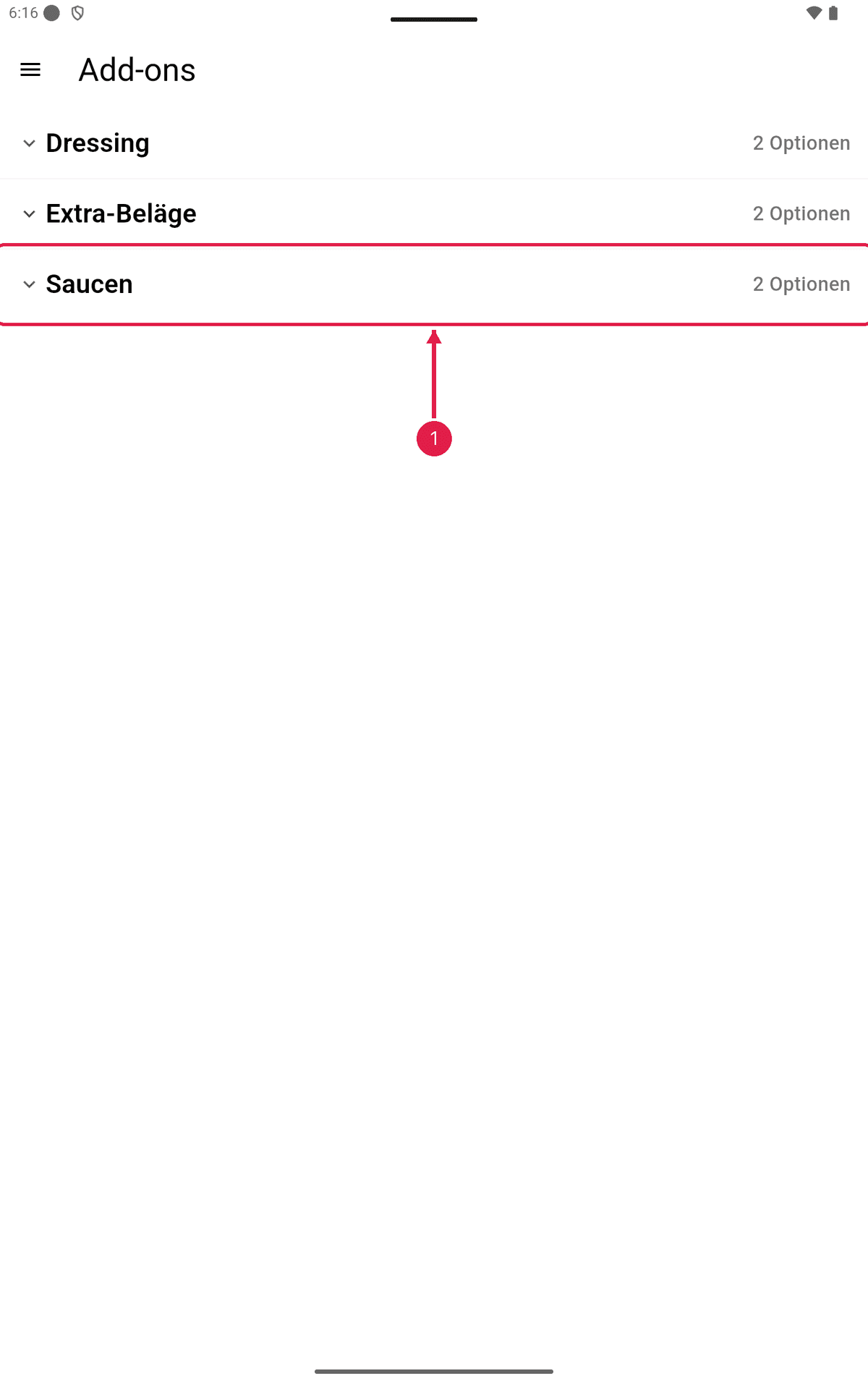
- Under Add-ons the groups are listed with the number of their options, for example 2 Optionen (2 options). Tapping expands the group.
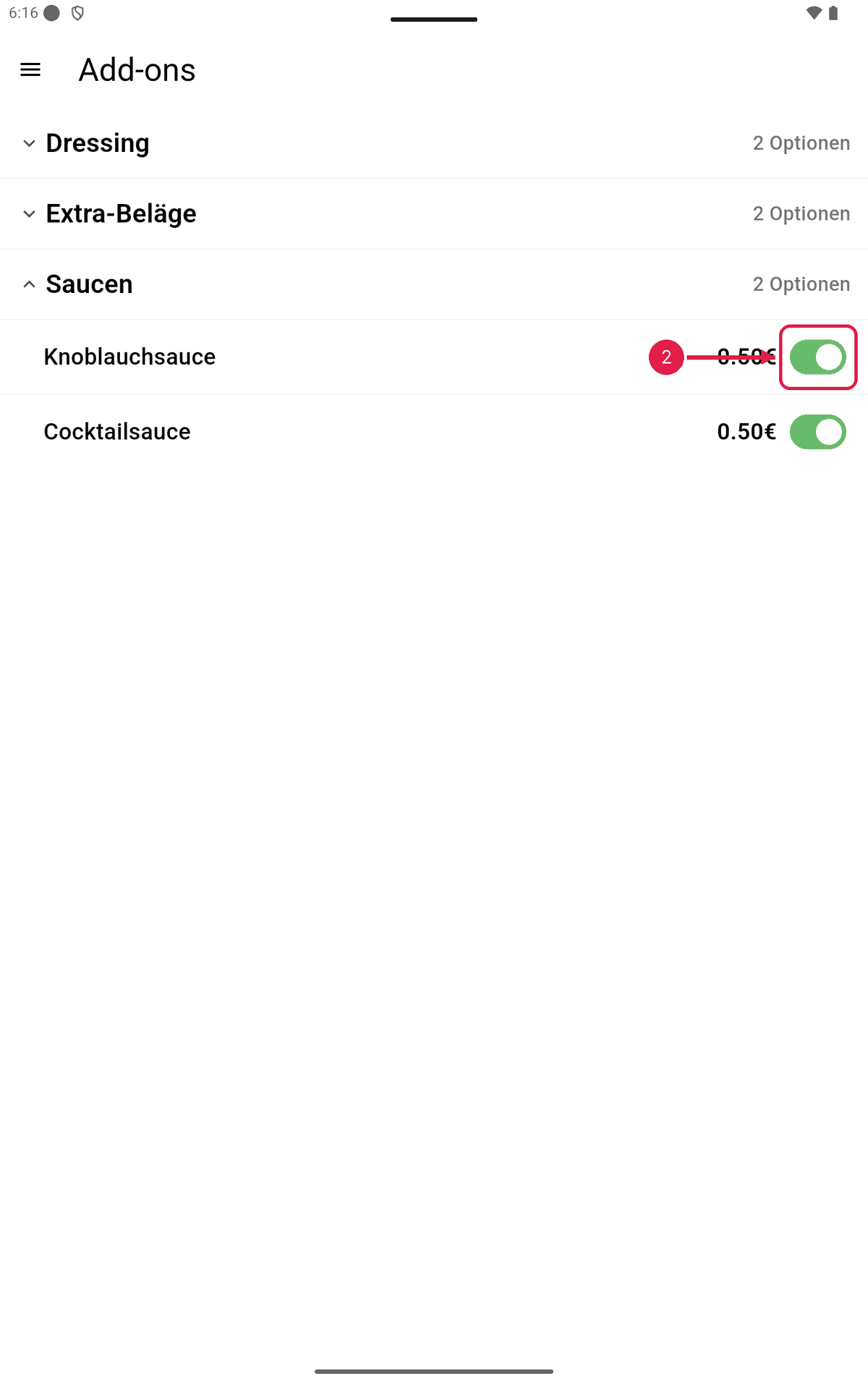
- Each option has a switch.
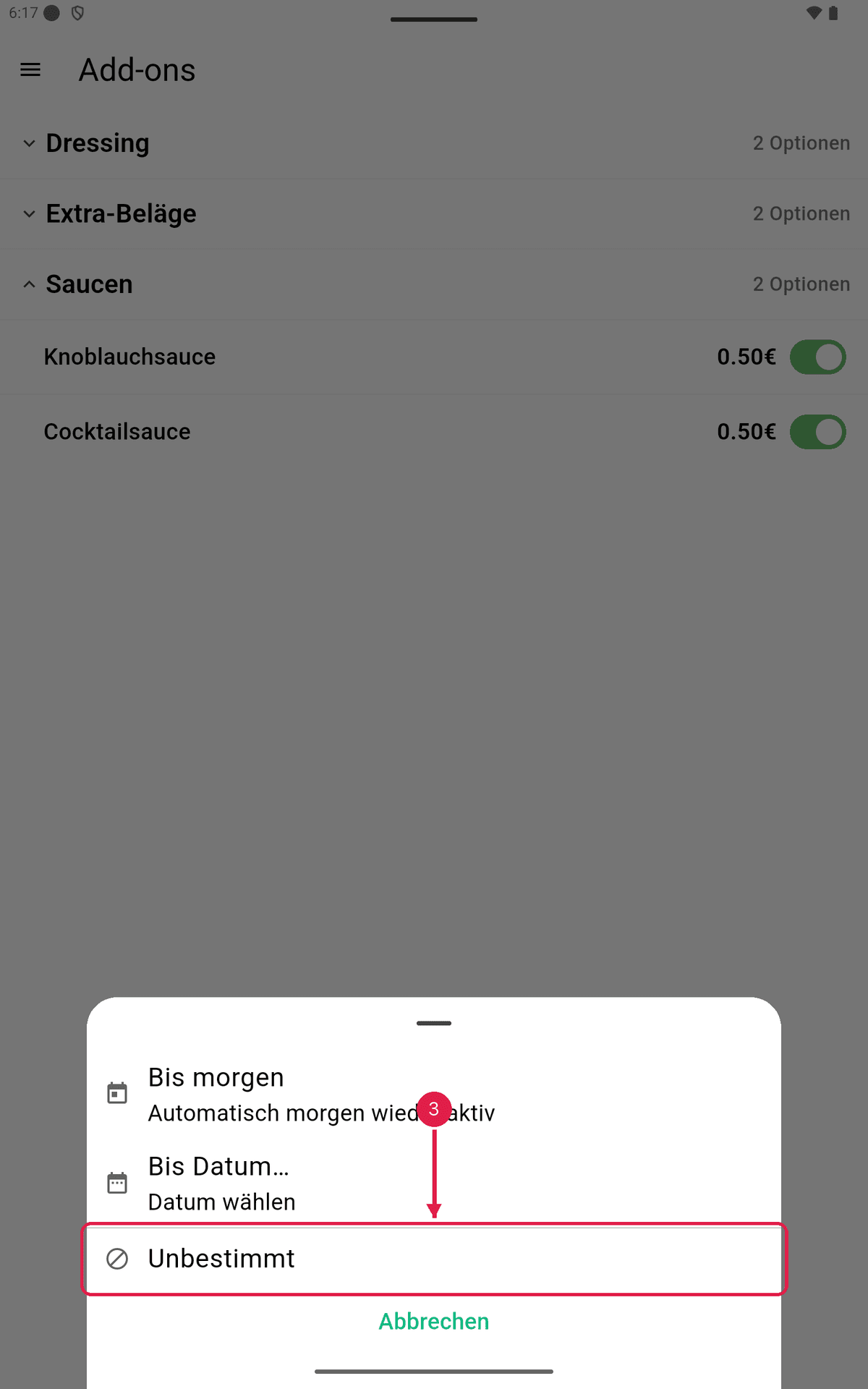
- When switching off, the terminal asks for the duration: Bis morgen (until tomorrow, active again automatically), Bis Datum… (until a date you choose, at most one year) or Unbestimmt (indefinitely, until you switch it back on).
- The row then shows, for example, Bis 28.09.2026 or Unbestimmt.
- The web shop and the app take over the change within a few seconds.
Requirements
The order terminal is connected with your restaurant.
Step by step
Result
The add-on can no longer be chosen.