Order terminalMenu
Mark an item as sold out
Mark an item as sold out on the terminal so guests can no longer order it.
What it is for
When a dish runs out, you switch it off on the terminal. Guests then no longer see it as orderable.
What changes
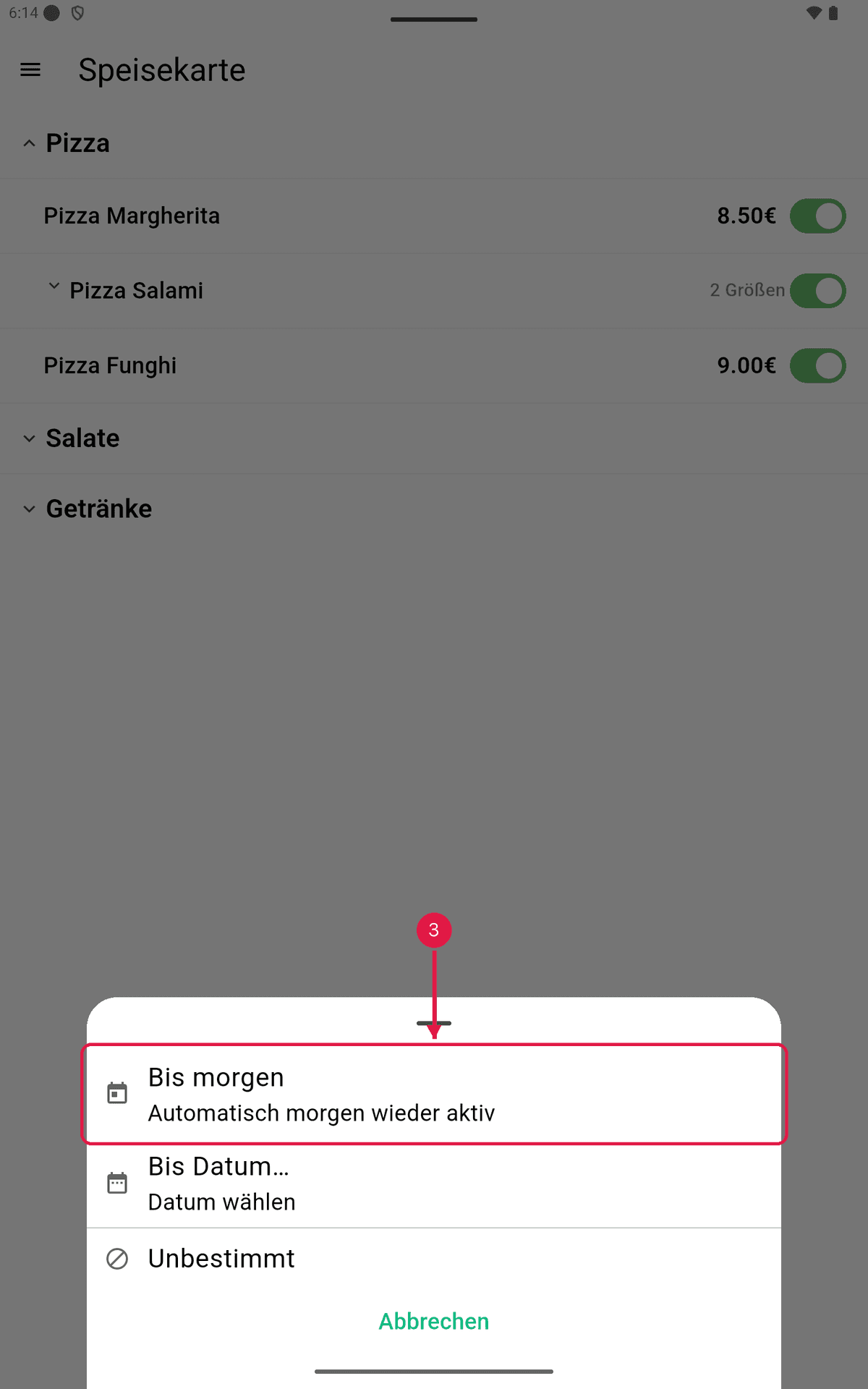
- When switching off, the terminal asks for the duration: Bis morgen (until tomorrow, active again automatically), Bis Datum… (until a date you choose, at most one year) or Unbestimmt (indefinitely, until you switch it back on).
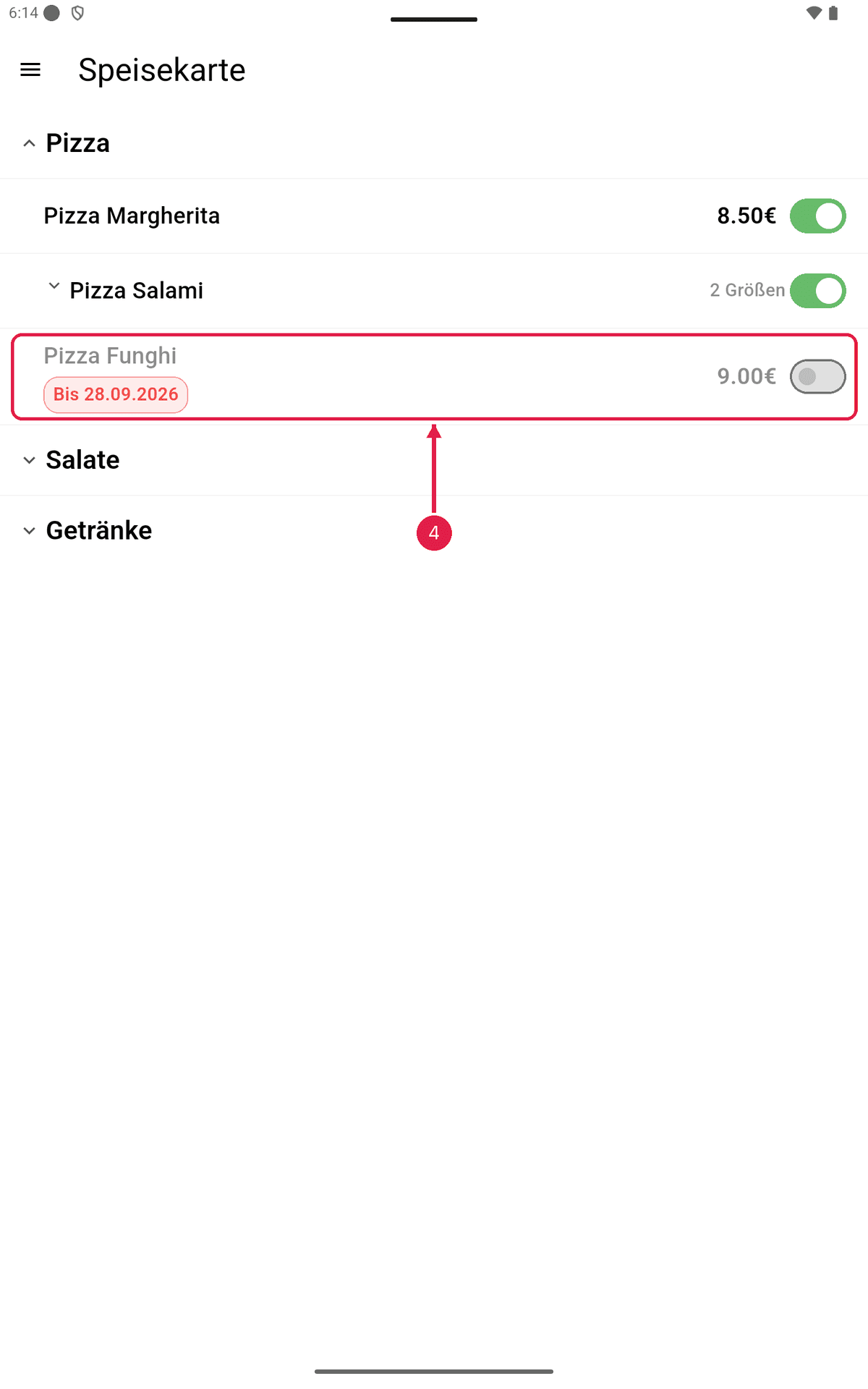
- The row then shows, for example, Bis 28.09.2026 or Unbestimmt.
- The web shop and the app take over the change within a few seconds.
- Switching on takes effect immediately, see Make an item available again.
Requirements
The order terminal is connected with your restaurant.
Step by step
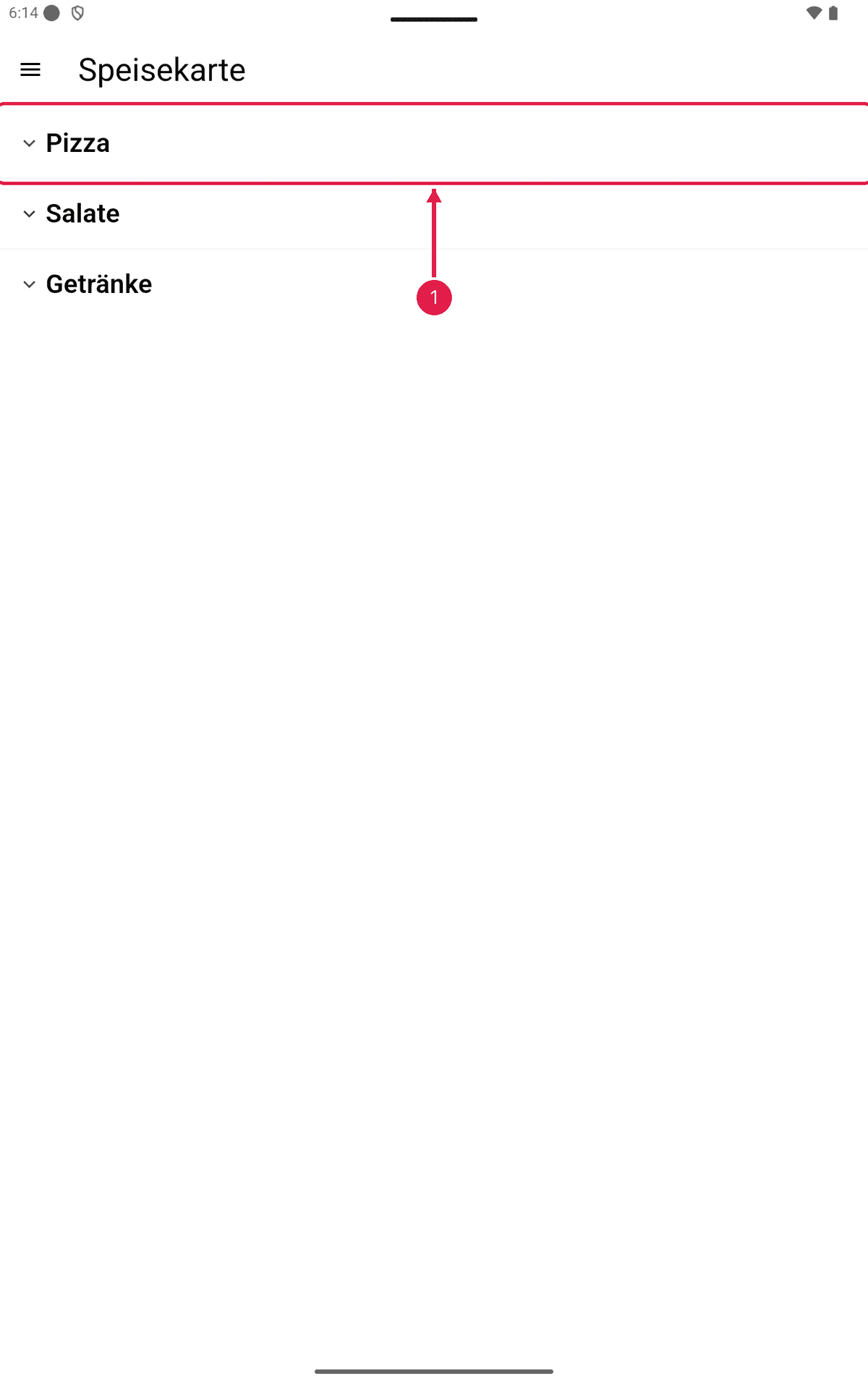
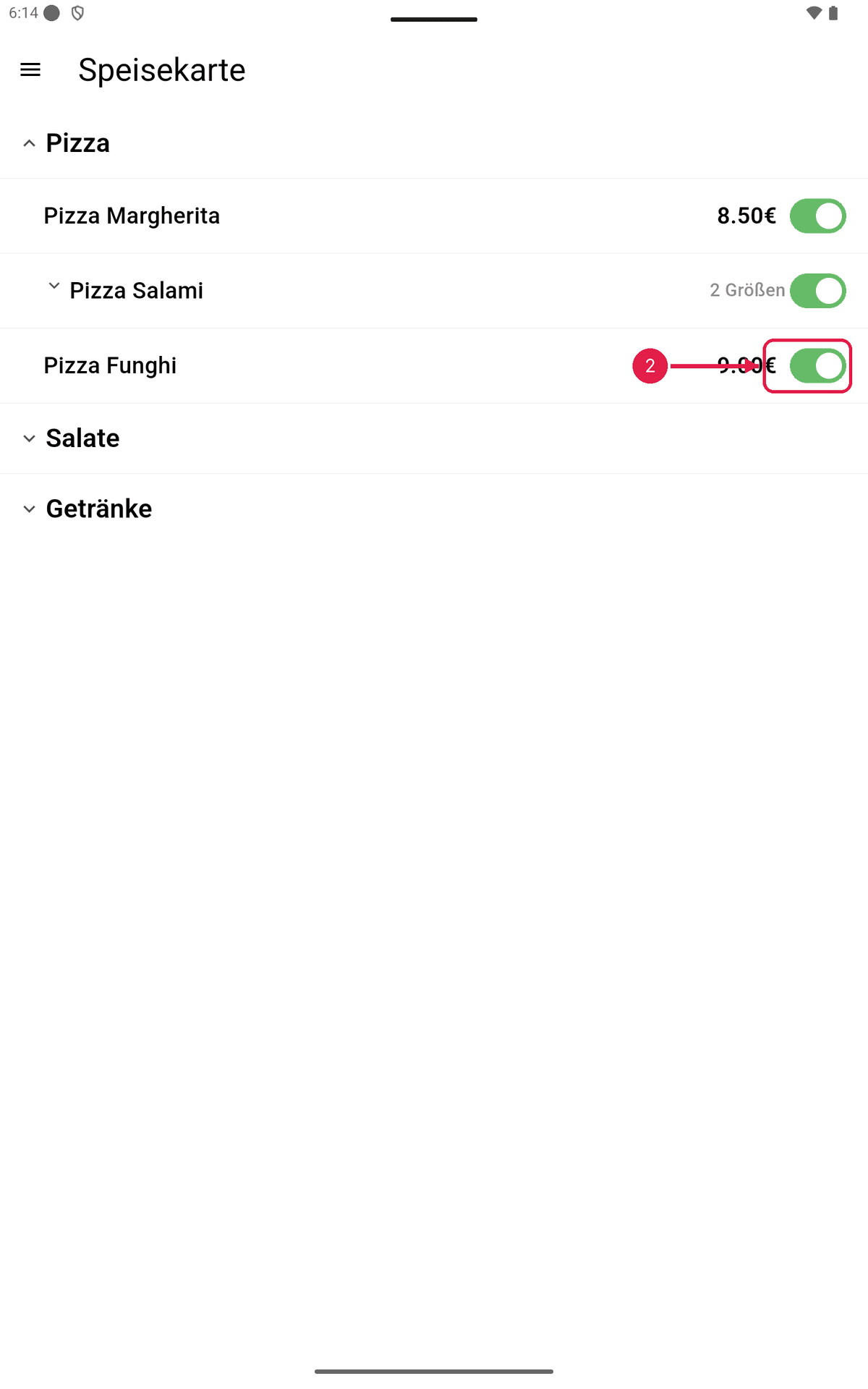
Result
The item is sold out and can no longer be ordered.