Order terminalMenu
Make an item available again
Make a sold-out item orderable again.
What it is for
When a dish is available again, you switch it on. Items switched off with Bis morgen or a date also become active again by themselves.
What changes
- Switching on takes effect immediately, without a question.
- The web shop and the app take over the change within a few seconds.
Requirements
The order terminal is connected with your restaurant. The item is switched off.
Step by step
Find the switched-off item
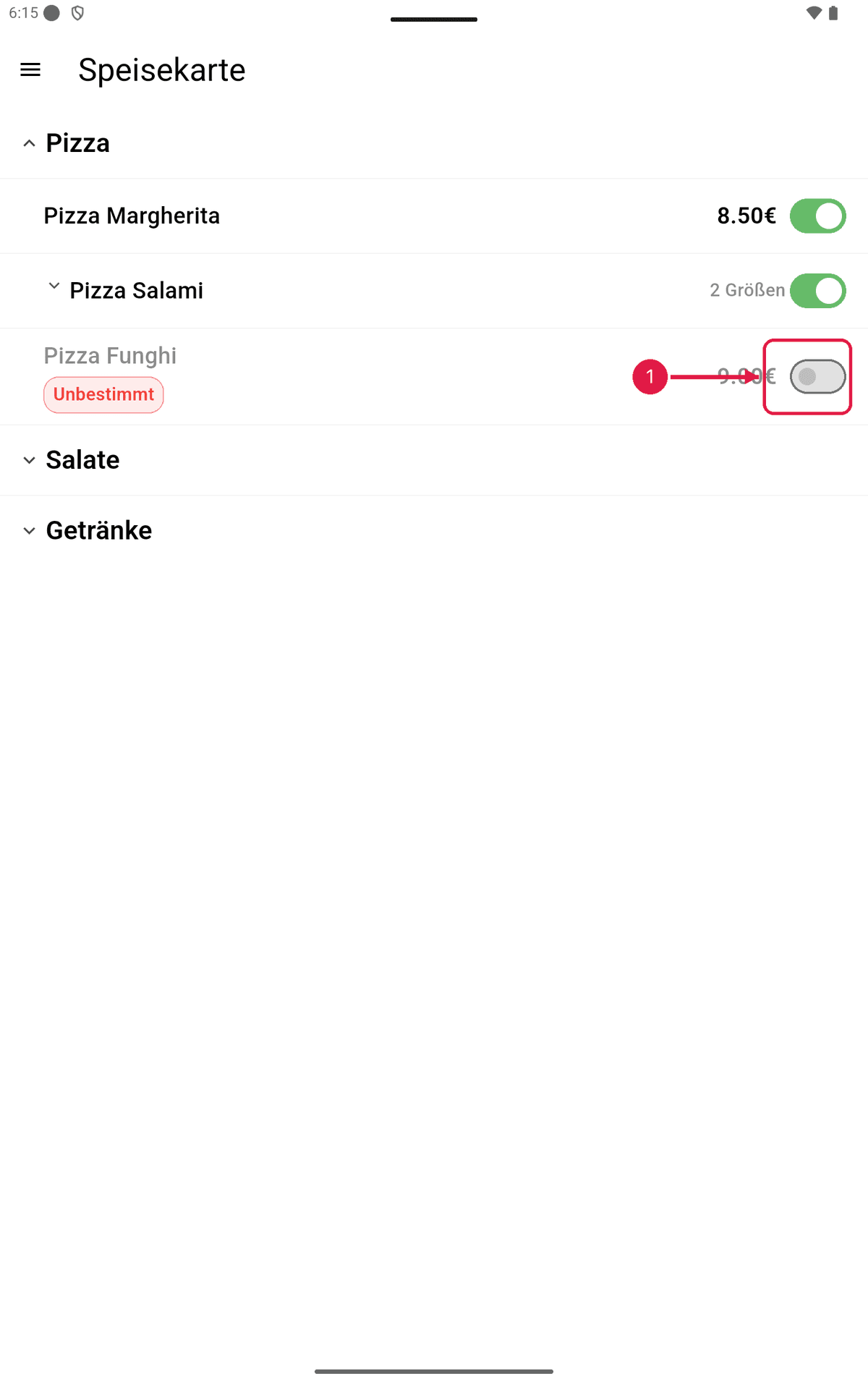
Open Speisekarte (menu) in the menu. Open the category. A switched-off item is grey and shows until when it is off.
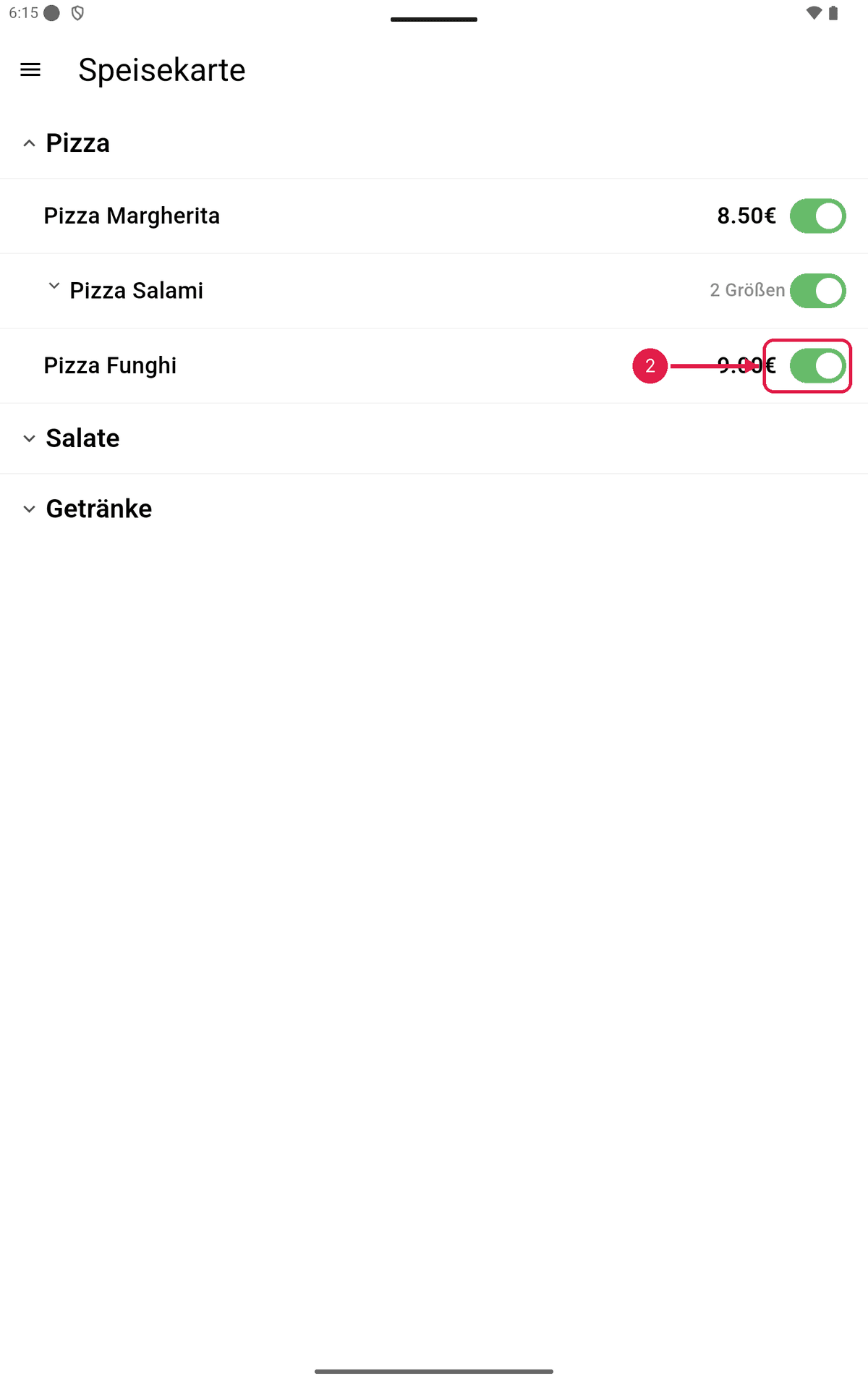
Result
The item can be ordered again.