Edit an add-on group and sort options
Change the name, choice rules, prices and order of the options of an existing add-on group.
What it is for
Prices for extras change, a new sauce is added, or the options should be in a different order. You change all of this in the Zusatzgruppe bearbeiten (edit add-on group) dialog. It has the same fields as when creating a group.
What changes
- The changes apply to all items the group is assigned to. The message Zusatzgruppe gespeichert (add-on group saved) confirms saving.
- The order of the options in the dialog is the order in which guests see them.
- Guests see the changes as soon as you click Veröffentlichen (publish).
Requirements
You are signed in to the admin area as the owner, and the group exists, see Create an add-on group.
Step by step
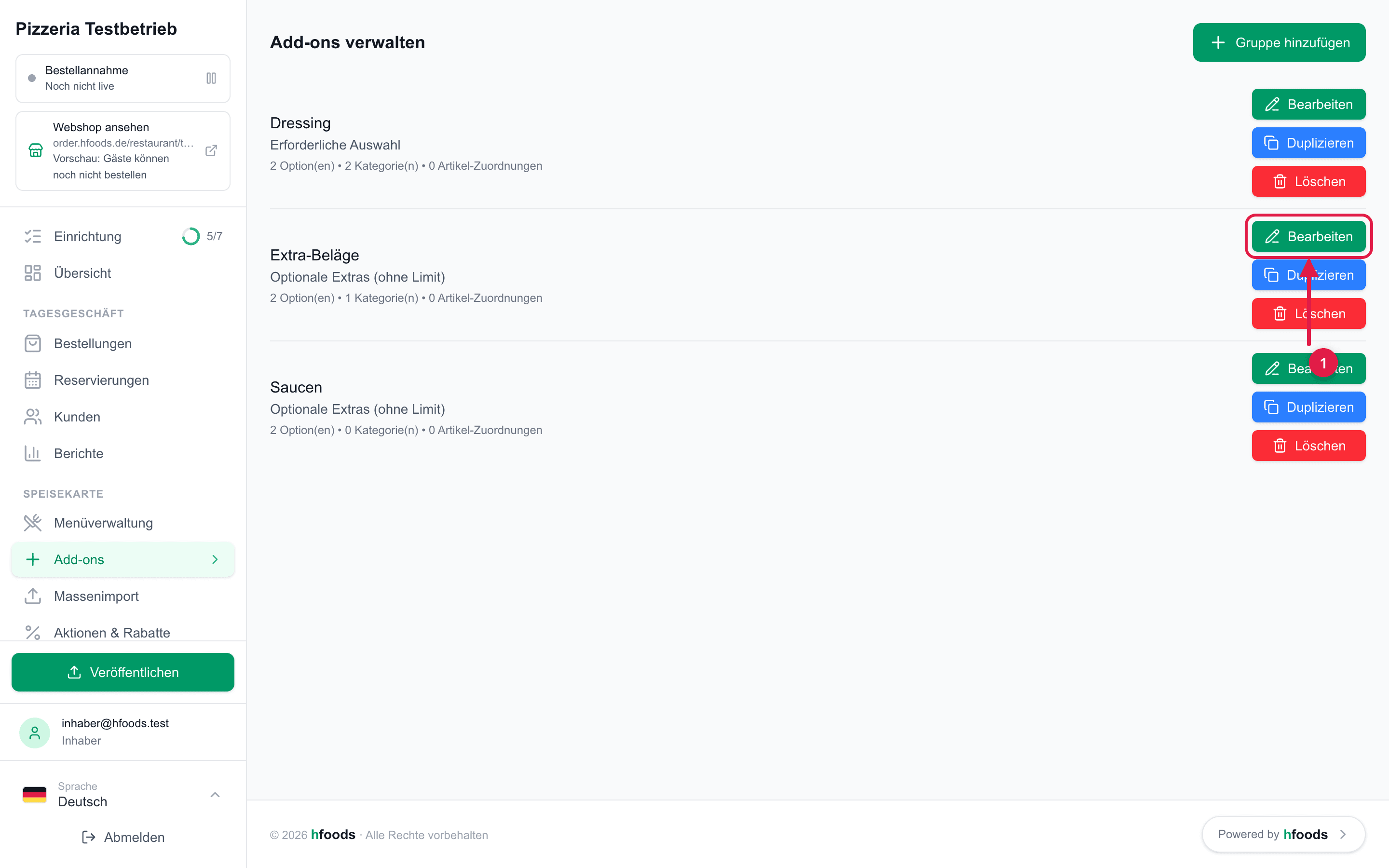
Change, sort and save
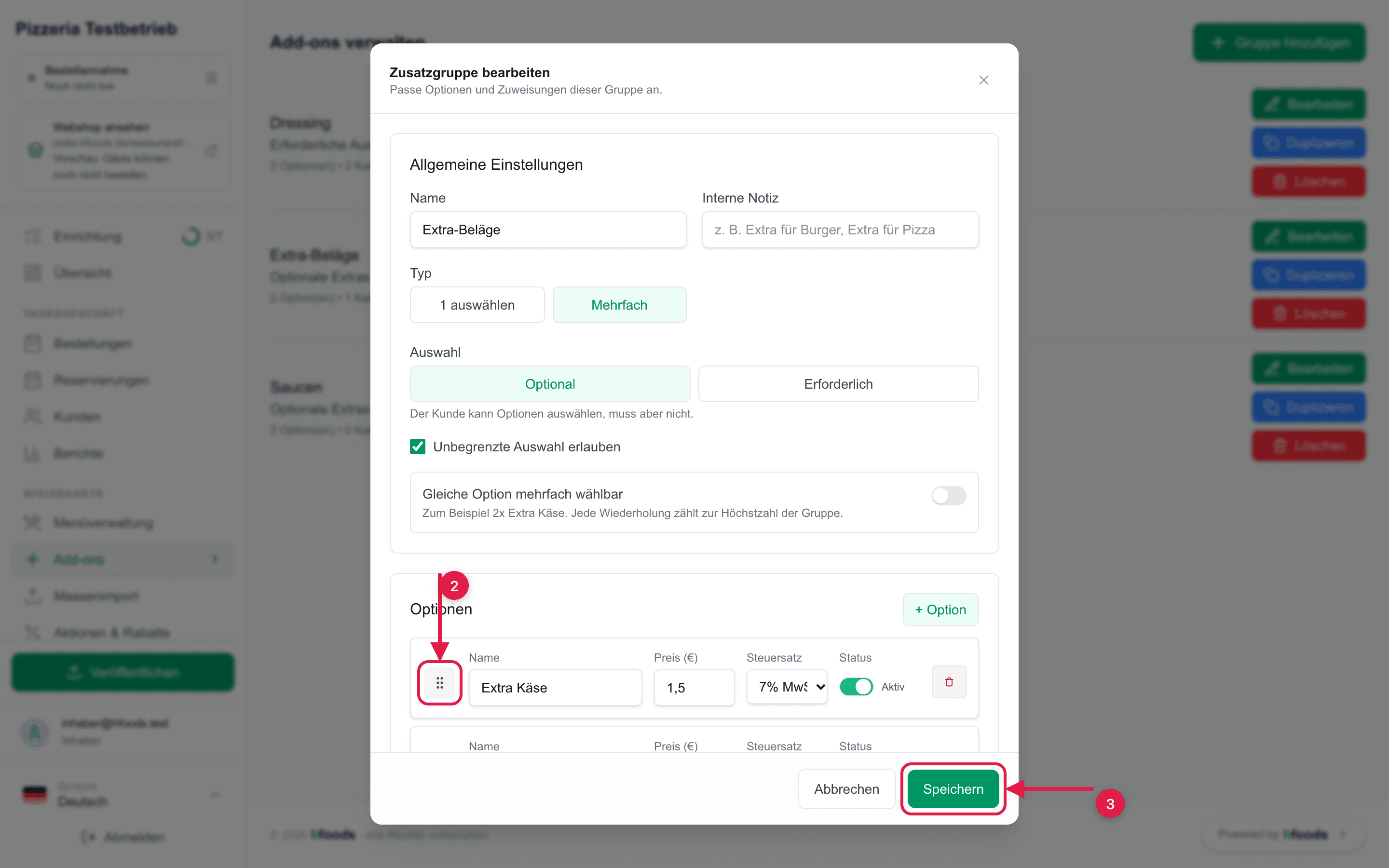
The Zusatzgruppe bearbeiten dialog shows all settings of the group. What the fields mean is described in Create an add-on group. Common changes:
- Change a price: enter the new price under Preis (€) on the option.
- Add an option: click + Option and fill in the new row.
- Switch an option off for a while: switch off the option's Aktiv (active) switch.
- Change the order: hold an option by the handle on the left (Ziehen zum Sortieren, drag to sort) and drag it to the place you want.
- Delete an option: click the bin on the right (Option entfernen, remove option).
Then click Speichern (save). Abbrechen (cancel) discards all changes in the dialog.
Publish
Click Veröffentlichen (publish) on the left so the web shop and the app take over the changes.
Result
The group has its new settings, and all assigned items show them after publishing.
Tips
- Put popular options at the top. Guests see them first.
- If you need a similar group with different prices, for example for family pizzas, duplicate the group instead of rebuilding it, see Duplicate an add-on group.
Frequently asked questions
Does the group change for all items at the same time?
Yes. A group exists only once. Every change applies to all categories, items and sizes it is assigned to.
Why do guests still see the old prices?
The change is only taken over after Veröffentlichen (publish). The web shop also refreshes the menu by itself within one hour at the latest.