Remove all assignments of a group
Detach an add-on group from all categories, items and sizes in one step without deleting the group.
What it is for
If you do not want to offer an add-on group anywhere for now but want to keep its options, you remove all assignments at once. The group stays with all its options and can be assigned again later.
What changes
- The group is no longer assigned to any category, item or size. It appears with no item.
- The group's options, prices and settings are kept.
- Guests see the change as soon as you save and click Veröffentlichen (publish).
Requirements
You are signed in to the admin area as the owner, and the group has at least one assignment.
Step by step
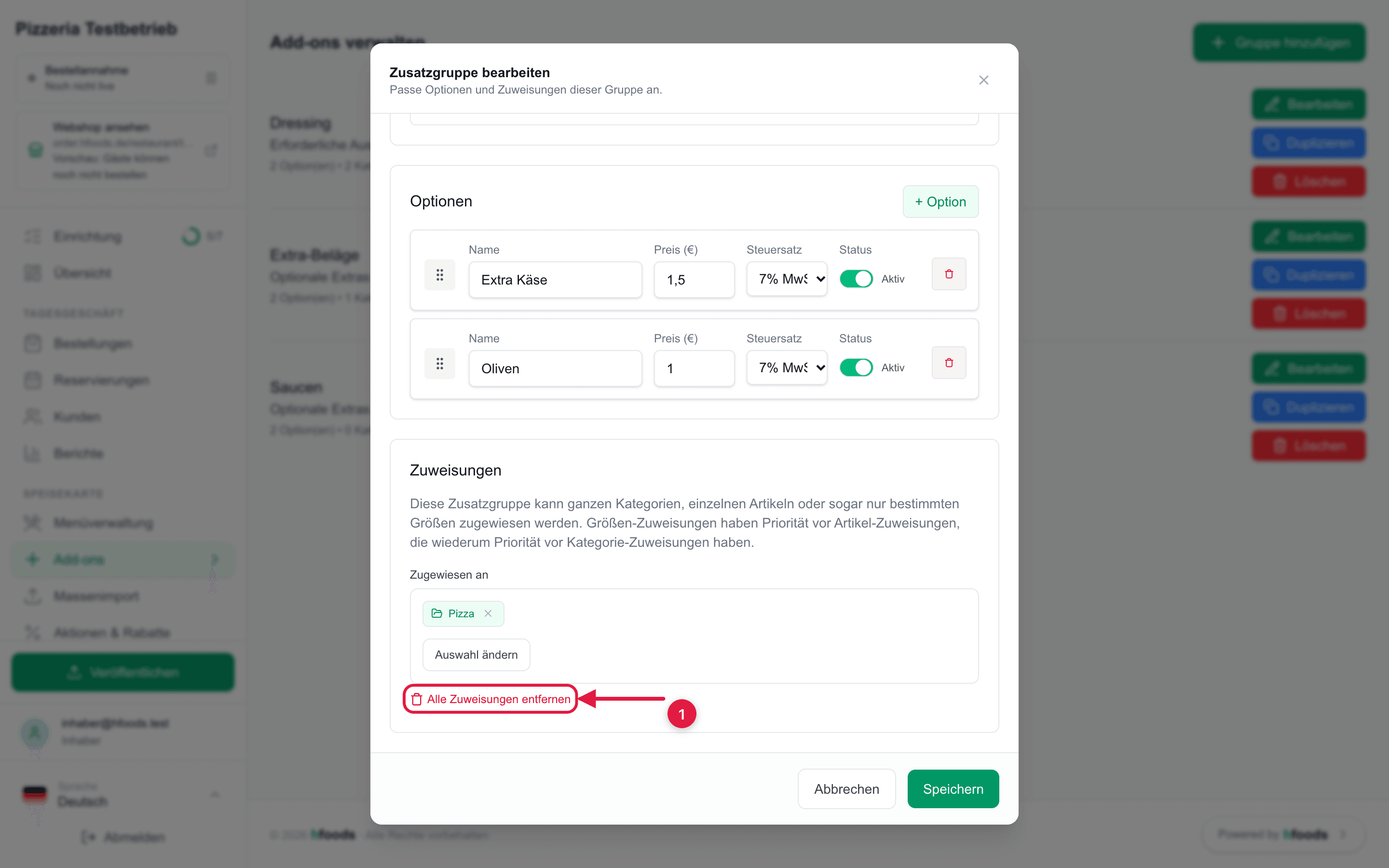
Choose Alle Zuweisungen entfernen
In the sidebar on the left, click Add-ons and then Bearbeiten (edit) on the group. Scroll to the Zuweisungen (assignments) section. Zugewiesen an (assigned to) shows the current assignments, in the picture the whole Pizza category. Below it, click Alle Zuweisungen entfernen (remove all assignments).
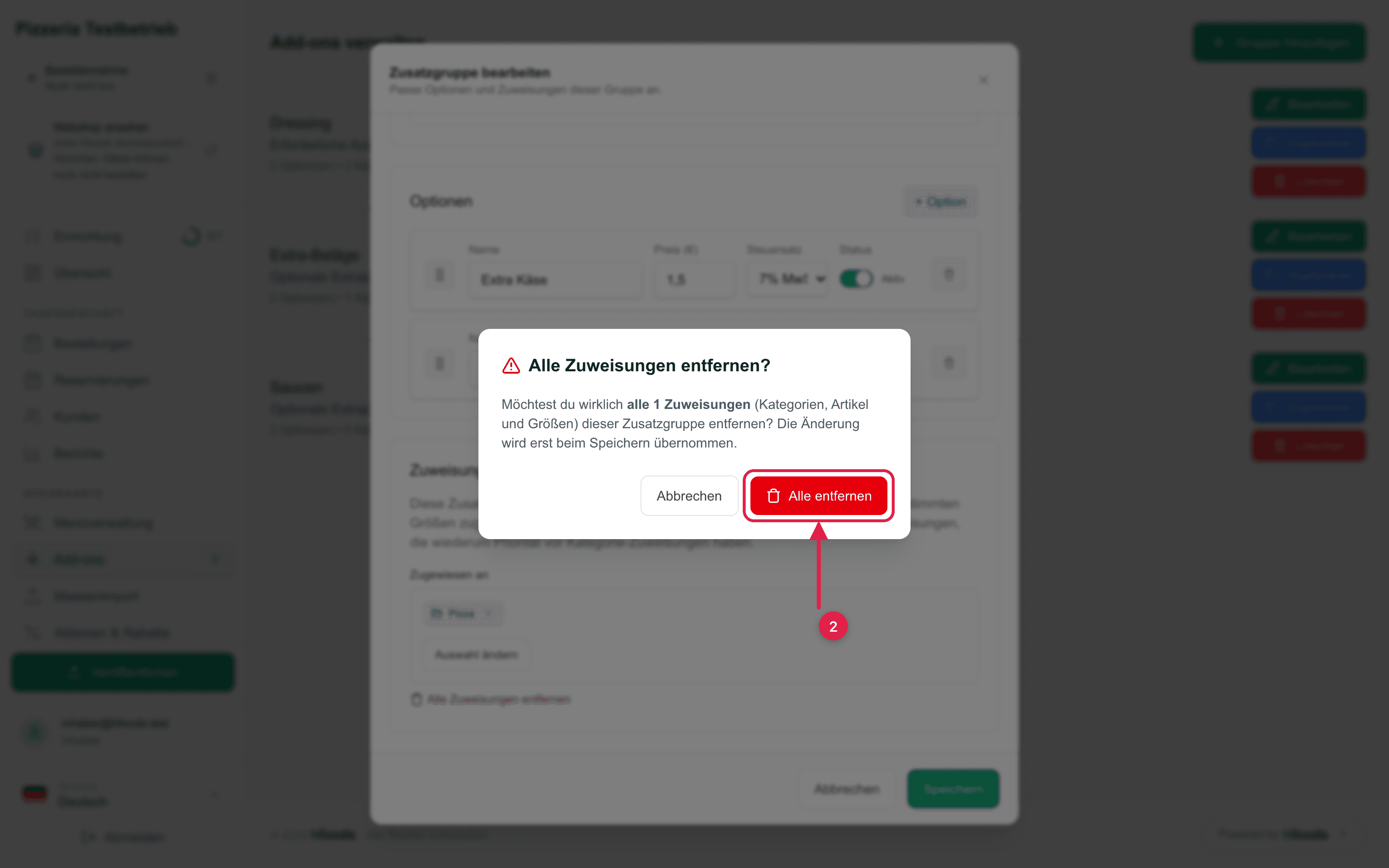
Confirm
The Alle Zuweisungen entfernen? dialog states how many assignments (categories, items and sizes) are affected. Click Alle entfernen (remove all), or Abbrechen (cancel) to leave everything as it is.
Save and publish
In the Zusatzgruppe bearbeiten (edit add-on group) dialog, click Speichern (save), then Veröffentlichen (publish) on the left. Only Speichern makes the removal take effect.
Result
The group stays in the list, with "0 Kategorie(n) • 0 Artikel-Zuordnungen" (0 categories, 0 item assignments). Guests no longer see it with any item.
Tips
- If you made a mistake, click Abbrechen (cancel) instead of Speichern in the edit dialog. The assignments are then kept.
- If you do not need the group at all any more, you can also delete it, see Delete an add-on group.
Frequently asked questions
Can I remove only some assignments?
Yes. Under Zugewiesen an, click Auswahl ändern (change selection) and untick only the ones you want, see Assign an add-on group.