Delete an add-on group
Remove an add-on group with all its options and assignments for good.
What it is for
You delete an add-on group you no longer need anywhere. The group, all its options and all assignments disappear.
What changes
- The group disappears from the list. The message Zusatzgruppe gelöscht (add-on group deleted) confirms this.
- All options and assignments are lost. This cannot be undone.
- Guests no longer see the group with any item as soon as you click Veröffentlichen (publish).
Requirements
You are signed in to the admin area as the owner.
Only not offering it for a while?
If you want to use the group again later, do not delete it. Remove only its assignments instead, see Remove all assignments of a group, or switch off individual options.
Step by step
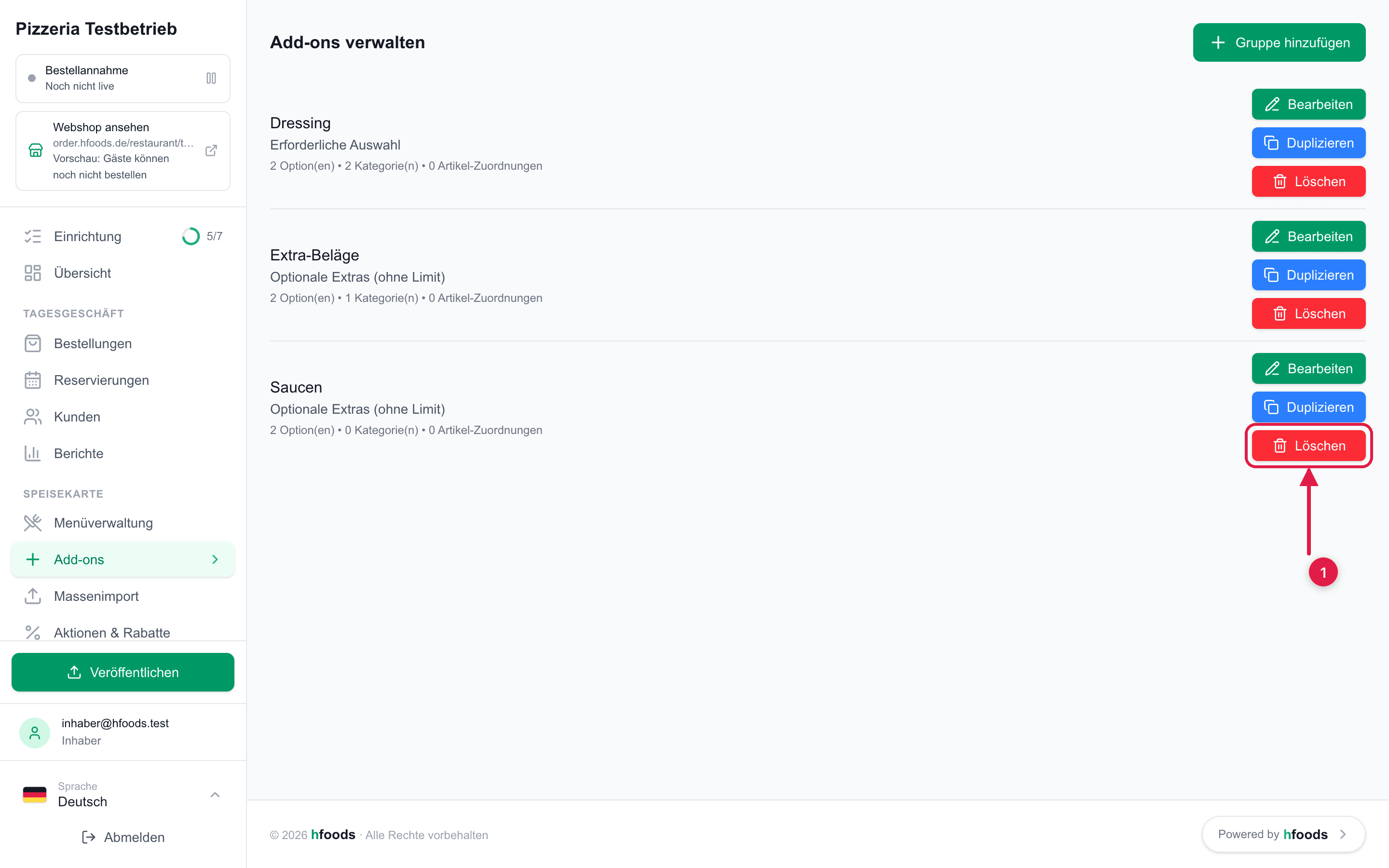
Choose Löschen
In the sidebar on the left, click Add-ons and then Löschen (delete) on the group. A confirmation comes first.
Confirm
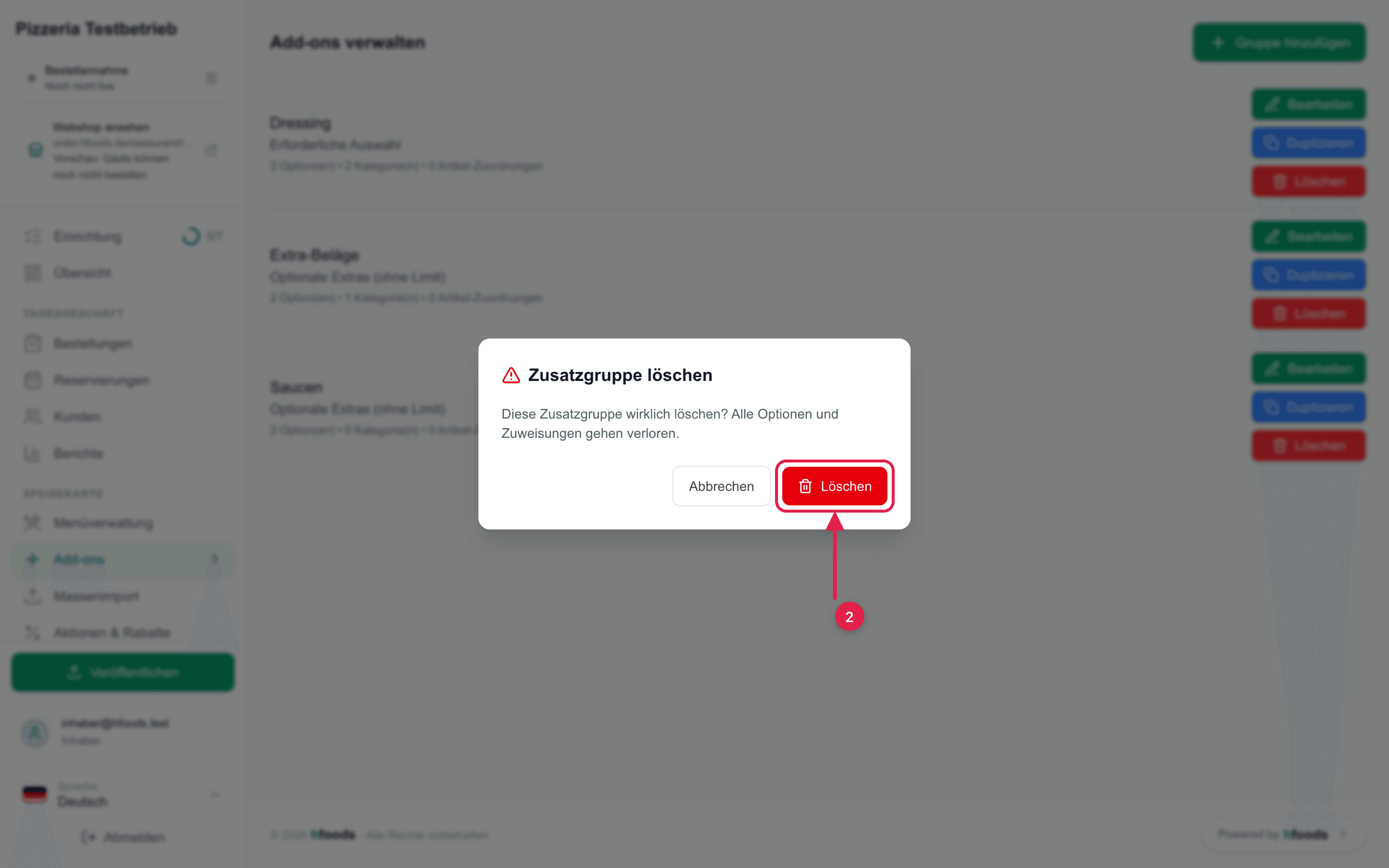
The Zusatzgruppe löschen (delete add-on group) dialog asks "Diese Zusatzgruppe wirklich löschen? Alle Optionen und Zuweisungen gehen verloren." (really delete this add-on group? All options and assignments will be lost). Click Löschen (delete), or Abbrechen (cancel) if you change your mind.
Publish
Click Veröffentlichen (publish) on the left so the group also disappears from the web shop and the app.
Result
The group is deleted. Items it was assigned to no longer show it after publishing.
Frequently asked questions
Can I restore a deleted group?
No. Create it again, see Create an add-on group.