Create an add-on group
Create a group of add-ons such as extra toppings, sauces or dressings with prices that guests can choose with items.
What it is for
Add-ons are everything guests choose to go with an item: extra cheese on the pizza, a sauce with the fries, the dressing for the salad. Add-ons are bundled in add-on groups. A group has a name, sets how many options a guest may or must choose, and contains the individual options with a price. You then assign the group to categories, items or sizes.
What changes
- A new group appears in the list under Add-ons. The message Zusatzgruppe erstellt (add-on group created) confirms this. Below the name you see what kind of choice it is, for example "Optionale Extras (max. 1)" (optional extras) or "Erforderliche Auswahl" (required choice), and how many options and assignments it has.
- Guests only see the group with items it is assigned to, and only after Veröffentlichen (publish). Without an assignment it appears with no item.
Requirements
You are signed in to the admin area as the owner, see Sign in.
Step by step
Start a new group
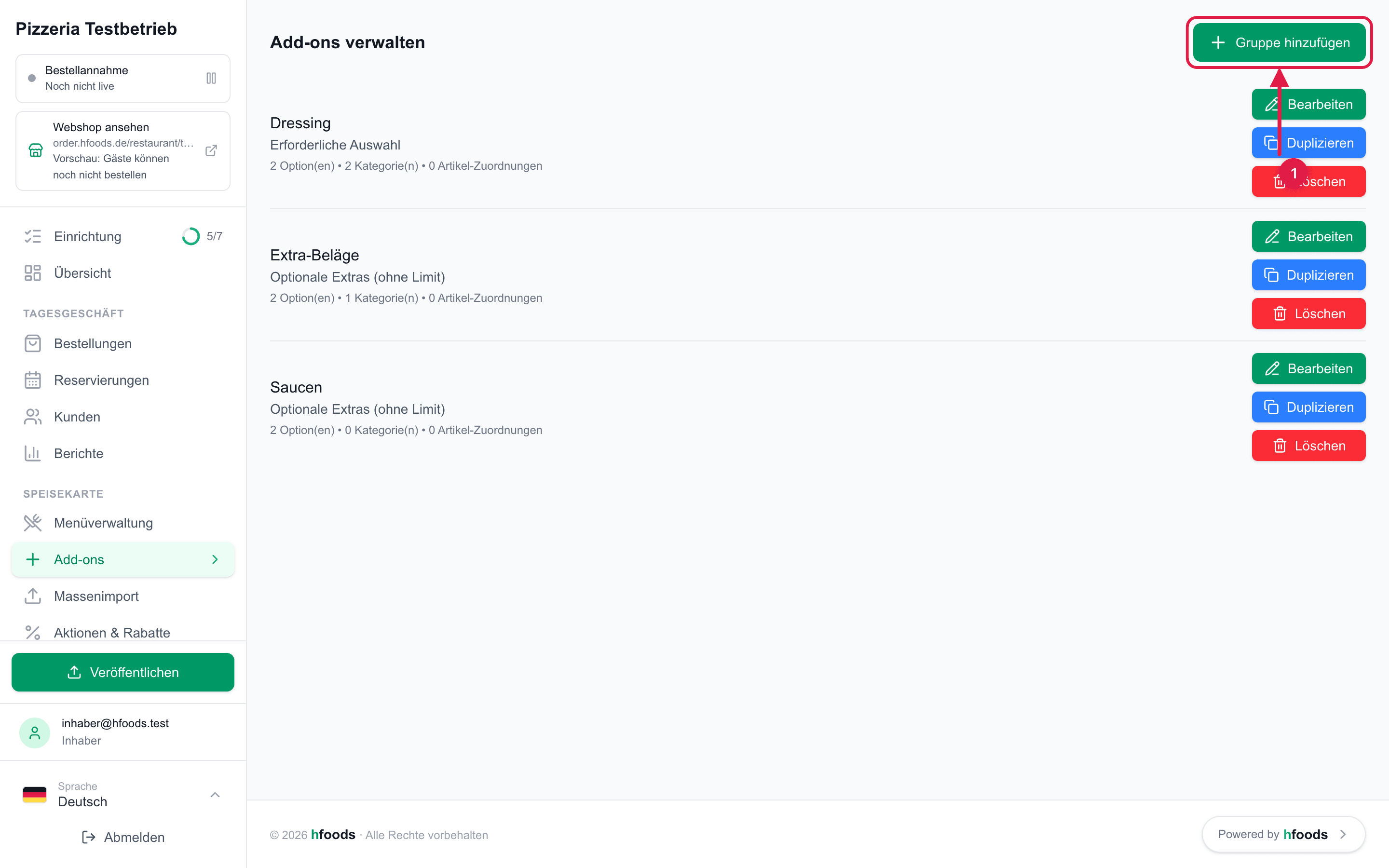
In the sidebar on the left, click Add-ons. You see all existing add-on groups. At the top right, click Gruppe hinzufügen (add group). The Neue Zusatzgruppe (new add-on group) dialog opens.
Set name and type
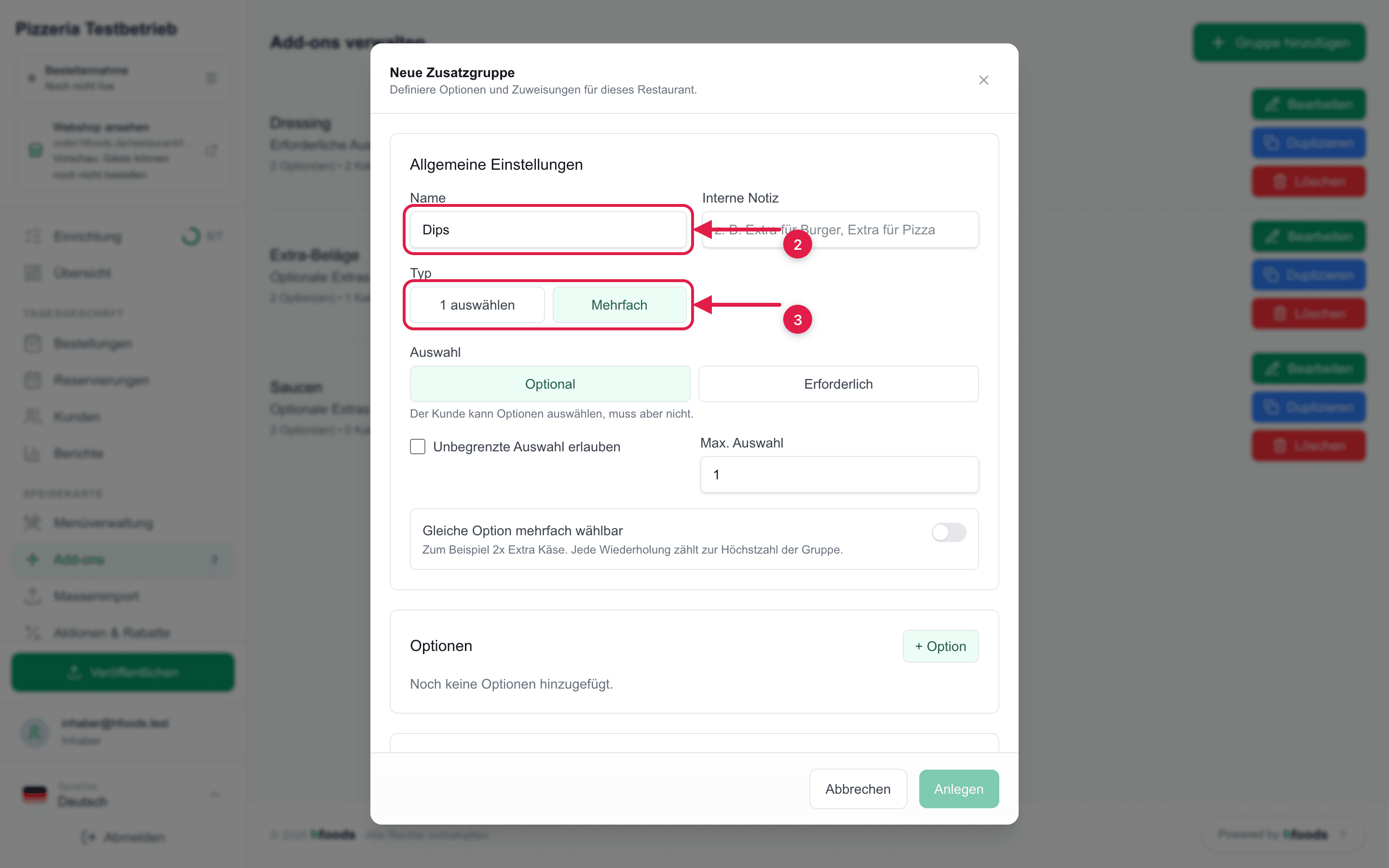
Under Allgemeine Einstellungen (general settings):
- Name (required): what guests see as the group name, for example "Dips", "Saucen" or "Extra-Beläge".
- Interne Notiz (internal note): a note only for you in the admin area, for example "extra for burgers". Guests do not see it. Helpful when several groups have similar names.
- Typ (type):
- 1 auswählen (choose 1): the guest must choose exactly one option, for example a dressing for the salad.
- Mehrfach (multiple): the guest can choose several options, for example several extra toppings.
With Mehrfach, further settings appear:
- Auswahl (choice): Optional means "the customer can choose options but does not have to". Erforderlich (required) means "the customer must choose at least one option".
- Max. Auswahl (maximum choice): how many options a guest may choose at most. With Unbegrenzte Auswahl erlauben (allow unlimited choice) there is no upper limit.
- Gleiche Option mehrfach wählbar (same option can be chosen several times): allows, for example, 2x extra cheese. Each repetition counts towards the group's maximum. When switched on, Höchstens pro Option (at most per option) appears: how often a single option may be chosen at most. With Max. Auswahl 1 this setting has no effect.
Add options
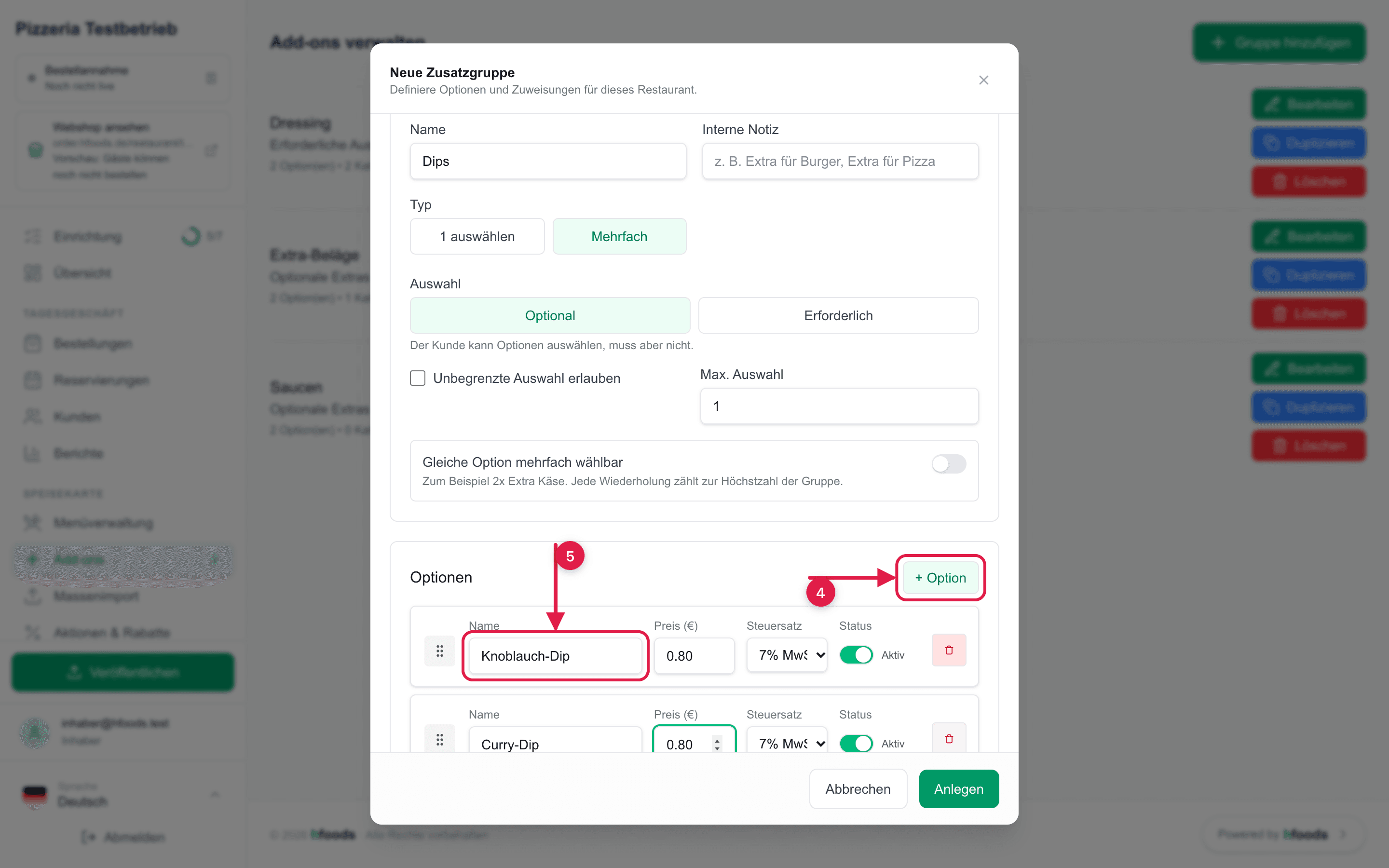
Under Optionen (options), click + Option. Each click adds a row. Each option has:
- Name: for example "Knoblauch-Dip" (garlic dip).
- Preis (€) (price): the surcharge, for example 0.80. For free options enter 0.
- Steuersatz (VAT rate): 7 % (reduced), 19 % (standard) or 0 % (exempt). When in doubt about the right rate, check with your tax advisor.
- Status: with the Aktiv (active) switch on, the option can be chosen. Switched off it stays in the group, but guests cannot choose it.
- With the handle on the left you drag options into the order you want; the bin on the right (Option entfernen, remove option) deletes one.
Create
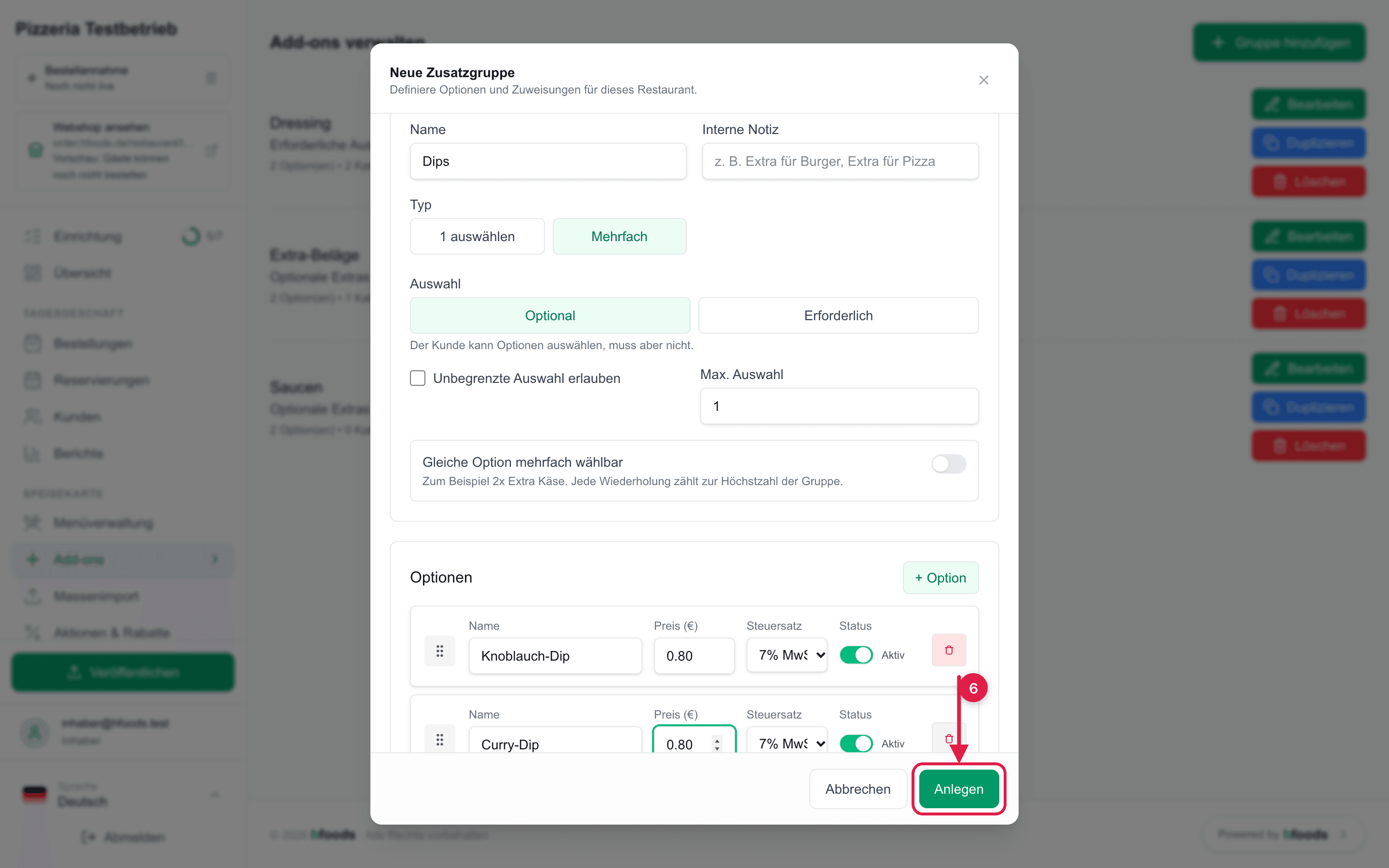
Click Anlegen (create) at the bottom right. The button is disabled as long as the name or every option is missing, or with Mehrfach no valid Max. Auswahl is entered. You can handle the assignments further down in the dialog right away or later, see Assign an add-on group.
Result
The new group is in the list. Once it is assigned and published, guests can choose its options with the matching items.
Tips
- Create groups so you can reuse them. One "Extra-Beläge" group can be assigned to all pizzas at once.
- Required questions such as the dressing belong in a group with 1 auswählen. That way no guest can forget them.
- If an ingredient is temporarily out, switch the option's Aktiv switch off instead of deleting it.
Frequently asked questions
Why is "Anlegen" greyed out?
The name is missing, there is no option yet, or with Mehrfach neither a Max. Auswahl is entered nor Unbegrenzte Auswahl erlauben is ticked.
Why don't guests see the group?
The group is not assigned to any item or category yet, or you have not clicked Veröffentlichen (publish) yet. The web shop also refreshes the menu by itself within one hour at the latest.