View today's figures
See today's sales, orders, average order value and customers at a glance on the overview.
What it is for
The Übersicht (overview) is your business's start page in the admin area. It shows how today is going: how much you have sold, how many orders came in and when people ordered during the day. At a glance you see whether it is a quiet or a busy day.
What changes
Nothing. The overview only shows information.
Requirements
You are signed in to the admin area, see Sign in.
Step by step
Open and read the overview
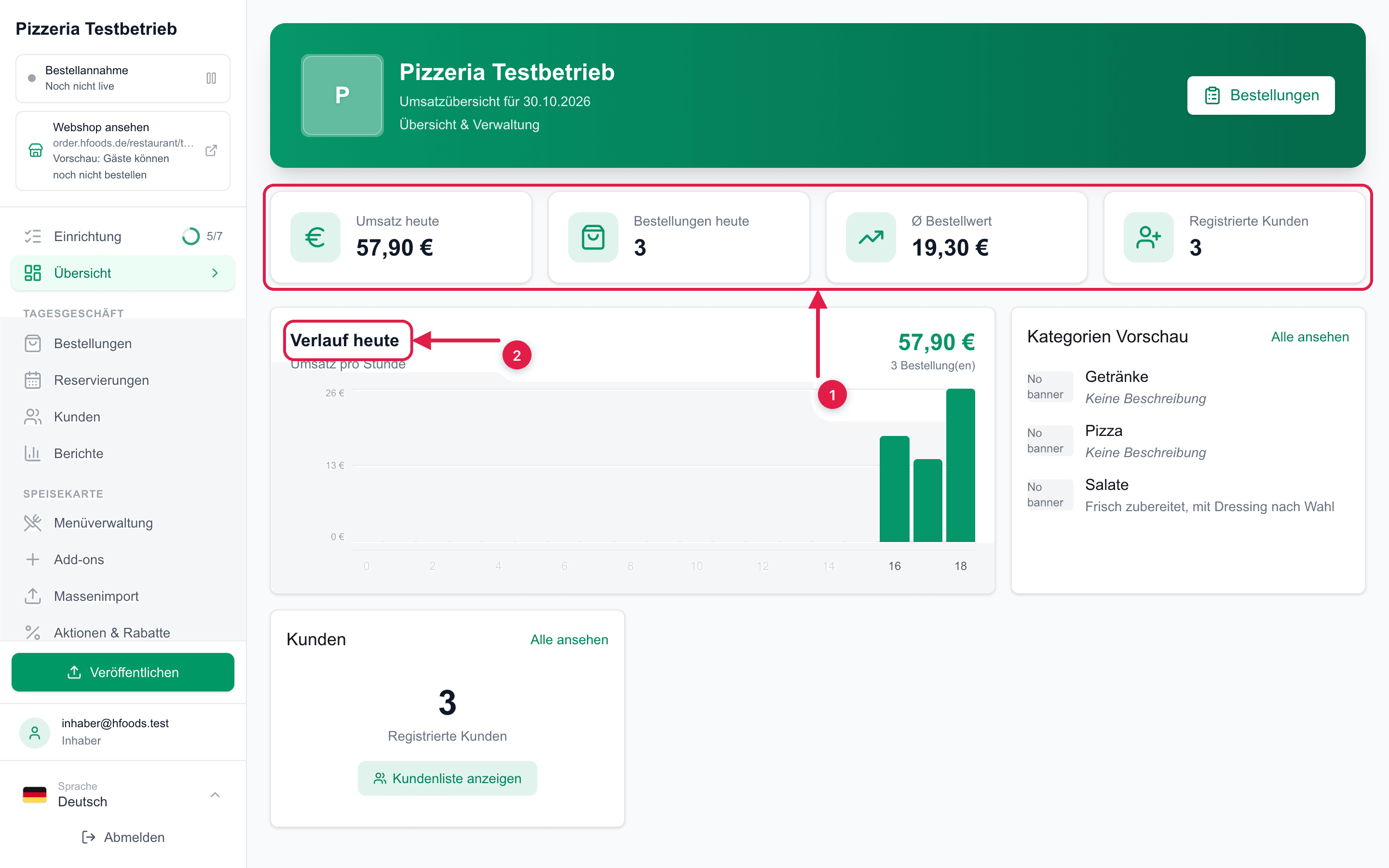
In the sidebar on the left, click Übersicht. At the top you see your business name with "Umsatzübersicht für" (sales overview for) and today's date. Below it are four figures:
- Umsatz heute (sales today): the total of today's orders.
- Bestellungen heute (orders today): how many orders came in today.
- Ø Bestellwert (average order value): the average amount per order.
- Registrierte Kunden (registered customers): how many guests have a customer account in your shop.
The Verlauf heute (today's history) section shows Umsatz pro Stunde (sales per hour) as bars. The day's sales and the number of orders are shown at the top right.
Result
You know how the day is going so far. You see the individual orders under Bestellungen (orders), see Filter and load more orders.
Tips
- The hourly history shows your peak times. Use it to plan when you need more staff or drivers.
- For longer periods and VAT rates, use Berichte (reports).
Frequently asked questions
Why does sales today show 0.00 €?
No order has come in today yet. The history then shows "Heute noch keine Bestellungen" (no orders today yet).