Fix the WinOrder conflict
Understand the note on the overview when WinOrder and automatic acceptance are active at the same time, and fix it.
What it is for
WinOrder is POS software that collects orders from your shop. It only collects orders that still have the status Neu (new). Automatic acceptance on the order terminal, however, accepts new orders immediately. If both are switched on at the same time, the terminal accepts the orders before WinOrder can collect them, and WinOrder then receives no orders. That is why the overview warns you as soon as this happens.
What changes
After the fix, WinOrder collects all new orders again and the note disappears.
Requirements
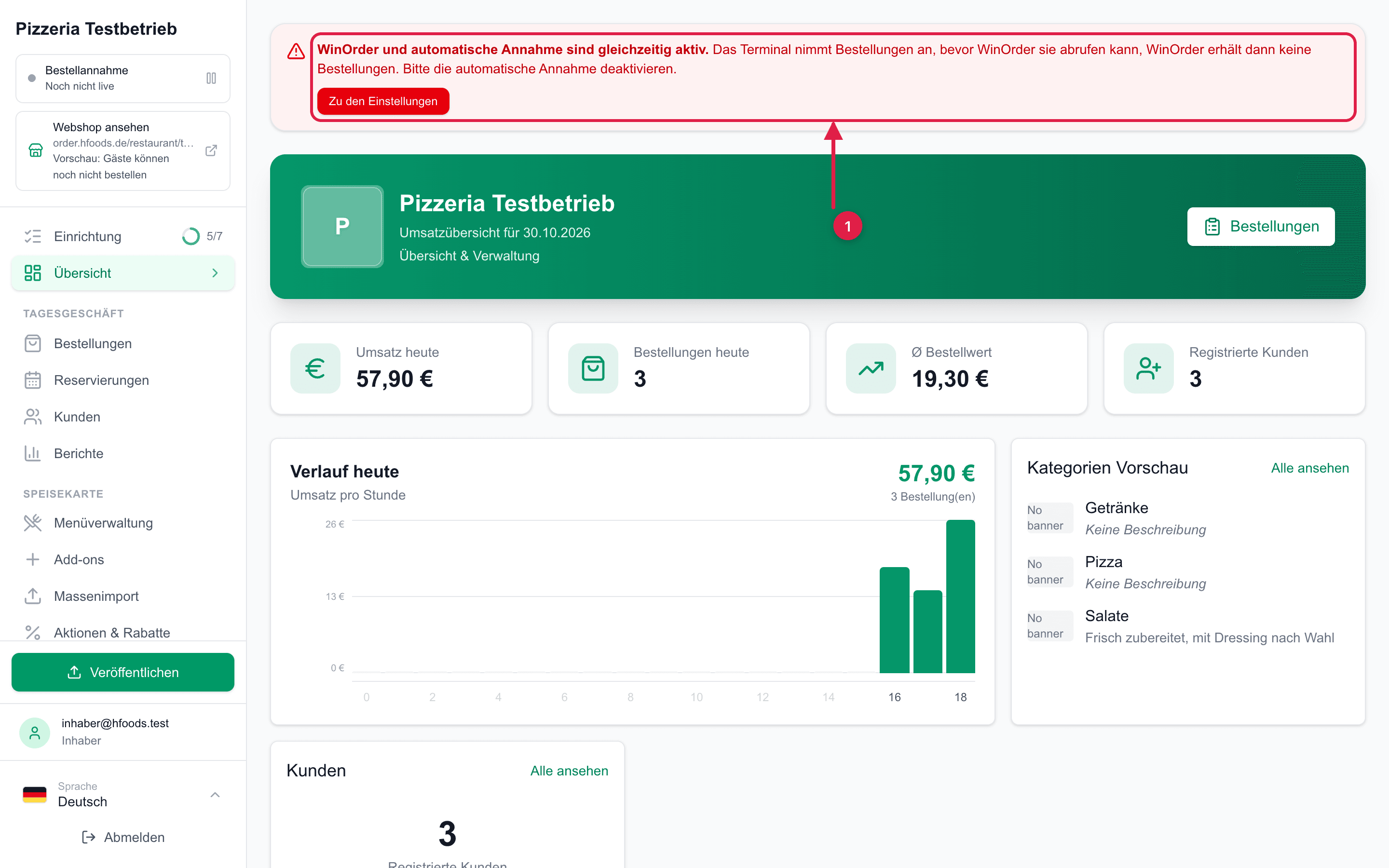
You are signed in to the admin area, and the overview shows the note WinOrder und automatische Annahme sind gleichzeitig aktiv. (WinOrder and automatic acceptance are active at the same time).
Step by step
Read the note and jump to the setting
In the sidebar on the left, click Übersicht (overview). The yellow note explains the conflict and recommends switching off automatic acceptance. Zu den Einstellungen (to the settings) in the note takes you straight to the automatic acceptance setting.
Switch off automatic acceptance
In the settings, switch off automatic acceptance and save. New orders then stay on Neu until WinOrder collects them. They are then accepted in WinOrder.
Result
WinOrder receives all orders again. The note on the overview has disappeared.
Frequently asked questions
Can I keep both?
No. With WinOrder you accept orders in WinOrder. Automatic acceptance on the terminal would intercept them first.