Set up the monthly sales report
Automatically receive a sales report as a PDF by email every month, optionally with a spreadsheet for your accounting.
What it is for
On the first of every month hfoods can send you the report on the previous month as a PDF. It fits on one page: for each payment method the revenue and number of orders, split into delivery and pickup, plus net, tax and gross per tax rate, the tax per payment method, tips and cancellations. On request a CSV file with all orders is attached, which your tax office can import. You set the addresses the report goes to.
What changes
- The report arrives on the 1st of the month, at 2 am, at all entered addresses.
- All recipients get the same report.
- The email, the PDF and the spreadsheet are in the language the owner has set in the admin area. If none is set, the language of your restaurant's country applies.
- The message Deine Berichtseinstellungen sind gespeichert. (your report settings are saved) confirms saving.
Requirements
You are signed in to the admin area as the owner, and the area is unlocked.
Step by step
Switch on the report
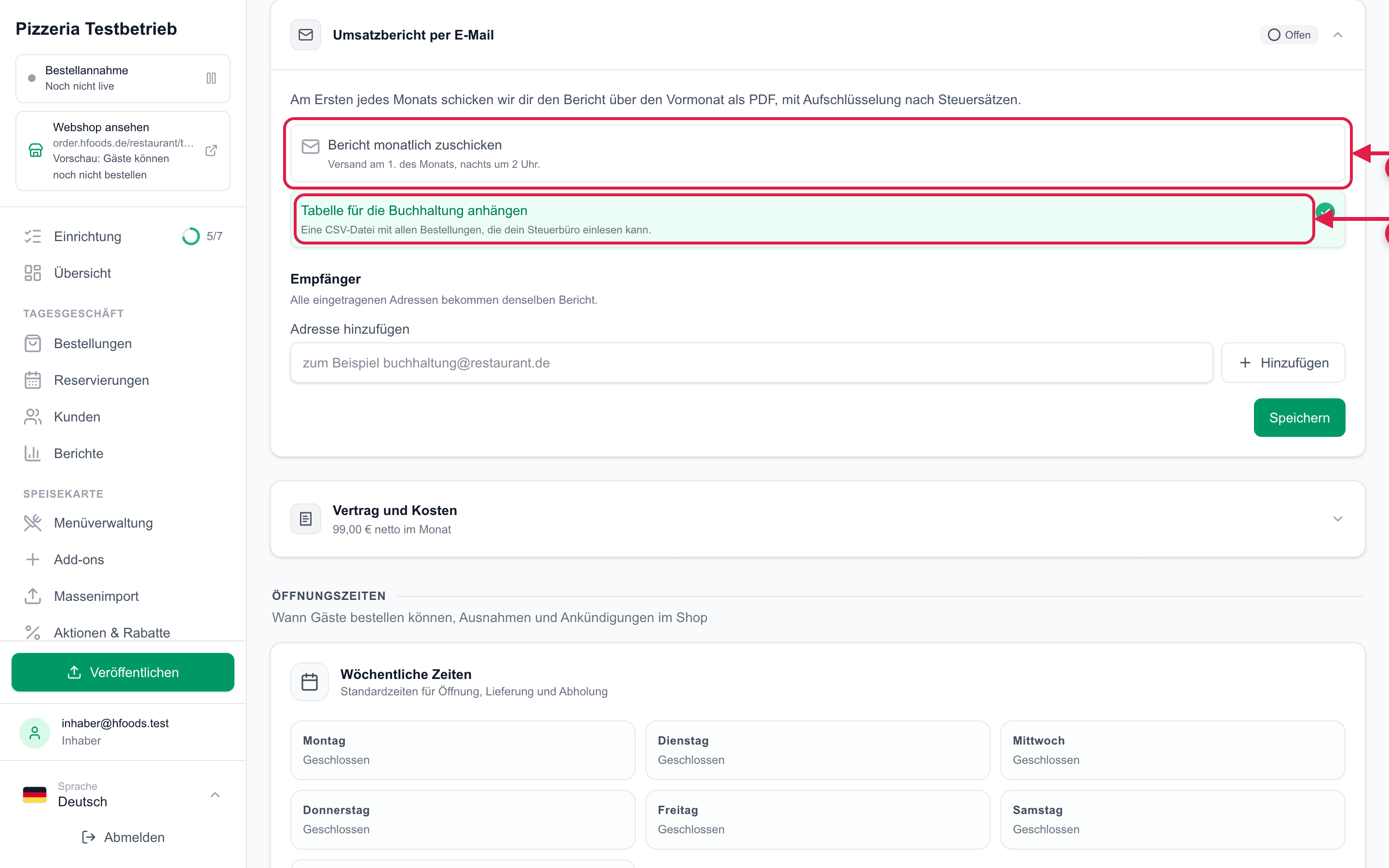
In the sidebar on the left, click Einstellungen (settings) under Shop and, in the Betrieb & Kontakt (business and contact) group, open the Umsatzbericht per E-Mail (sales report by email) card. Switch on Bericht monatlich zuschicken (send report monthly). If you want the spreadsheet for your tax office too, also choose Tabelle für die Buchhaltung anhängen (attach spreadsheet for accounting).
Enter recipients and save
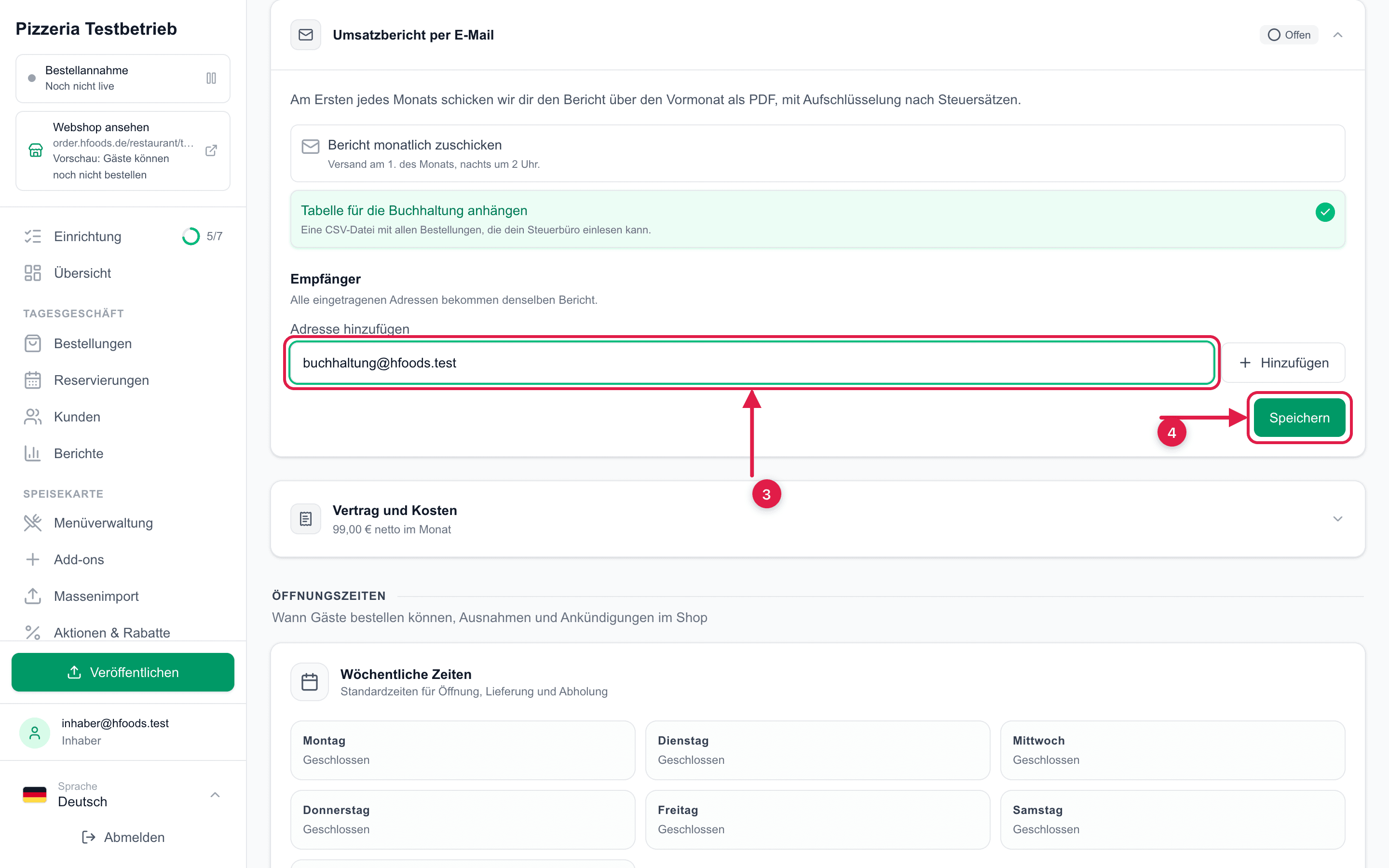
Under Adresse hinzufügen (add address), enter an email address, for example that of your accounting, and click Hinzufügen (add). Repeat this for each further address. Adresse entfernen (remove address) takes an address out again. Then click Speichern (save).
Result
From the next first of the month, all recipients get the report on the previous month.
Tips
- Enter your tax office directly as a recipient. Then you do not have to forward anything.
- You can download the detailed report with every order at any time under Berichte (reports), see Export the report as PDF.
Frequently asked questions
Why can't I save?
When the report is switched on, it needs at least one address, otherwise it reaches nobody. Also check the spelling. An invalid address shows "Das sieht nicht wie eine E-Mail-Adresse aus." (that does not look like an email address), a duplicate one "Diese Adresse steht schon in der Liste." (this address is already in the list).