View reservation details
Open a reservation and see the date, people, contact, the guest's message and the confirmation code.
What it is for
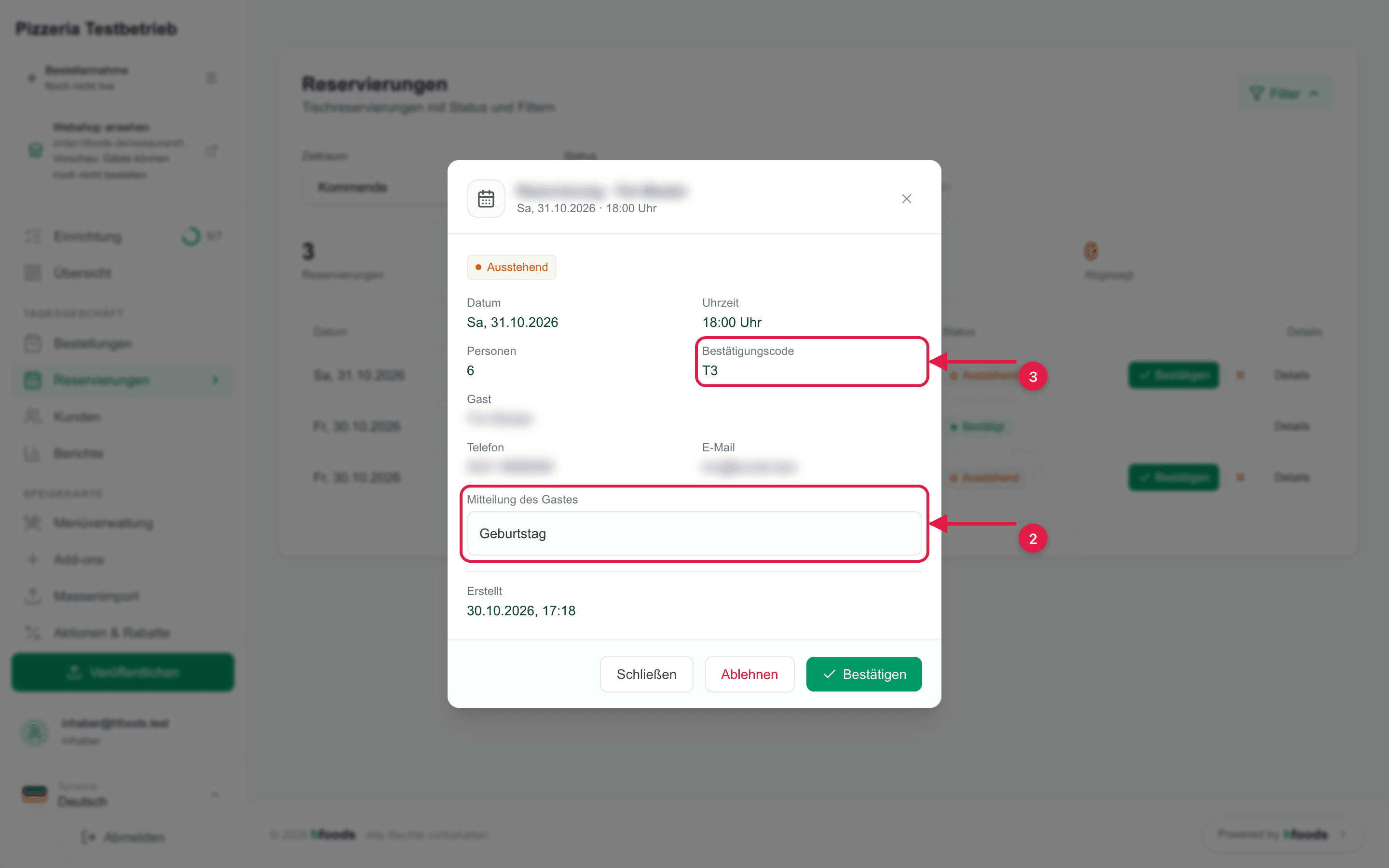
Every reservation has a details window with all the guest's details. It also shows the guest's message, such as a wish for a window seat or a birthday, and the confirmation code.
What changes
Nothing. Opening only shows information.
Requirements
You are signed in to the admin area.
Step by step
Open the details
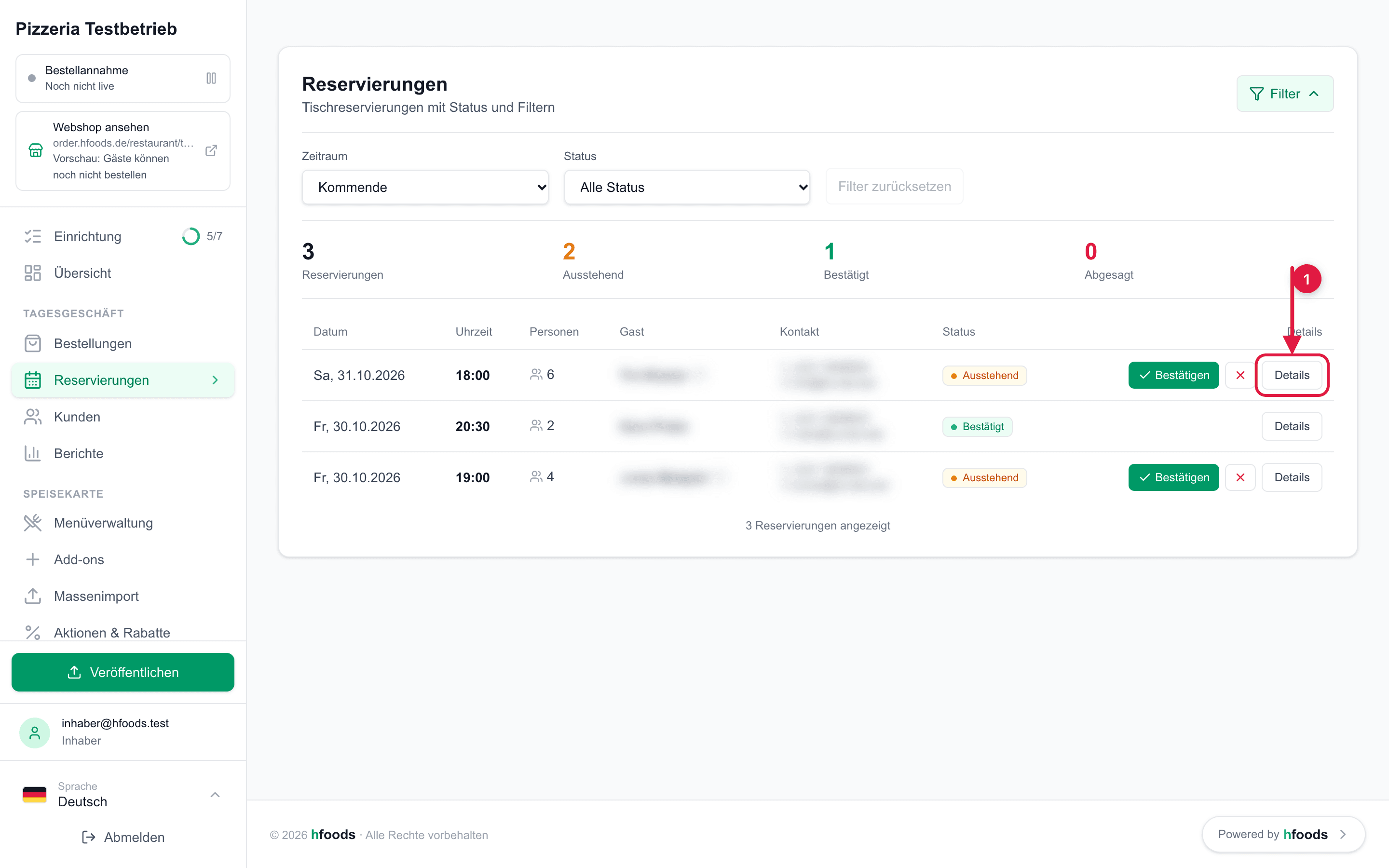
In the sidebar on the left, click Reservierungen (reservations) and then Details on the right of the reservation.
Read the details
The window shows the status, Datum (date), Uhrzeit (time), Personen (people), the Bestätigungscode (confirmation code), the guest's name with Telefon (phone) and E-Mail, the Mitteilung des Gastes (guest's message) and when the reservation was created. Depending on the status you find the matching buttons at the bottom: for an open request Ablehnen (decline) and Bestätigen (confirm), for a confirmed one Stornieren (cancel). Schließen (close) closes the window.
Result
You know all details of the reservation and can handle it.
Frequently asked questions
What is the confirmation code for?
It identifies the reservation uniquely. When a guest calls, the code lets you be sure you are both talking about the same reservation.