Cancel a reservation
Cancel an already confirmed reservation, optionally with a reason; the guest receives an email.
What it is for
If you have to call off a reservation you already confirmed, for example because of a private event, you cancel it in the details window. You can add a reason; it appears in the email to the guest.
What changes
- The reservation counts as called off.
- The message Reservierung abgesagt, der Gast erhält eine E-Mail (reservation called off, the guest receives an email) confirms this.
Requirements
- You are signed in to the admin area.
- The reservation shows Bestätigt (confirmed).
Tell the guest in good time
A cancellation shortly before the date annoys guests. Cancel as early as possible and also call for short-notice cancellations.
Step by step
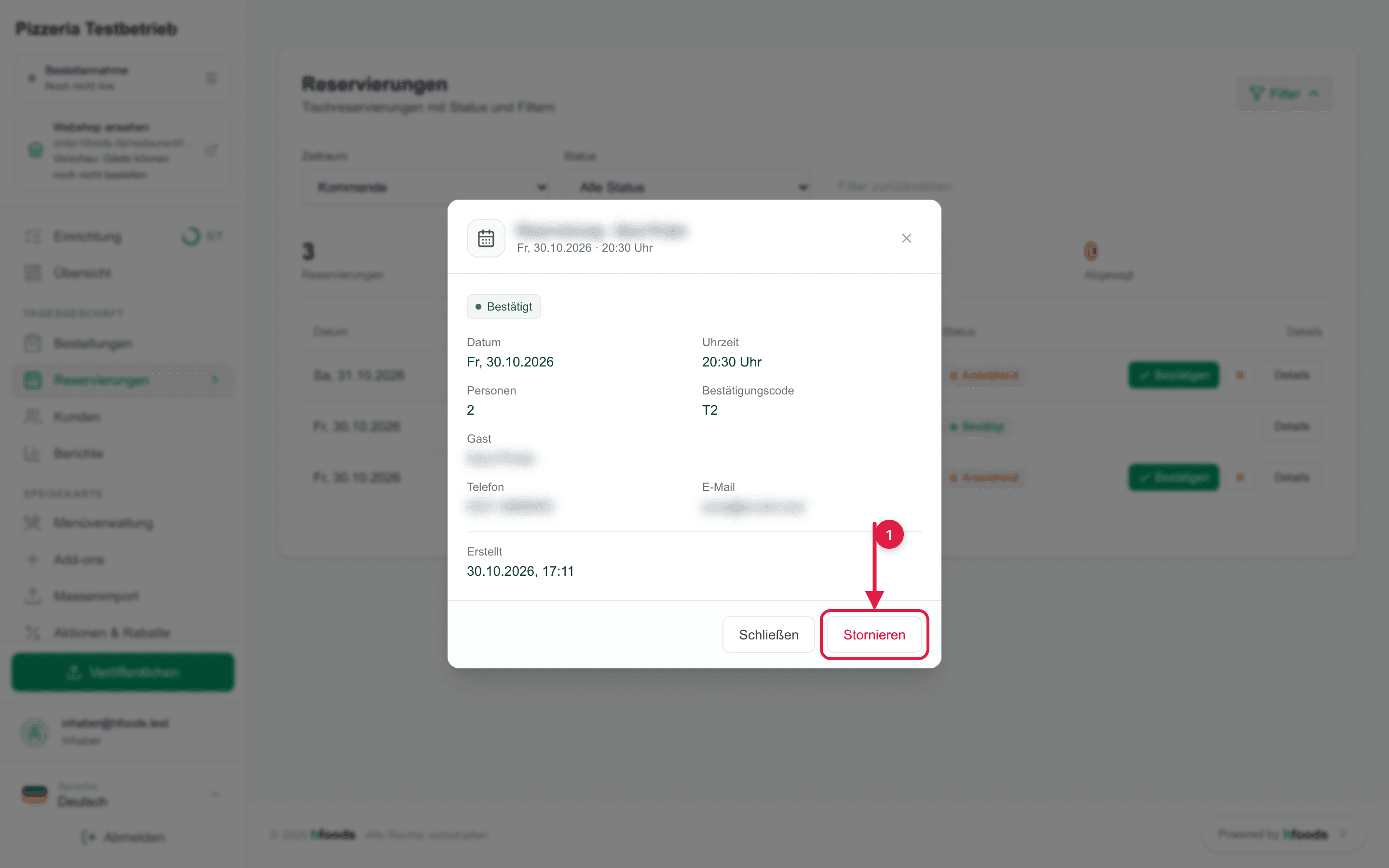
Choose Stornieren
In the sidebar on the left, click Reservierungen (reservations) and then Details on the confirmed reservation. Click Stornieren (cancel) at the bottom of the window.
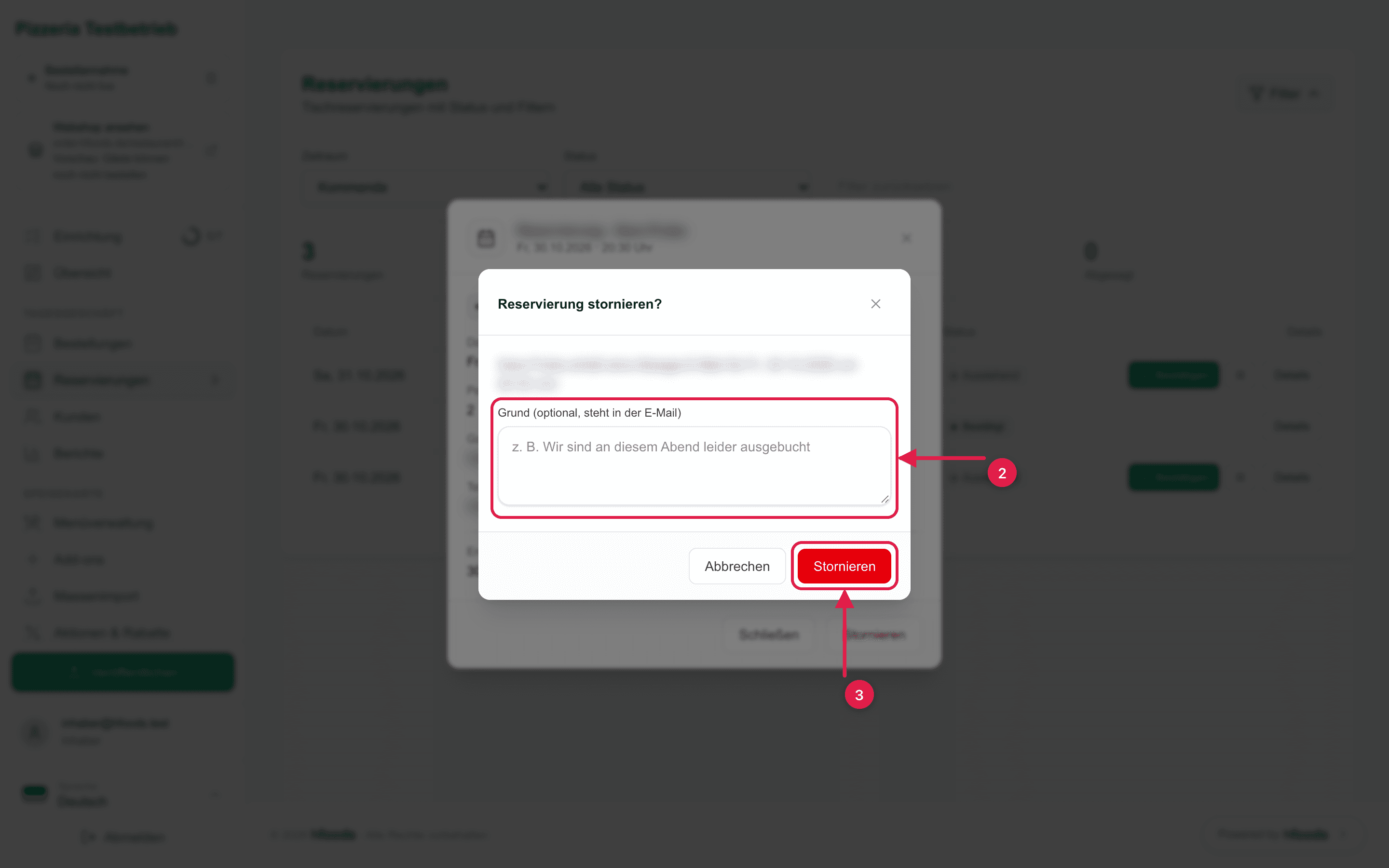
Enter a reason and cancel
Enter a short explanation under Grund (optional, steht in der E-Mail) (reason, optional, shown in the email) and click Stornieren. Abbrechen (cancel) closes the window without changes.
Result
The reservation is cancelled, and the guest knows by email.