Filter reservations
Filter table reservations by period and status and read the summary.
What it is for
Under Reservierungen (reservations) you see all table reservations of your guests. With the filters you narrow down the list, for example to today's open requests. The matching numbers are shown at the top.
What changes
Nothing. The filters only change what is shown.
Requirements
You are signed in to the admin area, see Sign in.
Step by step
Choose period and status
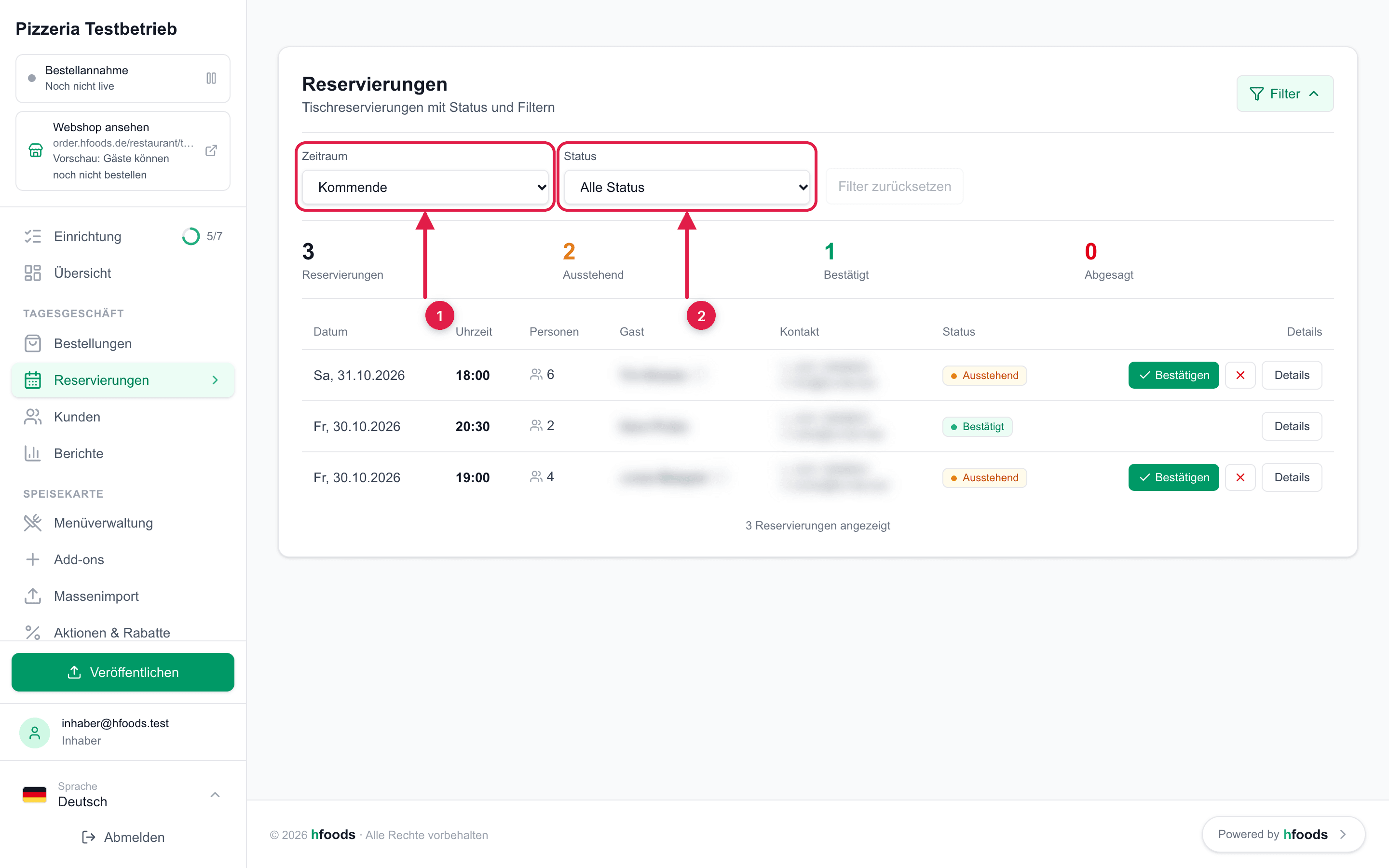
In the sidebar on the left, click Reservierungen. Filter at the top right shows the filters.
- Zeitraum (period): Heute (today), Kommende (upcoming), Vergangene (past), Alle (all) or Benutzerdefiniert (custom). With Benutzerdefiniert you choose Von (from) and Bis (to). If one is missing, "Bitte Von- und Bis-Datum auswählen." (please choose a from and to date) appears.
- Status: Alle Status (all statuses), Ausstehend (pending), Bestätigt (confirmed), Storniert (cancelled), Abgeschlossen (completed) or No-Show.
- Filter zurücksetzen (reset filters) sets everything back to the start.
Above the list are the numbers for the selection: Reservierungen (reservations), Ausstehend (pending), Bestätigt (confirmed) and Abgesagt (called off). The list shows for each reservation Datum (date), Uhrzeit (time), Personen (people), Gast (guest), Kontakt (contact) and Status.
Result
You see exactly the reservations you are looking for. You handle open requests directly in the list, see Confirm a reservation.
Tips
- Every morning, look at Heute with the status Ausstehend. That way no request is left lying.