Decline a reservation
Decline an open reservation request, optionally with a reason; the guest receives an email.
What it is for
If you cannot accept a reservation request, for example because you are fully booked that evening, you decline it. You can add a reason; it appears in the email to the guest.
What changes
- The reservation counts as called off.
- The message Reservierung abgesagt, der Gast erhält eine E-Mail (reservation called off, the guest receives an email) confirms this.
Requirements
- You are signed in to the admin area.
- The reservation shows Ausstehend (pending).
Step by step
Choose decline
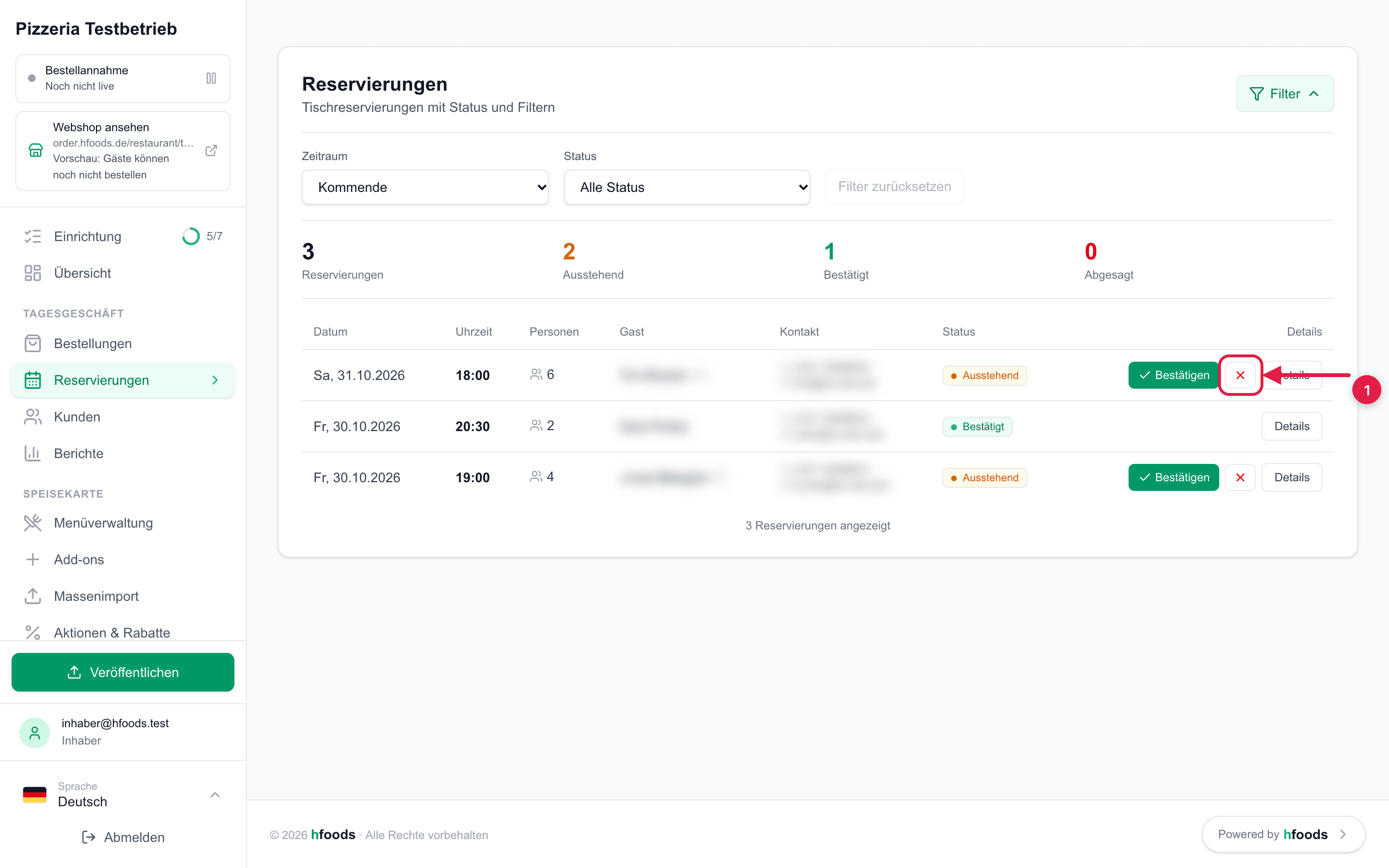
In the sidebar on the left, click Reservierungen (reservations). Next to Bestätigen (confirm), open requests have a cross (Reservierung ablehnen, decline reservation). Click it. In the details window the button is called Ablehnen (decline).
Enter a reason and decline
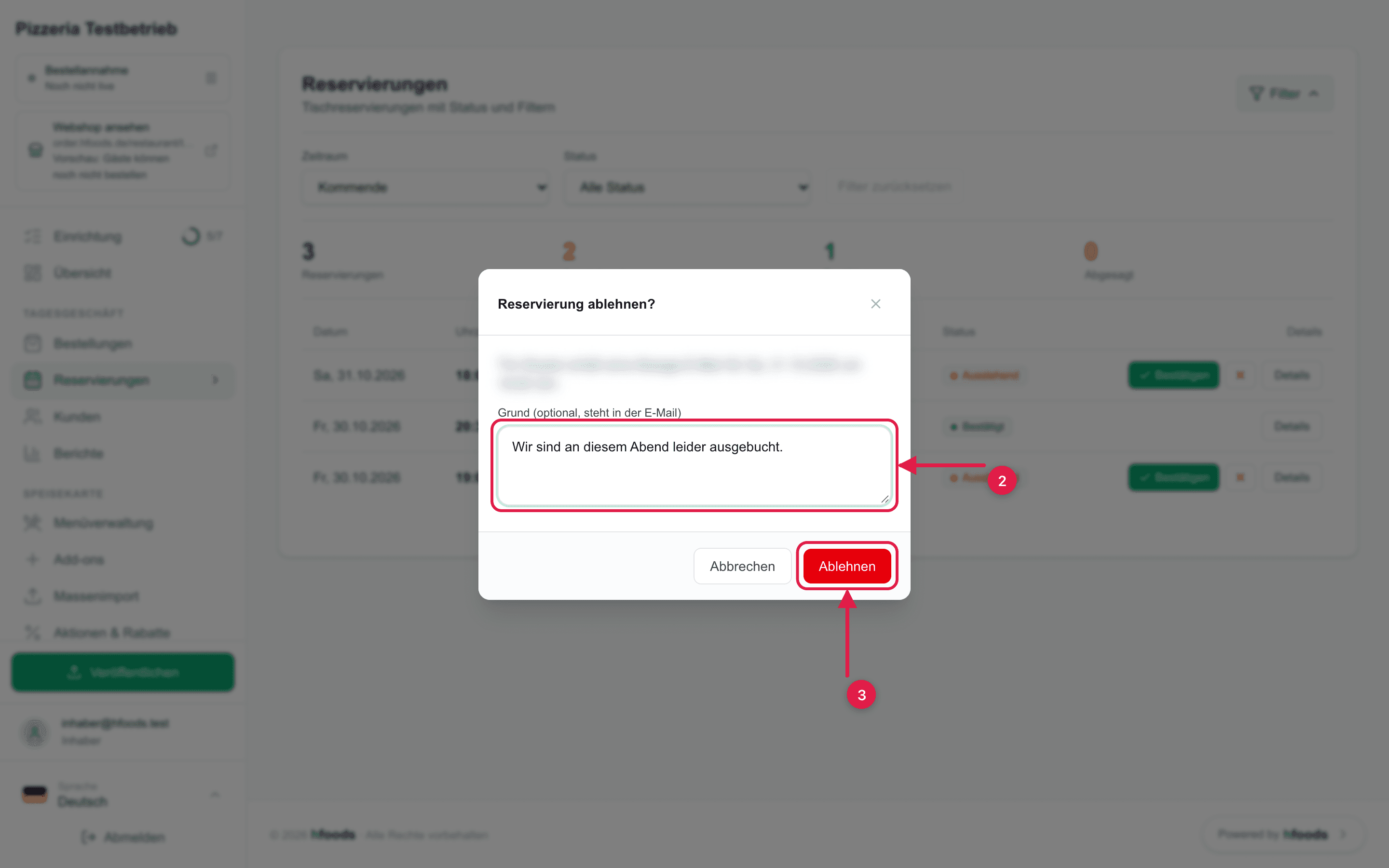
In the Reservierung ablehnen window, enter a short explanation under Grund (optional, steht in der E-Mail) (reason, optional, shown in the email), for example "Wir sind an diesem Abend leider ausgebucht." (unfortunately we are fully booked that evening). Then click Ablehnen. Abbrechen (cancel) closes the window without changes.
Result
The request is declined, and the guest knows by email.
Tips
- Add a friendly reason and suggest another time if possible. That keeps the guest well disposed towards you.