Start the terminal for the first time: language and country
On first start you choose the terminal's language and country in two steps, then you connect it with your restaurant.
What it is for
A new order terminal asks for the language and the country in two short steps when it starts for the first time. Only after that do you connect it with your restaurant.
An example: you put a new tablet in the kitchen, install the app and open it. The terminal greets you with Willkommen (welcome), you choose German and Germany, and it shows the pairing code straight away.
The order is the same as on smartphones and computers: first the language, so that you can read everything that follows, then the country.
What changes
- Sprache (language): the terminal shows all screens, buttons and messages in this language. You can choose from 14 languages: Deutsch, English, Español, Français, Hrvatski, Italiano, Lietuvių, Nederlands, Norsk bokmål, Polski, Português, Română, Svenska and Ελληνικά.
- Land (country): the country tells where the terminal is located. As soon as the terminal is connected with your restaurant, tax, amounts, times and the language of the receipts follow the restaurant's country. If the terminal's country differs from it, the terminal points this out once.
- Both settings apply to this device only. A second terminal in the same restaurant can show a different language.
- Terminals that are already in use do not show these steps. They keep working unchanged after an update.
Requirements
The terminal app is installed and is opened for the first time.
Step by step
Choose the language
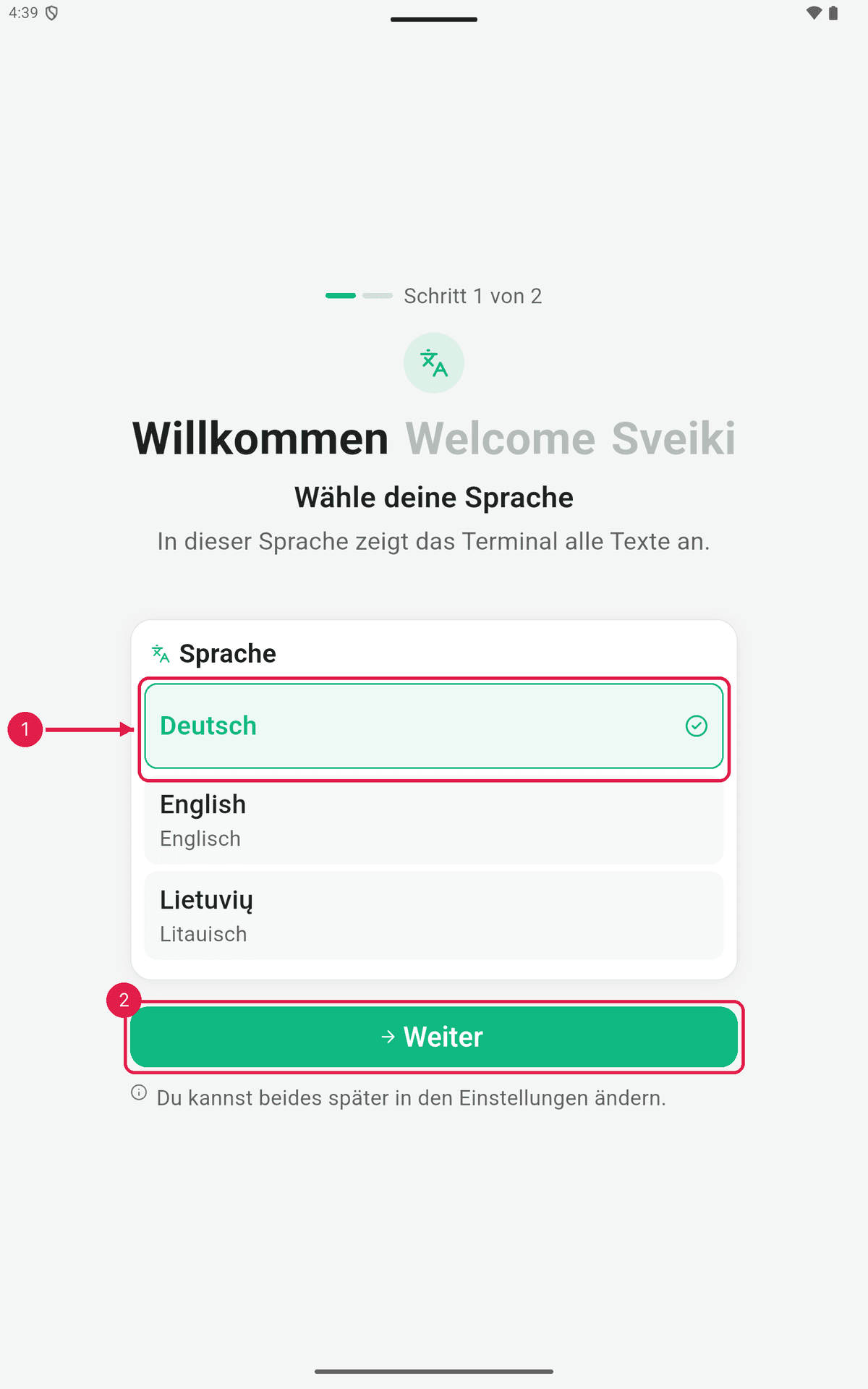
At the top the terminal greets you in every language it offers. Below, each language is listed in its own name, with its name in the currently chosen language underneath in small print, for example Lietuvių with Litauisch (Lithuanian) below. The terminal suggests a language based on the device's time zone and language.
Tap your language, in the image Deutsch (1). The texts on the screen switch to this language at once. Then tap Weiter (continue) (2).
Choose the country
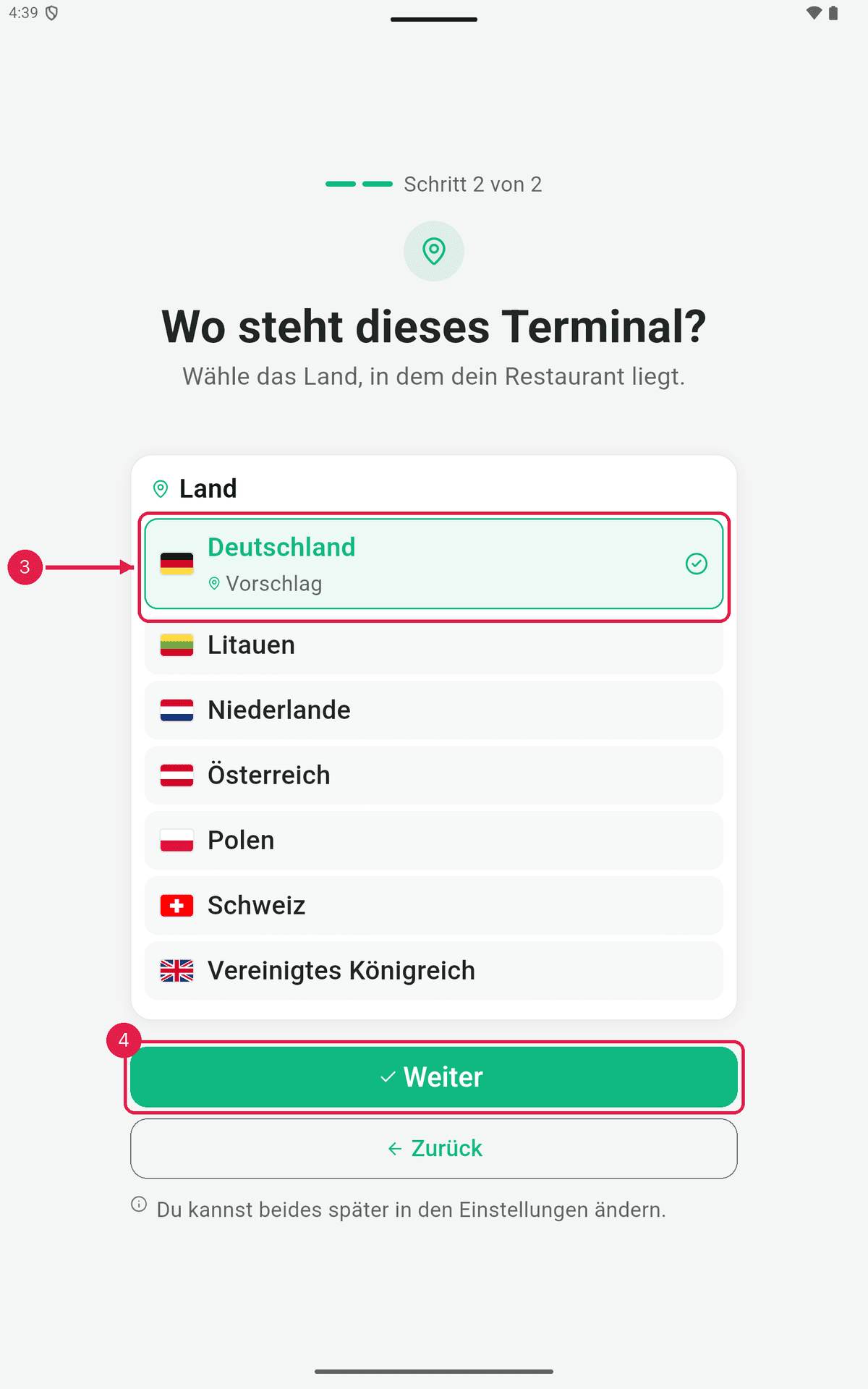
Now the terminal lists the countries in the chosen language. The suggested country is at the very top and carries the label Vorschlag (suggested). The suggestion comes from the device's settings, such as the time zone.
Tap the country where your restaurant is located, in the image Deutschland (Germany) (3). Then tap Weiter (continue) (4). Zurück (back) takes you to the language once more.
Connect the terminal
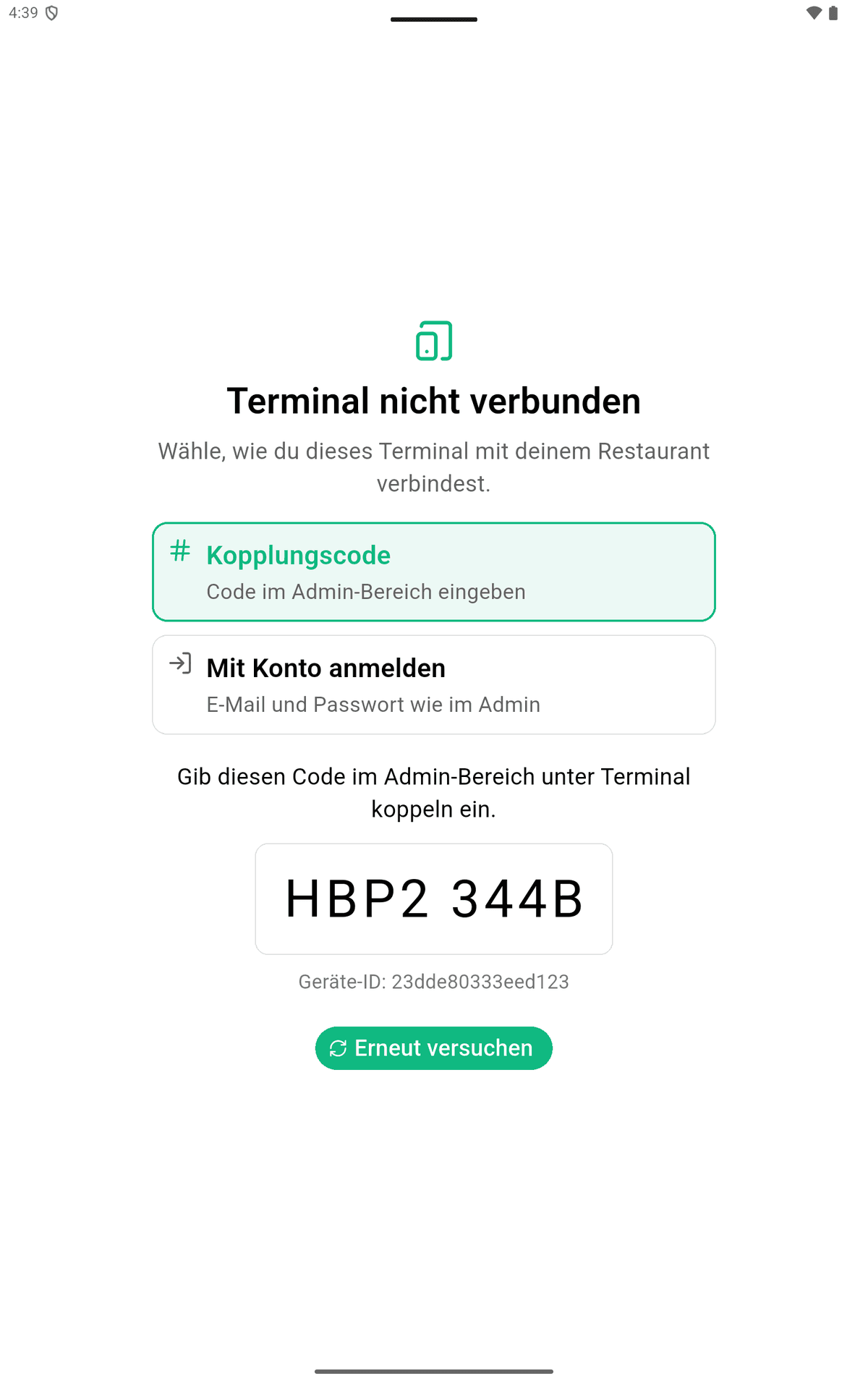
The terminal then shows Terminal nicht verbunden (terminal not connected). Now connect it with your restaurant, using the Kopplungscode (pairing code) or your account, see Connect the terminal with the restaurant.
Result
Language and country are saved on the terminal. On the next start it does not ask again but shows the pairing code right away or, if it is already connected, the orders.
Tips
- You can change both at any time later, see Change country and language.
- The language of the receipts does not depend on your choice but on the restaurant's country. That way guests and drivers always get the receipt in the language of the country.
Frequently asked questions
Why does the terminal suggest the wrong country?
The suggestion is based on the device's time zone and language and, where possible, on the location of the internet connection. With a wrongly set time zone or through a VPN it can be off. In that case simply tap the correct country.
My language is not listed. What now?
At the moment there are 14 languages, listed above under Sprache (language). Choose the language you understand best. You can switch it at any time later.
What happens to terminals that are already running?
Nothing. Terminals that were already set up skip these steps. They show the language of their restaurant's country, so in Germany they keep showing German.