Change country and language
Change the display language and the country of the terminal later, and what follows the restaurant's country.
What it is for
Under Land und Sprache (country and language) you can change at any time which language the terminal uses for screens, buttons and messages, and in which country the device is located.
An example: a new colleague in the kitchen understands English better than German. You set the kitchen terminal to English. The receipts for guests and drivers still stay in German, because your restaurant is in Germany.
What changes
- Sprache der Bedienung (display language): all screens, buttons and messages of this terminal. You can choose from 14 languages: Deutsch, English, Español, Français, Hrvatski, Italiano, Lietuvių, Nederlands, Norsk bokmål, Polski, Português, Română, Svenska and Ελληνικά.
- Land dieses Geräts (country of this device): the country where the terminal is located.
- If the terminal is connected with a restaurant, tax, amounts, times and the language of the receipts always follow the restaurant's country, whatever you choose here. For a restaurant in Germany this means: receipts in German, tax shown as MwSt., amounts in euros.
- The card So wirkt deine Wahl (what your choice changes) at the top of the page shows exactly this: the display language, the restaurant's country and the language of the receipts.
- The setting applies to this device only.
Requirements
The terminal app is installed.
Step by step
Open country and language
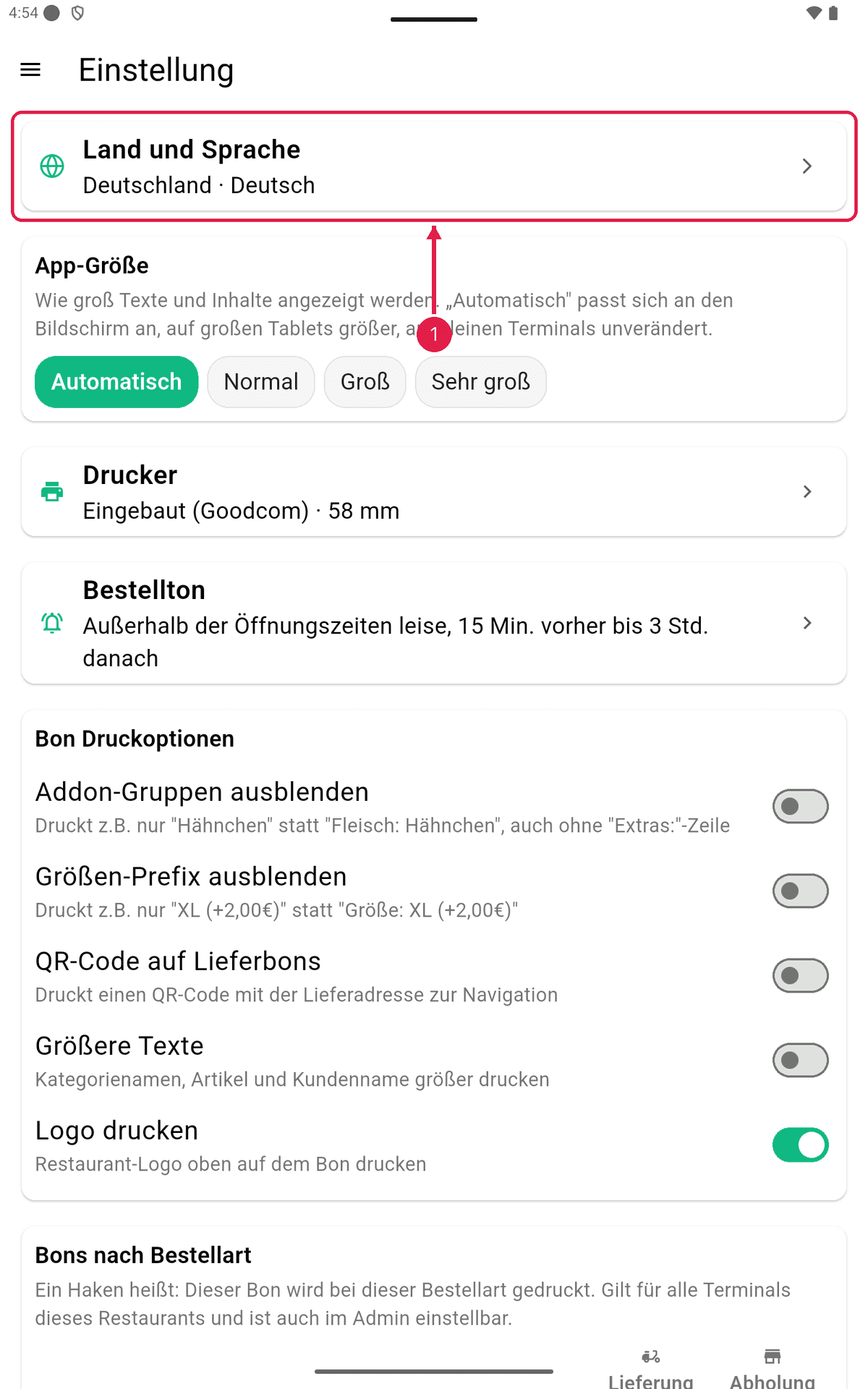
Open Einstellung (settings) in the menu. At the very top is Land und Sprache (country and language) with the current country and language. Tap it (1).
Choose language and country
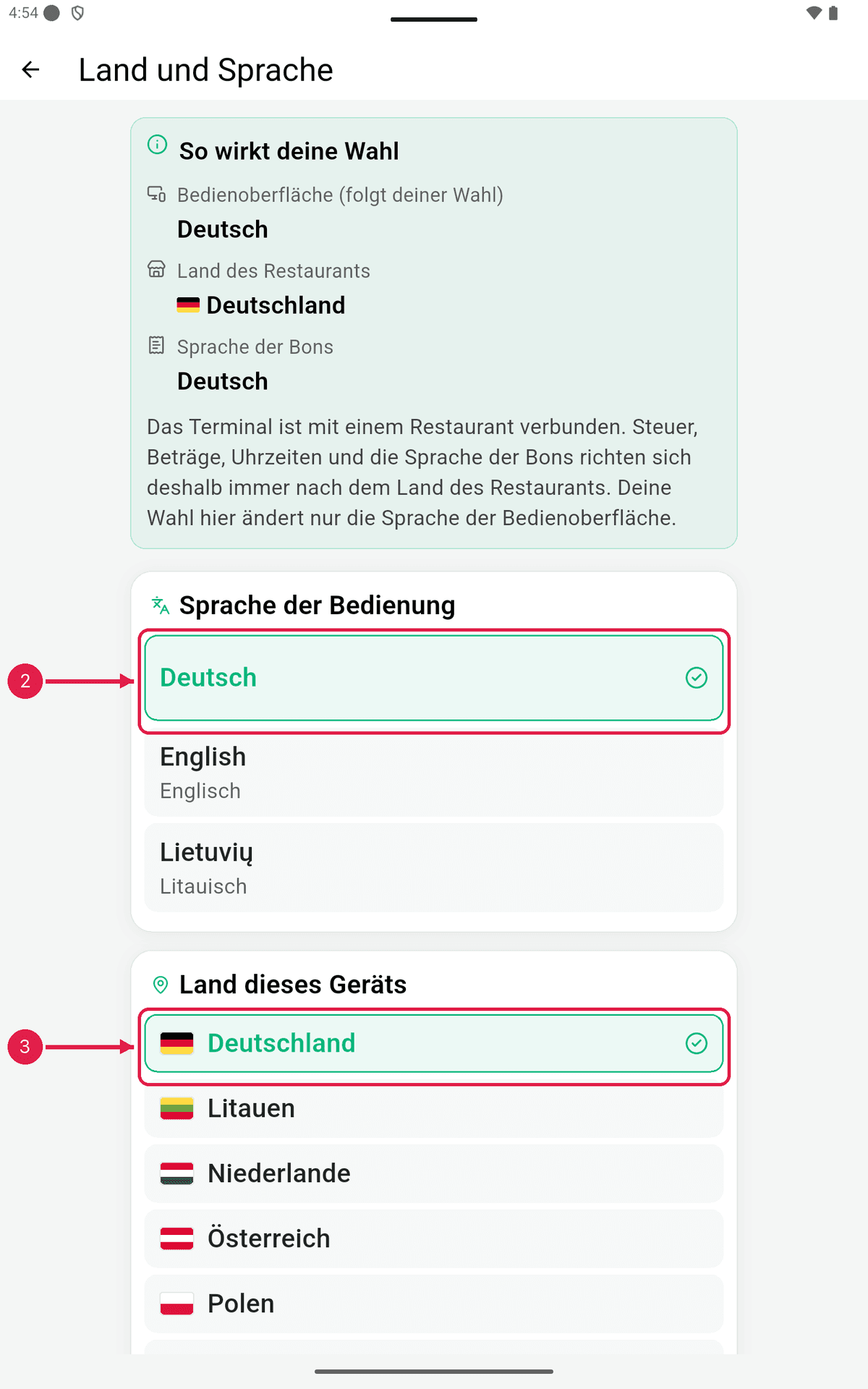
At the top, the card So wirkt deine Wahl (what your choice changes) explains what follows your choice and what follows the restaurant. Below it, choose a language under Sprache der Bedienung (display language) (2) and a country under Land dieses Geräts (country of this device) (3).
Each language is listed in its own name, with its name in the current language underneath in small print. Every choice applies at once, there is no save button.
Check the change
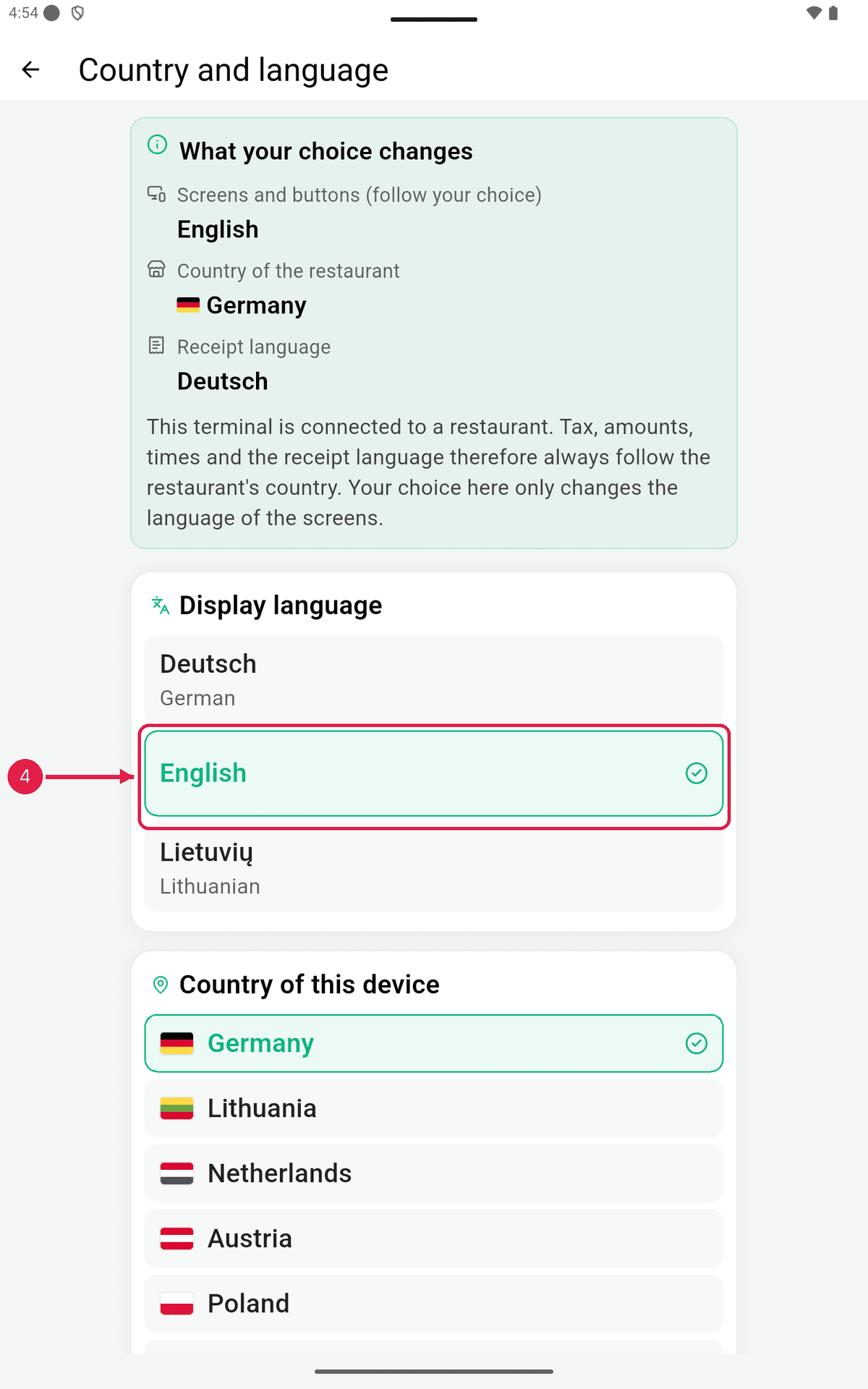
After tapping English, the whole terminal shows all texts in English straight away (4). No restart is needed. The card at the top still shows Receipt language: Deutsch: the receipts stay in German.
Notice when the country differs
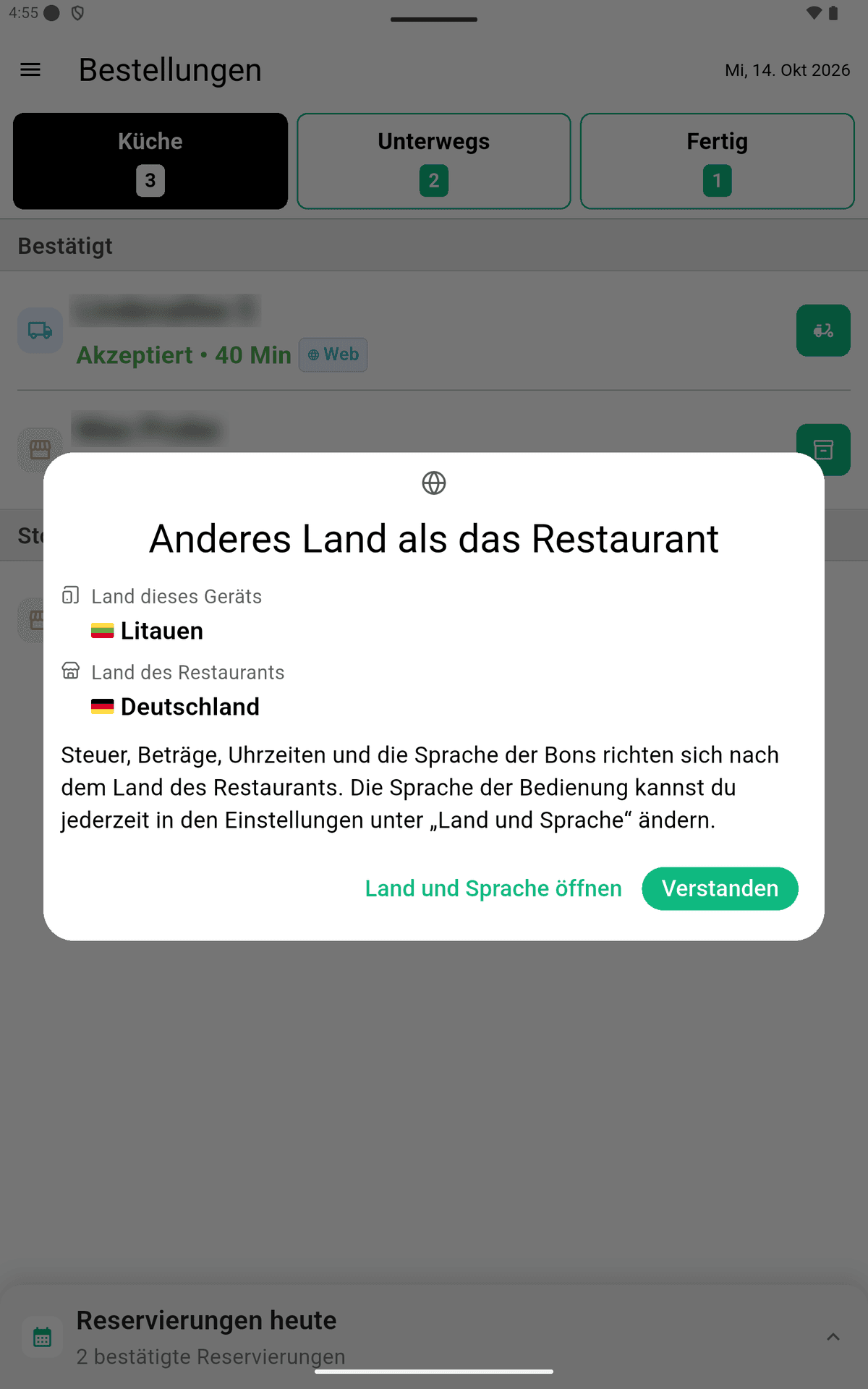
If you set a different country from the restaurant's country, the terminal shows the notice Anderes Land als das Restaurant (different country from the restaurant) once. It names both countries and explains that tax, amounts, times and the language of the receipts follow the restaurant.
- Verstanden (understood) closes the notice.
- Land und Sprache öffnen (open country and language) takes you straight to this page.
The notice appears the next time the terminal loads the restaurant, at the latest on the next start. It shows it only once per restaurant country.
Result
The terminal shows all texts in the chosen language. Receipts, tax, amounts and times still follow your restaurant's country.
Tips
- Every terminal has its own language. The kitchen terminal can show English, the terminal at the counter German.
- When you set up a new terminal, the app also asks for language and country, see Start the terminal for the first time.
Frequently asked questions
Why are the receipts in a different language from the terminal?
Guests and drivers read the receipts. That is why the terminal always prints them in the language of the country where your restaurant is located. You choose the display language independently of that.
Can I change the language of the receipts here?
No. The language of the receipts depends on the restaurant's country, which is stored in the admin area.
Do I have to restart the terminal after switching?
No. The new language applies to all screens at once.