Order terminalGetting started
Trigger a test order
Trigger a test order to check sound, display and printer without a real order.
What it is for
With the Test-Bestellung (test order) you check whether the terminal rings, shows the order and prints. It is not saved and does not appear in reports.
What changes
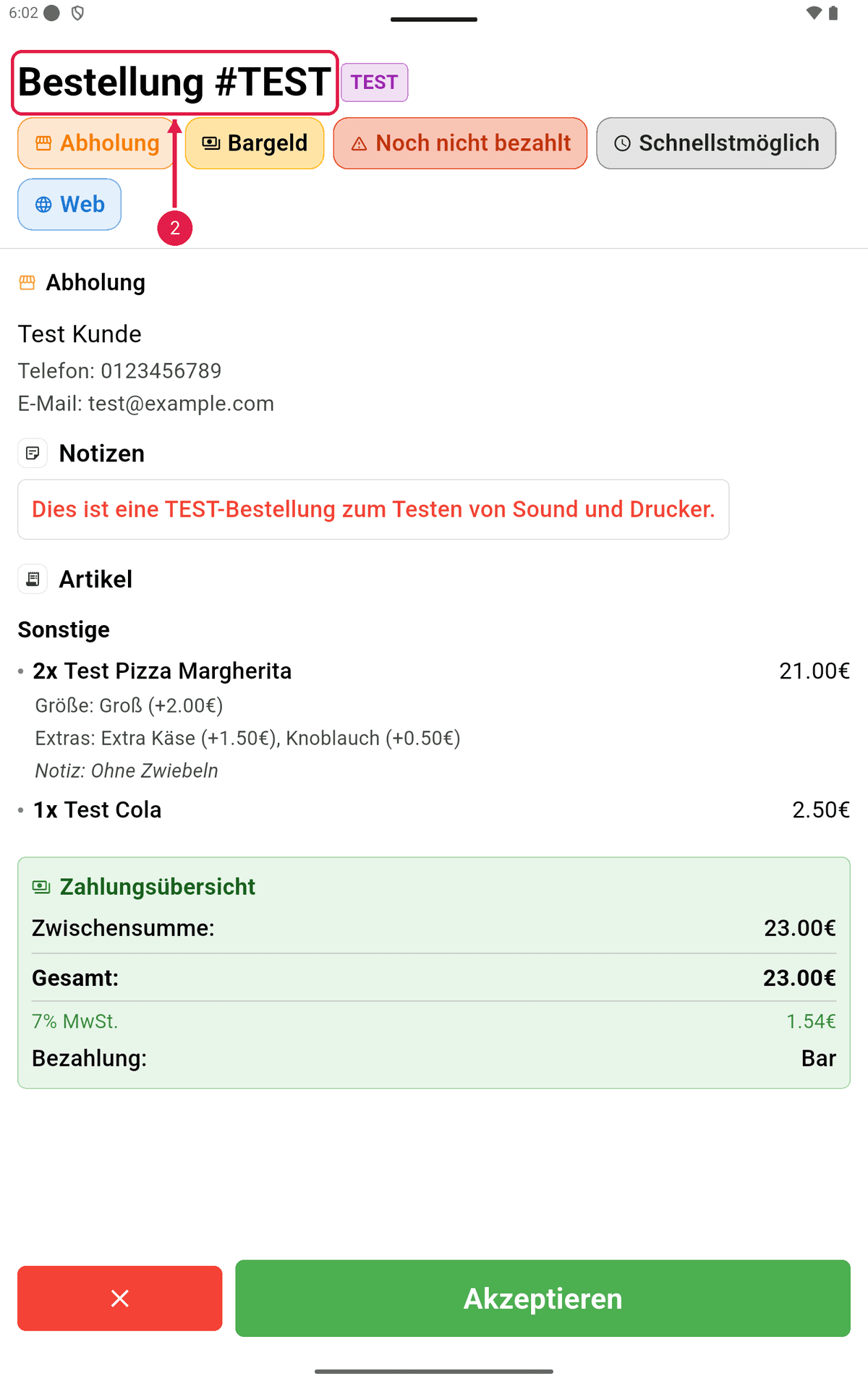
- The terminal rings and shows an Bestellung #TEST with a note that it is a test order.
- Accepting it prints as for a real order.
- The order does not appear in the list or in the revenue.
Requirements
The order terminal is connected with your restaurant.
Step by step
Trigger the test order
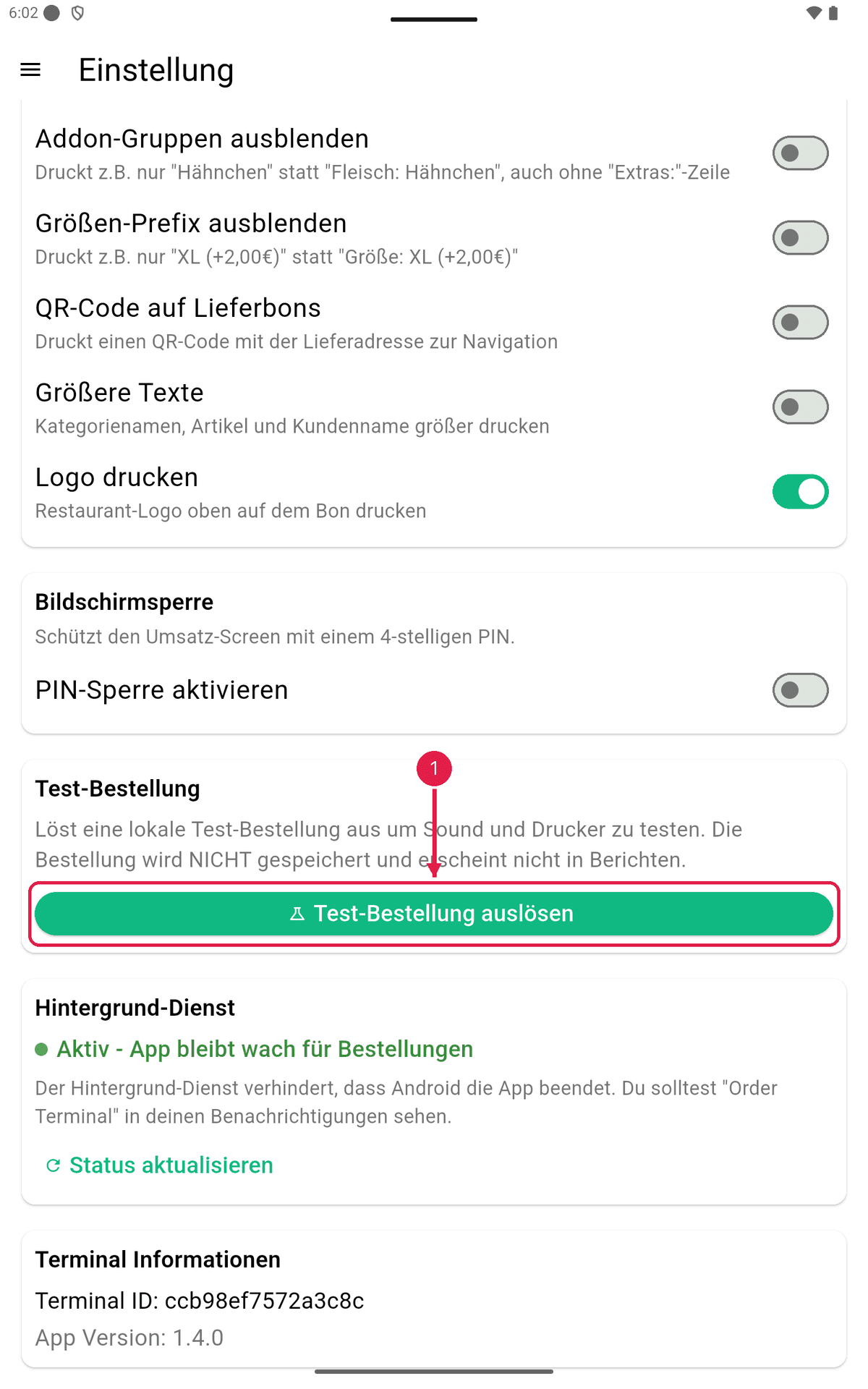
Tap the menu (three lines) at the top left, tap Einstellung (settings) and scroll to Test-Bestellung. Tap Test-Bestellung auslösen (trigger test order).
Result
You know that sound, display and printer work.