Order terminalGetting started
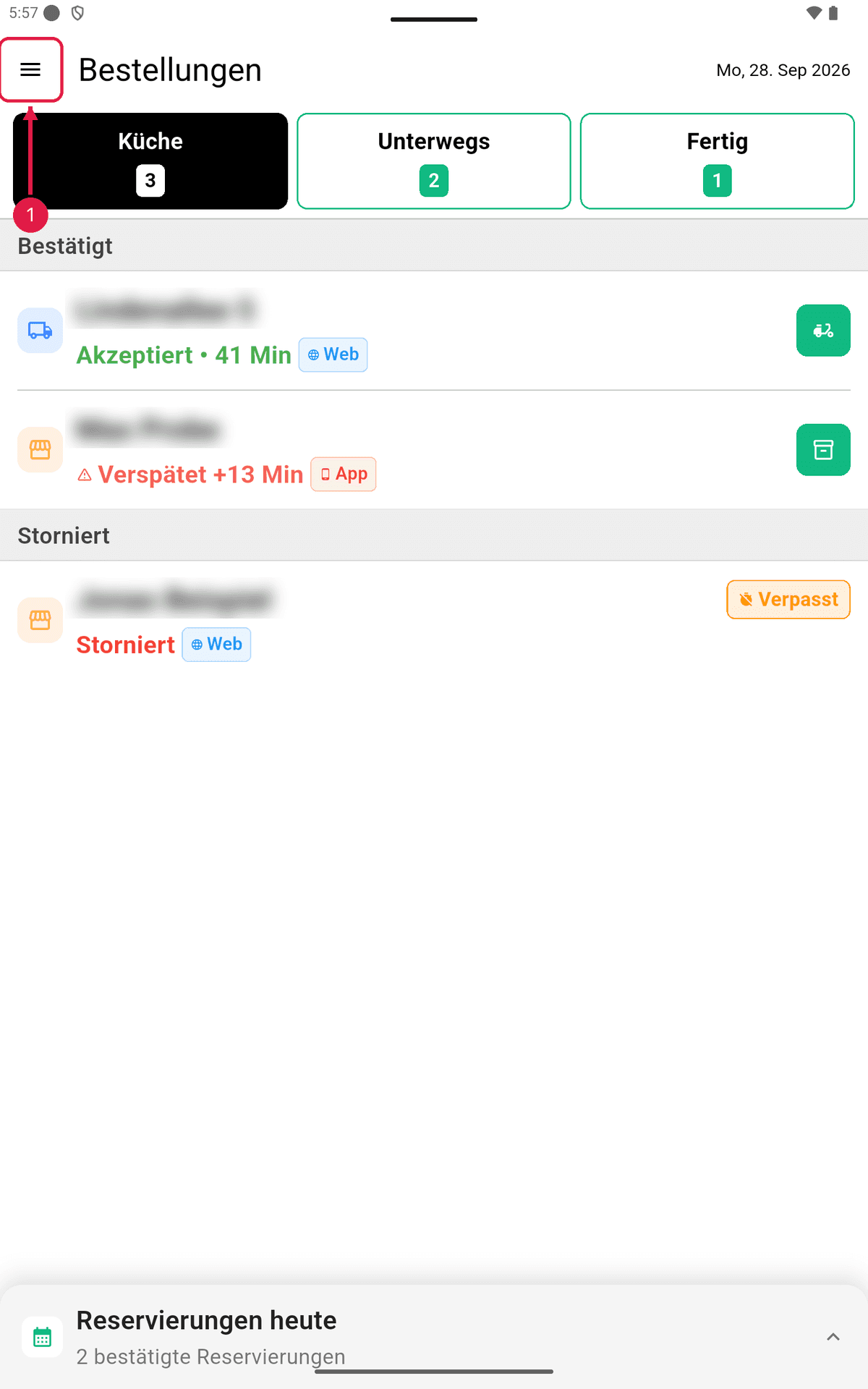
Open the menu and sections
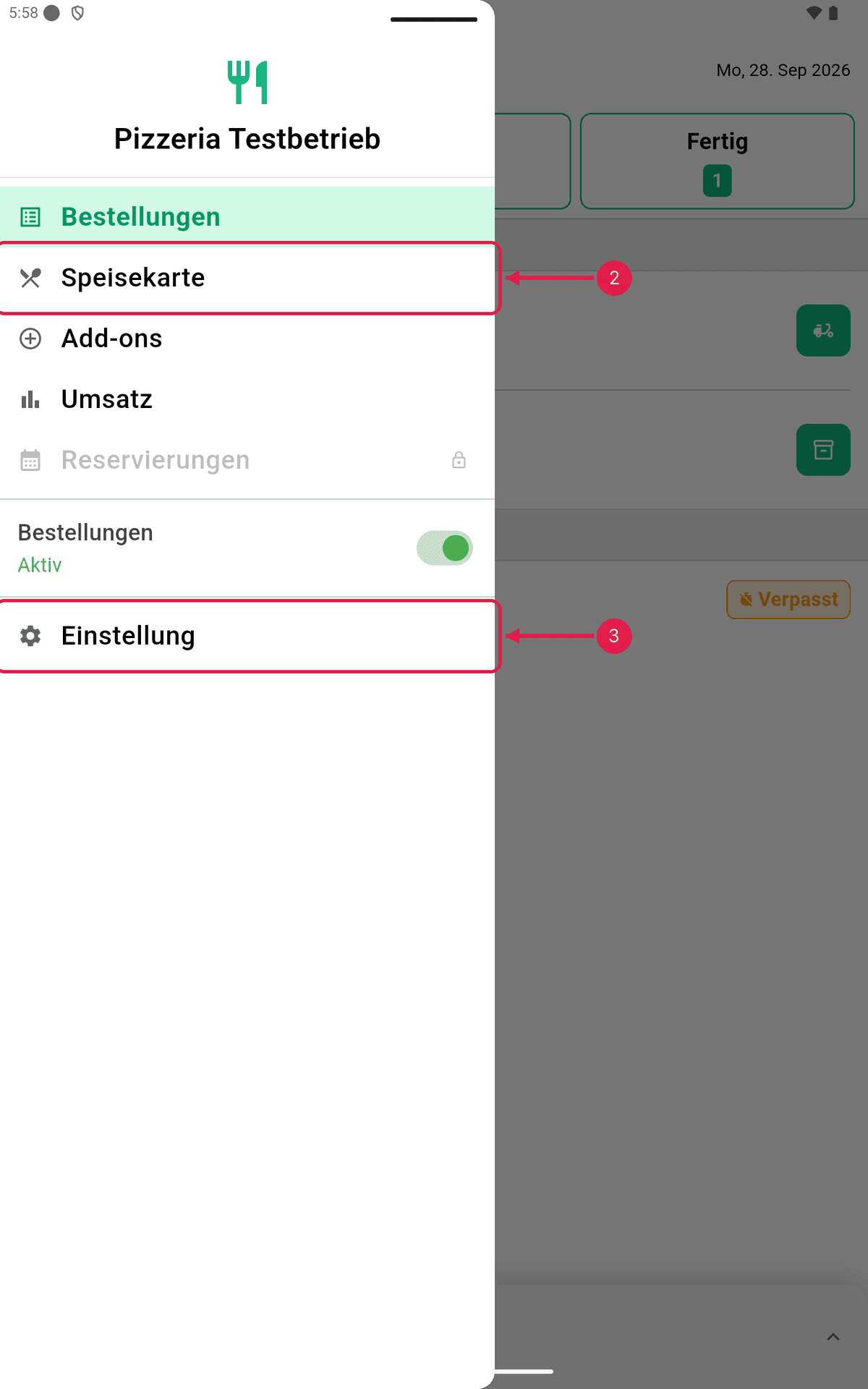
Switch between orders, menu, add-ons, revenue, reservations and settings via the menu.
What it is for
You reach all sections of the terminal via the menu at the top left.
What changes
- At the top is your restaurant's name, below it the sections Bestellungen (orders), Speisekarte (menu), Add-ons, Umsatz (revenue) and Reservierungen (reservations).
- Umsatz shows a lock when a PIN lock is set up.
- Reservierungen is grey as long as table reservations are not switched on in the admin area.
- Below that is the Bestellungen switch with its status, for example Aktiv (active), for pausing.
- At the very bottom is Einstellung (settings).
Requirements
The order terminal is connected with your restaurant.
Step by step
Result
The chosen section opens.