Import a menu from a CSV file
Upload a filled in CSV file, have it checked and look at the preview of the menu.
What it is for
Once you have entered your menu in the CSV template, you upload it in Massenimport (bulk import). The assistant checks the file, shows a preview of all categories and items and reports errors before anything is saved. It guides you through five steps: Import-Quelle (import source), Vorschau (preview), Addon-Gruppen (add-on groups, optional), Zuweisungen (assignments, optional) and Import.
What changes
Nothing yet in this part. Uploading and the preview save nothing. Saving only happens in the Import step, see Finish the import.
Requirements
- You are signed in to the admin area as the owner.
- You have a filled in CSV file of at most 10 MB, see Download the CSV template.
Step by step
Choose CSV file as the source
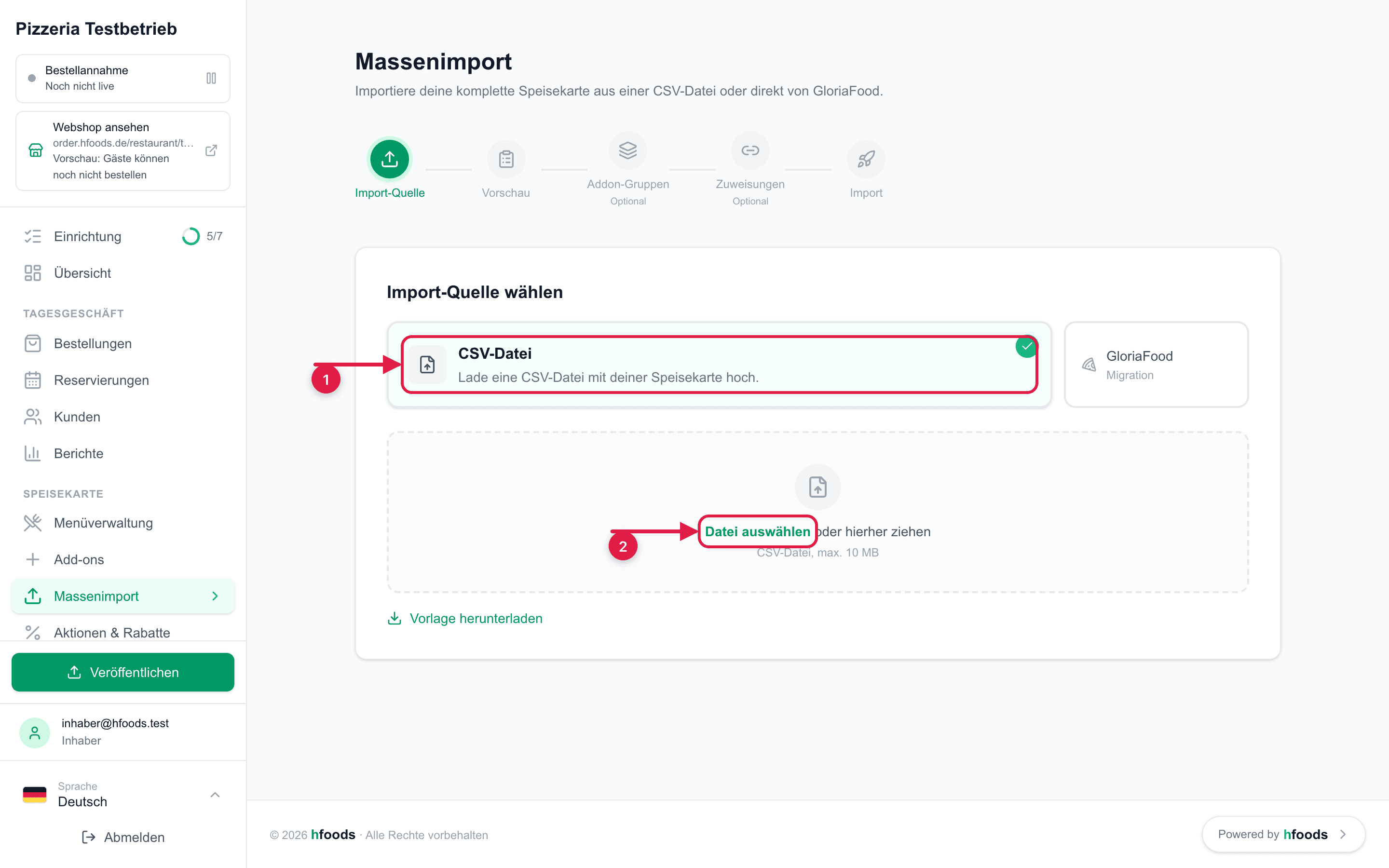
In the sidebar on the left, click Massenimport. Under Import-Quelle wählen (choose import source), CSV-Datei (CSV file) is already selected. Click Datei auswählen (choose file) or drag the file into the field.
Check the file and continue
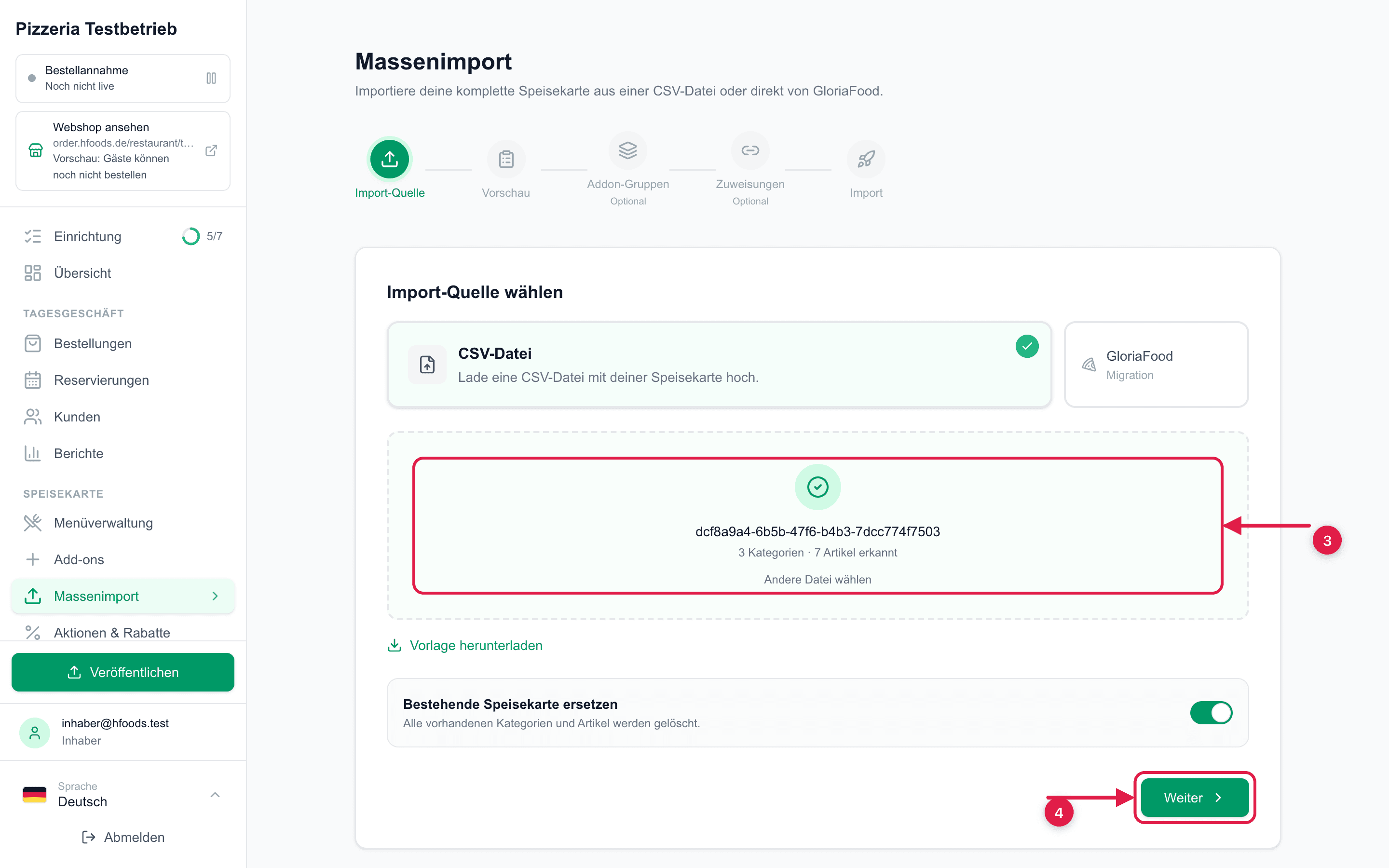
After uploading, the field shows the file name and what was recognised, for example "3 Kategorien · 7 Artikel erkannt" (3 categories, 7 items recognised). Andere Datei wählen (choose another file) swaps the file. Below it, check the Bestehende Speisekarte ersetzen (replace existing menu) setting, see Replace the existing menu. Then click Weiter (next).
Read the preview and validation
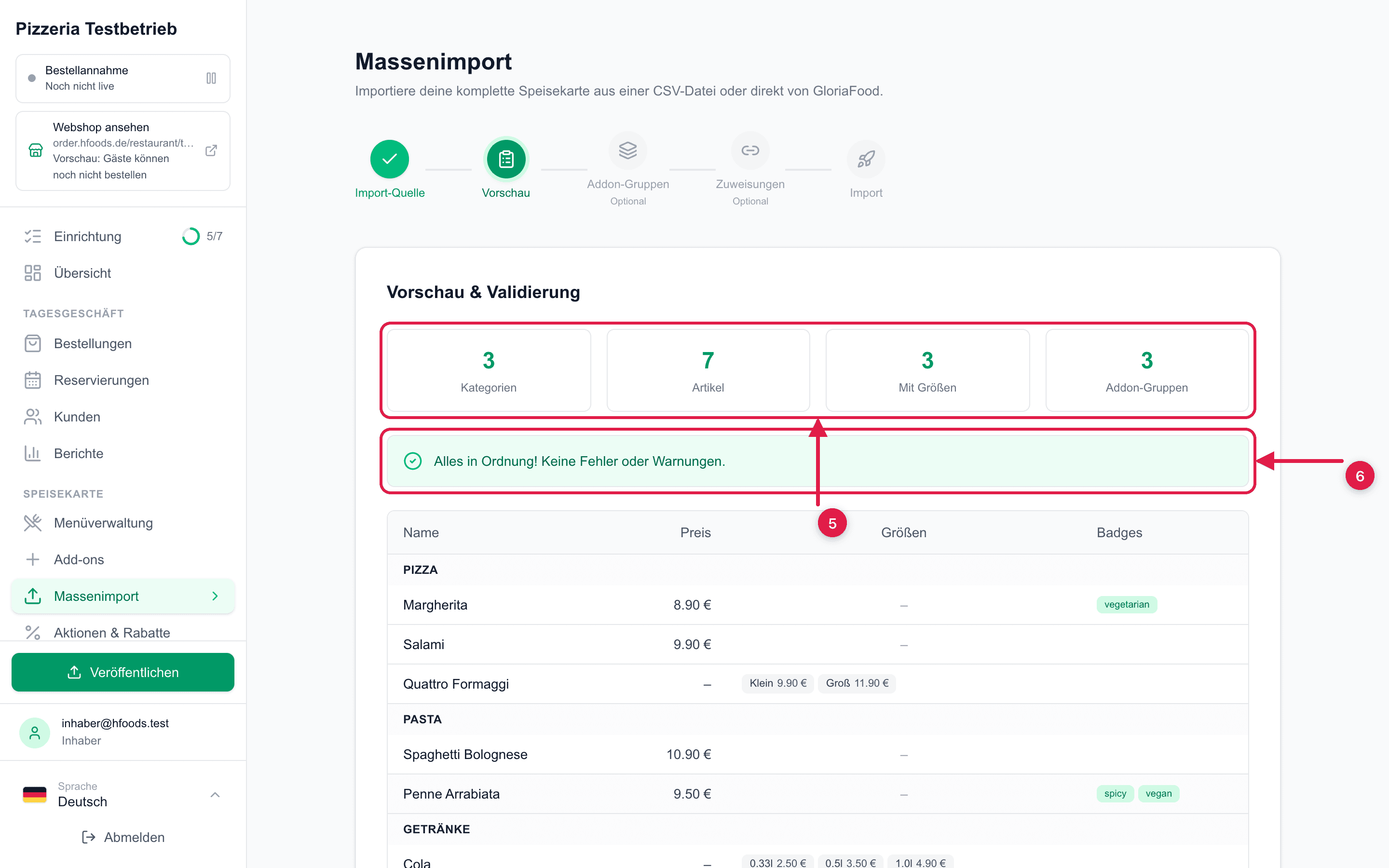
The Vorschau & Validierung (preview and validation) step shows at the top the number of Kategorien (categories), Artikel (items), items Mit Größen (with sizes) and Addon-Gruppen (add-on groups). Below it is the result of the check, ideally "Alles in Ordnung! Keine Fehler oder Warnungen." (everything is fine, no errors or warnings). The table shows every item with name, price, sizes and badges, ordered by category.
If the check reports errors, correct the file and upload it again with Zurück (back) and Andere Datei wählen. Otherwise click Weiter.
Result
Your file has been checked. Next come the add-on groups, see Create add-on groups during import.
Frequently asked questions
What does "Die CSV-Datei enthält keine gültigen Artikel" mean?
(The CSV file contains no valid items.) The import did not recognise any items. Check that the file is saved as CSV with semicolons and that the ARTIKEL section has a header row.