Change your billing address
Choose the email address to which hfoods sends your invoices, payment reminders and direct debit notices.
What it is for
hfoods sends your invoices by email. The card Rechnungsadresse (billing address) at the top of the Rechnungen (invoices) tab shows the address. Payment reminders and direct debit notices go there too. Many businesses use a separate address that their accounting reads.
What changes
- From now on invoices, reminders and direct debit notices go to the new address.
- Invoices already sent stay as they are.
- The change appears in the Verlauf (history) of your contract.
Requirements
- You are signed in to the admin area as the owner. Staff members do not see this area.
- You booked your business yourself on hfoods.de. If a sales partner looks after you, you get your contract and invoices from the partner.
Step by step
Open the Rechnungen tab
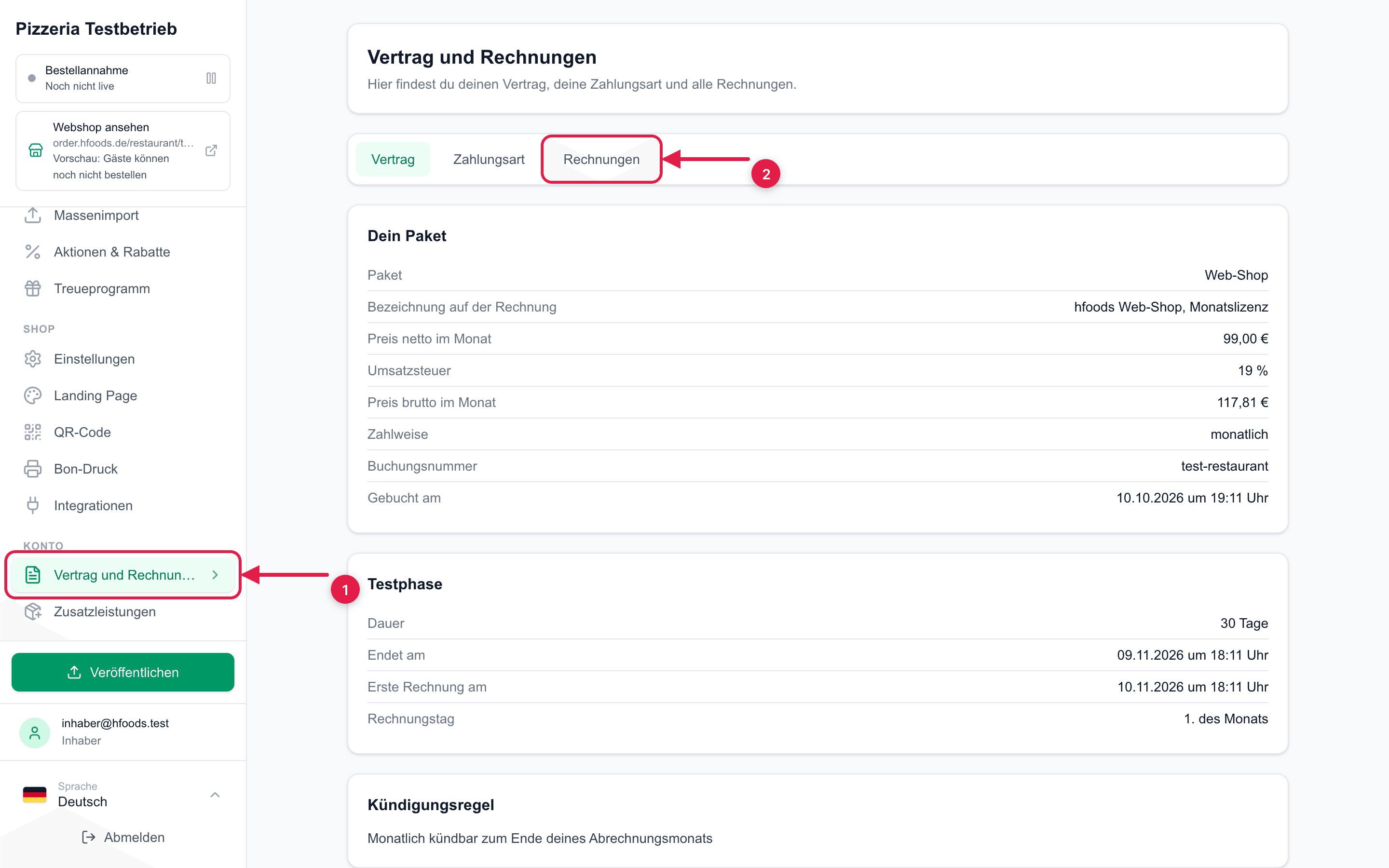
Click Vertrag und Rechnungen (contract and invoices) on the left and then the Rechnungen tab at the top.
Choose Ändern
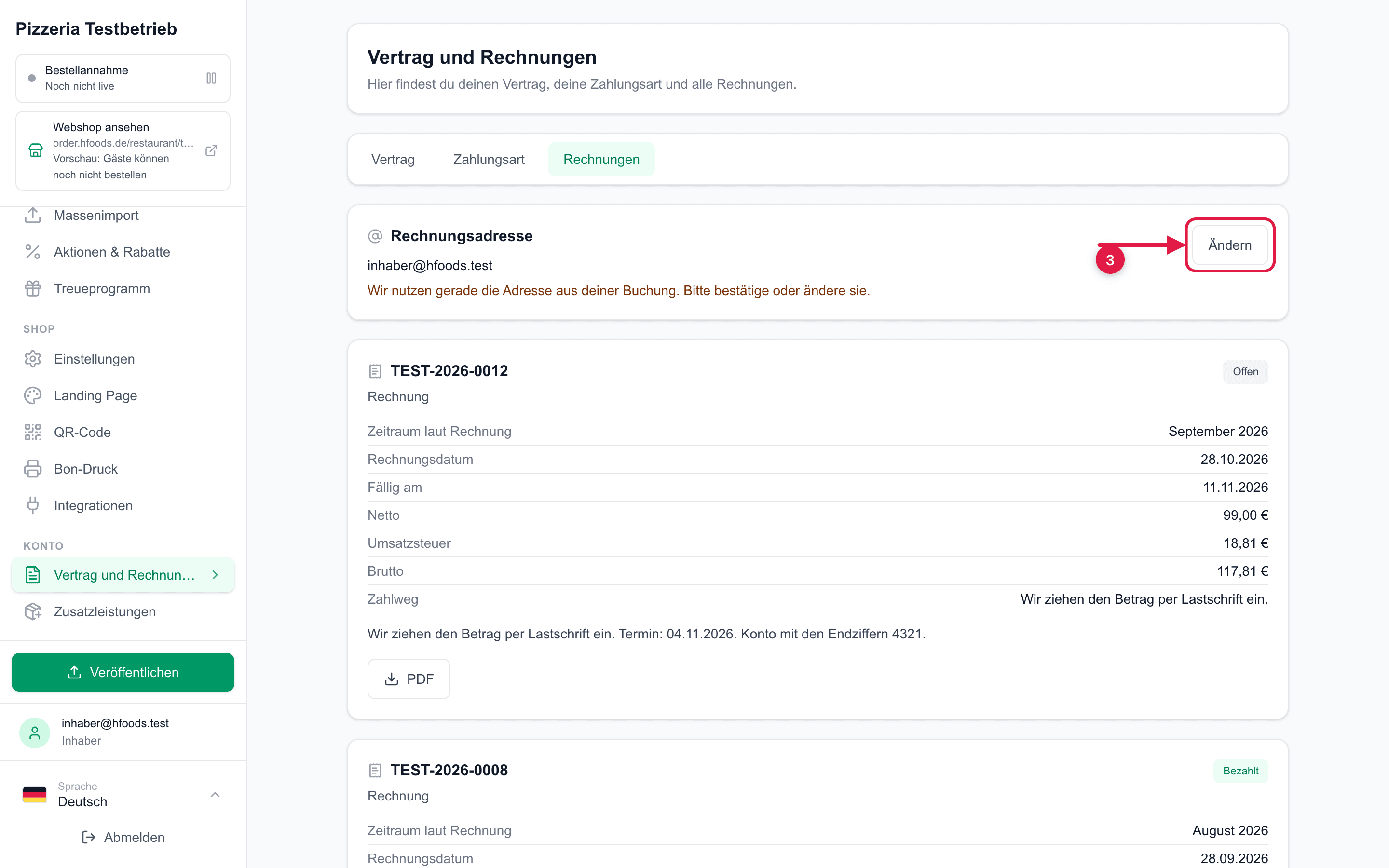
The card Rechnungsadresse shows the current address. If it reads "Wir nutzen gerade die Adresse aus deiner Buchung. Bitte bestätige oder ändere sie." (we are currently using the address from your booking, please confirm or change it), it still comes from your booking. Click Ändern (change).
Save the new address
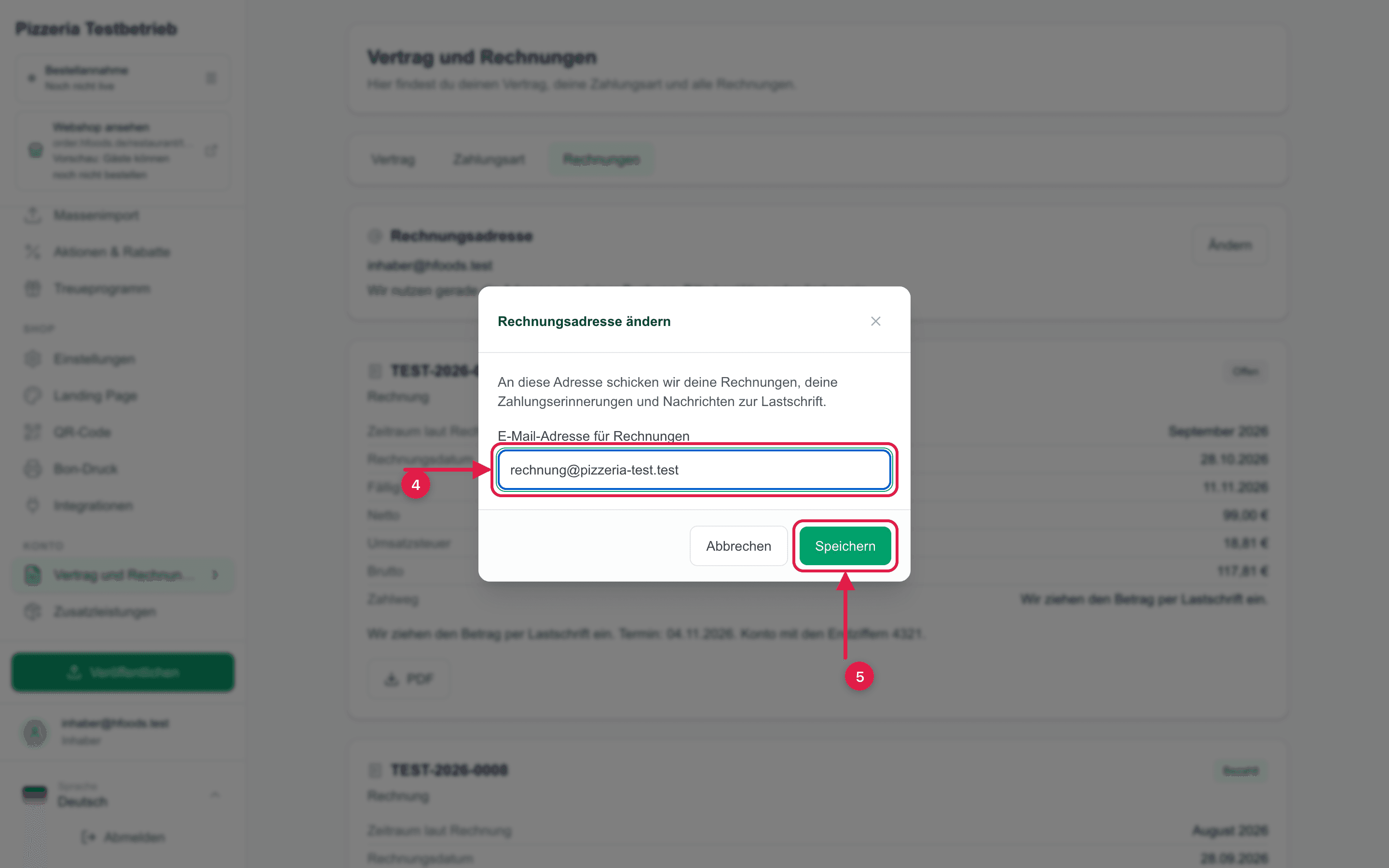
Enter the address you want under E-Mail-Adresse für Rechnungen (email address for invoices) and click Speichern (save). If you only want to confirm the address from your booking, save it unchanged.
Result
The page reports "Deine Rechnungsadresse ist gespeichert." (your billing address is saved). The card shows the new address and when it was last changed.
Frequently asked questions
The page says this does not look like an email address.
Check the spelling, for example the @ sign and the ending.
The page says the address has been changed in the meantime.
Someone else has just changed it. Reload the page and check the address again.