Download your contract documents
Download the terms and the data processing agreement as PDF in exactly the version you agreed to when booking.
What it is for
When booking you agreed to a specific version of the terms (AGB) and the data processing agreement (AVV). Under Deine Vertragsunterlagen (your contract documents) you download exactly this version as PDF, any time and as often as you like.
What changes
- The PDF lands in your download folder.
- Nothing changes in your contract.
Requirements
- You are signed in to the admin area as the owner. Staff members do not see this area.
- You booked your business yourself on hfoods.de. If a sales partner looks after you, you get your contract and invoices from the partner.
Step by step
Open Vertrag und Rechnungen
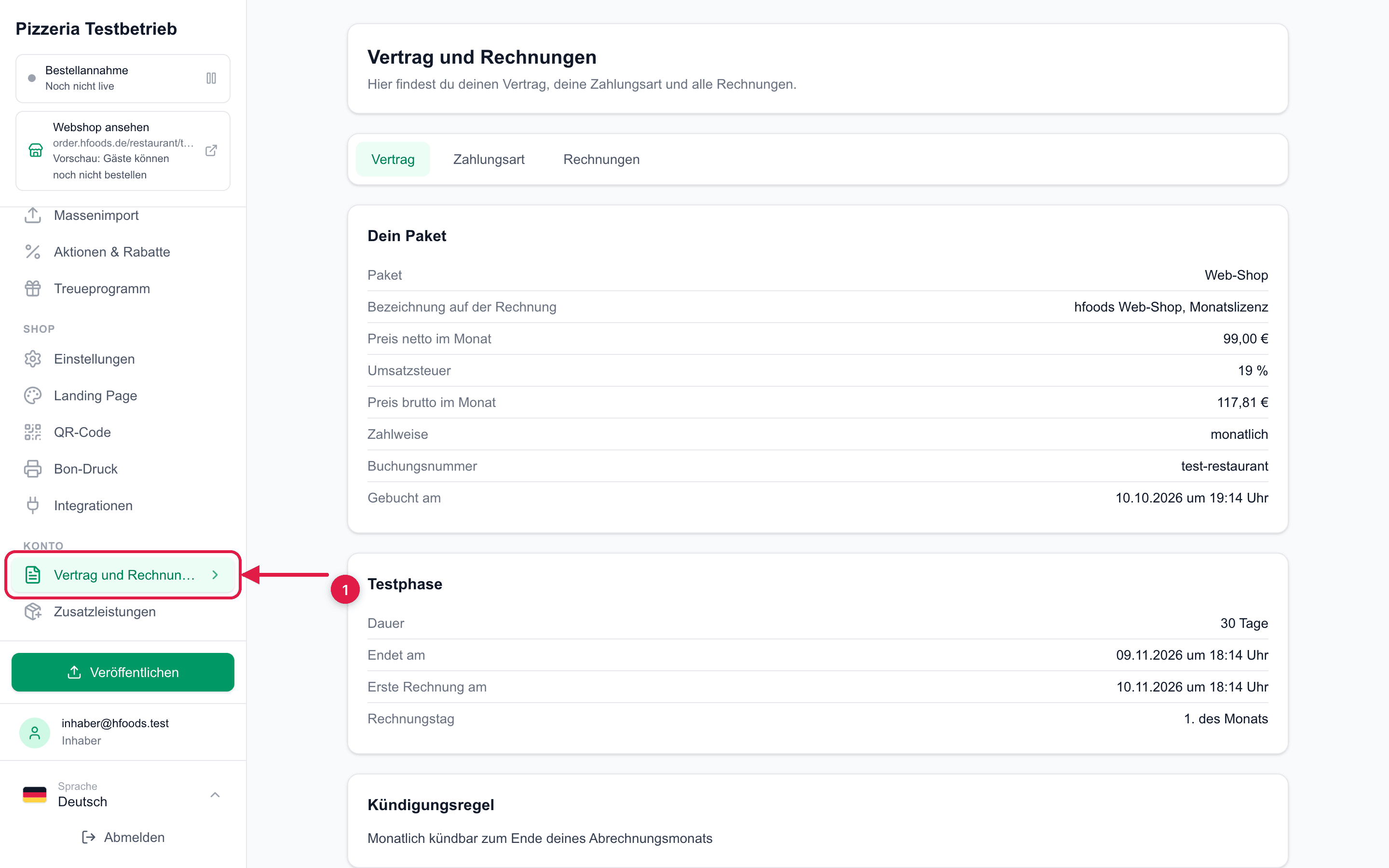
Click Vertrag und Rechnungen (contract and invoices) on the left. The page opens on the Vertrag (contract) tab.
Download the PDF
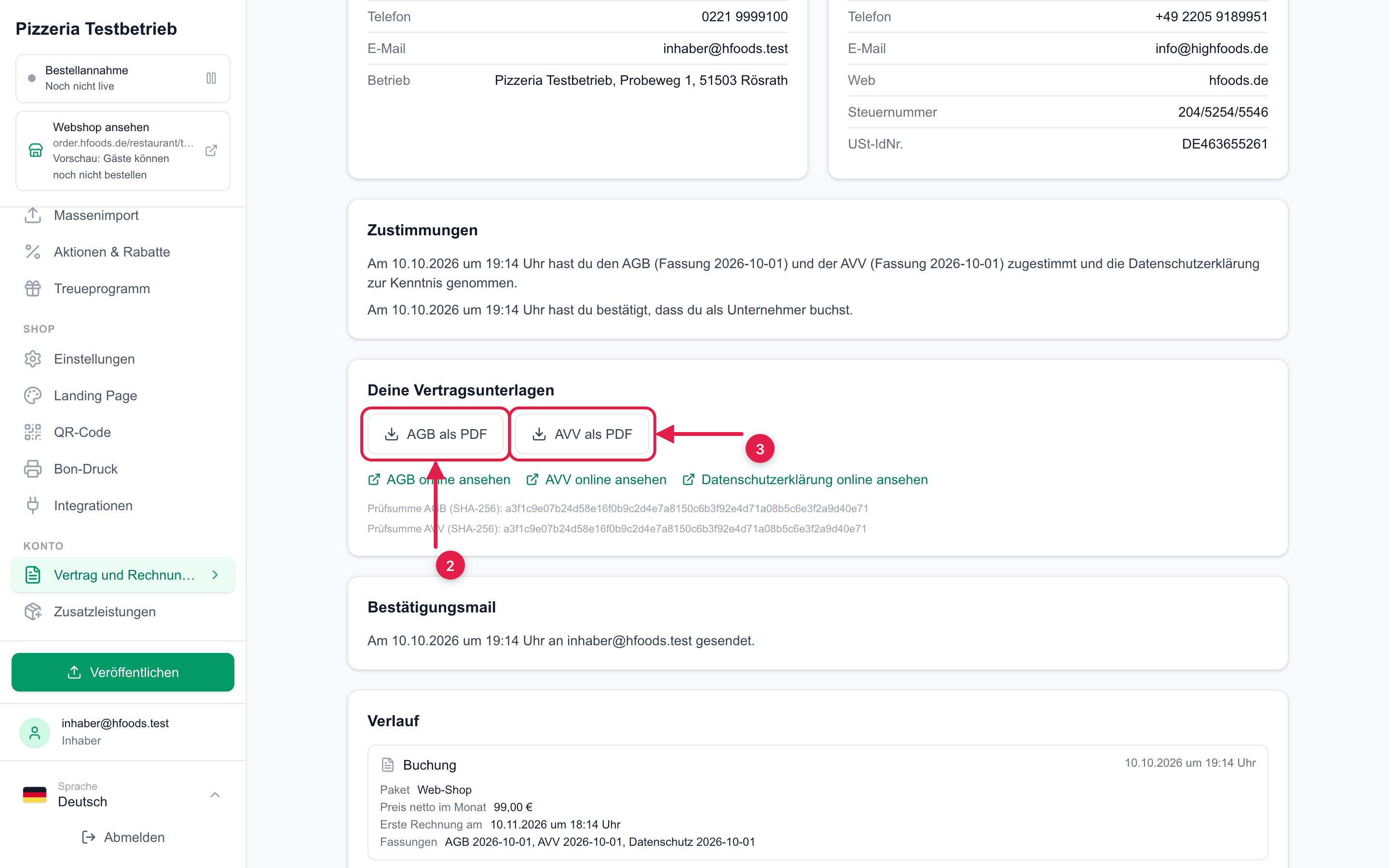
Scroll to the card Deine Vertragsunterlagen. Click AGB als PDF (terms as PDF) or AVV als PDF (data processing agreement as PDF). Your browser downloads the file. AGB online ansehen, AVV online ansehen and Datenschutzerklärung online ansehen (view terms, agreement and privacy policy online) open the same versions on hfoods.de.
Result
You have the documents as PDF. Below the buttons there is a Prüfsumme (SHA-256) (checksum) for each document. It proves that the file is exactly the one you agreed to.
Frequently asked questions
The document cannot be loaded right now.
Try again in a moment. If the page says this version is not available as PDF, write to info@highfoods.de and we will send it to you.