View invoices and download them as PDF
See every hfoods invoice of your business with its status and payment route, and download each as PDF.
What it is for
The Rechnungen (invoices) tab under Vertrag und Rechnungen (contract and invoices) lists every invoice hfoods has issued to your business, newest first. For each one you see whether it is open or paid and how it is paid. You download every invoice as PDF, for example for your accounting.
What changes
- The PDF lands in your download folder.
- Nothing changes on the invoice.
Requirements
- You are signed in to the admin area as the owner. Staff members do not see this area.
- You booked your business yourself on hfoods.de. If a sales partner looks after you, you get your contract and invoices from the partner.
Step by step
Open the Rechnungen tab
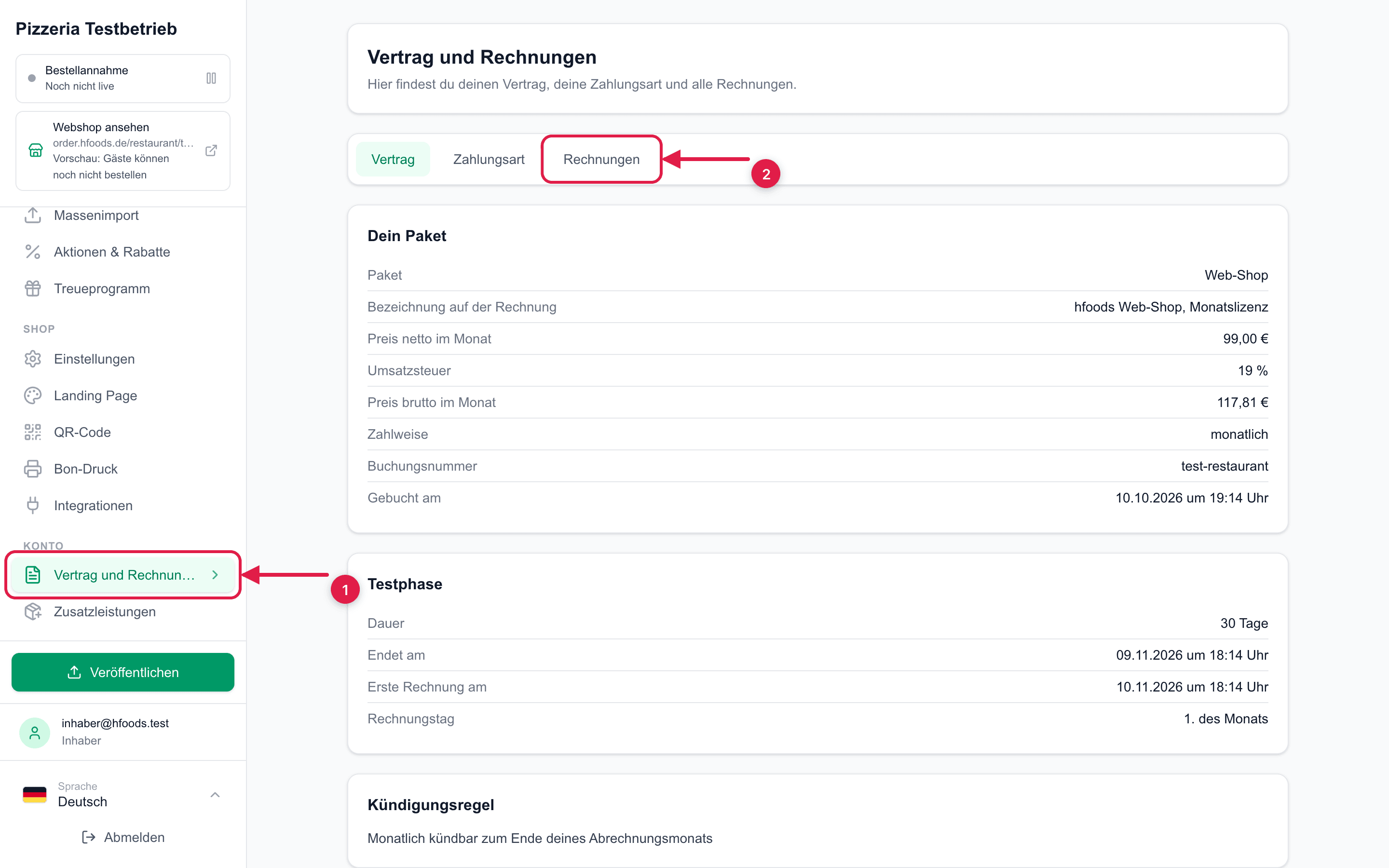
Click Vertrag und Rechnungen on the left and then the Rechnungen tab at the top.
Read an invoice and download it as PDF
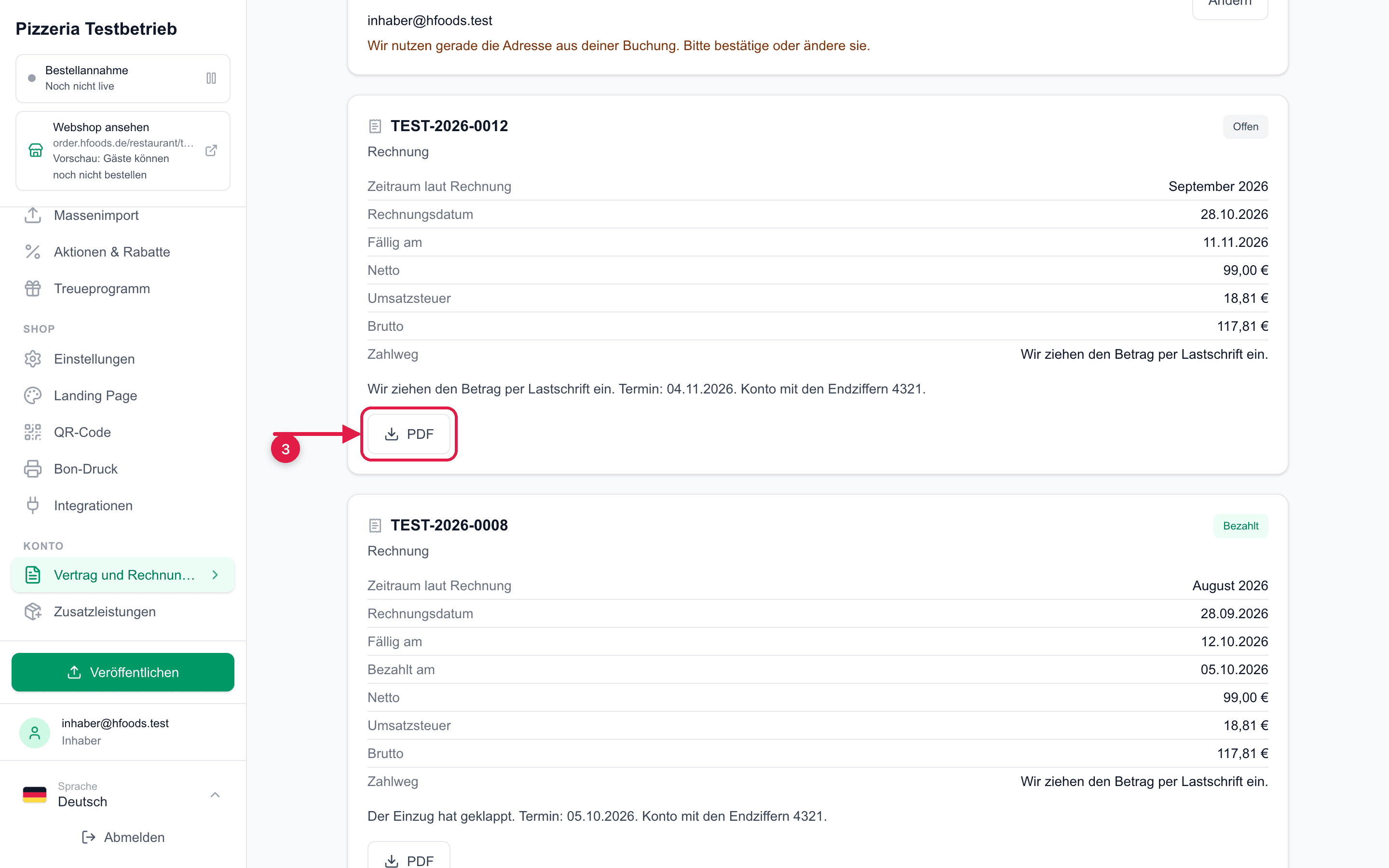
Your Rechnungsadresse (billing address) is at the top, the invoices follow below. Each card shows the invoice number, the status (for example Offen open, Bezahlt paid or Überfällig overdue), the Zeitraum laut Rechnung (period on the invoice), invoice date, due date, net amount, VAT, gross amount and the Zahlweg (payment route). For direct debit it also says when the amount is collected and from which account. Click PDF to download the invoice.
Result
You have the invoice as PDF. If you have a credit with hfoods, the card Dein Guthaben (your credit) shows the amount. We offset it against your next invoice.
Frequently asked questions
What do the direct debit notes mean?
"Wir ziehen den Betrag per Lastschrift ein." (we collect the amount by direct debit) means you do not have to do anything. "Der Einzug hat geklappt." (the collection worked) confirms the payment. If it reads "Der Einzug hat nicht geklappt. Bitte überweise den Betrag." (the collection failed, please transfer the amount), transfer the amount and state the invoice number.
There is no invoice yet.
The tab then reads "Für deinen Betrieb gibt es noch keine Rechnung." (there is no invoice for your business yet). The first invoice follows after the trial period, the date is on the Vertrag tab under Testphase.
The PDF cannot be created right now.
Try again in a minute.