View your contract
Read every detail of your hfoods contract in one place: package, price, trial period, consents and history.
What it is for
Under Vertrag und Rechnungen (contract and invoices) you find your contract with hfoods exactly as you concluded it when booking. The Vertrag (contract) tab shows all details in cards, one below the other. You do not have to save anything, the page is read only.
What changes
Nothing. The page only shows your contract.
Requirements
- You are signed in to the admin area as the owner. Staff members do not see this area.
- You booked your business yourself on hfoods.de. If a sales partner looks after you, you get your contract and invoices from the partner.
Step by step
Open Vertrag und Rechnungen
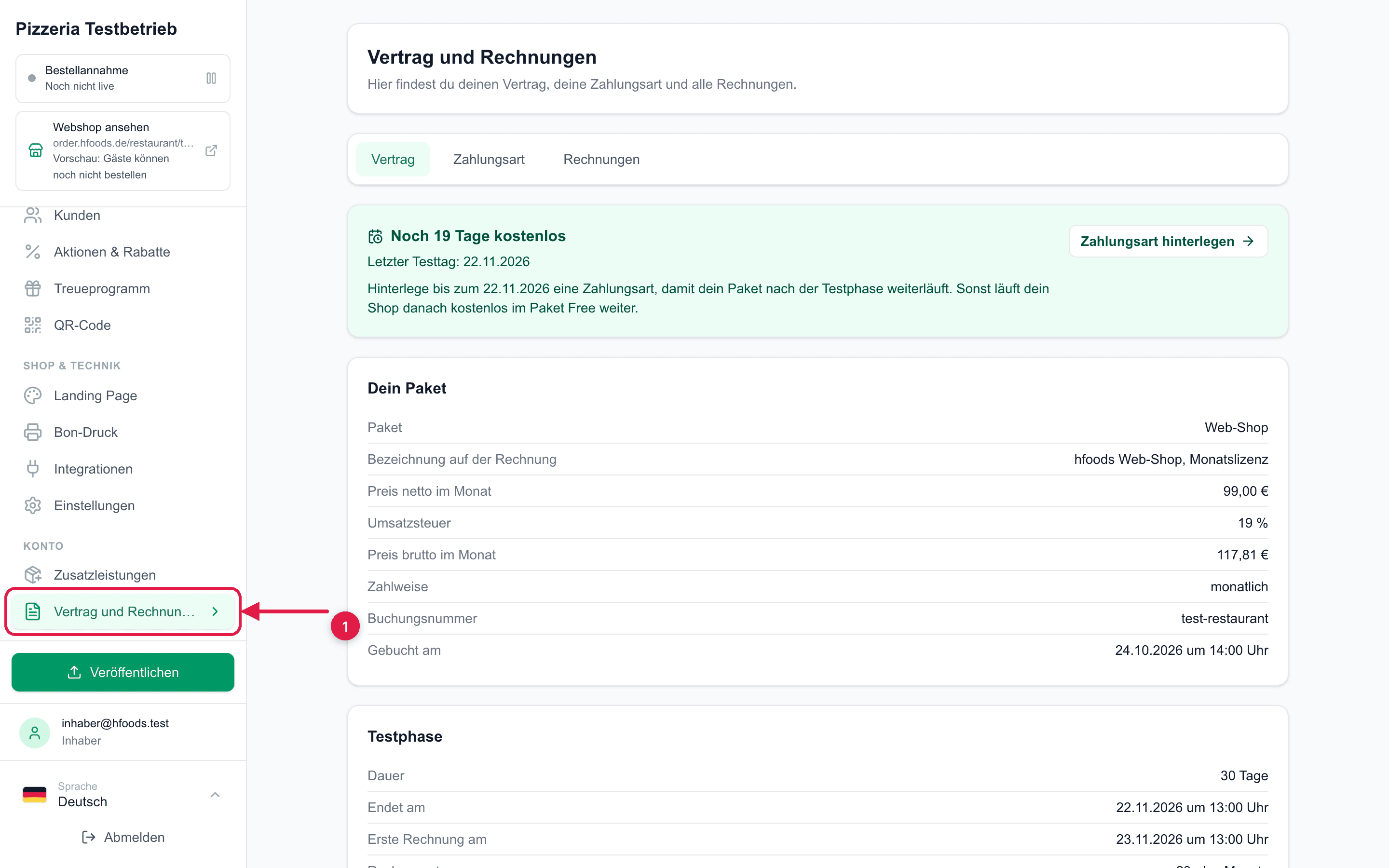
Click Vertrag und Rechnungen (contract and invoices) on the left. The page opens on the Vertrag (contract) tab.
Read package and trial period
While your trial is running, the very top shows how long it stays free, for example "Noch 19 Tage kostenlos" (19 days left free) with your last trial day. Below that it says by when you need to add a payment method to keep your package after the trial. Zahlungsart hinterlegen (add payment method) takes you to the Zahlungsart (payment method) tab. Once your payment method is on file, it shows from when your package is charged. If your trial ran out without a payment method, your shop continues on the Free plan, and the very top shows the card Paket Free (Free plan) with your orders this month and the button Paket buchen (book package), see Free plan. If you booked when a payment method was still required to book, this notice is not shown.
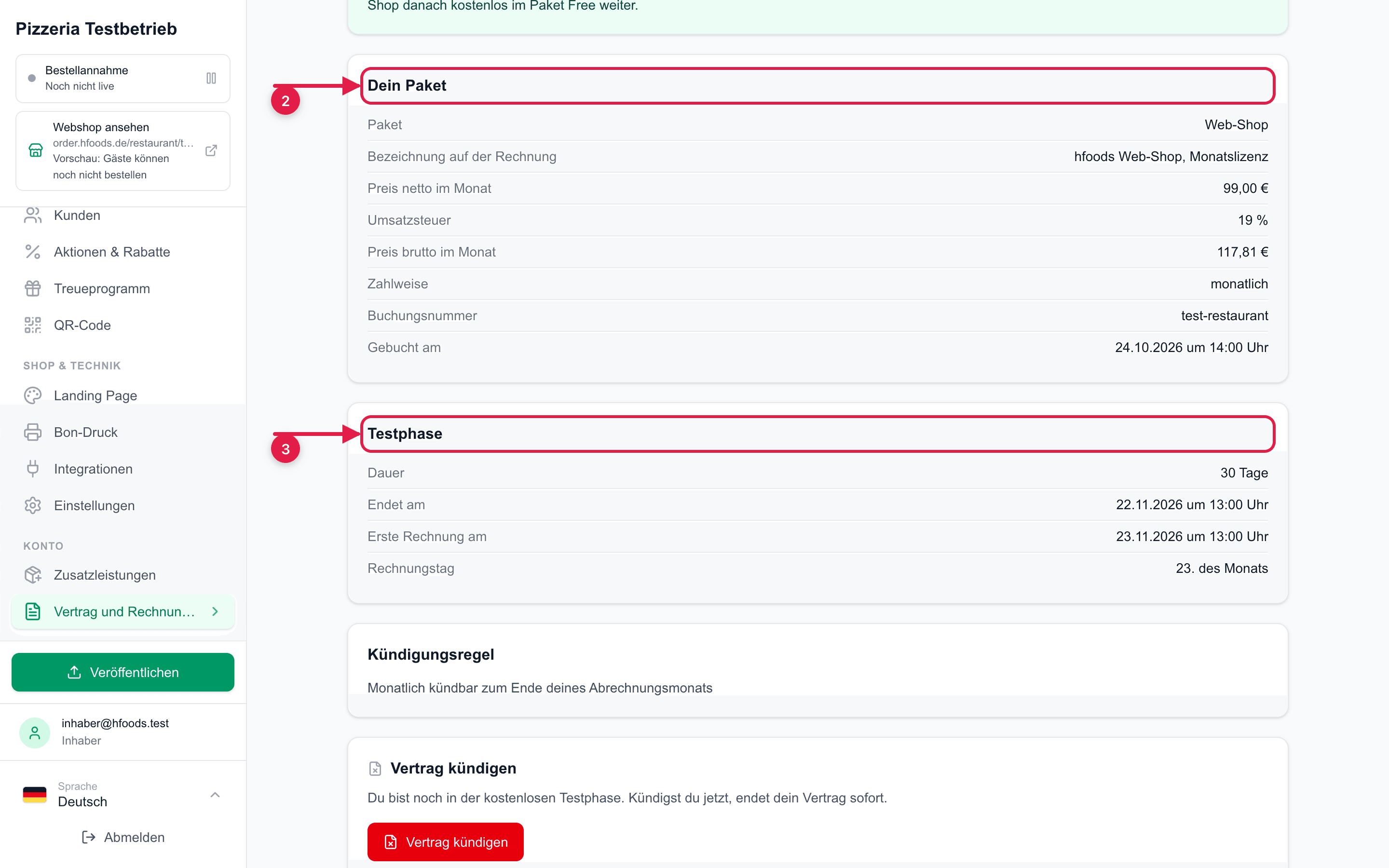
The card Dein Paket (your package) shows the package you booked, the label on the invoice, the monthly price net and gross with the tax rate, the billing interval, your Buchungsnummer (booking number) and when you booked. The card Testphase (trial period) shows its length, when it ends, the date of the first invoice and the Rechnungstag (invoice day) of the month. Below it is the Kündigungsregel (cancellation rule), for example "Monatlich kündbar zum Ende deines Abrechnungsmonats" (cancellable monthly at the end of your billing month).
Further details and history
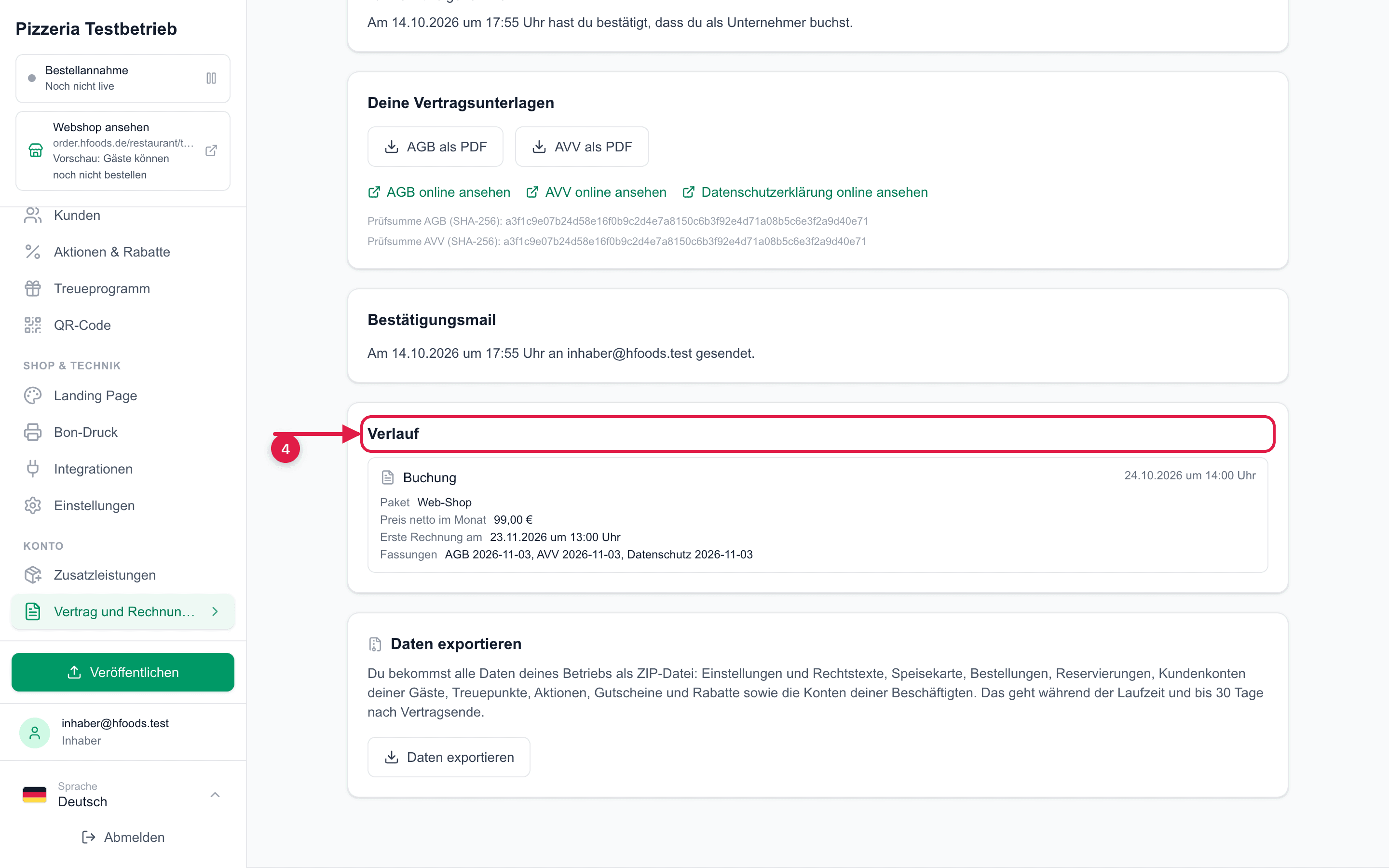
Further down follow Vertragspartner (your business as you booked it) and Anbieter (provider, hfoods with address, tax number and VAT ID), the Zustimmungen (consents) card with the date and version of the terms and the data processing agreement, your Vertragsunterlagen (contract documents) and the Bestätigungsmail (confirmation email). At the very bottom is the Verlauf (history): every event of your contract with its date, for example the booking, the payment method on file or a cancellation.
Result
You know every detail of your contract. You get the documents as PDF via Download your contract documents.
Frequently asked questions
What happens if I do not add a payment method by the end of the trial?
Then your shop continues on the Free plan at no cost after your last trial day. You do not get an invoice, and your setup stays as it is. The cards Dein Paket (your package) and Testphase (trial) below keep showing your booking as you made it. There is more on this in Free plan. If you booked when a payment method was still required to book, this does not apply: your package then keeps running unless you cancel.
It says there is no contract record.
If you concluded your contract directly with our team, there is no contract record here. The page tells you so, and we are happy to send you your documents. Write to info@highfoods.de.
The page says the contract cannot be loaded right now.
Click Neu laden (reload). If that does not help, try again a few minutes later.