Remove the WinOrder connection
Permanently delete the WinOrder connection with all access details and settings.
What it is for
If you no longer use WinOrder, remove the connection completely. If you only want to pause, deactivate it instead.
What changes
- All WinOrder access details and settings are deleted permanently. WinOrder can no longer fetch orders.
- The message reads WinOrder-Verbindung wurde entfernt (WinOrder connection removed), and WinOrder shows Nicht eingerichtet (not set up) again.
Requirements
You are signed in to the admin area as the owner, and WinOrder is set up, see Set up WinOrder.
Cannot be undone
Only want to pause? See Deactivate or reactivate WinOrder.
Step by step
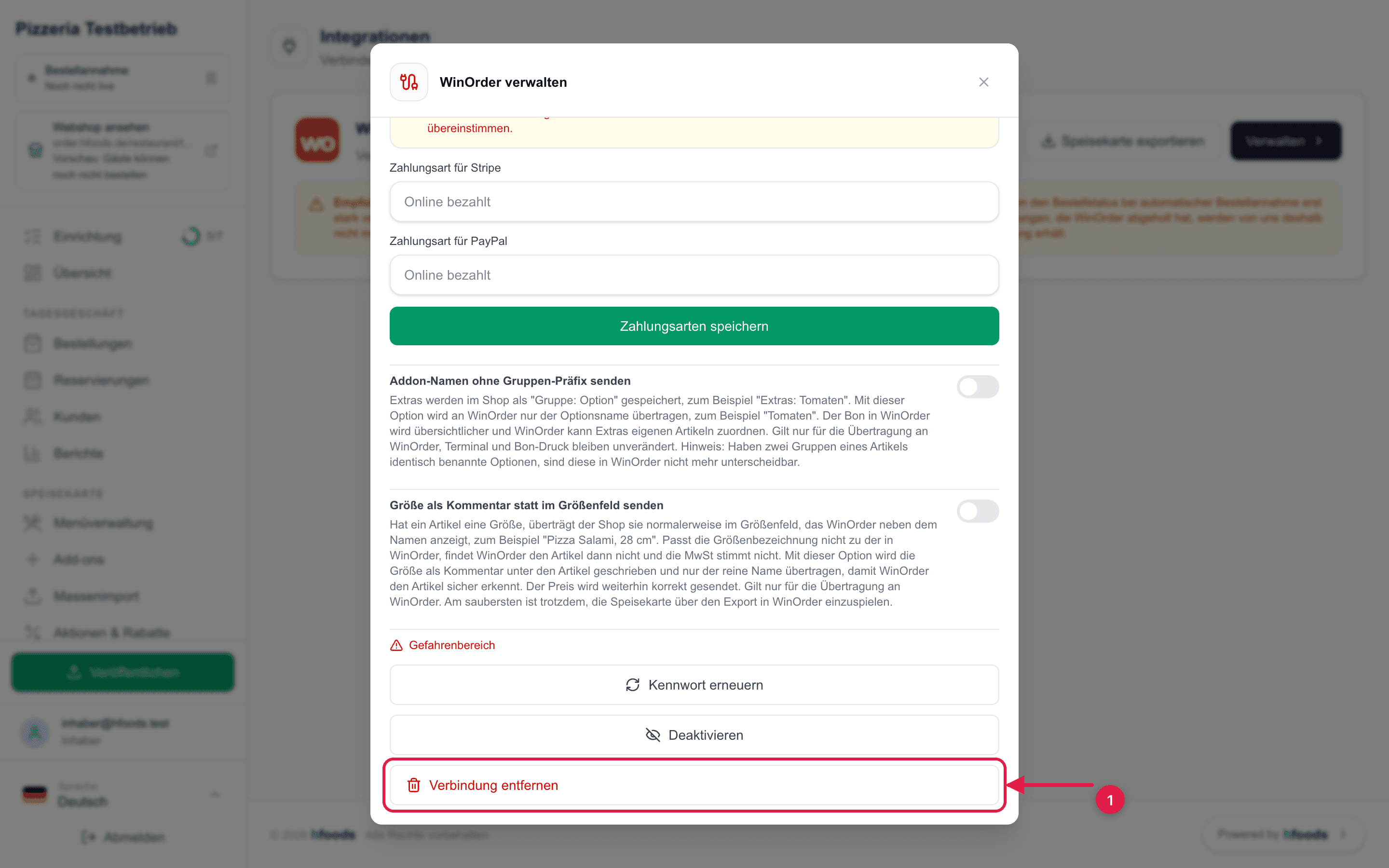
Choose remove connection
In the sidebar on the left, click Integrationen (integrations). Next to WinOrder click Verwalten (manage). At the bottom, in the Gefahrenbereich (danger zone), click Verbindung entfernen (remove connection).
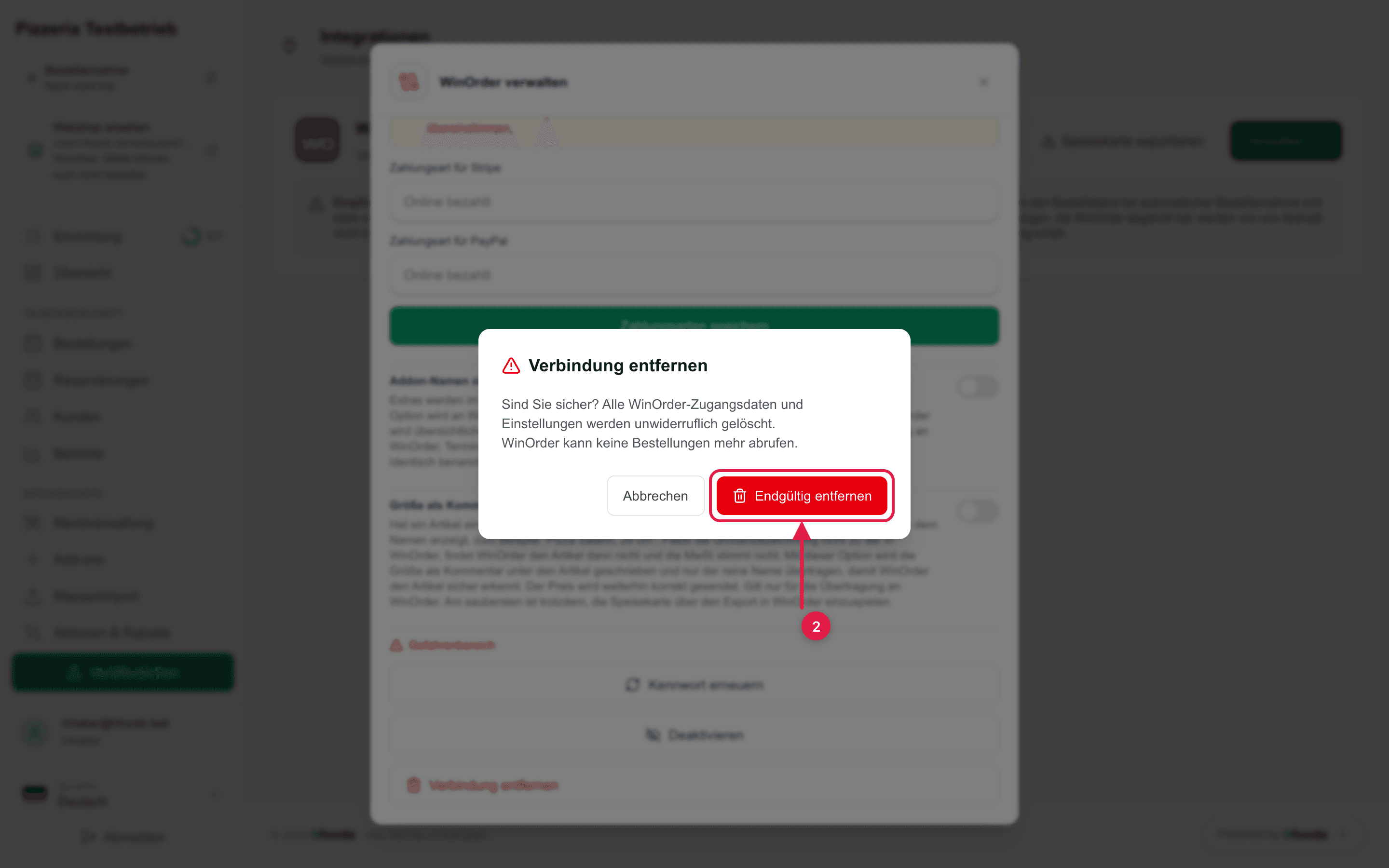
Confirm
The Verbindung entfernen window asks Sind Sie sicher? (are you sure?). Click Endgültig entfernen (remove permanently) or Abbrechen (cancel).
Result
The connection is removed. You can set up WinOrder again later.