Manage the WinOrder settings
Decide how online payments, extras and sizes are transferred to WinOrder.
What it is for
Under WinOrder verwalten (manage WinOrder) you decide how hfoods transfers orders to WinOrder: what online payments are called and how extras and sizes are sent.
What changes
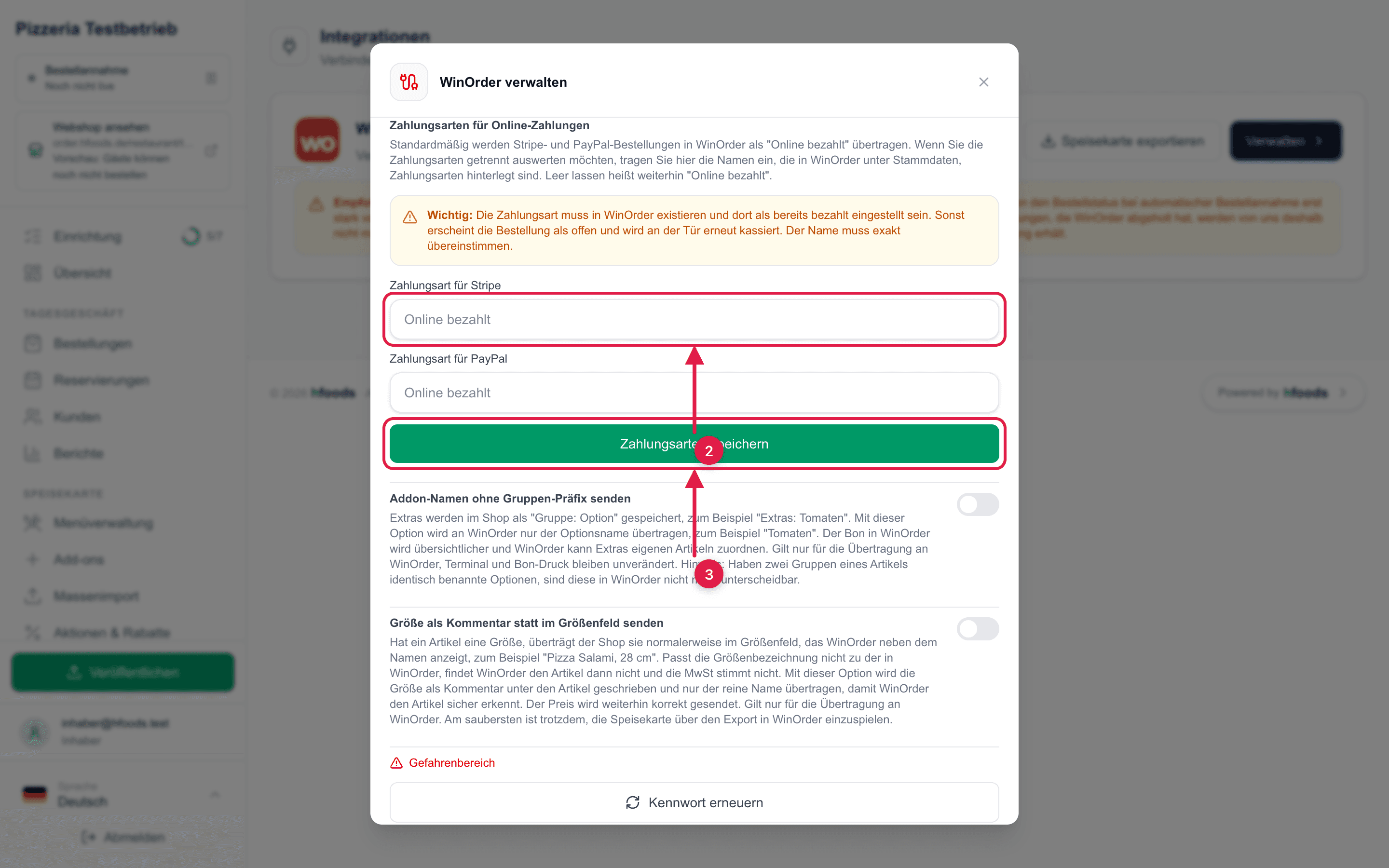
- Zahlungsarten für Online-Zahlungen (payment methods for online payments): Stripe and PayPal orders arrive in WinOrder as "Online bezahlt" (paid online) by default. If you enter your own names under Zahlungsart für Stripe and Zahlungsart für PayPal, you can evaluate them separately. Leaving them empty keeps "Online bezahlt".
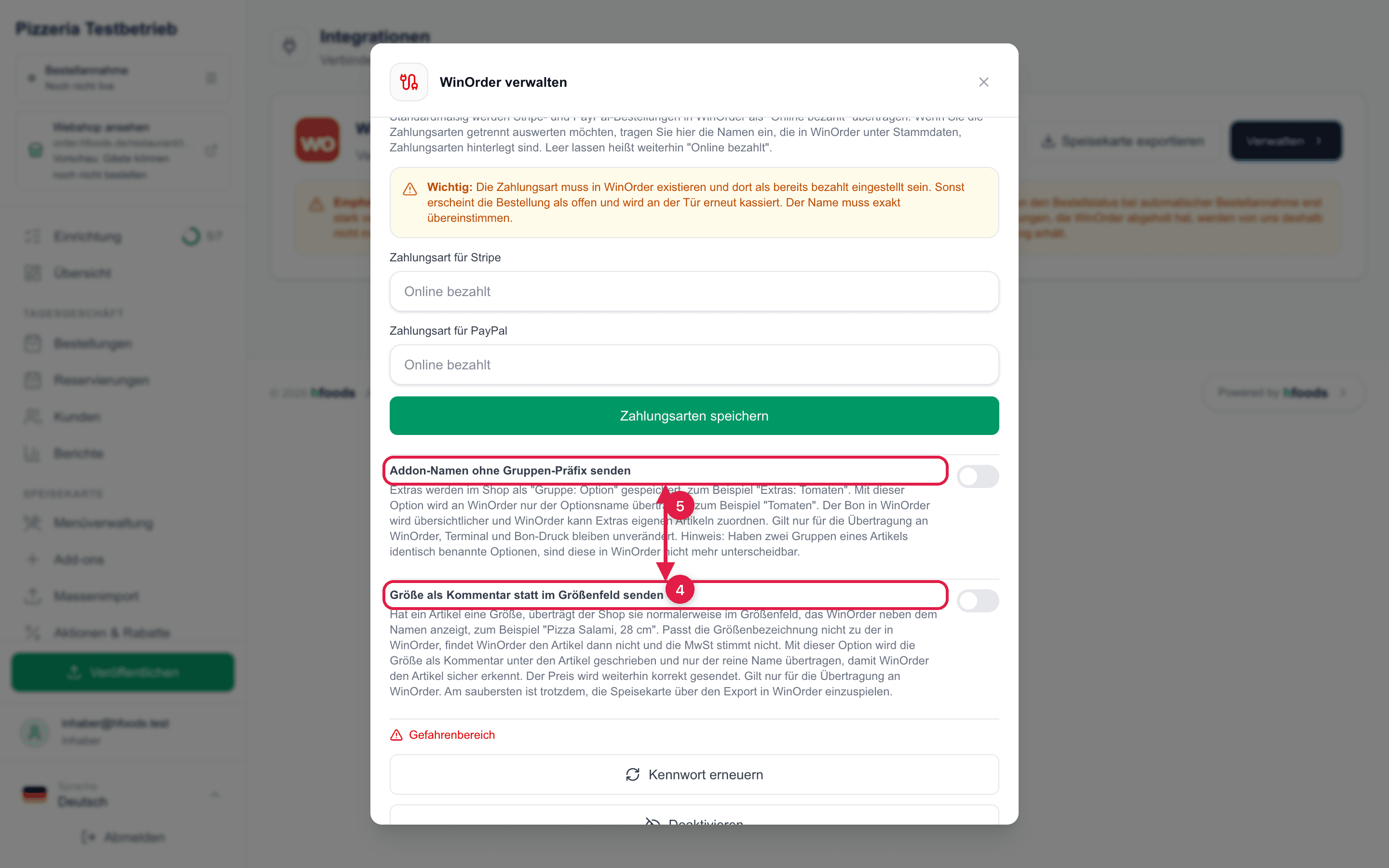
- Addon-Namen ohne Gruppen-Präfix senden (send add-on names without group prefix): instead of "Extras: Tomaten" only "Tomaten" is transferred. The receipt in WinOrder becomes clearer, and WinOrder can match extras to its own items. If two groups of an item have options with the same name, they can no longer be told apart in WinOrder.
- Größe als Kommentar statt im Größenfeld senden (send size as a comment instead of in the size field): the size appears as a comment below the item and only the plain name is transferred. This way WinOrder reliably recognises the item even if the size name does not match. The price is still sent correctly.
- Both switches apply only to the transfer to WinOrder. The terminal and receipt printing stay unchanged.
Requirements
You are signed in to the admin area as the owner, and WinOrder is set up, see Set up WinOrder.
Names exactly as in WinOrder
A payment method of your own must exist in WinOrder under Stammdaten, Zahlungsarten (master data, payment methods) and be set as already paid there. The name must match exactly. Otherwise the order appears as open and is charged again at the door.
Step by step
Open manage
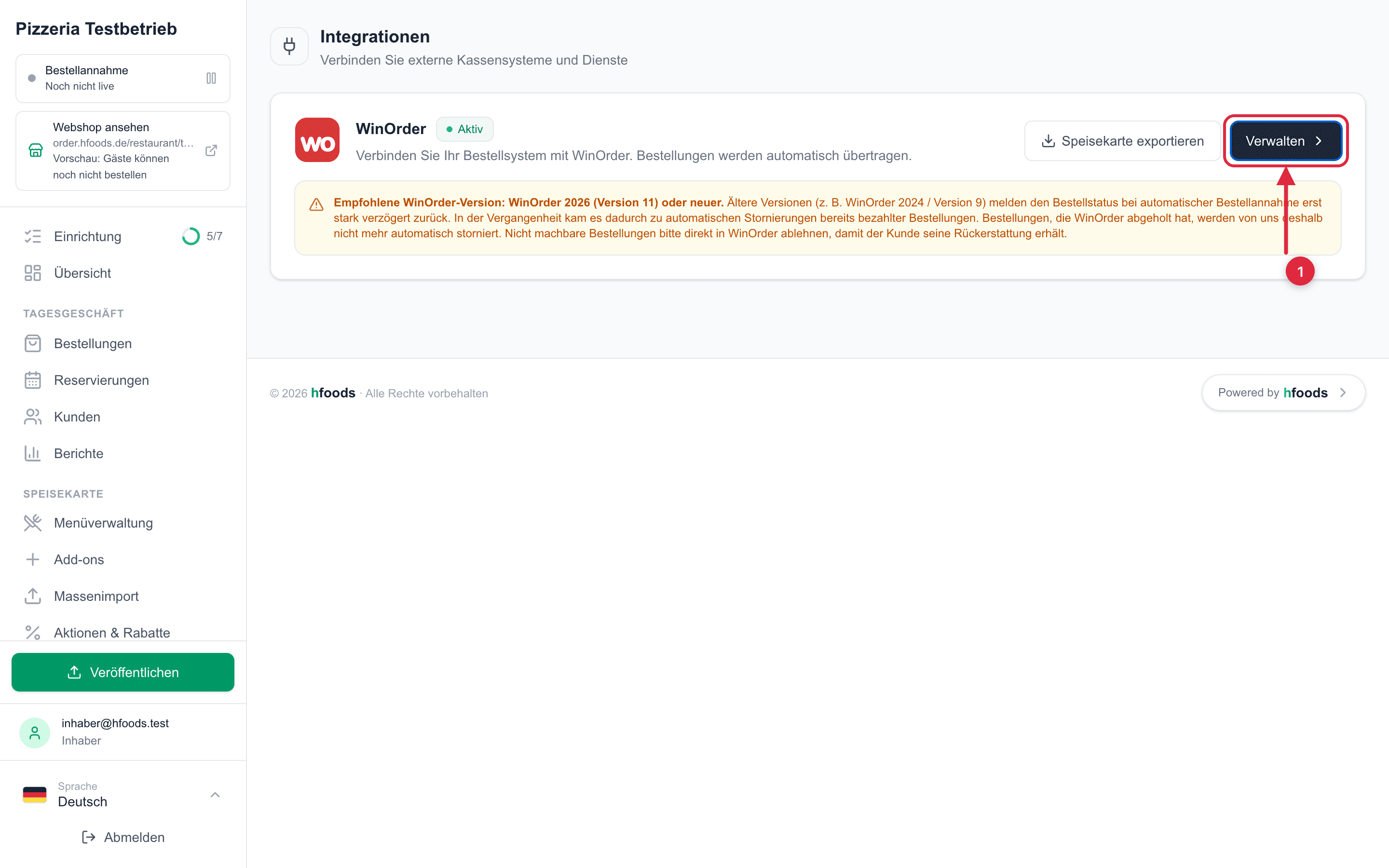
In the sidebar on the left, click Integrationen (integrations). Next to WinOrder click Verwalten (manage).
Enter payment methods
In the WinOrder verwalten window enter the names under Zahlungsart für Stripe and Zahlungsart für PayPal and click Zahlungsarten speichern (save payment methods). The message reads Zahlungsarten wurden gespeichert (payment methods saved).
Transfer of extras and sizes
Below, flip the Addon-Namen ohne Gruppen-Präfix senden and Größe als Kommentar statt im Größenfeld senden switches. They are saved immediately.
Result
New orders arrive in WinOrder with your settings.