Export the menu for WinOrder
Download your menu as a CSV file in WinOrder format and import it into WinOrder.
What it is for
WinOrder is a cash register system for delivery services. With the connection, WinOrder fetches your online orders automatically, and you then handle them in WinOrder. So that WinOrder recognises your items, you export your menu as a CSV file and import it into WinOrder. You can do this at any time, even before the connection is set up.
What changes
- You get the file "winorder-artikelimport.csv" from your current menu.
- In WinOrder you import it under Einstellungen, Speisekarte/Artikelverwaltung, Extras, Artikeldaten importieren (settings, menu/item management, extras, import item data). This needs WinOrder Professional or Enterprise.
- After creating the file, the window shows Datei erstellt (file created) with a summary and notes you should check before importing.
Requirements
You are signed in to the admin area as the owner, and your menu is set up.
Step by step
Open the export
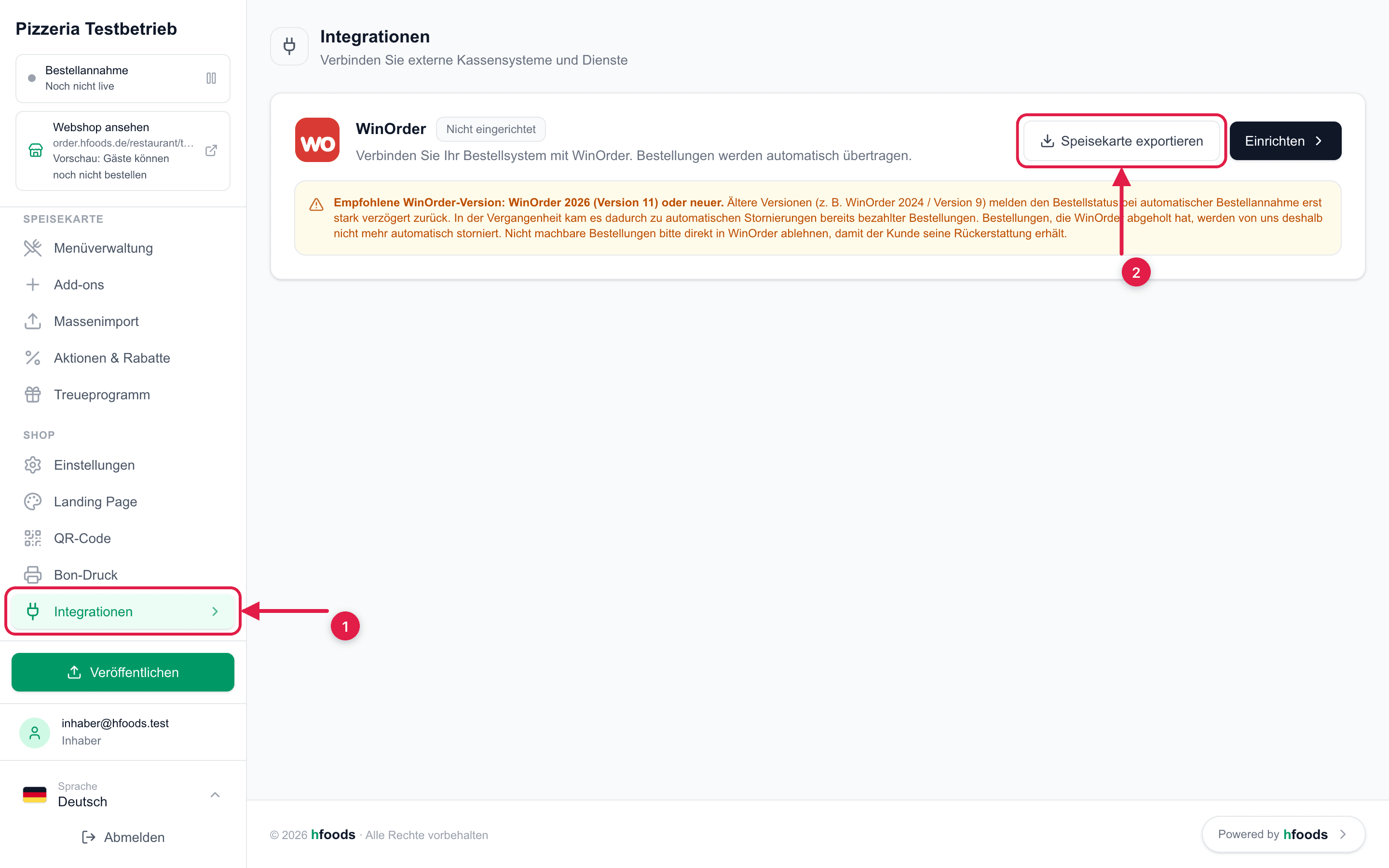
In the sidebar on the left, click Integrationen (integrations). Next to WinOrder click Speisekarte exportieren (export menu).
Download the file
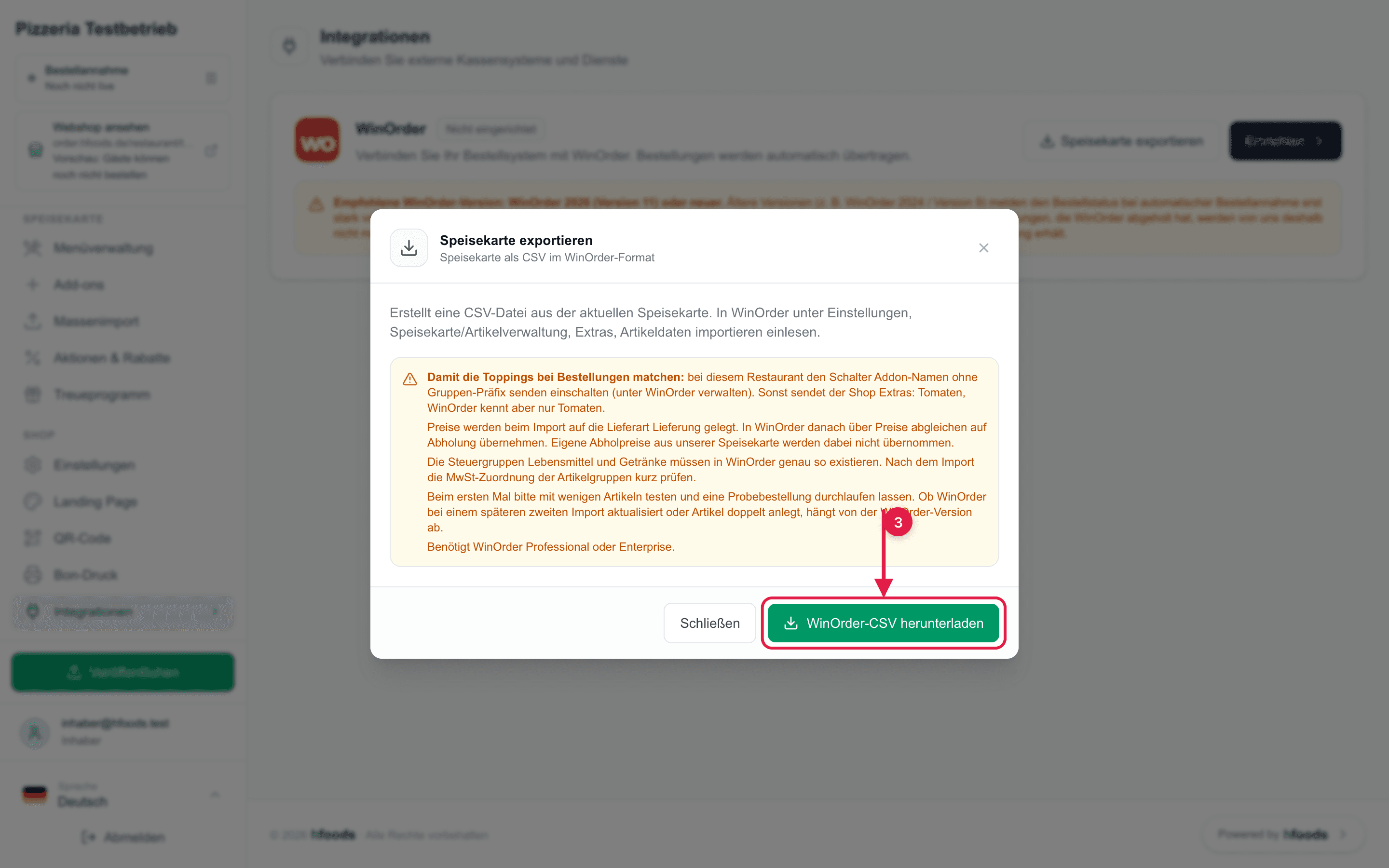
Read the notes in the Speisekarte exportieren window and click WinOrder-CSV herunterladen (download WinOrder CSV).
Result
The CSV file is in your downloads folder and can be imported into WinOrder.
Before importing
- So that toppings match in orders, switch on Addon-Namen ohne Gruppen-Präfix senden (send add-on names without group prefix), see Manage the WinOrder settings.
- On import, prices are set for the delivery order type. Afterwards take them over for pickup in WinOrder via Preise abgleichen (match prices). Your own pickup prices from the menu are not taken over.
- The tax groups Lebensmittel (food) and Getränke (drinks) must exist in WinOrder with exactly these names. Check the VAT assignment of the item groups after importing.
- The first time, test with a few items and a test order. Whether a later second import updates items or creates duplicates depends on the WinOrder version.