Admin areaIntegrations
Deactivate or reactivate WinOrder
Stop the transfer to WinOrder for a while and resume it later.
What it is for
If you do not want to use WinOrder for a while, deactivate the connection. Access details and settings are kept.
What changes
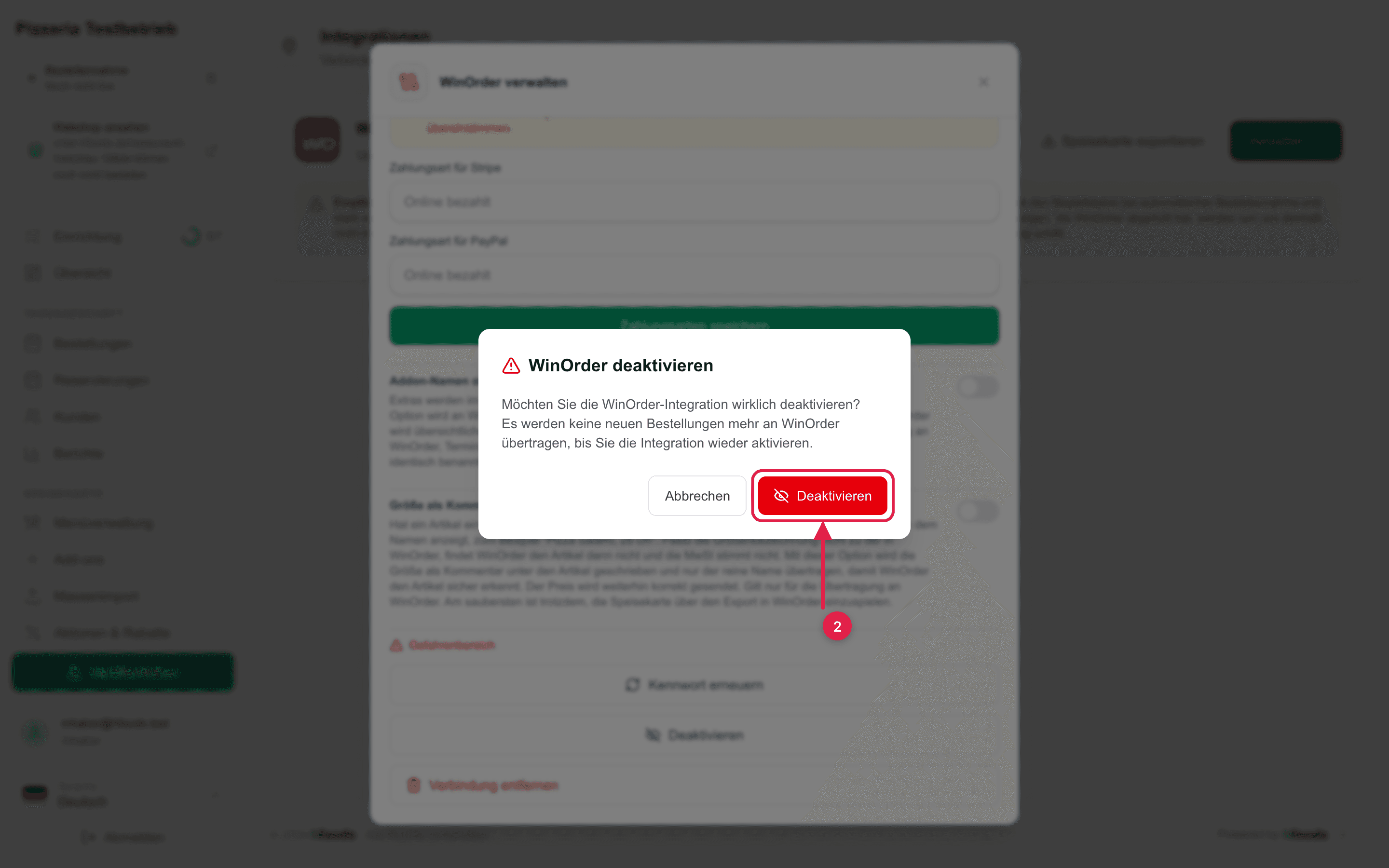
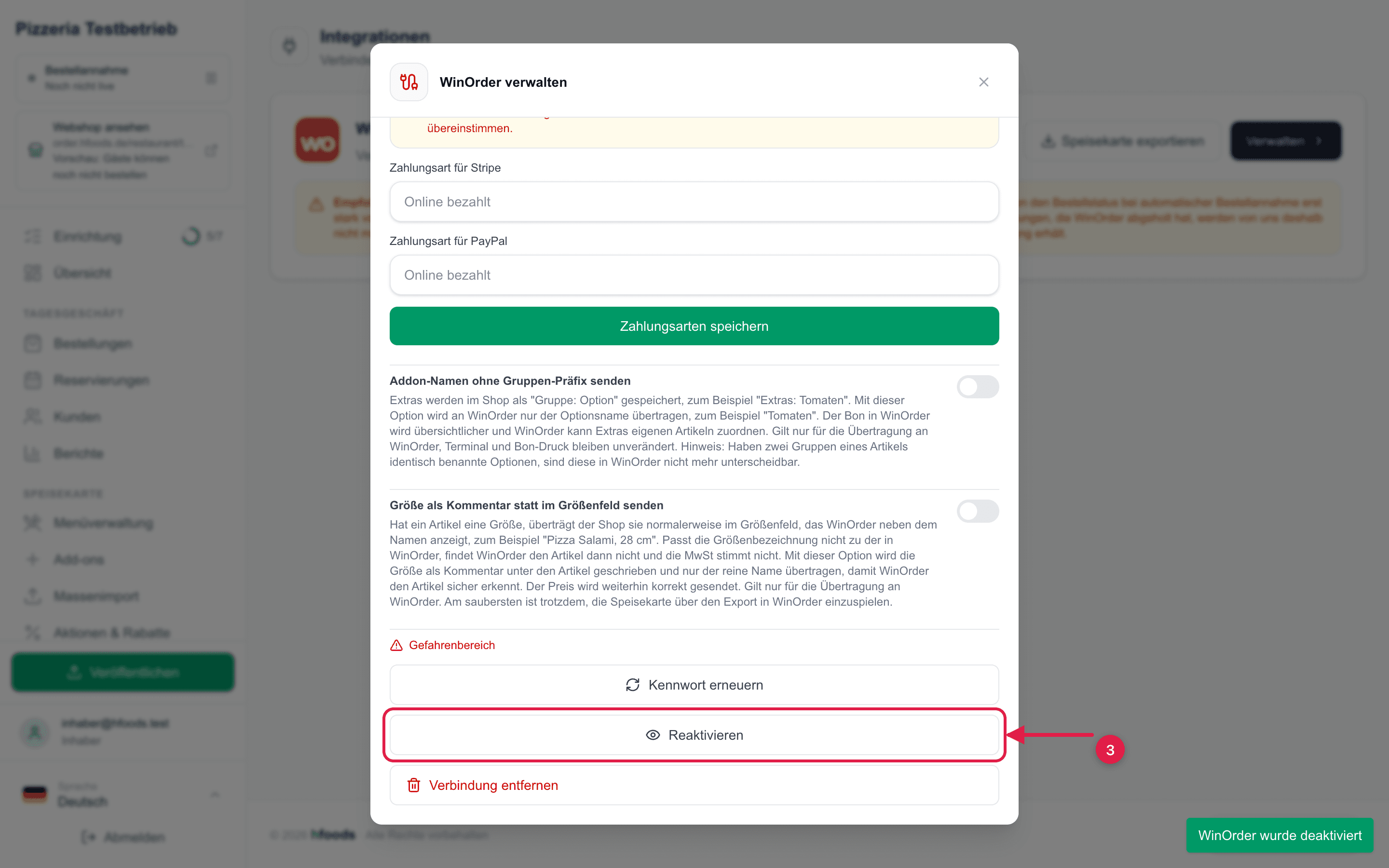
- Deactivated: no new orders are transferred to WinOrder. The message reads WinOrder wurde deaktiviert (WinOrder deactivated).
- Reactivated: the transfer runs again. The message reads WinOrder wurde reaktiviert (WinOrder reactivated).
- Reactivating only works while automatic acceptance on the terminal is off.
Requirements
You are signed in to the admin area as the owner, and WinOrder is set up, see Set up WinOrder.
Step by step
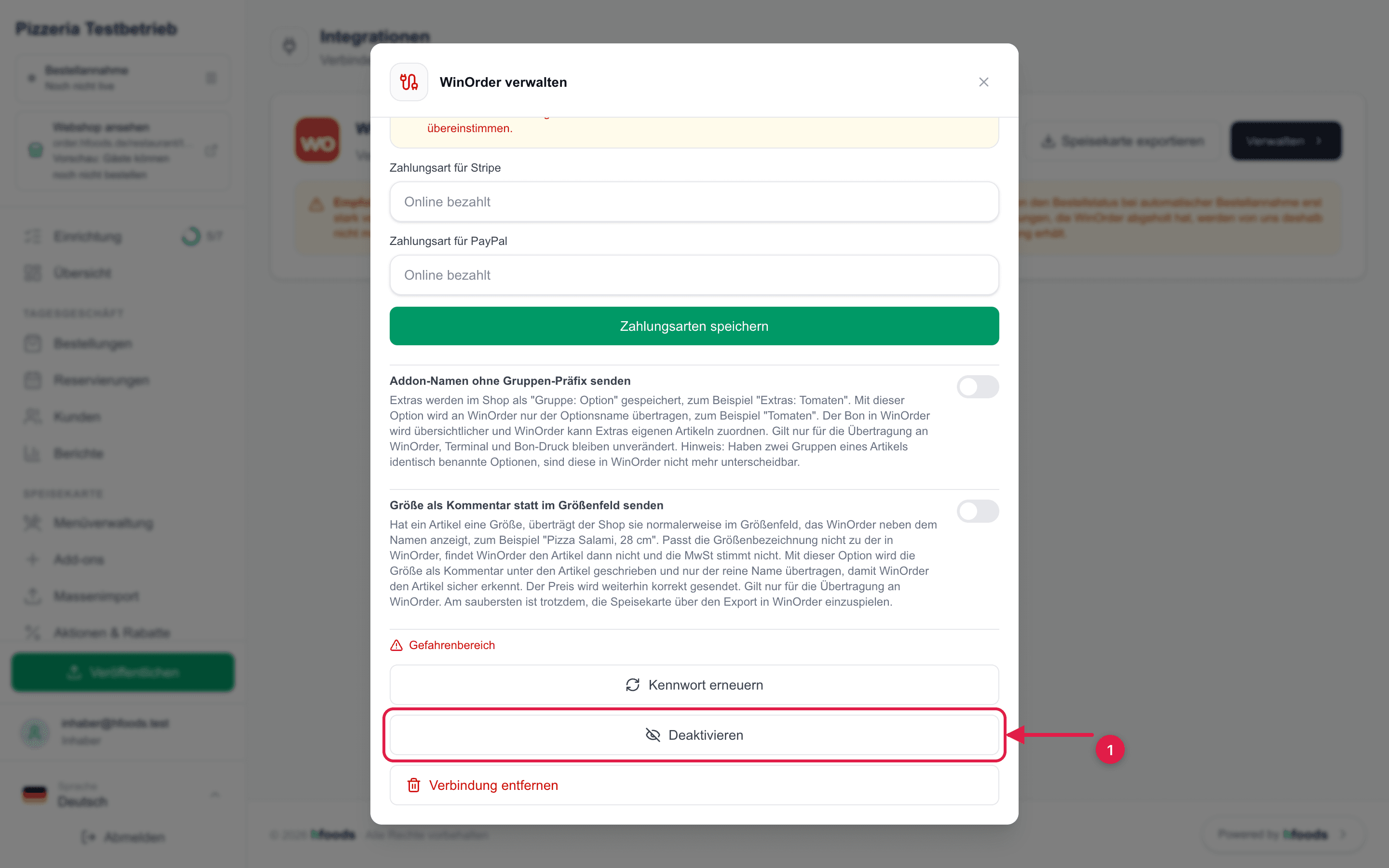
Choose deactivate
In the sidebar on the left, click Integrationen (integrations). Next to WinOrder click Verwalten (manage). At the bottom, in the Gefahrenbereich (danger zone), click Deaktivieren (deactivate).
Result
The transfer to WinOrder is stopped or running again.