Switch on the landing page
Switch on a welcome page in front of your menu, with pictures, your story and the way to you.
What it is for
The Landing Page is a welcome page in front of your menu: pictures of your business, your story, the way to you. Guests see it first and go on to the menu from there. You can switch it off again at any time.
What changes
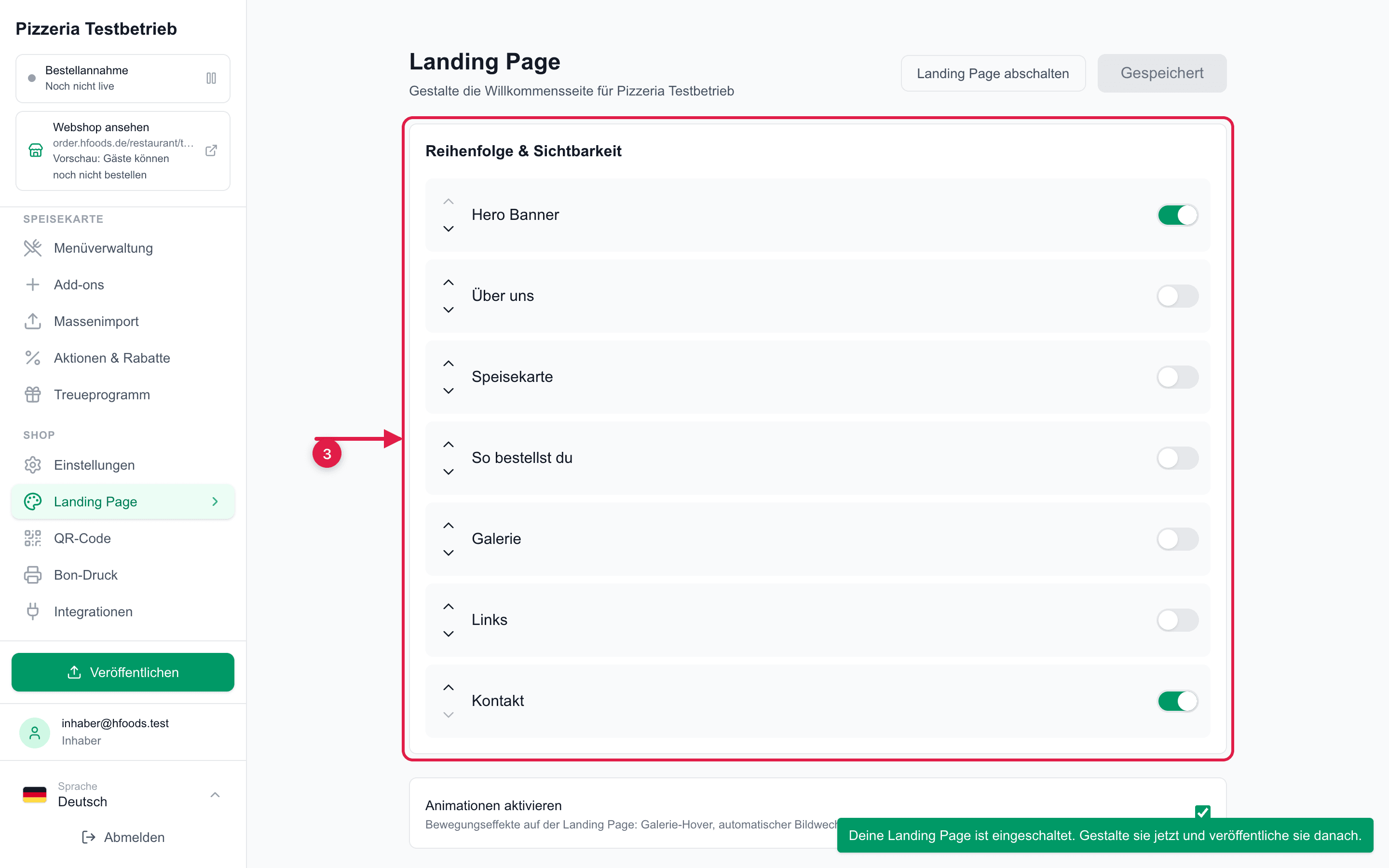
- The landing page is switched on with a template. At first Hero Banner and Kontakt (contact) are visible.
- The message reads Deine Landing Page ist eingeschaltet. Gestalte sie jetzt und veröffentliche sie danach. (your landing page is switched on, design it now and publish it afterwards).
- Instead of the notice you now see the editor with all sections.
Requirements
You are signed in to the admin area as the owner.
Looked after by a partner?
If your business is looked after by a partner, instead of the button it says Deine Landing Page schaltet dein Betreuer frei. Melde dich bei ihm, dann richtet er sie ein. (your account manager unlocks your landing page, contact them and they will set it up).
Step by step
Switch on
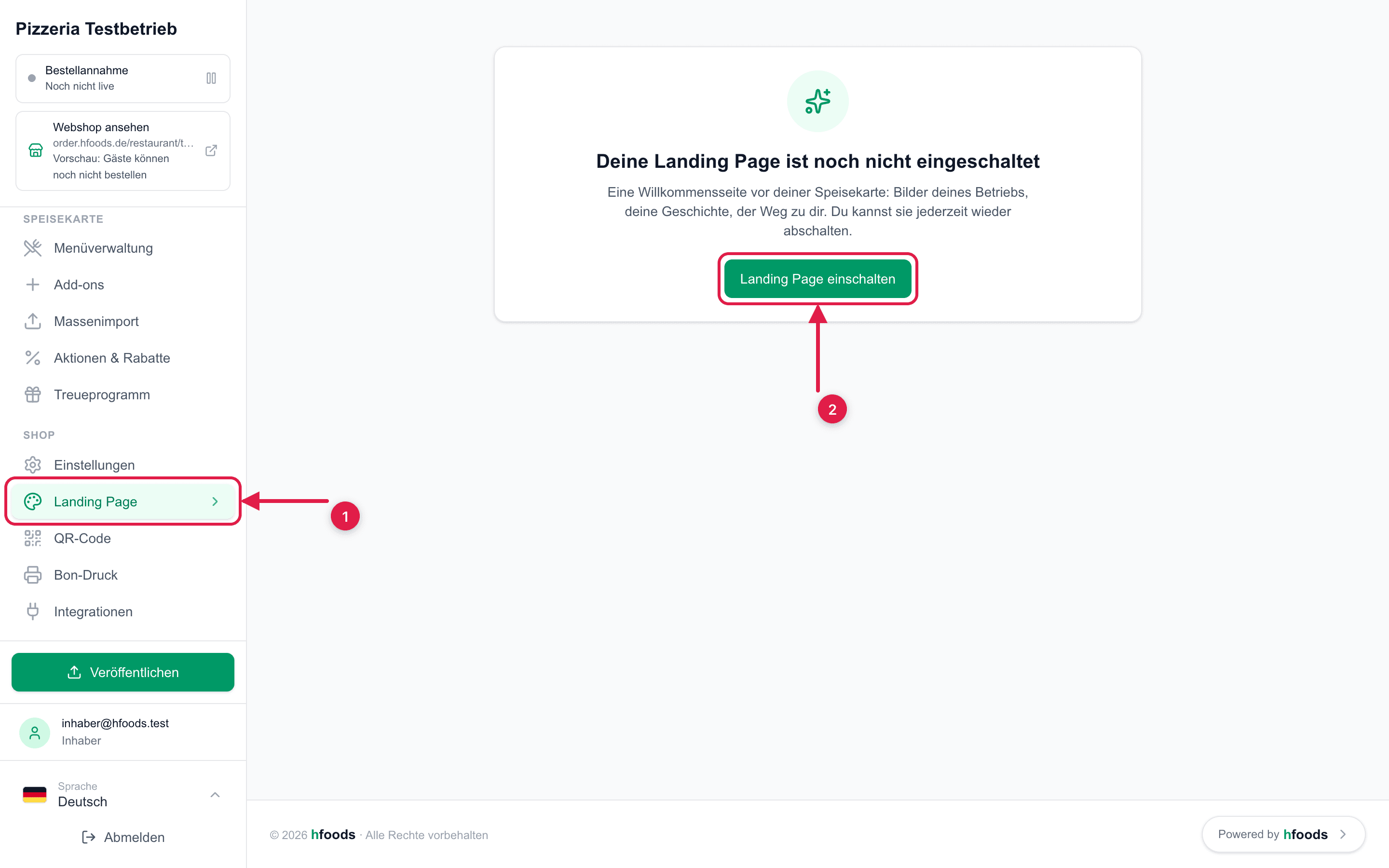
In the sidebar on the left, click Landing Page. As long as it is off, it says Deine Landing Page ist noch nicht eingeschaltet (your landing page is not switched on yet). Click Landing Page einschalten (switch on landing page).
Look at the editor
After a short Wird eingeschaltet (switching on) the editor appears. At the top is Reihenfolge & Sichtbarkeit (order and visibility) with all sections, below it the design.
Result
Your landing page is switched on. Now design the sections, save and publish them.