Order terminalSettings
Set the app size
Show the terminal's text and content larger or smaller.
What it is for
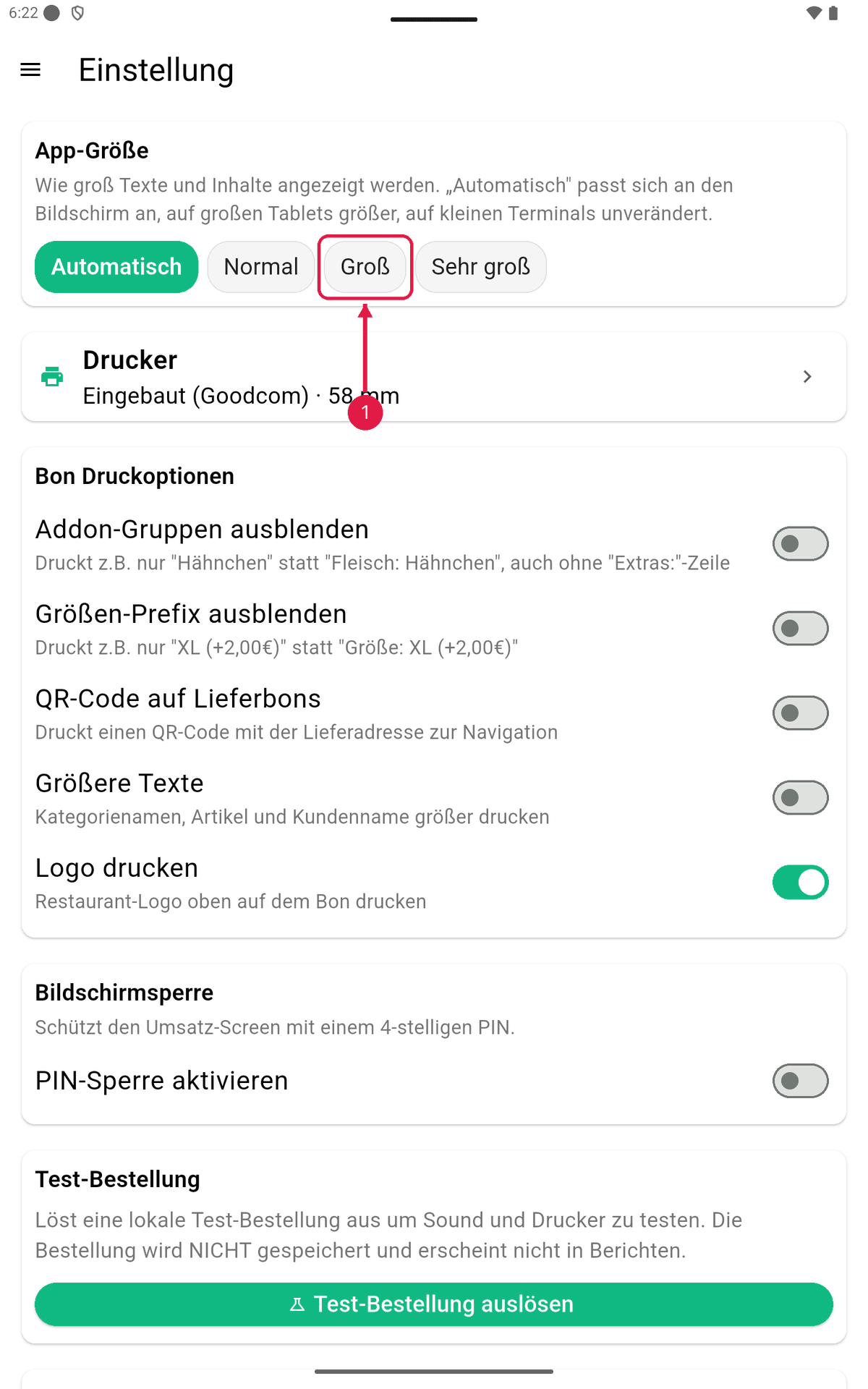
Under App-Größe (app size) you decide how large text and content appear.
What changes
- Automatisch (automatic, default) adapts to the screen: larger on big tablets, unchanged on small terminals.
- Normal, Groß (large) and Sehr groß (very large) set the size.
- The setting only applies to this device.
Requirements
The order terminal is connected with your restaurant.
Step by step
Choose the size
Open Einstellung (settings) in the menu. Under App-Größe tap the size you want, in the picture Groß.
Result
The terminal shows text in the chosen size.